Category Brands Batteries
Tags Lithium-ion Polymer, OEM, Replacement Laptop Battery
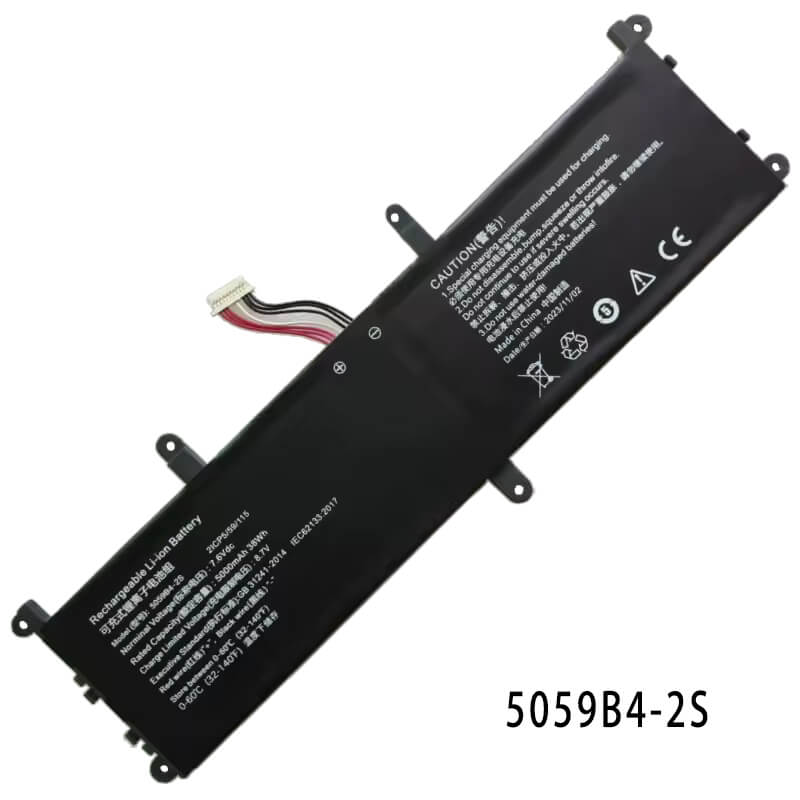
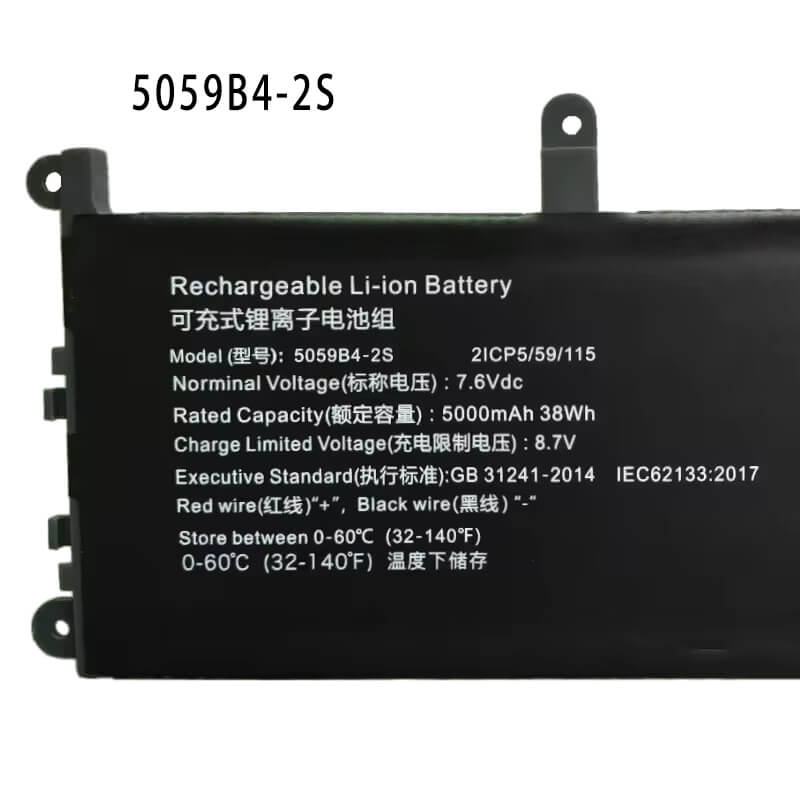
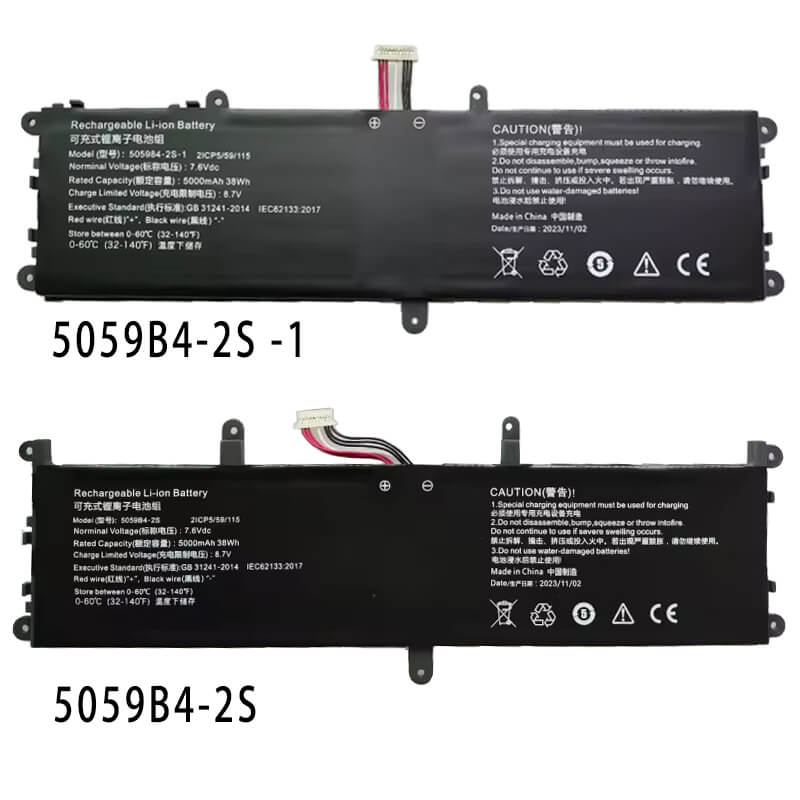
- Model Numbers: 5059B4-2S Battery
- Compatible Brand:Chuwi (Also fits Gateway/Thomson/Hyundai)
- Battery Type: Lithium-ion Polymer (High-Density cell)
- Voltage: 7.6V (Nominal)
- Capacity: 5000mAh / 38Wh
- Cells: 2-Cell
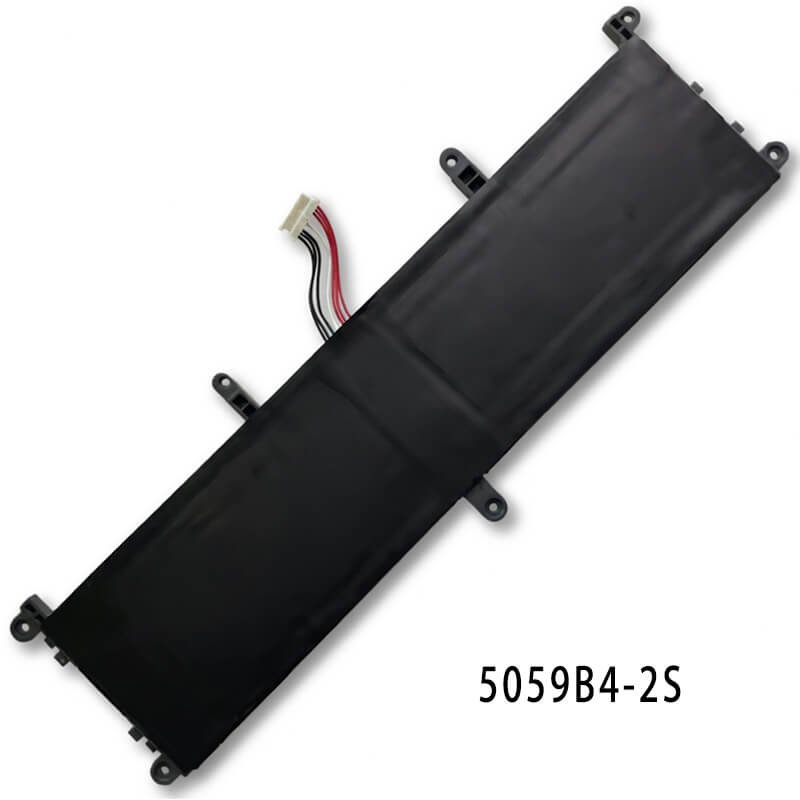
- Connector: 10-Pin Socket with 7-Wire Ribbon (Critical for Data Sync)
- Condition: 100% Brand New from Factory
- Life Cycle: 600 – 1000 recharge cycles
- Multiple Protection: Over Current, Over Voltage, Over Charge & Discharge, Overheat, Short Circuit, ESD, EMI
- Color: Black
- Certifications: UL2054, CE, FCC, RoHS, UN38.3, MSDS, IEC62133
- OEM/ODM: Yes(Accepted)
- Warranty: 18 Months After Sales, 24/7 Email Support.
- Product Dimensions: 9.96 x 2.6 x 0.2 inches
- Item Weight: 8.15 ounces
5059B4-2S Battery for Chuwi GemiBook Pro 14 CWI529 GemiBook 13 CWI528 | 7.6V 5000mAh 38Wh
Detailed Product Specifications and Features:
Core Technical Parameters:
| Property | Specification |
|---|---|
| Model Numbers | 5059B4-2S Battery |
| Compatible Brand | Chuwi (Also fits Gateway/Thomson/Hyundai) |
| Battery Type | Lithium-ion Polymer (High-Density cell) |
| Voltage | 7.6V (Nominal) |
| Capacity | 5000mAh / 38Wh |
| Cells | 2-Cell |
| Connector | 10-Pin Socket with 7-Wire Ribbon (Critical for Data Sync) |
| Condition | 100% Brand New from Factory |
| Life Cycle | 600 - 1000 recharge cycles |
| Multiple Protection | Over Current, Over Voltage, Over Charge & Discharge, Overheat, Short Circuit, ESD, EMI |
| Color | Black |
| Certifications | UL2054, CE, FCC, RoHS, UN38.3, MSDS, IEC62133 |
| OEM/ODM | Yes(Accepted) |
| Warranty | 18 Months After Sales, 24/7 Email Support. |
| Product Dimensions | 9.96 x 2.6 x 0.2 inches |
| Item Weight | 8.15 ounces |
Technical Note:
- Verify Your Model: The 5059B4-2S is specifically designed for the 7.6V architecture used in the GemiBook series.
- Warning: Some later “Gen 2” versions of the CWI557 or Pro models may feature an internal fan layout that requires an 11.4V battery.
- Identification Tip: If your original battery label says 7.6V and has 7 wires leading to a 10-pin connector, this HTJ model is your exact match.
Product Features:
- Battery Newest Premium Grade Cells
- Best Circuit Board
- Multiple command chip control, keep the battery stable charge and discharge;
- Over-charger protection and discharger protection, short-circuit protection, ensure fast charges and low power consumption
- Easy & Quick Installation
- Our battery is 100% compatible with the original battery and meets
- CE/FCC/ROHS/UL-certified standards. It is 100% new from the manufacturer and can support up to 1000 recharge cycles over the life of the battery
- Power Interface: Gold-plated connector points to ensure current transport excellently and serve stably.
- Enclosure: The enclosure is made of ABS + PC high-quality material, which has a high temperature-resistant function to protect your laptop from overheating
- Battery Buckle: The battery buckle is closely connected to the laptop, and the metal interface is stably powered
5059B4-2S Battery Compatibility Laptop Model List:
1. Compatible Laptop Model List (Comprehensive)
| Chuwi Series | Specific Model Suffixes (Searchable Variants) |
|---|---|
| GemiBook 13 | CWI528: GemiBook 13.3" 2K Screen Series (Intel J4115 / J4125 Edition) |
| GemiBook Pro 14 | CWI529: GemiBook Pro 14.1" (Intel J4125 / N5100 / N5105 Edition) |
| GemiBook XPro | CWI574: GemiBook XPro 14.1" (Intel N100 Series) |
| CoreBook X Pro | CWI528/CWI529 Variants: CoreBook X Pro 14 (i3-10110U / i5-10210U) |
| FreeBook | CWI557: FreeBook 13.5" (Verify original is 7.6V 5000mAh) |
| LarkBook | CWI533: LarkBook 13.3" (Ultra-Slim Fanless Edition) |
| Secondary Brands | Gateway GWTN141-10, GWTN116-3, Thomson Neo 14, iView Maximus |
| ⚠️ FITMENT ALERT | NOT FOR: CoreBook X (11.55V version) or models with a 10-wire harness. |
| ⚠️ VOLTAGE CHECK | ONLY for 7.6V Systems. If your Chuwi says 11.4V or 11.55V, this will not fit. |
2. 5059B4-2S Battery Compatible Part Numbers (P/N List)
- Primary Engineering ID: 5059B4-2S
- Alternative P/Ns: 5059B4
- Factory Codes: 2ICP5/55/115, 2ICP5/59/115 (IEC Standardized Codes)
- Secondary Brand Cross-Ref: Gateway GWTN141-10, Thomson Neo 14, Hyundai Onix III |
Why Choose HTJ for Chuwi GemiBook?
- OEM-Grade 10-Pin Interface:
Chuwi laptops rely on precise SMBus communication for battery percentage accuracy. HTJ batteries include the full 7-wire data configuration, preventing “Plugged in, not charging” errors found in 5-wire generic replacements. - High-Cycle 5000mAh Cells:
GemiBooks are built for mobility. We use high-density polymer cells that maintain 80% capacity after 500+ cycles, ensuring your portable office stays functional for years. - Heat-Shielded Polymer Construction:
Chuwi’s ultra-slim chassis leaves little room for cooling. Our built-in protection circuit prevents thermal runaway during fast charging, keeping the thin magnesium-alloy chassis from warping.
How to Install Your New Chuwi 5059B4-2S Battery?
The Chuwi 5059B4-2S is an internal battery. You will need a Phillips #00 screwdriver and a plastic spudger.
⚠️ Pre-Installation Safety Check:
- Hidden Screws: Chuwi often hides 2 screws under the rear rubber feet. Peel them back gently to avoid stripping the chassis.
- Static Discharge: Touch a grounded metal object before touching the motherboard.
Step-by-Step Installation Guide:
- Remove the Base: Flip the GemiBook over. Remove all visible screws. Gently peel back the top corners of the long rubber foot strip to find the 2 hidden screws.
- Open the Chassis: Use a plastic pry tool to start at the hinge gap. Slowly work your way around the edges until the bottom plate “pops” off.
- Disconnect the Battery: Locate the 7-wire connector (10-pin head). Use your fingernails or a spudger to slide the connector horizontally out of its socket. Do not pull the wires upward.
- Remove Old Battery: Unscrew the 4–6 small screws securing the battery pouch. Lift the old battery out.
- Insert HTJ Battery: Place the new HTJ 5059B4-2S into the bay. Align the screw holes first, then tighten the screws.
- Reconnect Power: Push the 10-pin connector firmly back into the motherboard socket until it “clicks.” It must be perfectly level.
- Seal and Sync: Snap the bottom cover back on and replace all screws (including the hidden ones).
💡 Pro Tips for Chuwi Installation:
- The “Zero-Power” Drain: Before plugging in the new battery, hold the laptop’s power button for 30 seconds with the battery unplugged. This clears static and ensures a clean BIOS handshake.
- Trackpad Clearance: If your trackpad feels “stiff” after tightening the bottom screws, loosen the battery mounting screws by a quarter-turn to relieve pressure.
- Connector Check: If the laptop says “Plugged in, Not Charging,” re-open the case and ensure the 7-wire plug is pushed in perfectly straight.
Essential Calibration (The “Chuwi Reset”)
- First Charge: Plug in the original Chuwi charger and charge to 100% without interruption.
- The Deep Cycle: Use the laptop on battery power until it reaches 5% or hibernates.
- The Sync: Charge back to 100% while powered off. This “teaches” the BIOS the exact 38Wh voltage range.
FAQ (Frequently Asked Questions)
- Q: My GemiBook Pro says it is a CWI529, but my original battery is 11.4V. Why?
A: Chuwi occasionally updated the motherboard mid-cycle. Always check the voltage printed on your original battery. If it says 7.6V, this HTJ 5059B4-2S is the correct part. If it says 11.4V, you need the 3-cell version. - Q: Can I use this battery in the Chuwi CoreBook X (non-Pro)?
A: Generally, no. The standard CoreBook X (CWI527) often uses a higher voltage 11.55V battery. This 5059B4-2S is specifically for the CoreBook X Pro and GemiBook series. - Q: Why does the battery have 7 wires but a 10-pin plug?
A: This is a standard OEM design for Chuwi. The 10-pin plastic head is used for structural stability in the motherboard socket, while the 7 active wires handle the 7.6V power delivery and SMBus data communication. - Q: Is the capacity exactly 5000mAh?
A: Yes. HTJ ensures that our 38Wh rating is an actual measured capacity. Unlike some generic brands that label 4500mAh cells as 5000mAh, we provide the full 5000mAh required for long-endurance productivity. - Q: My GemiBook Pro shows “0% Available” even after charging. Is this the fix?
A: Yes. This is a common failure symptom of the 5059B4-2S when the internal cells “drop” below a critical voltage. Replacing it with a fresh HTJ unit restores the charging circuit. - Q: Will this improve my trackpad clicking?
A: If your trackpad is currently stiff or hard to press, your old battery is likely swelling. Because the 5059B4 sits directly under the trackpad, our flat-profile replacement will resolve the mechanical pressure and fix the trackpad issue. - Q: Is this compatible with the 2K resolution GemiBook 13?
A: Yes. The 2K screen draws more power, which is why we provide a full 38Wh capacity to handle the higher backlight requirements.
Laptop Maintenance Tips:
- New battery: For using a new battery, you’d better try a few cycles of discharging to 5%. then charging up to 95%. So that it can be activated completely
- Overuse: Do not always run out of a battery to 0%, this would make it or usage life.
- Charging sequence: When charging, first install the battery, then turn on the power. when fully charged, first cut off the power, then pull the power plug.
- Long-term storage: Please store the unused battery fully charged. (Charge it once a month.) Do not store at low power to prevent reducing the lifespan of a battery
- Charger: Do not replace the laptop adapter casually. If the original adapter cannot be applied due to malfunction or damage, please replace the models so as not to reduce the service life of the battery due to incompatibility.
【IMPORTANT】: Press [ Ctrl+F ] to find the laptop models.
Need a legacy/unlisted charger? Send your Laptop Battery specs or CONTACT US → We will source it for you!
We are a professional manufacturer in the field of laptop batteries, laptop adapters, and laptop keyboards. We are committed to providing high-quality, competitively priced, and superior performance batteries and the best service to customers.