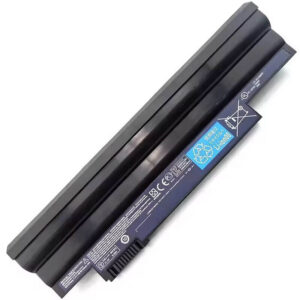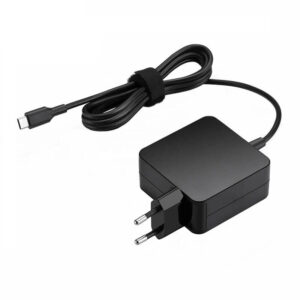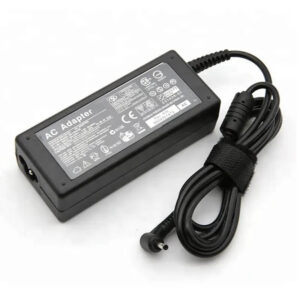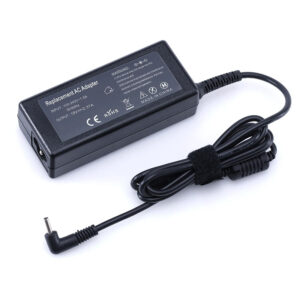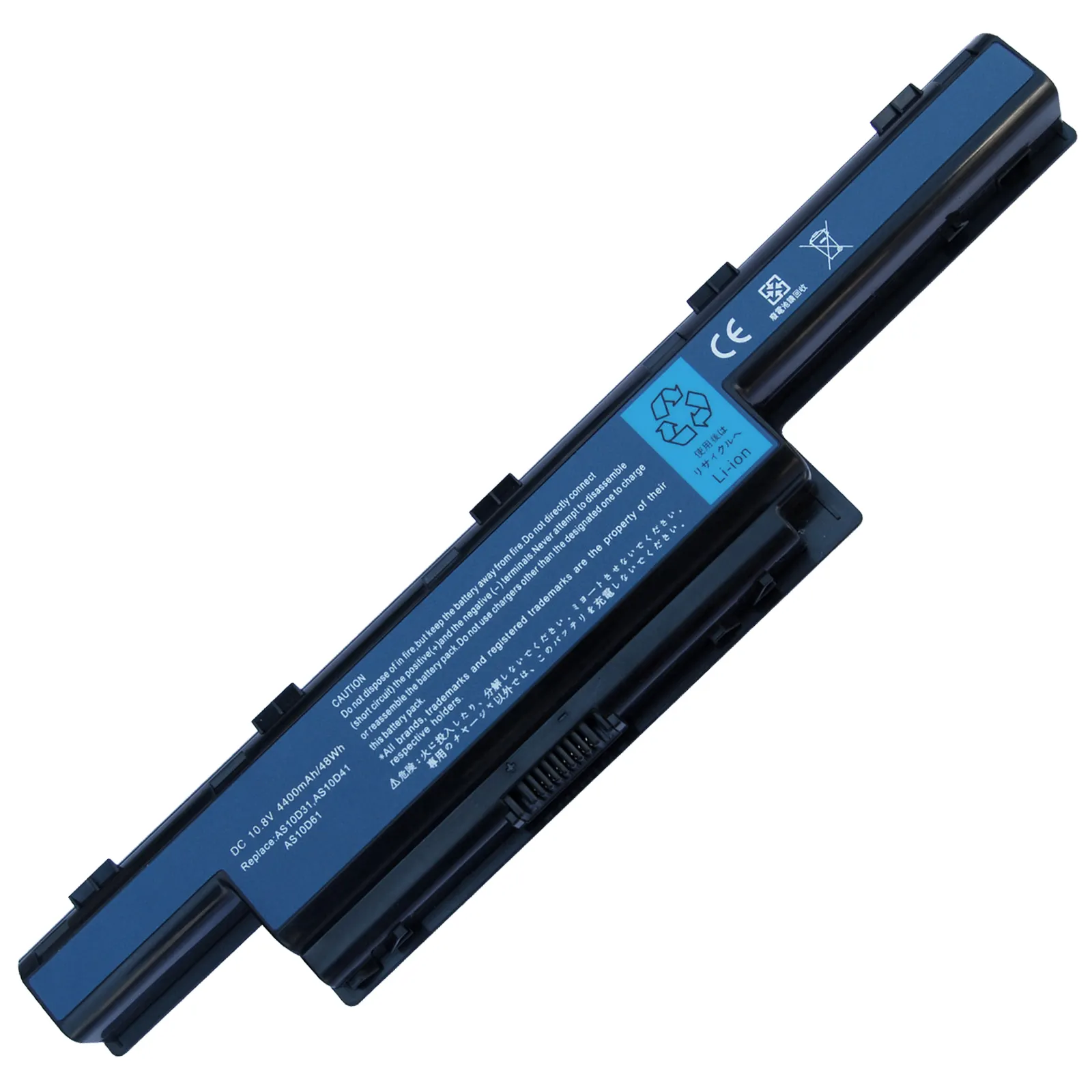

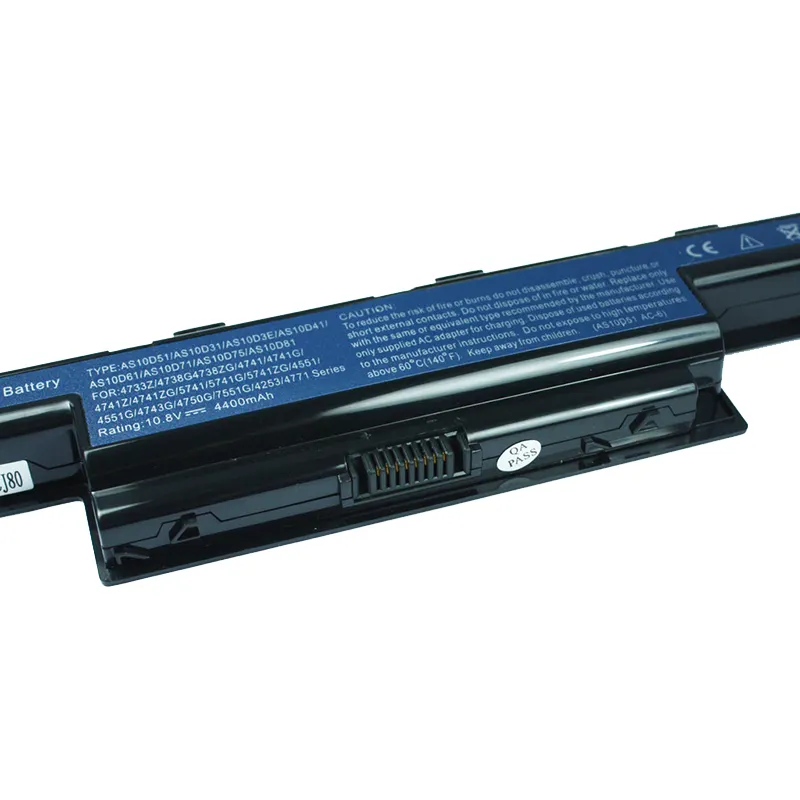

- Model Numbers: AS10D51 / AS10D31 / AS10D75 Battery
- Battery Type: Li-ion (Grade A+ Cells)
- Voltage: 10.8V (Compatible with 11.1V)
- Capacity: 48Wh / 4400mAh
- Cells: 6-Cell
- Condition: 100% Brand New from Factory
- Life Cycle: Up to 1000 recharge cycles
- Multiple Protection: Over Current, Over Voltage, Over Charge & Discharge, Overheat, Short Circuit, ESD, EMI
- Color: Black
- Certifications: UL2054, CE, FCC, RoHS, UN38.3, MSDS, IEC62133
- OEM/ODM: Yes(Accepted)
- Warranty: 18 Months After Sales, 24/7 Email Support.
- Product Dimensions: 12.4 x 3.35 x 1.77 inches
- Item Weight: 13.7 ounces
AS10D51 / AS10D31 Battery Replacement for Acer Aspire 5741 5742 5750 5750G Gateway NV55C | 10.8V 48Wh
Detailed Product Specifications and Features:
Core Technical Parameters:
| Property | Specification |
|---|---|
| Model Numbers | AS10D51 / AS10D31 / AS10D75 |
| Battery Type | Li-ion (Grade A+ Cells) |
| Voltage | 10.8V (Compatible with 11.1V) |
| Capacity | 48Wh / 4400mAh |
| Cells | 6-Cell |
| Condition | 100% Brand New from Factory |
| Life Cycle | Up to 1000 recharge cycles |
| Multiple Protection | Over Current, Over Voltage, Over Charge & Discharge, Overheat, Short Circuit, ESD, EMI |
| Color | Black |
| Certifications | UL2054, CE, FCC, RoHS, UN38.3, MSDS, IEC62133 |
| OEM/ODM | Yes(Accepted) |
| Warranty | 18 Months After Sales, 24/7 Email Support. |
| Product Dimensions | 12.4 x 3.35 x 1.77 inches |
| Item Weight | 13.7 ounces |
Technical Note:
This is an External Removable battery. It features a standard slide-and-click locking mechanism located on the bottom of the laptop. Please ensure your original battery model is part of the AS10D series (AS10D31, AS10D51, AS10D71, etc.) and your laptop uses an external battery slot before ordering.
Product Features:
- Battery Newest Premium Grade Cells
- Best Circuit Board
- Multiple command chip control, keep the battery stable charge and discharge;
- Over-charger protection and discharger protection, short-circuit protection, ensure fast charges and low power consumption
- Easy & Quick Installation
- Our battery is 100% compatible with the original battery and meets
- CE/FCC/ROHS/UL-certified standards. It is 100% new from the manufacturer and can support up to 1000 recharge cycles over the life of the battery
- Power Interface: Gold-plated connector points to ensure current transport excellently and serve stably.
- Enclosure: The enclosure is made of ABS + PC high-quality material, which has a high temperature-resistant function to protect your laptop from overheating
- Battery Buckle: The battery buckle is closely connected to the laptop, and the metal interface is stably powered
AS10D51 / AS10D31 Battery Compatibility Laptop Model List:
| Series | Detailed Compatible Laptop Models |
|---|---|
| Acer Aspire 5741/5742 | 5741G, 5741Z, 5741-332G32Mn, 5741-333G32Mn, 5741G-334G50Mn, 5742G, 5742Z, 5742ZG, 5742-7154, 5742-7653, 5742G-372G50Mnkk, 5742Z-4693 |
| Acer Aspire 5750 | 5750G, 5750Z, 5750ZG, 5750-6421, 5750-6677, 5750-6845, 5750G-2414G50Mnkk, 5750G-2634G50Mnkk, 5750Z-4835 |
| Acer Aspire 4741/4750 | 4741G, 4741Z, 4741ZG, 4741-332G32Mn, 4741G-332G32Mn, 4750G, 4750Z, 4752G, 4755G, 4755ZG |
| Acer Aspire 7741/7750 | 7741G, 7741Z, 7741-333G25Mn, 7741G-334G50Mn, 7750G, 7750Z, 7750-6423, 7750-6669, 7750G-6662 |
| Gateway NV Series | NV55C, NV55C02u, NV55C03u, NV55C54u, NV59C, NV59C09u, NV59C11u, NV79C, NV52L, NV56R, NV53A, NV50A |
| Acer TravelMate | 4740, 5740, 5740G, 5742, 5742G, 5760, 5760G, 7740G, 8472, 8473, 8572, 8573, TM5740, TM5742 |
| Other Series | Aspire 4333, 4339, 4551, 4552G, 5250, 5253, 5336, 5551G, 5552, 5560G, 5733Z, 5736Z, 5749 |
| Packard Bell | EasyNote LM81, LM85, LM86, LS11, LS13, LS44, NM85, NM86, TM80, TM81, TM85, TM86, TM87, TM89 |
AS10D51 / AS10D31 Battery Compatible P/N (Part Numbers) List:
- AS10D31, AS10D3E, AS10D41, AS10D51, AS10D61, AS10D71, AS10D73, AS10D75, AS10D81
- 00603.111, BT.00603.117, BT.00603.124, BT.00604.049, BT.00605.062, BT.00605.065, BT.00606.008, BT.00607.125
- BTP00.123, LC.BTP00.127, AK.006BT.075, AK.006BT.080, 31CR19/652, 31CR19/66-2
Why Choose HTJ AS10D51 / AS10D31 Battery?
- Universal Compatibility & Precision Fit:
The HTJ AS10D51 is built to 1:1 original mold specifications, ensuring it slides perfectly into the battery bay of over 100 compatible Acer, Gateway, and Packard Bell models. The locking tabs are reinforced to prevent accidental decoupling. - Enhanced Performance for Legacy Devices:
Breathe new life into your trusted laptop. Our Grade A+ Lithium-ion cells provide a consistent 10.8V output and are rated for 1000+ recharge cycles, outperforming standard market replacements in longevity and discharge stability. - Superior Thermal Management:
Gaming and heavy multitasking can generate significant heat. The AS10D51 from HTJ is equipped with an advanced BMS and heat-resistant casing, ensuring safety and efficiency even during peak power draw in models like the Aspire 5750G. - Factory-Direct Value:
HTJ eliminates middleman costs by shipping directly from the factory. We back our quality with an industry-leading 18-month warranty and professional 24/7 customer support.
How to Install Your New AS10D51 / AS10D31 Battery?
Replacing the external AS10D51 battery is a simple “Plug-and-Play” process that takes less than 1 minute.
⚠️ Crucial Safety Preparation
- Power Off: Ensure the laptop is completely powered down, and the AC adapter is unplugged.
- No Tools Required: Most models using the AS10D51 utilize manual sliding latches.
AS10D51 Battery Step-by-Step Installation Guide:
- Unlock the Old Battery:
Flip the laptop over. Locate the two sliding latches on the battery bay. Slide the “Lock” latch to the open position. - Release and Remove:
Hold the “Release” spring-latch in the open position while simultaneously sliding the old battery out of its bay. - Insert the New Battery:
Align the gold-plated connectors of the new HTJ AS10D51 battery with the pins in the laptop’s bay. Slide the battery in until you hear a firm “click.” - Secure the Latch:
Slide the “Lock” latch back to the locked position to ensure the battery is held securely. - Calibration:
Charge the new battery to 100%, keep it plugged in for 2 hours, then discharge it to 5% before recharging to 100%. This synchronizes the battery meter with the system.
💡 Pro Tip:
To extend the life of your new AS10D51, avoid leaving the laptop plugged in 24/7 at 100% charge. Occasionally, discharging the battery helps maintain cell chemistry.
FAQ:
- Q: How to identify if your battery is an AS10D51 / AS10D31 / AS10D75 / AS10D81?
A: Look at the underside of your original battery. You will see “AS10D51”, “AS10D31”, “AS10D75”, or “AS10D81” printed in the corner. This series is universally interchangeable among the models listed above. - Q: Can I replace my 4400mAh battery with this 5200mAh (or higher) version?
A: The “mAh” (milliampere-hour) rating indicates the capacity. As long as the voltage (10.8V/11.1V) and physical shape match the AS10D series, a higher mAh rating will simply provide a longer run-time per charge without damaging your laptop. - Q: The battery fits the slot, but the laptop won’t turn on without the charger. What should I check?
A: Ensure the battery is fully locked in. The AS10D series often requires two sliding locks to be engaged. If it’s locked, the battery may be in “Sleep Mode” for safety during shipping; try charging it for at least 3 hours before the first boot. - Q: Why does my battery percentage jump from 20% to 5% suddenly?
A: This is usually a sign that the battery meter needs calibration. To fix this, charge the battery to 100%, then let it drain completely until the laptop shuts down. Recharge it back to 100% without interruption to “sync” the battery’s chemical state with the Windows software. - Q: Is this battery compatible with the Acer Aspire 5750G “Turbo Boost” models?
A: Yes, the AS10D series provides the necessary peak current required for the high-performance 5750G and 7750G series, even when the CPU and GPU are running at maximum power under heavy loads. - Q: How can I tell if I need a new battery or if my charger is the problem?
A: If the laptop runs fine while plugged in but dies the moment you unplug it, the battery is likely exhausted. If the “charging” light on the laptop does not turn on at all when the battery is inserted and the charger is connected, it could be a faulty AC adapter or a damaged charging port.
Laptop Maintenance Tips:
- New battery: For using a new battery, you’d better try a few cycles of discharging to 5%. then charging up to 95%. So that it can be activated completely
- Overuse: Do not always run a battery to 0%, as this would shorten its usage life.
- Charging sequence: When charging, first install the battery, then turn on the power. When fully charged, first cut off the power, then pull the power plug.
- Long-term storage: Please store the unused battery fully charged. (Charge it once a month.) Do not store at low power to prevent reducing the lifespan of a battery
- Charger: Do not replace the laptop adapter casually. If the original adapter cannot be applied due to malfunction or damage, please replace the models so as not to reduce the service life of the battery due to incompatibility.
【IMPORTANT】: Press [ Ctrl+F ] to find the laptop models.
Need a legacy/unlisted charger? Send your Acer Laptop Battery specs or CONTACT US → We will source it for you!
We are a professional manufacturer in the field of laptop batteries, laptop adapters, and laptop keyboards. We are committed to providing high-quality, competitively priced, and superior performance batteries and the best service to customers.