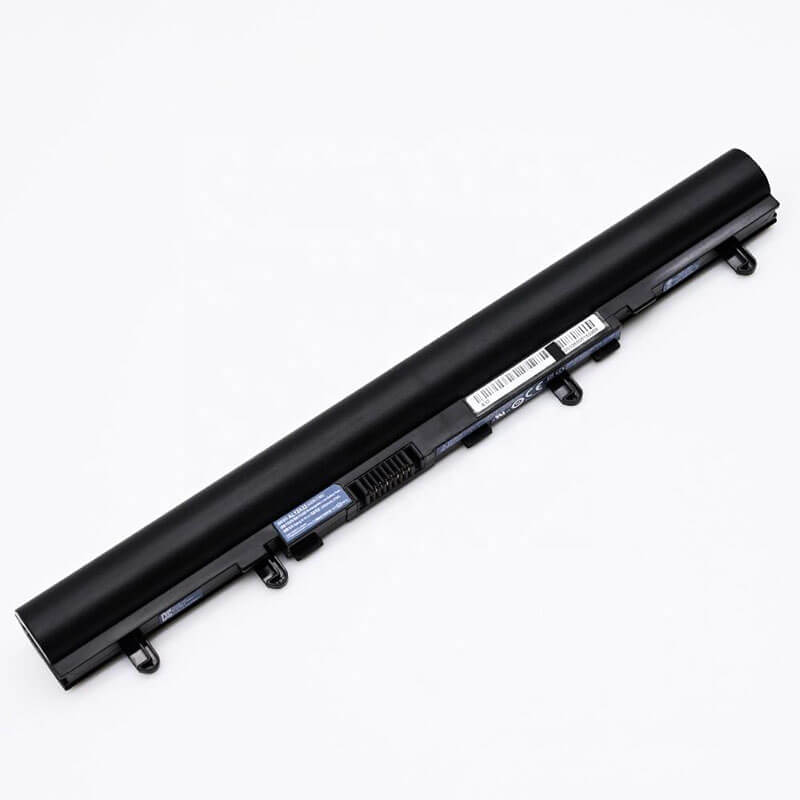
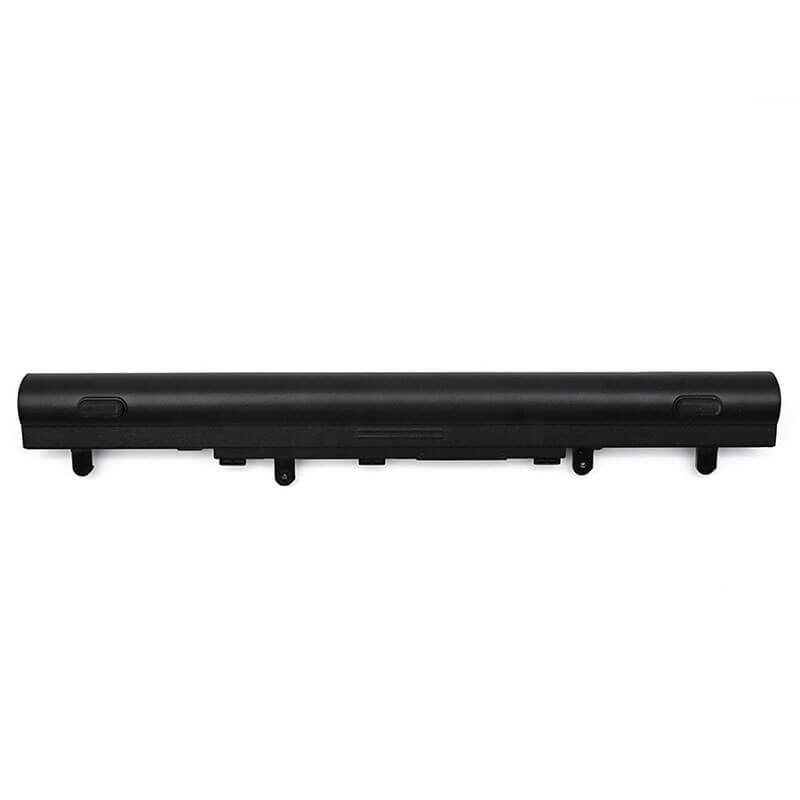
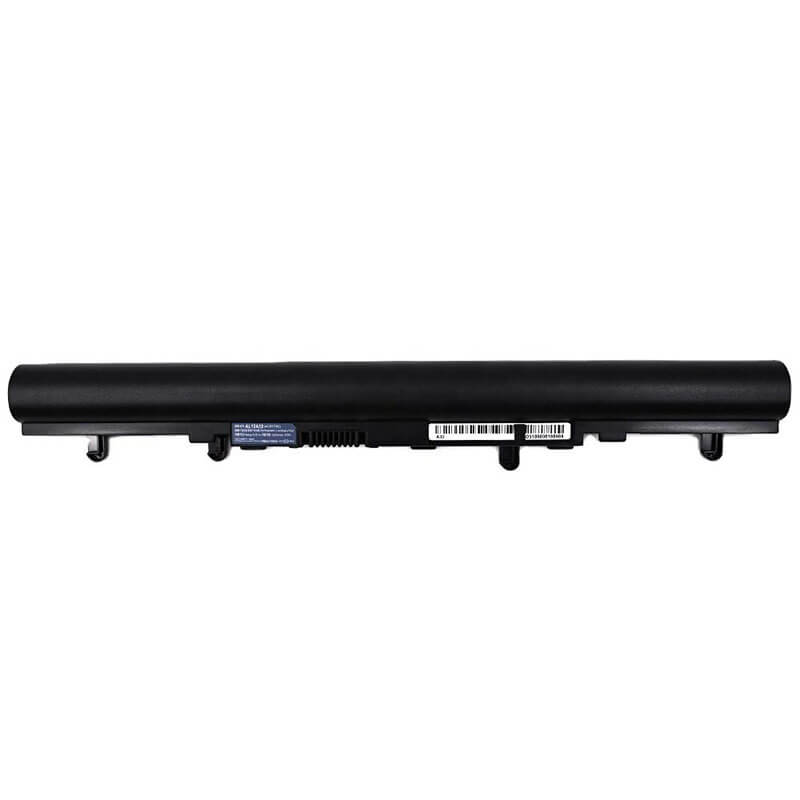
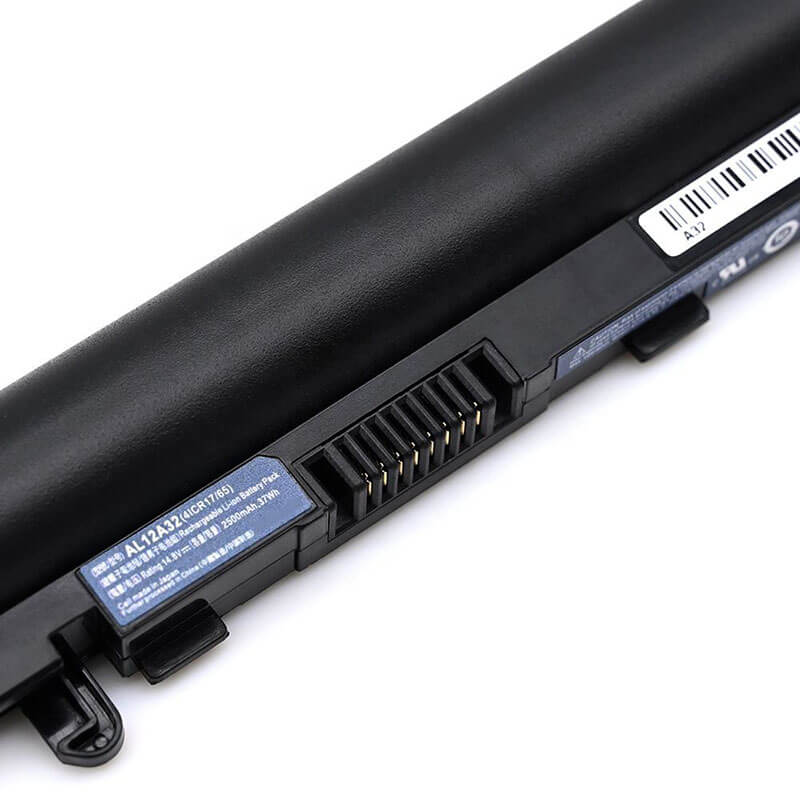
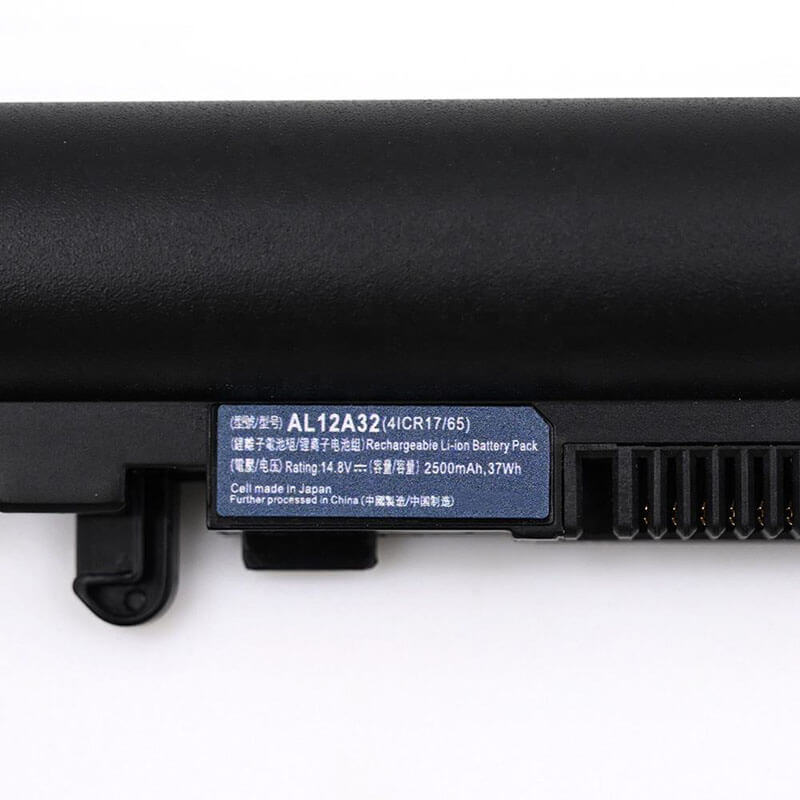

- Model Numbers: AL12A32 battery
- Compatible with: AL12A72 / AL12A42 / AL12A52
- Battery Type: Li-ion (Grade A+ Cells)
- Voltage: 14.8V (Compatible with 14.4V)
- Capacity: 37Wh / 2600mAh
- Connector: External Snap-in Interface
- Cells: 4 Cell
- Shape: Extended/Protruding (Adds height to the laptop)
- Condition: 100% Brand New from Factory
- Multiple Protection: Over Current, Over Voltage, Over Charge & Discharge, Overheat, Short Circuit, ESD, EMI
- Color: Black
- Certifications: CE / FCC / ROHS / UN38.3 -certified
- Life Cycle: Up to 1000 recharge cycles
- Condition: 100% Compatible Brand
- OEM/ODM: Yes(Accepted)
- Warranty: 18 Months After Sales, 24/7 Email Support.
- Product Dimensions: 10.5 x 1.25 x 0.95 inches
- Item Weight: 10.2 ounces
AL12A32 Battery Replacement for Acer Aspire E1-571 E1-522 V5-471 V5-571| 37Wh / 2600mAh
Detailed Product Specifications and Features:
Core Technical Parameters:
-
Property Specification Model Numbers AL12A32 battery Battery Type Li-ion (Grade A+ Cells) Voltage 14.8V (Compatible with 14.4V) Capacity 37Wh / 2600mAh Connector External Snap-in Interface Cells 4-Cell Compatible AL12A72 / AL12A42 / AL12A52 Condition 100% Brand New from Factory Life Cycle Up to 1000 recharge cycles Multiple Protection Over Current, Over Voltage, Over Charge & Discharge, Overheat, Short Circuit, ESD, EMI Color Black Certifications UL2054, CE, FCC, RoHS, UN38.3, MSDS, IEC62133 OEM/ODM Yes(Accepted) Warranty 18 Months After Sales, 24/7 Email Support. Product Dimensions 10.5 x 1.25 x 0.95 inches Item Weight 10.2 ounces
Technical Note:
- Capacity Advantage: This is an upgraded 2600mAh version, providing longer battery life than the original 2200mAh battery.
- Shape Confirmation Notice: Please note that this model is a long, external battery. If your V5 series laptop is an ultra-thin model with a built-in (invisible) battery, you need the AL12A31 model, not this one.
Product Features:
- Battery Newest Premium Grade Cells
- Best Circuit Board
- Multiple command chip control, keep the battery stable charge and discharge;
- Over-charger protection and discharger protection, short-circuit protection, ensure fast charges and low power consumption
- Easy & Quick Installation
- Our battery is 100% compatible with the original battery and meets
- CE/FCC/ROHS/UL-certified standards. It is 100% new from the manufacturer and can support up to 1000 recharge cycles over the life of the battery
- Power Interface: Gold-plated connector points to ensure current transport excellently and serve stably.
- Enclosure: The enclosure is made of ABS + PC high-quality material, which has a high-temperature-resistant function to protect your laptop from overheating
- Battery Buckle: The battery buckle is closely connected to the laptop, and the metal interface is stably powered
AL12A32 battery replacement Compatibility Laptop Model List:
| Series | Complete Compatible Model Detail (Sub-models) |
|---|---|
| Acer Aspire E1 | E1-431, E1-431G, E1-471, E1-471G Series E1-522 Series: E1-522-3442, E1-522-5423, E1-522-7415, E1-522-MS2372 E1-531, E1-531G Series: E1-531-2438, E1-531-4444, E1-531-4665 E1-571, E1-571G Series: E1-571-6442, E1-571-6481, E1-571-6650, E1-571-6680, E1-571-6888 |
| Acer Aspire V5 | V5-431, V5-431P, V5-431G Series: V5-431-4407, V5-431-987B V5-471, V5-471P, V5-471G Series: V5-471-6676, V5-471-6687, V5-471P-6467 V5-531, V5-531P, V5-531G Series: V5-531-4636, V5-531P-4469 V5-551, V5-551G Series: V5-551-7850, V5-551-8401 V5-571, V5-571P, V5-571G Series: V5-571-6662, V5-571-6869, V5-571-6892, V5-571-6893, V5-571P-6499, V5-571P-6627 |
| Acer TravelMate | P243 Series: P243-M, P243-MG P253 Series: P253-E, P253-M, P253-MG |
| Gateway | NE51B Series: NE51B10u, NE51B14u NE56R Series: NE56R10u, NE56R31u, NE56R34u, NE56R41u NV56R Series: NV56R10u, NV56R14u |
Compatible P/N (Part Numbers) List
- AL12A32
- AL12A72
- AL12A42
- AL12A52
- 4ICR17/65
- 004BT.097
- 004BT.098
- B053R015-0002
- 00403.009
- 00407.001
- TZ41R1122
Why Choose HTJ AL12A32 2600mAh Battery?
- Enhanced 2600mAh Capacity:
While most standard replacements offer only 2200mAh, HTJ’s 2600mAh/37Wh version provides nearly 20% more runtime, ensuring your Acer laptop stays powered longer during critical tasks. - Premium Grade A+ Cells:
We use only top-tier lithium-ion cells that ensure a stable voltage output of 14.8V and a service life of over 1000 charge cycles, maintaining high health even after years of use. - 100% System Compatibility:
Equipped with a precision-engineered control board, this battery is fully recognized by Acer Aspire E1 and V5 series BIOS, providing accurate percentage readings and zero “plugged in, not charging” issues. - Superior Safety Standards:
Built-in multi-protection circuits guard against overcharge, over-discharge, and short-circuits. Fully certified by CE, FCC, and RoHS for global safety compliance.
How to Install Your New AL12A32 Battery Replacement
This is a user-replaceable External battery. No technical skills or tools are required.
⚠️ Crucial Safety Preparation
- Power Down: Completely shut down your laptop and unplug the power adapter before starting.
- Check Latches: Ensure the battery bay is clean and free of dust.
Step-by-Step Installation Guide
- Unlock: Flip the laptop over. Slide the battery lock latch to the “unlocked” position.
- Remove: Slide the spring-loaded release latch and pull the old battery out of its slot.
- Align & Insert: Take your new HTJ 2600mAh AL12A32 battery and align the connector with the laptop’s power pins. Slide it into the bay until it clicks firmly into place.
- Lock: Slide the manual lock latch back to the “locked” position to prevent the battery from falling out.
- Initialize: Connect the charger and charge the battery to 100% before your first mobile use.
💡 Pro Tip:
Shape Confirmation Notice: Please note that this model is a long, external battery. If your V5 series laptop is an ultra-thin model with a built-in (invisible) battery, you need the AL12A31 model, not this one.
Laptop Maintenance Tips:
- New battery: For using a new battery, you’d better try a few cycles of discharging to 5%. then charging up to 95%. So that it can be activated completely
- Overuse: Do not always run out of a battery to 0%, as this would shorten its usage life.
- Charging sequence: When charging, first install the battery, then turn on the power. When fully charged, first cut off the power, then pull the power plug.
- Long-term storage: Please store the unused battery fully charged. (Charge it once a month.) Do not store at low power to prevent reducing the lifespan of a battery
- Charger: Do not replace the laptop adapter casually. If the original adapter cannot be applied due to malfunction or damage, please replace the models so as not to reduce the service life of the battery due to incompatibility.
FAQ:
- Q: Why does my laptop show “Plugged in, not charging” after installing the new battery?
A: This is often caused by a driver issue or a failure to “handshake” with the AC adapter. Try uninstalling the “Microsoft ACPI-Compliant Control Method Battery” driver in Device Manager, then restart your laptop to force Windows to re-detect the new battery. - Q: Does this battery require a “calibration” process after the first installation?
A: It is recommended to charge it to 100% and then discharge it to about 5% for the first few cycles. This allows the battery management system (BMS) to accurately calibrate the capacity readings in your operating system. - Q: Will the protruding shape of this battery cause issues with a laptop cooling pad?
A: The protrusion typically raises the back of the laptop slightly, which can actually improve airflow and cooling. However, if you use a form-fitting cooling stand or a rigid hardshell case, the added height may prevent a perfect fit. - Q: Can I safely leave my laptop plugged into the power adapter at all times with this battery?
A: Modern laptops have built-in protection circuits that stop charging once the battery reaches 100%. However, for optimal battery longevity, it is best practice to use the battery on power periodically rather than keeping it at 100% charge indefinitely. - Q: What is the shelf life of this battery if I am not using it immediately?
A: If you are storing the battery, charge it to about 50–60% and store it in a cool, dry place. Check and charge it at least once every 3–6 months to prevent the voltage from dropping to a level that could damage the cells.
【IMPORTANT】: Press [ Ctrl+F ] to find the laptop models.
Need a legacy/unlisted charger? Send your Acer Laptop Battery specs or CONTACT US → We will source it for you!
We are a professional manufacturer in the field of laptop batteries, laptop adapters, and laptop keyboards. We are committed to providing high-quality, competitively priced, and superior performance batteries and the best service to customers.