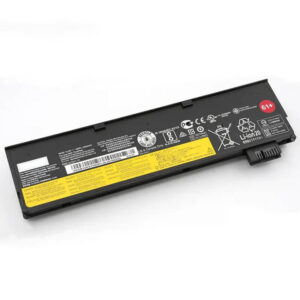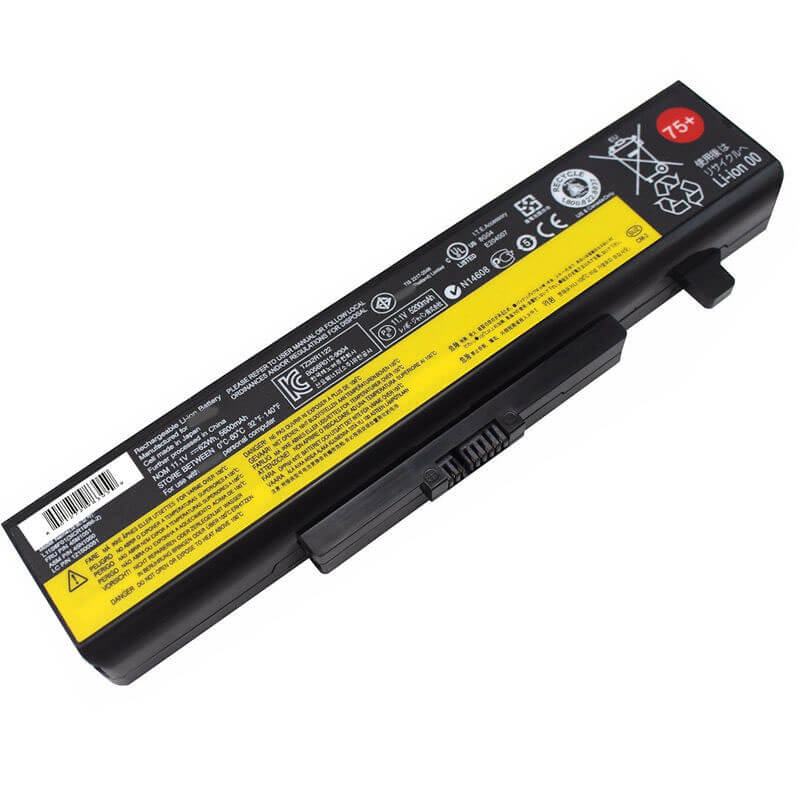
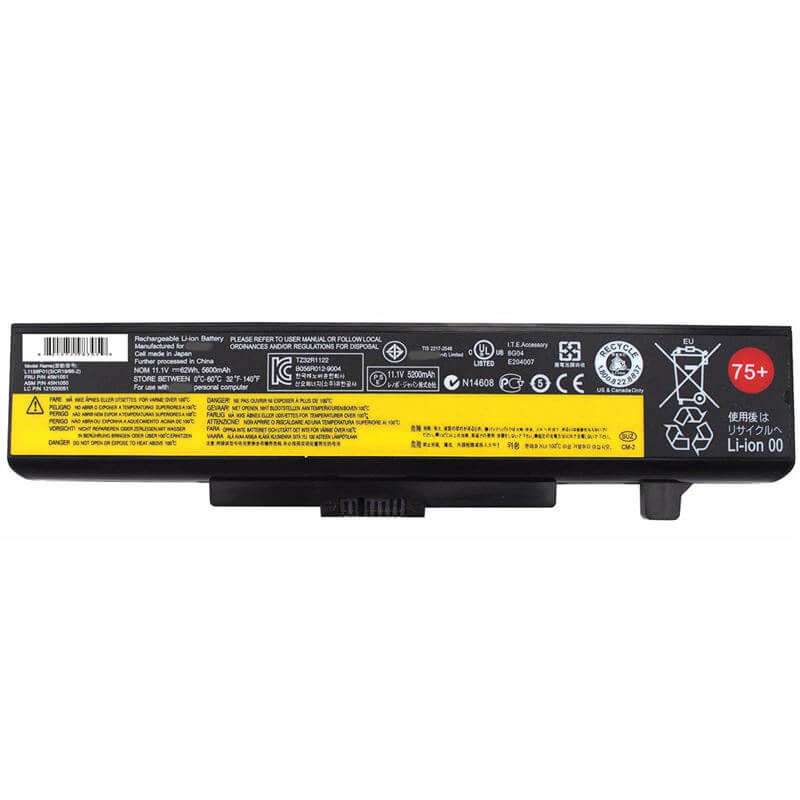
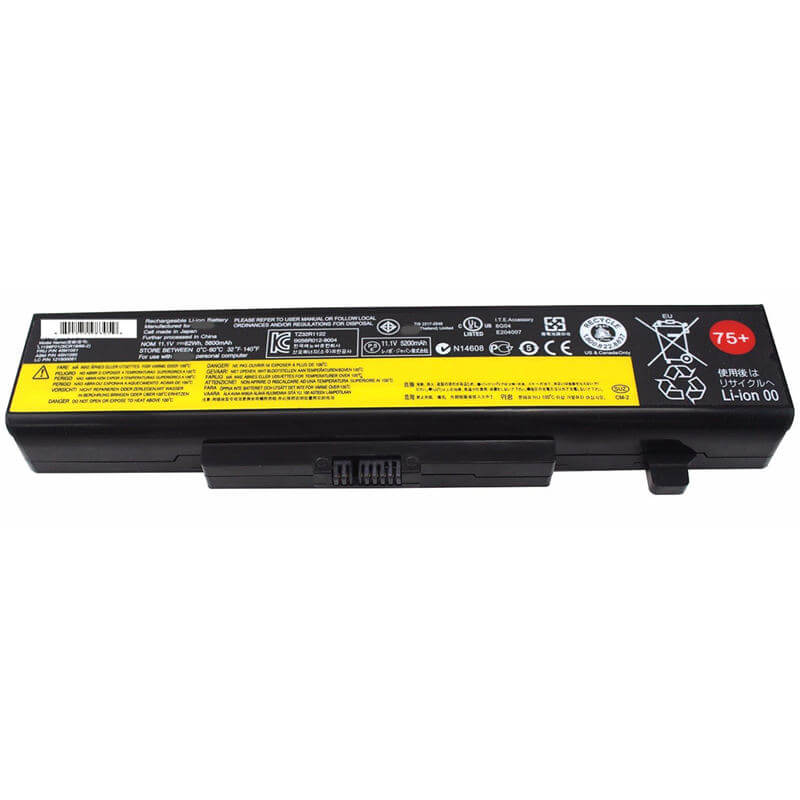
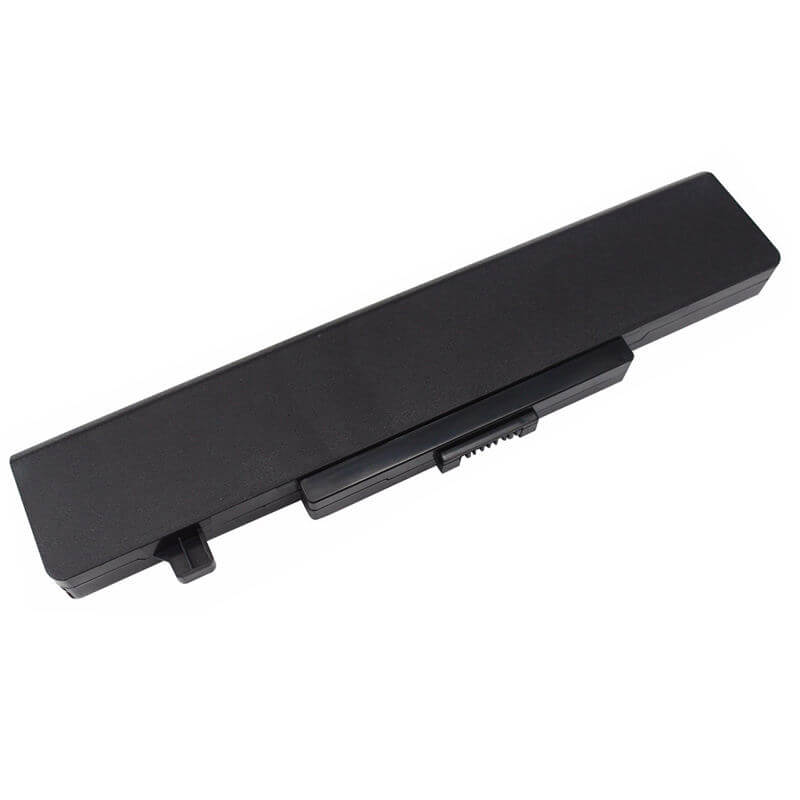
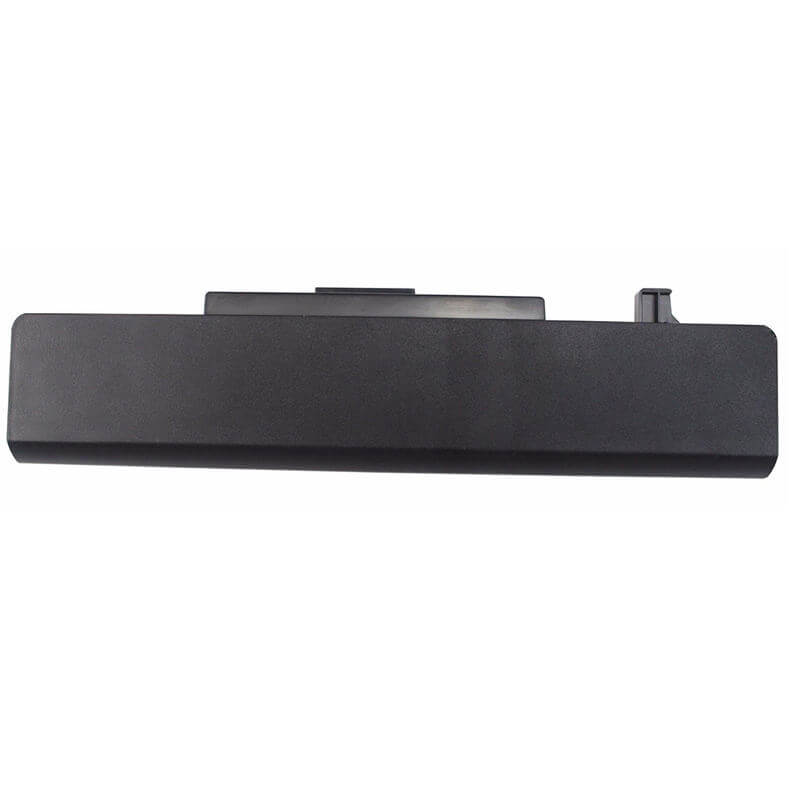
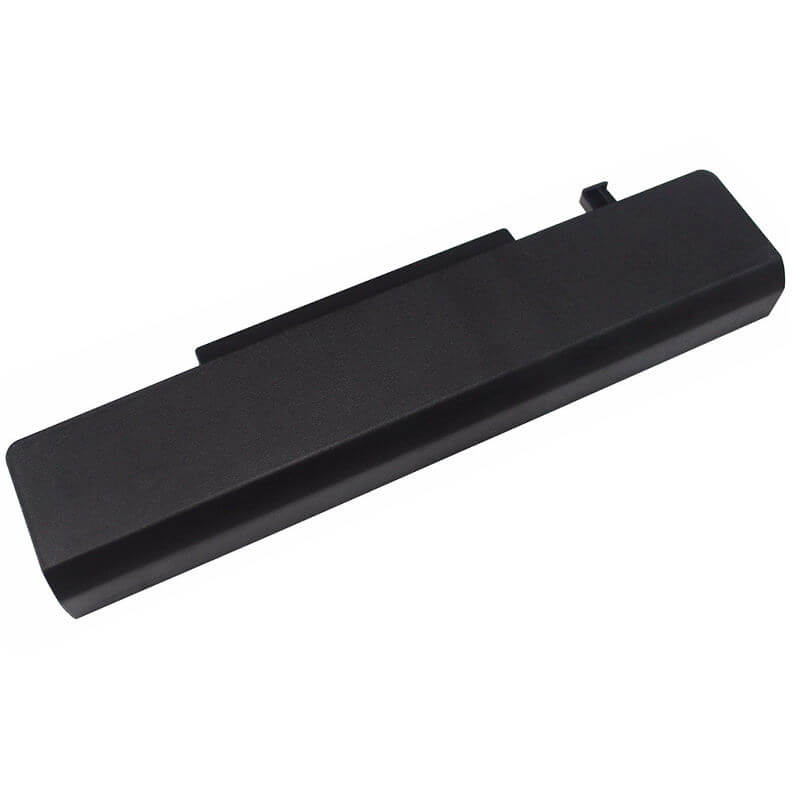
- Model Numbers: L11S6Y01 / L11L6Y01 / L11M6Y01 / L11P6Y01
- Battery Type: Li-ion (Grade A+ Cells)
- Voltage: 11.1V (Fully compatible with 10.8V)
- Capacity: 5200mAh / 52Wh (High Capacity)
- Cells: 6-Cell High Performance
- Condition: 100% Brand New from Factory
- Life Cycle: 800 – 1000 recharge cycles
- Multiple Protection: Over Current, Over Voltage, Over Charge & Discharge, Overheat, Short Circuit, ESD, EMI
- Color: Black
- Certifications: UL2054, CE, FCC, RoHS, UN38.3, MSDS, IEC62133
- OEM/ODM: Yes(Accepted)
- Warranty: 18 Months After Sales, 24/7 Email Support.
- Product Dimensions: 8.03 x 1.99 x 0.80 inches
- Item Weight: 11 ounces
L11S6Y01 Battery for Lenovo IdeaPad G580 G585 G480 Y480 Y580 Z580 V580 | 11.1V 5200mAh 56Wh
Detailed Product Specifications and Features:
Core Technical Parameters:
| Property | Specification |
|---|---|
| Model Numbers | L11S6Y01 / L11L6Y01 / L11M6Y01 / L11P6Y01 |
| Battery Type | Li-ion (Grade A+ Cells) |
| Voltage | 11.1V (Fully compatible with 10.8V) |
| Capacity | 5200mAh / 52Wh (High Capacity) |
| Cells | 6-Cell High Performance |
| Condition | 100% Brand New from Factory |
| Life Cycle | Up to 1000 recharge cycles |
| Multiple Protection | Over Current, Over Voltage, Over Charge & Discharge, Overheat, Short Circuit, ESD, EMI |
| Color | Black |
| Certifications | UL2054, CE, FCC, RoHS, UN38.3, MSDS, IEC62133 |
| OEM/ODM | Yes(Accepted) |
| Warranty | 18 Months After Sales, 24/7 Email Support. |
| Product Dimensions | 10.5 x 3.5 x 0.5 inches |
| Item Weight | 11 ounces |
Technical Note:
The L11S6Y01 is an External Removable battery. It is the high-capacity standard for Lenovo’s most popular consumer laptops from 2012 to 2015. This battery is universally interchangeable with part numbers L11L6Y01, L11M6Y01, and L11P6Y01. Please verify that your laptop model is listed in our compatibility matrix before purchasing.
Product Features:
- Battery Newest Premium Grade Cells
- Best Circuit Board
- Multiple command chip control, keep the battery stable charge and discharge;
- Over-charger protection and discharger protection, short-circuit protection, ensure fast charges and low power consumption
- Easy & Quick Installation
- Our battery is 100% compatible with the original battery and meets
- CE/FCC/ROHS/UL-certified standards. It is 100% new from the manufacturer and can support up to 1000 recharge cycles over the life of the battery
- Power Interface: Gold-plated connector points to ensure excellent current transport and stable operation.
- Enclosure: The enclosure is made of ABS + PC high-quality material, which has a high-temperature-resistant function to protect your laptop from overheating
- Battery Buckle: The battery buckle is closely connected to the laptop, and the metal interface is stably powered
L11S6Y01 / L11L6Y01 / L11M6Y01 / L11P6Y01 Battery Compatibility Laptop Model List:
| Main Series | Detailed Compatible Sub-Models |
|---|---|
| IdeaPad G Series | G580 Series: G580-2189, G580-2689, G580-20150, G580-20157, G580-ITH, G580-IFI, G580-ISE, G580A, G580AMG585 Series: G585-2181, G585-20152, G585-ITH, G585-IFIG480/G485: G480-2184, G480-2688, G480A, G485-2182, G485AGx10/Gx00: G400, G410, G500, G505, G510, G700, G710 |
| IdeaPad Y Series | Y580 Series: Y580-20132, Y580-ISE, Y580-IFI, Y580-ITH, Y580A, Y580M, Y580NY480 Series: Y480-20130, Y480-ISE, Y480-IFI, Y480-ITH, Y480A, Y480M, Y480N, Y480PY485 Series: Y485-20136, Y485-ATE, Y485P |
| IdeaPad Z Series | Z580 Series: Z580-2151, Z580-ISE, Z580-IFI, Z580-ITH, Z580A, Z585-2152, Z585AZ480 Series: Z480-2148, Z480-ISE, Z480-IFI, Z480-ITH, Z480A, Z485-2149, Z485AZ380 Series: Z380-2129, Z380-ISE, Z380-IFI, Z380-ITH, Z380A |
| IdeaPad V Series | V580 Series: V580-20160, V580C, V580A, V580AS, V580GV480 Series: V480-20143, V480C, V480S, V480A, V480G, V480U, V490, V490U |
| IdeaPad B Series | B580 Series: B580-20144, B585, B590, B595B480 Series: B480-20140, B485, B490, B495 |
| IdeaPad P Series | P580 Series: P580-3087, P585, P500 Series, P400 Series |
| Specific Suffixes | -ISE (i7), -IFI (i5), -ITH (i3), -IBN, -ARE, -AST, -ASW, -BET, -BNI |
L11S6Y01 / L11L6Y01 / L11M6Y01 / L11P6Y01 Battery Compatible P/N (Part Numbers) List
- L11S6Y01 | L11L6Y01 | L11M6Y01 | L11P6Y01
- 45N1042 | 45N1043 | 45N1048 | 45N1049
- 45N1050 | 45N1051 | 45N1052 | 45N1054 | 45N1055
- L11S6F01 | L11L6F01 | L11M6F01
Why Choose HTJ L11S6Y01 Battery?
- Upgraded 5200mAh Runtime:
The HTJ L11S6Y01 features high-density Grade A+ cells that provide a true 5200mAh (56Wh) capacity. This is an upgrade over many standard 4400mAh replacements, offering up to 20% more runtime for your IdeaPad. - Precise 1:1 OEM Fitment:
Crafted using precision molds, this battery perfectly matches the locking mechanism of the Lenovo G580/Y580 chassis. It snaps in securely without any gaps, ensuring consistent electrical contact and an original look. - Advanced Safety & Longevity:
Our integrated Battery Management System (BMS) protects your laptop from common legacy hardware issues. It features multi-level protection against over-voltage, short-circuits, and overheating, ensuring the safety of your data and device. - Industry-Leading 18-Month Warranty:
At HTJ, we prioritize quality and long-term reliability. Every L11S6Y01 battery is backed by an 18-month warranty and lifetime technical support, providing significantly more value than standard aftermarket options.
How to Install Your New L11S6Y01 Battery?
Replacing the external L11S6Y01 battery on your Lenovo laptop is a tool-free process that takes less than 15 seconds.
⚠️ Crucial Safety Preparation
- Shutdown: Ensure your laptop is fully powered off, and the AC adapter is unplugged.
- Stable Surface: Place the laptop upside down on a clean, soft surface to protect the top cover.
L11S6Y01 Battery Step-by-Step Installation Guide:
- Unlock the Latches: Locate the two sliding switches on the bottom of the laptop. Slide the manual lock switch to the “Unlock” icon position.
- Release and Remove: Slide and hold the spring-loaded release switch while gently sliding the old battery out of its compartment.
- Insert the New Battery: Align the connector pins of your new HTJ L11S6Y01 battery with the laptop slot. Slide it in firmly until you hear a clear “click” from the release latch.
- Secure the Lock: Slide the manual lock switch back to the “Lock” position to ensure the battery remains securely fixed during travel.
- Initialization: Turn on the laptop and charge the battery to 100%. For optimal longevity, perform a full discharge to 5% and a full recharge to 100% for the first two cycles.
💡 Pro Tip:
Since the G580 and Y580 are classic models, dust can often accumulate in the battery bay. Before installing your new battery, use a can of compressed air or a soft, dry brush to clean the copper contact pins on the laptop side to ensure a perfect connection.
FAQ
- Can I use this battery if my original was 10.8V but this is 11.1V?
For this specific 6-cell series, 10.8V and 11.1V are functionally interchangeable. The difference is simply down to how the manufacturer labels the nominal voltage of the individual cells (3.6V vs. 3.7V per cell). - Is this battery compatible with the IdeaPad G50-70 or G50-80?
While they are both G-series laptops, the G50 and G40 series use a much thinner “flat” internal battery (L12M4E01). This L11S6Y01 is a thicker, cylindrical-cell battery for the older, bulkier G580 generation. - Why does my laptop not recognize the battery even though it fits?
Lenovo often uses a “Battery Authentication” chip. If the laptop doesn’t recognize the battery, ensure your “Lenovo Power Management” driver is up to date. Sometimes a “Static Reset” (removing the battery and holding the power button for 30 seconds) can force the system to re-detect the new hardware. - My laptop has an “internal” battery; can I use this as an upgrade?
This battery is strictly for laptops designed with an external, removable battery bay. If your laptop requires you to unscrew the bottom case to see the battery, this is the wrong model. - How do I properly store this battery if I am not using the laptop for a month?
If you plan to store the battery, charge it to approximately 50%. Storing a lithium-ion battery at 0% can lead to permanent cell failure, while storing it at 100% can degrade the chemical health faster due to voltage stress. - Q: Is L11S6Y01 compatible with L11L6Y01 and L11M6Y01?
A: Yes, they are 100% compatible. These different part numbers refer to different cell suppliers (Sony, LG, Panasonic) used by Lenovo during production, but the physical fit and electrical specs are identical. - Q: Are 11.1V batteries and 10.8V batteries compatible? Is it safe?
A: 10.8V and 11.1V both represent a 3-series cell configuration. They are fully interchangeable and safe for all compatible Lenovo models listed above.
Laptop Maintenance Tips:
- New battery: For using a new battery, you’d better try a few cycles of discharging to 5%. then charging up to 95%. So that it can be activated completely
- Overuse: Do not always run a battery to 0%, as this would shorten its usage life.
- Charging sequence: When charging, first install the battery, then turn on the power. When fully charged, first cut off the power, then pull the power plug.
- Long-term storage: Please store the unused battery fully charged. (Charge it once a month.) Do not store at low power to prevent reducing the lifespan of a battery
- Charger: Do not replace the laptop adapter casually. If the original adapter cannot be applied due to malfunction or damage, please replace the models so as not to reduce the service life of the battery due to incompatibility.
【IMPORTANT】: Press [ Ctrl+F ] to find the laptop models.
Need a legacy/unlisted charger? Send your Asus Laptop Battery specs or CONTACT US → We will source it for you!
We are a professional manufacturer in the field of laptop batteries, laptop adapters, and laptop keyboards. We are committed to providing high-quality, competitively priced, and superior performance batteries and the best service to customers.