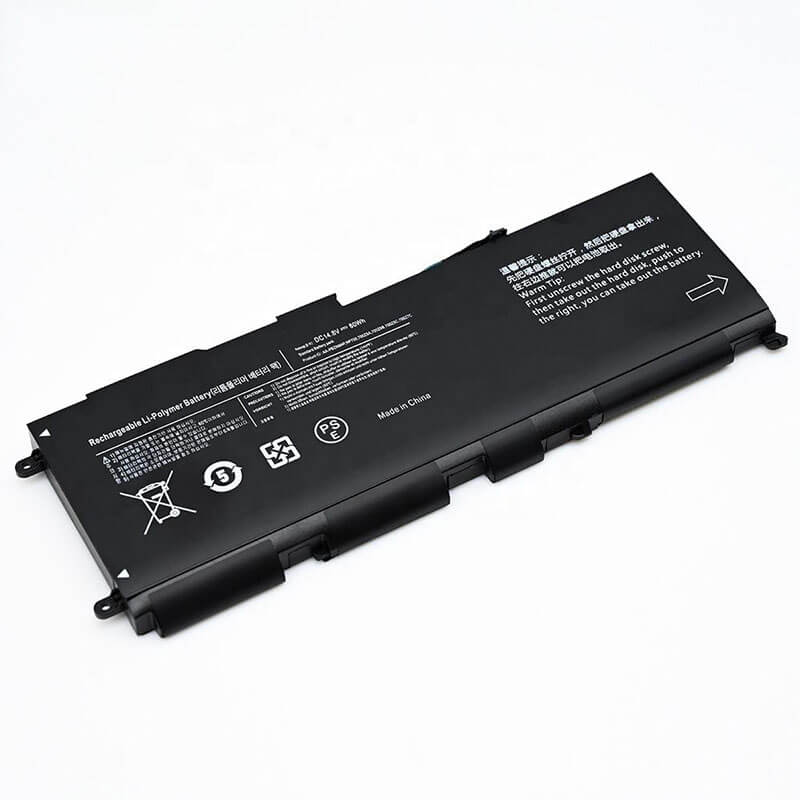
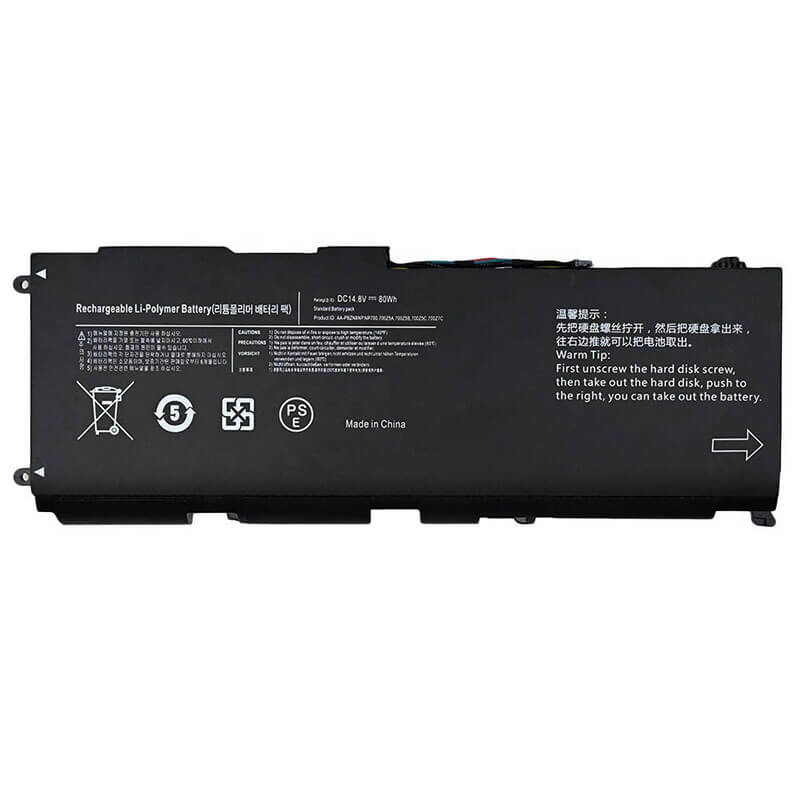
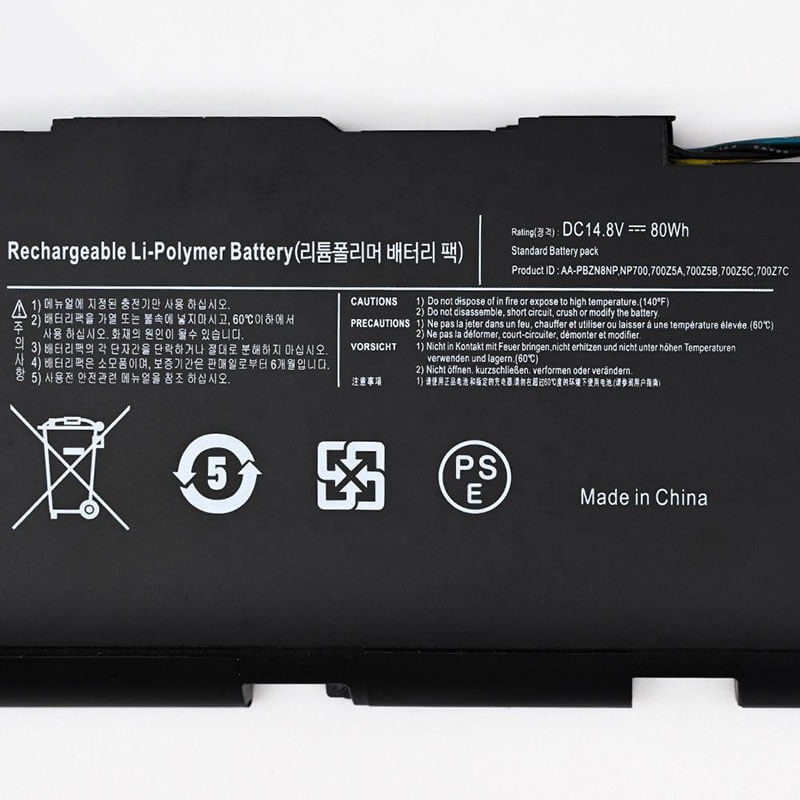
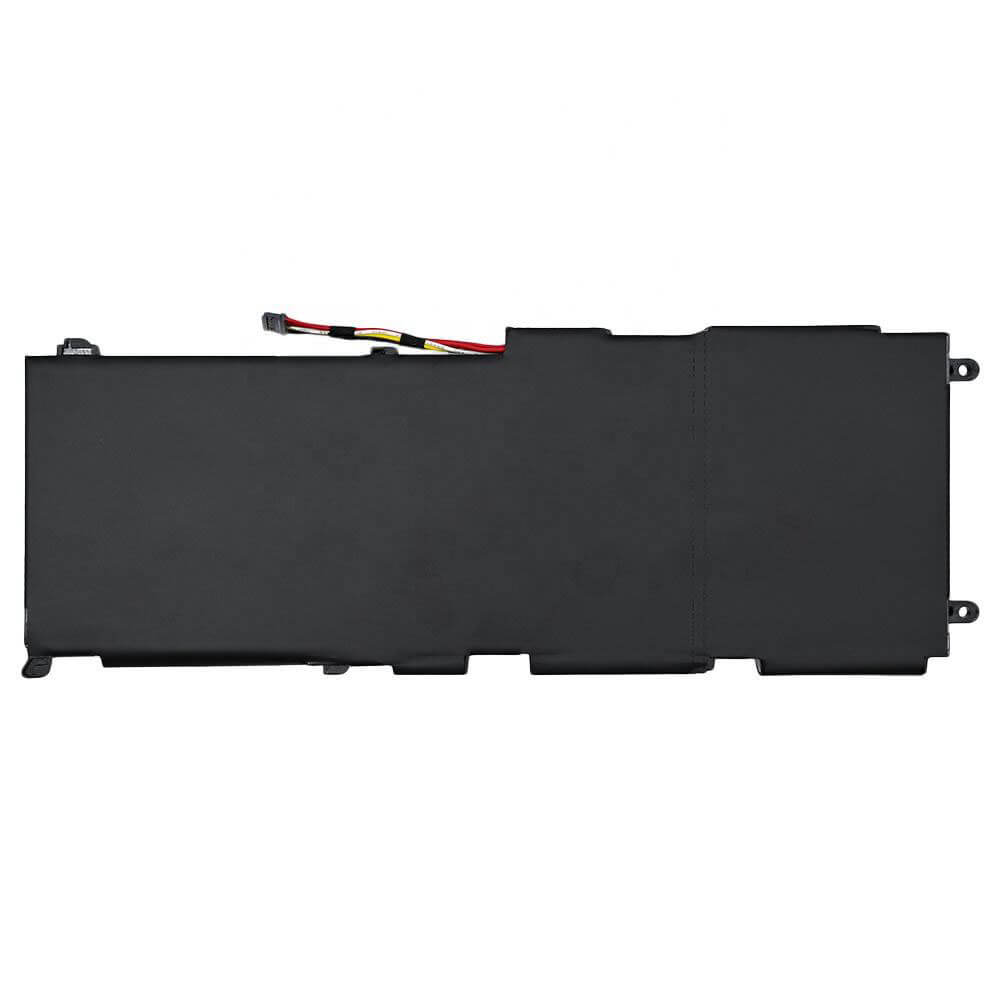
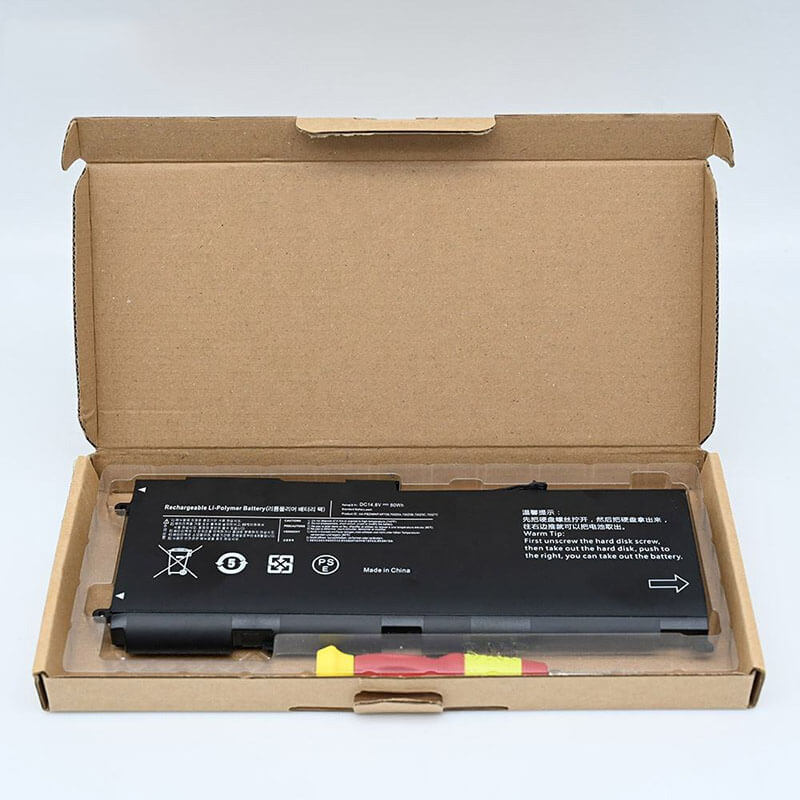
- Model Numbers: AA-PBZN8NP Battery
- Battery Type: Li-ion Polymer (High-Density Grade A+ Cells)
- Voltage: 14.8V (Fully compatible with 15.1V)
- Capacity: 5400mAh / 80Wh
- Cells: 8-Cell / 4S2P Configuration
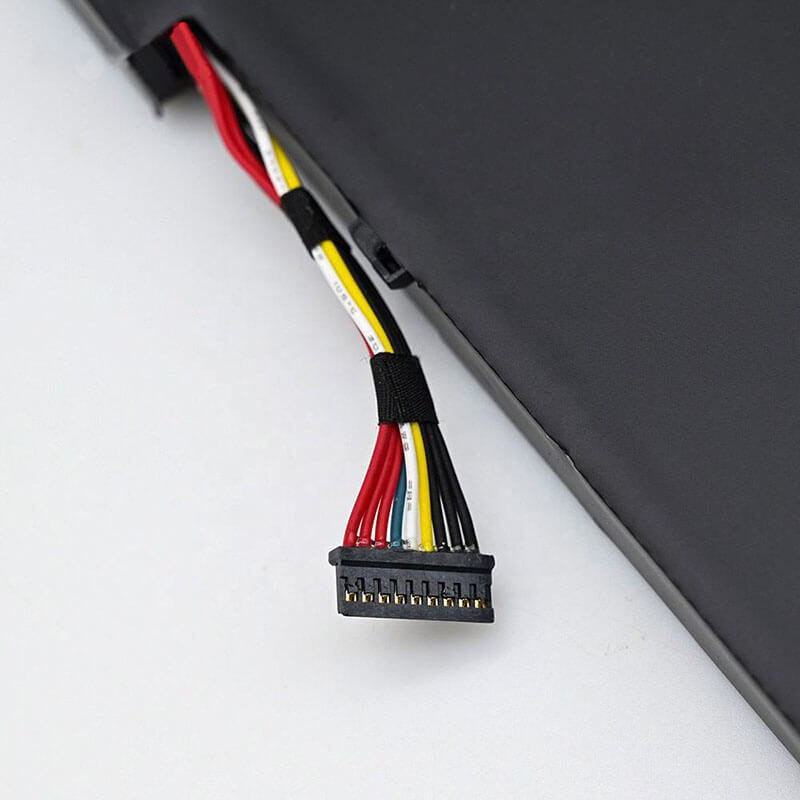
- Connector: 9-Pin Precision Interface
- Condition: 100% Brand New from Factory
- Life Cycle: 600 – 1000 recharge cycles
- Multiple Protection: Over Current, Over Voltage, Over Charge & Discharge, Overheat, Short Circuit, ESD, EMI
- Color: Black
- Certifications: UL2054, CE, FCC, RoHS, UN38.3, MSDS, IEC62133
- OEM/ODM: Yes(Accepted)
- Warranty: 18 Months After Sales, 24/7 Email Support.
- Product Dimensions: 9.4 x 3.4 x 0.55 inches
- Item Weight: 15.8 ounces
AA-PBZN8NP Battery for Samsung Series 7 Chronos NP700Z7C NP700Z5C | 14.8V 80Wh 9-Pin Connector
Detailed Product Specifications and Features:
Core Technical Parameters:
| Property | Specification |
|---|---|
| Model Numbers | AA-PBZN8NP Battery |
| Battery Type | Li-ion Polymer (High-Density Grade A+ Cells) |
| Voltage | 14.8V (Fully compatible with 15.1V) |
| Capacity | 5400mAh / 80Wh |
| Cells | 8-Cell / 4S2P Configuration |
| Connector | 9-Pin Precision Digital Interface |
| Condition | 100% Brand New from Factory |
| Life Cycle | 600 - 1000 recharge cycles |
| Multiple Protection | Over Current, Over Voltage, Over Charge & Discharge, Overheat, Short Circuit, ESD, EMI |
| Color | Black |
| Certifications | UL2054, CE, FCC, RoHS, UN38.3, MSDS, IEC62133 |
| OEM/ODM | Yes(Accepted) |
| Warranty | 18 Months After Sales, 24/7 Email Support. |
| Product Dimensions | 9.4 x 3.4 x 0.55 inches |
| Item Weight | 15.8 ounces |
Technical Note:
- Design Note: The AA-PBZN8NP is a high-performance internal battery designed for the Series 7 Chronos multimedia laptops.
- Connector Note: This specific variant features a 9-pin precision connector, ensuring full compatibility with the advanced power-sharing and thermal sensors on the NP700Z motherboard.
- Physical Note: The 80Wh capacity is delivered through a slim 8-cell architecture that matches the internal compartment dimensions exactly to avoid chassis flexing.
- Important: Internal installation is required; Phillips #00 screwdriver and plastic prying tool required.
Product Features:
- Battery Newest Premium Grade Cells
- Best Circuit Board
- Multiple command chip control, keep the battery stable charge and discharge;
- Over-charger protection and discharger protection, short-circuit protection, ensure fast charges and low power consumption
- Easy & Quick Installation
- Our battery is 100% compatible with the original battery and meets
- CE/FCC/ROHS/UL-certified standards. It is 100% new from the manufacturer and can support up to 1000 recharge cycles over the life of the battery
- Power Interface: Gold-plated connector points to ensure current transport excellently and serve stably.
- Enclosure: The enclosure is made of ABS + PC high-quality material, which has a high-temperature-resistant function to protect your laptop from overheating
- Battery Buckle: The battery buckle is closely connected to the laptop, and the metal interface is stably powered
AA-PBZN8NP Battery Battery Compatibility Laptop Model List:
1. Compatible Laptop Model List (Comprehensive
| Series | Specific Laptop Models & Machine Types |
|---|---|
| Series 7 Chronos (17.3") | NP700Z7C Series:NP700Z7C-S01US, NP700Z7C-S02US, NP700Z7C-S03US, NP700Z7C-S01UK, NP700Z7C-S04US |
| Series 7 Chronos (15.6") | NP700Z5A Series: NP700Z5A-S01, S02, S03, S04, S05, S06 NP700Z5B Series: NP700Z5B-W01UB, NP700Z5B-S01UB NP700Z5C Series: NP700Z5C-S01US, NP700Z5C-S02US, NP700Z5C-S03US |
| ATIV Book 8 (15.6") | NP870Z5E / NP880Z5E: (Some regional versions of the ATIV Book 8 use the AA-PBZN8NP—Please verify the 9-pin connector) |
| ⚠️ Absolute Incompatibility | NOT FOR: NP770Z5E, NP780Z5E (Chronos Revision 2013—uses AA-PBTN8AR). NOT FOR: NP700G7C (Gamer Series). |
| Visual Check | Fits models where the optical drive (CD/DVD) is located on the right side. |
2. AA-PBZN8NP Battery Compatible Part Numbers (P/N List)
-
- AA-PBZN8NP (Primary Identifier)
- BA43-00334A (Samsung Factory Part Number)
- AA-PBZN8NP/E (International Retail Code)
Why Choose HTJ AA-PBZN8NP 80Wh Battery?
- Precision 9-Pin Digital Handshake:
Internal Samsung batteries rely on complex communication for fast charging and safety. Our 9-pin connector is engineered for a 1:1 match with the NP700Z motherboard, providing accurate fuel gauging and thermal monitoring. - Stable 80Wh Power for Performance Hardware:
The Series 7 Chronos features high-drain Intel i7 processors and discrete NVIDIA graphics. HTJ uses Grade A+ cells to provide a steady 14.8V discharge plateau, ensuring your system doesn’t throttle or shut down during heavy workloads. - Ultra-Thin Anti-Swelling Design:
Our polymer cells are vacuum-sealed in a reinforced laminate to prevent the common “swelling” issue seen in generic batteries. This protects your laptop’s trackpad and aluminum internal frame from pressure damage. - 18-Month Factory-Direct Warranty:
As a direct manufacturer, we stand by our 80Wh capacity rating. Every unit is tested for voltage consistency and structural integrity before leaving our production line.
How to Install Your New AA-PBZN8NP Battery?
Replacing the internal AA-PBZN8NP (9-pin) battery involves opening the chassis. This is a moderate difficulty task.
⚠️ Crucial Safety Preparation
- Shutdown: Power off your laptop and disconnect the charger.
- ESD Warning: Touch a grounded metal object to discharge static electricity.
- Tools: Phillips #00 screwdriver and a plastic prying tool (spudger).
AA-PBZN8NP Battery Step-by-Step Installation Guide:
- Remove the Bottom Case: Remove all screws from the underside. Check under the rubber feet for hidden screws.
- Pry the Edges: Carefully use a plastic tool to release the internal clips and lift off the bottom cover.
- Disconnect the Battery: Locate the 9-pin connector. Use a plastic spudger to gently push the connector out of its socket horizontally. Do not pull the wires.
- Unscrew the Battery: Remove the screws securing the internal pack to the frame.
- Install the HTJ Battery: Align the new 80Wh battery and replace the mounting screws.
- Reconnect: Firmly slide the 9-pin connector back into the motherboard header until it clicks.
- Reassemble: Snap the bottom cover back on and replace the external screws.
- Initial Calibration: Charge to 100%, then discharge to 5% once to sync the new cells with the system software.
💡 Pro Tip:
While the case is open, use compressed air to clean the dual cooling fans. This prevents overheating and extends the chemical life of your new 80Wh battery.
FAQ (Frequently Asked Questions):
1. Which Samsung laptop models and part numbers are compatible with the AA-PBZN8NP battery?
This replacement battery is engineered to match Samsung original part numbers AA-PBZN8NP and 1588-3366 with a 14.8V, 80Wh (5400mAh) rating and a 9-pin connector. It fits the Samsung Series 7 Chronos NP700Z lineup, including NP700Z3A, NP700Z3C, NP700Z4A, NP700Z5A, NP700Z5B, and NP700Z5C models. Always verify the part number printed on your original battery label before ordering.
2. The original Samsung battery was rated at 91Wh—is this 80Wh replacement compatible?
Yes. 80Wh (14.8V) is a standard high-capacity specification for the Series 7 Chronos NP700Z platform. It delivers reliable, extended runtime and is 100% electrically and physically compatible with any laptop system originally using the AA-PBZN8NP battery pack.
3. My laptop is a “Series 7 Chronos,” but the battery shape looks different—why?
Samsung released a later 2013 “Touch” refresh of the Series 7 Chronos (such as the NP770Z5E and NP780 series) that uses a completely different internal layout and battery shape. This AA-PBZN8NP battery is strictly designed for the NP700Z series—if your laptop model number on the bottom cover starts with NP770 or NP780, this battery will not fit.
4. How can buyers and technicians verify if a battery uses the 9-pin connector?
Inspect the white plastic connector plug on the original battery cable and count the individual metal contact slots. If there are 9 metal contact slots in the connector head, this 9-pin AA-PBZN8NP version is the exact match.
5. Does this replacement battery support Samsung’s “Fast Start” and “Instant On” features?
Yes. Our AA-PBZN8NP battery is built with a 1:1 replica of the original smart logic board, maintaining stable standby voltage rails during deep sleep states so Samsung’s “Fast Start” and “Instant On” features function seamlessly without unexpected hibernation drain.
6. Why does the AA-PBZN8NP model use a specialized 9-pin communication interface?
Beyond standard power delivery, the 9-pin digital interface allows the battery’s BMS to communicate directly with the laptop’s ambient light sensors and high-performance cooling fans. Under heavy workloads such as gaming or rendering, the system accurately monitors real-time battery temperature and adjusts fan speeds for safe thermal management.
7. What cell grade and safety certifications are used in HTJ’s AA-PBZN8NP batteries?
Every HTJ battery pack is manufactured using 100% brand-new Grade A+ Li-ion cells and a precision smart protection IC, delivering true 80Wh capacity and 500+ full charge cycles. All units are CE, FCC, RoHS, and UL certified with multi-layer protection against over-charging, over-discharging, short circuits, and thermal overload.
8. What is your MOQ, warranty policy, and international shipping support for B2B buyers?
We offer flexible B2B purchasing tailored for repair centers, local resellers, and regional distributors—starting from low sample/trial quantities up to bulk wholesale orders with neutral retail boxes or OEM private-label customization. Every battery is backed by an 18-month warranty (verified defective units are credited toward your next order or replaced free of charge) and ships worldwide via dangerous-goods air and sea channels with full MSDS and UN38.3 compliance documents.
Laptop Maintenance Tips:
- New battery: For using a new battery, you’d better try a few cycles of discharging to 5%. then charging up to 95%. So that it can be activated completely
- Overuse: Do not always run a battery to 0%, as this would shorten its usage life.
- Charging sequence: When charging, first install the battery, then turn on the power. When fully charged, first cut off the power, then pull the power plug.
- Long-term storage: Please store the unused battery fully charged. (Charge it once a month.) Do not store at low power to prevent reducing the lifespan of a battery
- Charger: Do not replace the laptop adapter casually. If the original adapter cannot be applied due to malfunction or damage, please replace the models so as not to reduce the service life of the battery due to incompatibility.
【IMPORTANT】: Press [ Ctrl+F ] to find the laptop models.
Need a legacy/unlisted charger? Send your Samsung Laptop Battery specs or CONTACT US → We will source it for you!
We are a professional manufacturer in the field of laptop batteries, laptop adapters, and laptop keyboards. We are committed to providing high-quality, competitively priced, and superior performance batteries and the best service to customers.