MacBook Charger Types: The Ultimate 2026 Compatibility & Buying Guide
As Apple continues to push the boundaries of performance with the M3 and M4 chipsets, the demand for efficient, high-wattage power solutions has never been higher. Whether you are a professional video editor using a 16-inch MacBook Pro or a student carrying the ultra-portable MacBook Air, the charger you choose directly impacts your device’s longevity.
In this guide, HTJ provides a deep dive into every MacBook charging standard and introduces the next generation of GaN (Gallium Nitride) solutions designed to replace bulky OEM bricks.
1. Decoding the MacBook Charging Port Evolution
The first step to a perfect charge is identifying your port. While USB-C is now the standard, Apple’s history is a mix of magnetic convenience and universal compatibility.
1.1 The MagSafe 3 Era (2021 – 2026)
Found on the latest MacBook Pro (14″ & 16″) and MacBook Air (M2/M3), MagSafe 3 features a braided cable that magnetically snaps into place.
-
- Key Update:
For the first time, these Macs can also be charged via their USB-C (Thunderbolt) ports. - HTJ Advantage:
You don’t need to buy a separate MagSafe brick. Our HTJ 140W PD 3.1 Charger pairs perfectly with your existing MagSafe 3 cable to unlock 140W Fast Charging.
- Key Update:
1.2 The USB-C Era (2015 – Present)
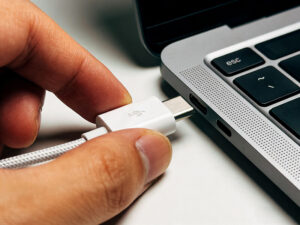
From the 12-inch MacBook to the newest M4-ready models, USB-C is the universal language of power.
-
- Thunderbolt 3/4/5 Support: These ports support Power Delivery (PD).
- The “Handshake”: HTJ chargers use an intelligent Power Protocol IC that communicates with your Mac to deliver the exact voltage required, preventing overcharging.
1.3 The Legacy MagSafe (2006 – 2015)
-
- MagSafe 2 (T-Shape): The thinner, wider connector for 2012-2015 models.
- MagSafe 1 (L or T-Shape): For pre-2012 MacBooks.
- Need a replacement for these? HTJ offers certified high-quality legacy adapters to keep your classic MacBook running.
2. The Science of Wattage: Why Your Choice Matters
Many users believe they must use the exact wattage that came in the box. This is a myth. Modern MacBooks are “pull” devices—they only take what they need.
| MacBook Model | OEM Wattage | Recommended HTJ Solution | Benefit |
| MacBook Air (All Models) | 30W / 35W | HTJ 65W GaN Fast Charger | Charge your Mac + iPhone at full speed simultaneously. |
| MacBook Pro 13″/14″ | 67W / 70W / 96W | HTJ 100W 4-Port Station | Enable Fast Charge (50% in 30 mins) with a smaller footprint. |
| MacBook Pro 15″/16″ | 87W / 96W / 140W | HTJ 140W GaN Charger | The only way to hit peak charging speeds for M3/M4 Max models. |
3. Beyond the Original: Why Upgrade to HTJ GaN Technology?
Apple’s standard chargers are built using Silicon, which is bulky and generates significant heat. HTJ (htjltd.com) utilizes GaN (Gallium Nitride), a space-age semiconductor that allows for:
3.1 Thermal Efficiency:
Our chargers operate at significantly lower temperatures, protecting the internal components of both the charger and your MacBook.
3.2 Size Reduction:
The HTJ GaN Series is up to 45% smaller than original Apple chargers, making it the ultimate travel companion.
3.3 Dynamic Power Allocation:
Unlike single-port Apple bricks, HTJ’s multi-port chargers feature Intelligent Power Sharing. If you plug in a second device, the charger instantly redistributes power to ensure both get the fastest possible charge.
4. 2026 Technical Update: PD 3.1 and the 140W Threshold
If you own a 16-inch MacBook Pro, a standard USB-C charger is not enough. You need Power Delivery 3.1.
- The 100W Limit: Most third-party chargers are capped at 100W.
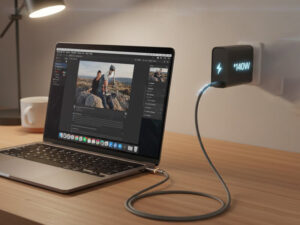
- The HTJ Solution: Our flagship 140W PD 3.1 Charger is engineered with the latest protocol to deliver the full 28V/5A required for the 16-inch Pro, ensuring you never lose power even during heavy 8K video rendering.
5. FAQ: Expert Answers to Your Charging Questions
Q: Can I use a 140W charger on a MacBook Air?
A: Yes. It is 100% safe. The MacBook Air will only draw 30W-45W, and the HTJ charger will run efficiently and cool.
Q: Does it matter which USB-C cable I use?
A: Yes! To charge above 60W, you must use a cable with an E-Marker chip. Standard phone cables will throttle your charging speed. HTJ includes high-spec E-Marker cables in our premium MacBook bundles.
Q: Why is my MacBook “Not Charging” when plugged in?
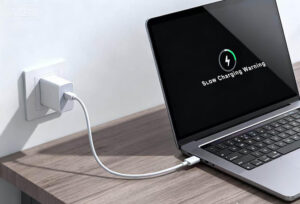
A: This is often due to “Optimized Battery Charging” in macOS, which pauses charging at 80% to preserve battery health. It could also be a low-wattage charger that can’t keep up with your current power consumption.
6. Conclusion: Power Your Potential with HTJ
Your MacBook is an investment in your productivity. Don’t settle for a charging solution that is bulky, hot, or slow. By switching to HTJ’s GaN technology, you gain the speed of PD 3.1, the versatility of multiple ports, and the peace of mind that comes with global safety certifications.