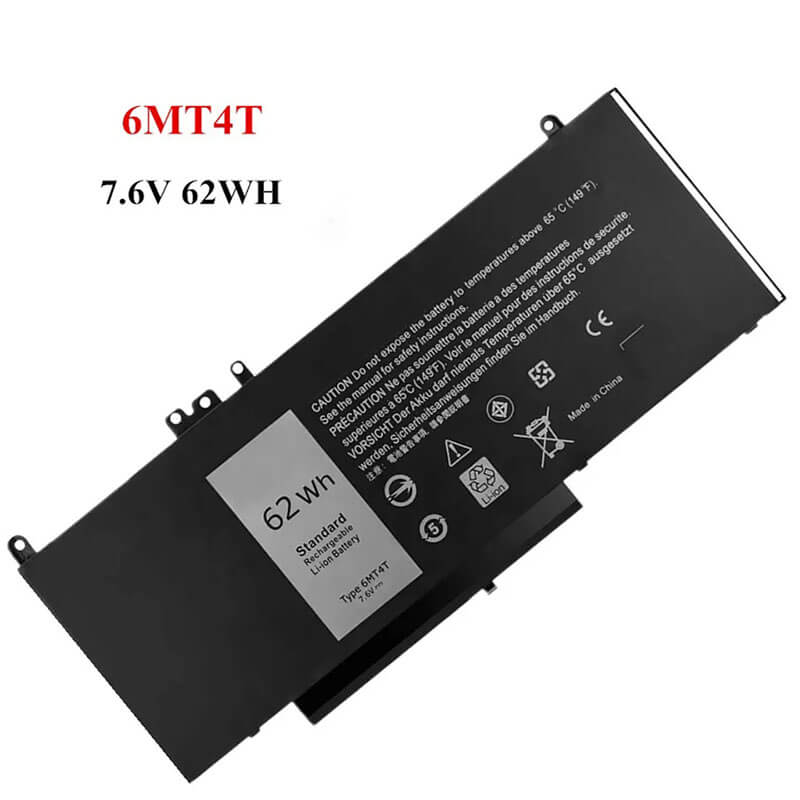
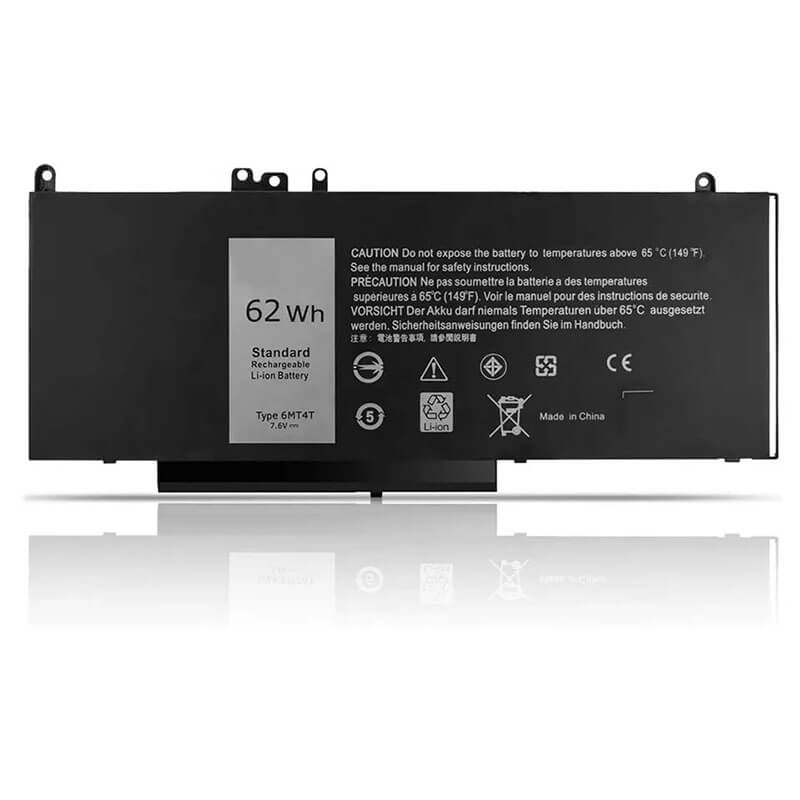
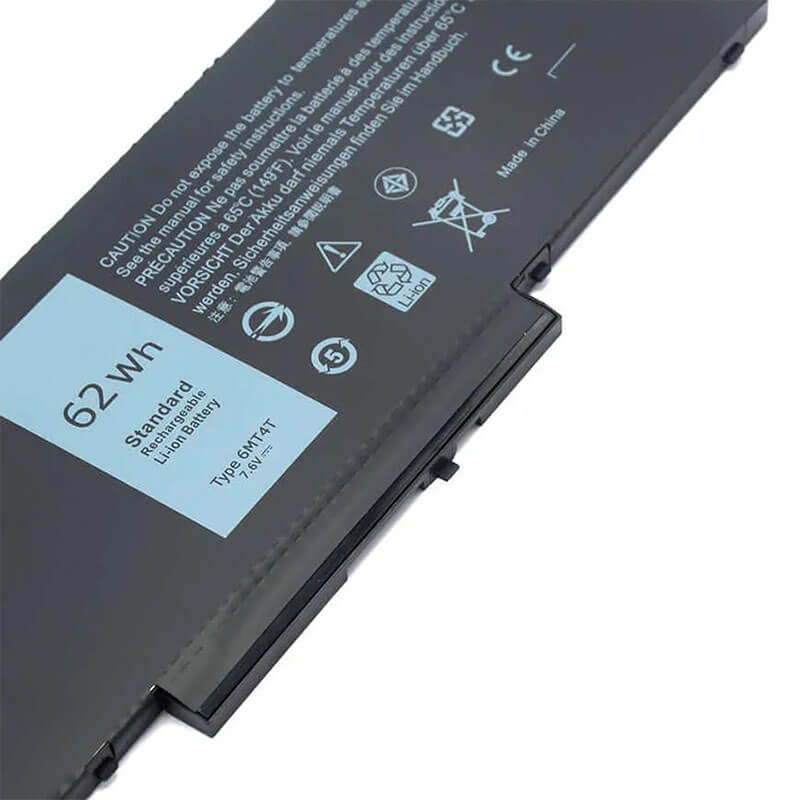
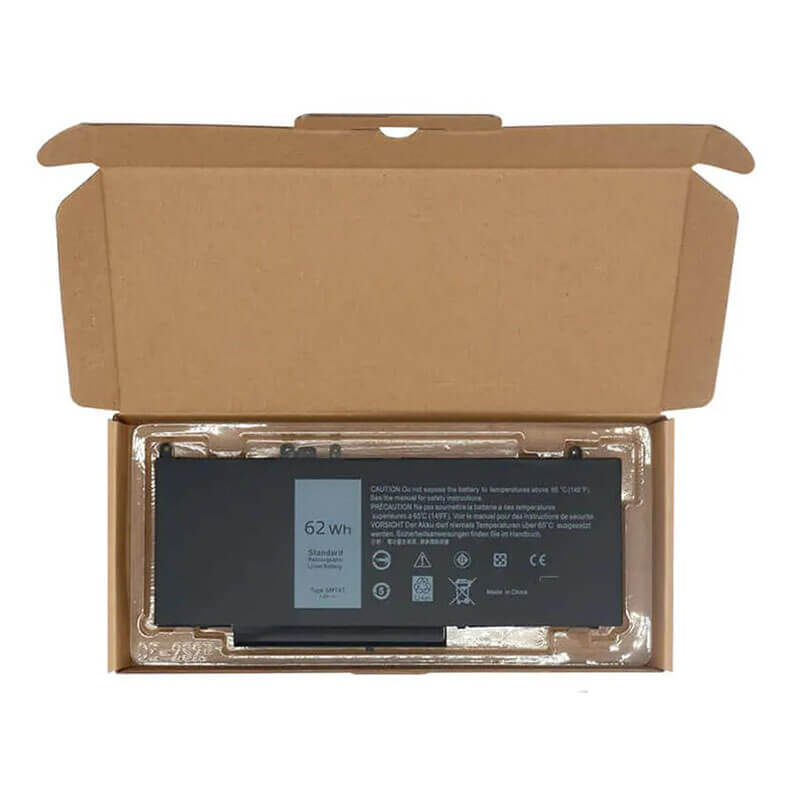
6MT4T Battery for Dell Latitude E5470 E5570 Precision 3510 | 7.6V 62Wh 4-Cell – HTJ
- Model Numbers: 6MT4T / 7V69Y / TXF9M Battery
- Battery Type: Lithium-ion Polymer (High-Density 4-Cell)
- Voltage: 7.6V (Fully compatible with 7.4V systems)
- Capacity: 8180mAh / 62Wh
- Cells: 4-Cell
- Connector: Internal Integrated Multi-Pin Plug
- Condition: 100% Brand New from Factory
- Life Cycle: 600 – 1000 recharge cycles
- Multiple Protection: Over Current, Over Voltage, Over Charge & Discharge, Overheat, Short Circuit, ESD, EMI
- Color: Black
- Certifications: UL2054, CE, FCC, RoHS, UN38.3, MSDS, IEC62133
- OEM/ODM: Yes(Accepted)
- Warranty: 18 Months After Sales, 24/7 Email Support.
- Product Dimensions: 9.3 × 4 × 0.3 inches
- Item Weight: 12.3 Ounces
6MT4T Battery for Dell Latitude E5470 E5570 Precision 3510 | 7.6V 62Wh 4-Cell
Detailed Product Specifications and Features:
Core Technical Parameters:
| Property | Specification |
|---|---|
| Model Numbers | 6MT4T / 7V69Y / TXF9M Battery |
| Battery Type | Lithium-ion Polymer (High-Density 4-Cell) |
| Voltage | 7.6V (Fully compatible with 7.4V systems) |
| Capacity | 8180mAh / 62Wh |
| Cells | 4-Cell |
| Connector | Internal Integrated Multi-Pin Plug |
| Condition | 100% Brand New from Factory |
| Life Cycle | 600 - 1000 recharge cycles |
| Multiple Protection | Over Current, Over Voltage, Over Charge & Discharge, Overheat, Short Circuit, ESD, EMI |
| Color | Black |
| Certifications | UL2054, CE, FCC, RoHS, UN38.3, MSDS, IEC62133 |
| OEM/ODM | Yes(Accepted) |
| Warranty | 18 Months After Sales, 24/7 Email Support. |
| Product Dimensions | 9.3 × 4 × 0.3 inches |
| Item Weight | 12.3 ounces |
Technical Note:
Design Note: The 6MT4T is an internal Lithium-polymer battery.
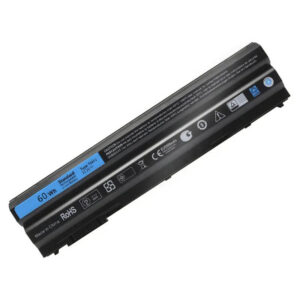
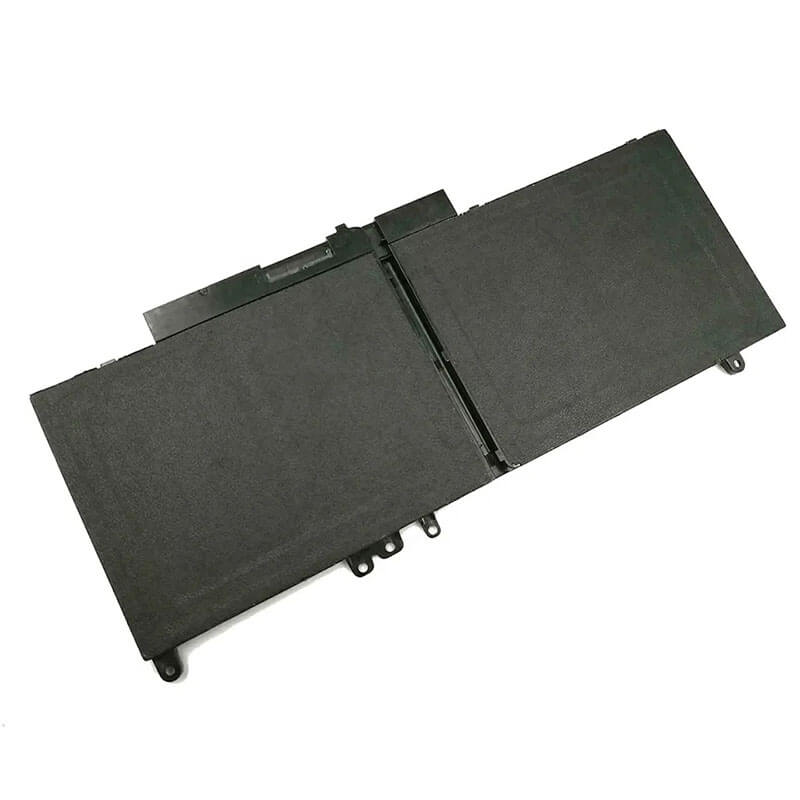
Visual Identification: It is a wide, flat rectangular plate with a distinct 4-cell layout.
Capacity Upgrade: This is the 62Wh Extended version.
Storage Conflict Rule: Unlike newer models, the E5470/E5570 chassis generally accommodates this 62Wh battery even with a 2.5″ drive in most configurations, but please verify your internal clearance if upgrading from the 47Wh version.
Safety Note: HTJ uses premium high-density cells to ensure stable power delivery to the E5470’s quad-core CPU options.
Product Features:
- Battery Newest Premium Grade Cells
- Best Circuit Board
- Multiple command chip control, keep the battery stable charge and discharge;
- Over-charger protection and discharger protection, short-circuit protection, ensure fast charges and low power consumption
- Easy & Quick Installation
- Our battery is 100% compatible with the original battery and meets
- CE/FCC/ROHS/UL-certified standards. It is 100% new from the manufacturer and can support up to 1000 recharge cycles over the life of the battery
- Power Interface: Gold-plated connector points to ensure current transport excellently and serve stably.
- Enclosure: The enclosure is made of ABS + PC high-quality material, which has a high-temperature-resistant function to protect your laptop from overheating
- Battery Buckle: The battery buckle is closely connected to the laptop, and the metal interface is stably powered
6MT4T / 7V69Y / TXF9M Battery Compatibility Laptop Model List:
1. Compatible Laptop Model List (Comprehensive)
| Dell Series | Specific Model Suffixes (High-Volume Searchable Variants) |
|---|---|
| Latitude 14 E-Series | E5470: Latitude 14-E5470 Business Laptop,E5470: i3-6100U, i5-6300U, i5-6440HQ, i7-6600U, E5470 i5-6300U, E5470 i7-6820HQ |
| Latitude 15 E-Series | E5570: Latitude 15-E5570, E5570 i7 Workstation Edition, E5570: i5-6200U, i5-6440HQ, i7-6600U, i7-6820HQ (With or without AMD Graphics) |
| Precision Mobile | 3510: Precision 15 3510 Workstation, Precision M3510 Series |
| ⚠️ GENERATION CHECK | ONLY for "E" Series 5470/5570. Not for the 5480, 5490, or E5450. |
| Visual Check | This is a Wide 4-Cell Plate. Dimensions: Approx. 237mm x 101mm. |
2. 6MT4T / 7V69Y / TXF9M Battery Compatible Part Numbers (P/N List)
-
- Dell Spare Numbers: 6MT4T, 06MT4T, 7V69Y, 07V69Y, TXF9M, 0TXF9M, 79VRK, 079VRK
- Alternative Codes: 79VRK, 079VRK, 451-BBUD, 451-BBUN, HK6DV, 0HK6DV, 07V69Y
- Regulatory Codes: P62G, P62G001 (Latitude E5470), P48F, P48F001 (Latitude E5570)
- Engineering Code: YU10300-15003, 312-1163 (Internal logic), YU10300-15003
Why Choose HTJ 6MT4T Battery?
- 62Wh All-Day Productivity:
The Latitude E5470 is a classic corporate workhorse. HTJ’s 6MT4T provides a full 62Wh reservoir, offering up to 30% more runtime than the standard 47Wh entry-level battery, ensuring you stay productive through long meetings and flights. - High-Current Polymer Architecture:
Models like the Precision 3510 and Latitude E5570 often feature high-performance “HQ” series processors. HTJ’s 6MT4T is built to handle high-current discharge spikes, preventing system crashes or “throttling” during intensive data processing. - Heat-Resistant Cell Spacing:
Internal E-series batteries are located directly beneath the palm rest. We use advanced thermal-stable separators to ensure the battery remains cool, preventing the common “trackpad bulge” and maintaining a comfortable typing temperature. - Precise SMBus Data Handshake:
Our 6MT4T internal controller is fully synced with Dell’s power management system. This ensures that the BIOS accurately reports battery health and that Windows “Time Remaining” estimates are calibrated to the actual 8180mAh capacity.
How to Install Your New 6MT4T Battery?
The Dell 6MT4T is an internal battery. A Phillips #00 screwdriver is required.
⚠️ Pre-Installation Safety Check:
- Shut Down: Ensure the laptop is powered off and the charger is removed.
- Anti-Static: Ground yourself by touching a metal object before opening the case.
6MT4T Battery Step-by-Step Installation Guide:
- Bottom Cover: Unscrew the captive screws on the bottom of the E5470/E5570.
- Disconnect: Gently unplug the battery cable from the motherboard.
- Unscrew: Remove the screws holding the old battery in place.
- Insert HTJ 6MT4T: Place the new battery in the bay, aligning the screw holes.
- Reconnect: Firmly plug the battery cable into the motherboard connector.
- Close: Reinstall the bottom cover. Plug in the AC adapter and charge to 100% before the first mobile use.
💡 Pro Tip (Solving “Permanent Failure” Errors):
If your BIOS shows a “Permanent Battery Failure” after installation:
- Disconnect the battery and AC adapter.
- Hold the Power Button for 60 seconds.
- Reconnect the battery and charger. This “Flea Power Drain” clears the BIOS error logs and allows the motherboard to recognize the fresh HTJ 6MT4T cells.
FAQ (Frequently Asked Questions)
Q: My original battery was 47Wh. Can I upgrade to this 62Wh 6MT4T?
A: Yes! The 6MT4T is the high-capacity upgrade for the E5470 and E5570. It fits in the same screw mounts and uses the same connector.
Q: Is 7.6V the same as 7.4V?
A: Yes. These are interchangeable nominal voltage ratings for this specific Dell 4-cell polymer series.
Q: Why does my E5470 say “Battery Not Recognized”?
A: This usually happens if the internal cable is not fully seated. Please re-open the bottom cover and ensure the 8-pin connector is pushed all the way in until it clicks.
Q: My current battery says 7.4V, but this HTJ is 7.6V. Is that safe?
A: Yes. These are nominal voltage ratings for the same lithium-polymer chemistry. The Dell E5470 motherboard is designed to handle both 7.4V and 7.6V 4-cell configurations automatically.
Q: Can I use this in my Latitude 5480?
A: No. While the laptops look similar, the 5480 uses the GJKNX battery. The 6MT4T only fits the E5470 and E5570. Always check for the “E” before the model number.
Q: Why is my trackpad “floating” or hard to click?
A: This is a classic symptom of a swollen battery in the E5470/E5570. Because the battery sits directly under the palm rest, gas buildup in old cells pushes the trackpad up. Installing a fresh HTJ 6MT4T will immediately return your trackpad to its original flat, clickable state.
Q: Does this battery come with the cable?
A: The HTJ 6MT4T is designed to use your original battery-to-motherboard cable. This ensures a perfect fit into the motherboard’s proprietary socket. If your cable is damaged, please reach out to our team for a replacement.
Laptop Maintenance Tips:
- New battery: For using a new battery, you’d better try a few cycles of discharging to 5%. then charging up to 95%. So that it can be activated completely
- Overuse: Do not always run a battery to 0%, as this would shorten its usage life.
- Charging sequence: When charging, first install the battery, then turn on the power. When fully charged, first cut off the power, then pull the power plug.
- Long-term storage: Please store the unused battery fully charged. (Charge it once a month.) Do not store at low power to prevent reducing the lifespan of a battery
- Charger: Do not replace the laptop adapter casually. If the original adapter cannot be applied due to malfunction or damage, please replace the models so as not to reduce the service life of the battery due to incompatibility.
【IMPORTANT】: Press [ Ctrl+F ] to find the laptop models.
Need a legacy/unlisted charger? Send your DELL Laptop Battery specs or CONTACT US → We will source it for you!
We are a professional manufacturer of laptop batteries, laptop adapters, and laptop keyboards. We are committed to providing high-quality, competitively priced, and superior performance batteries and the best service to customers.