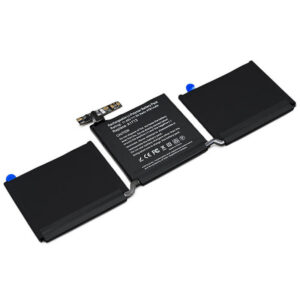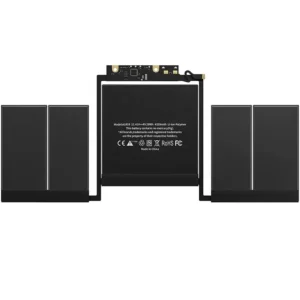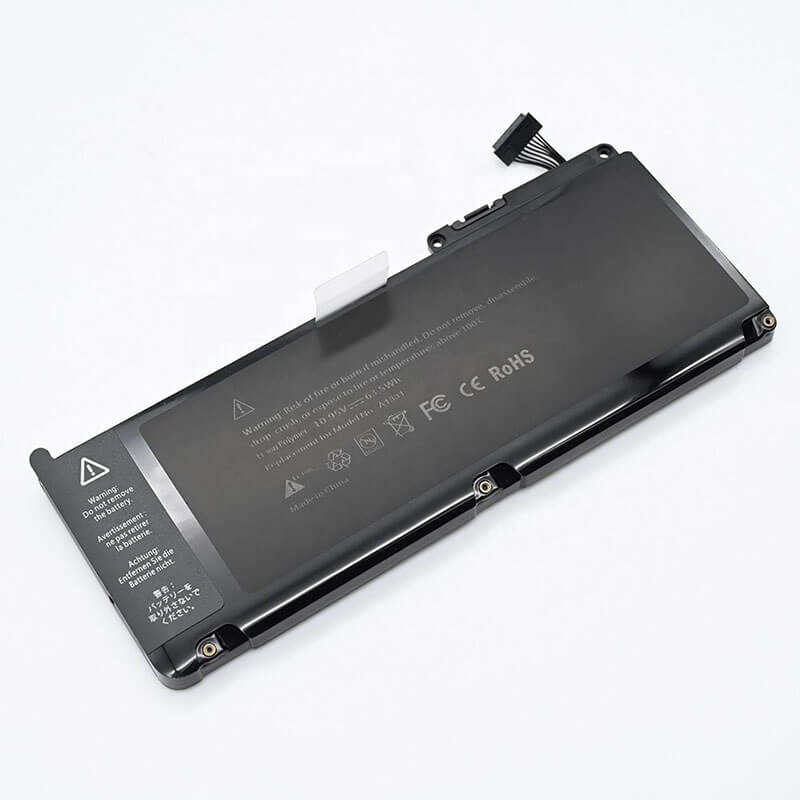
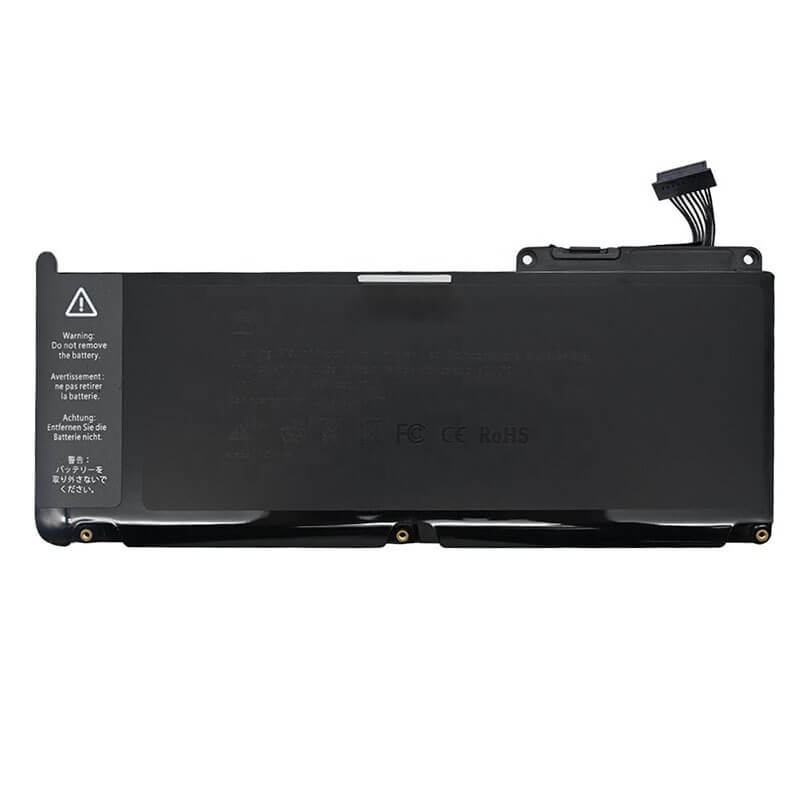
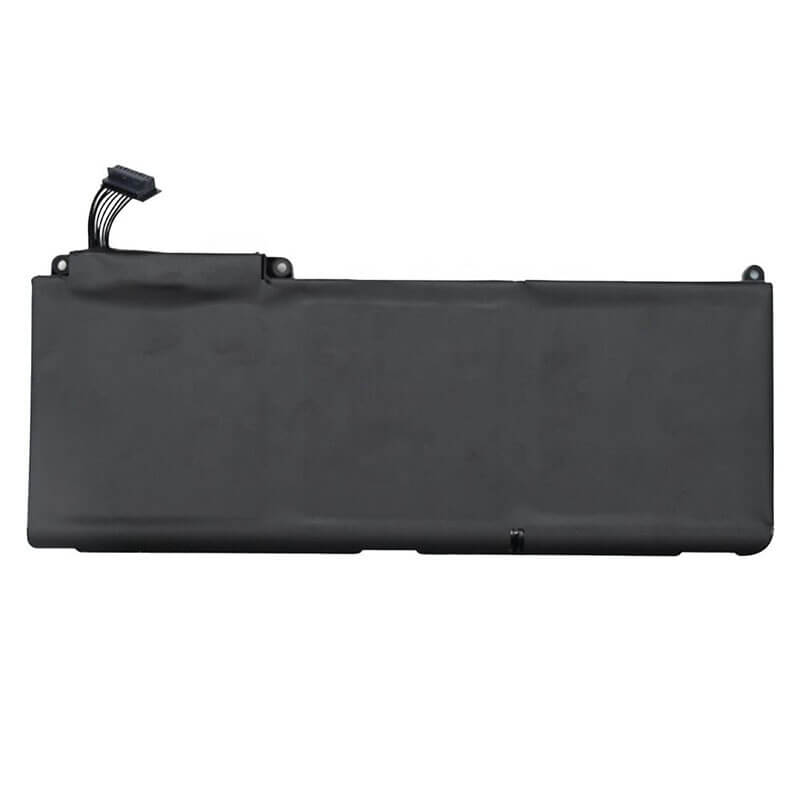
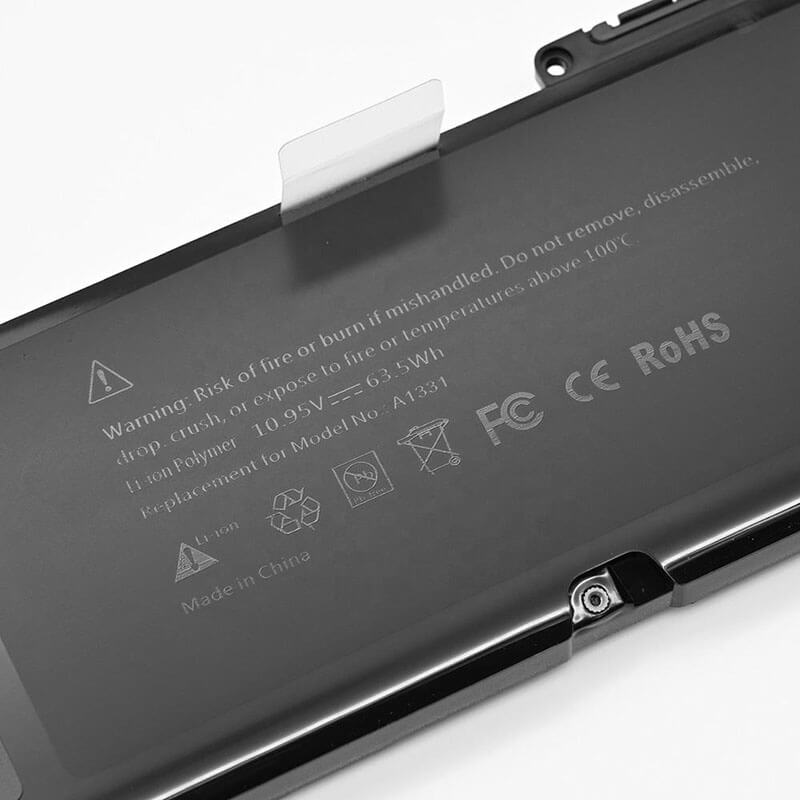
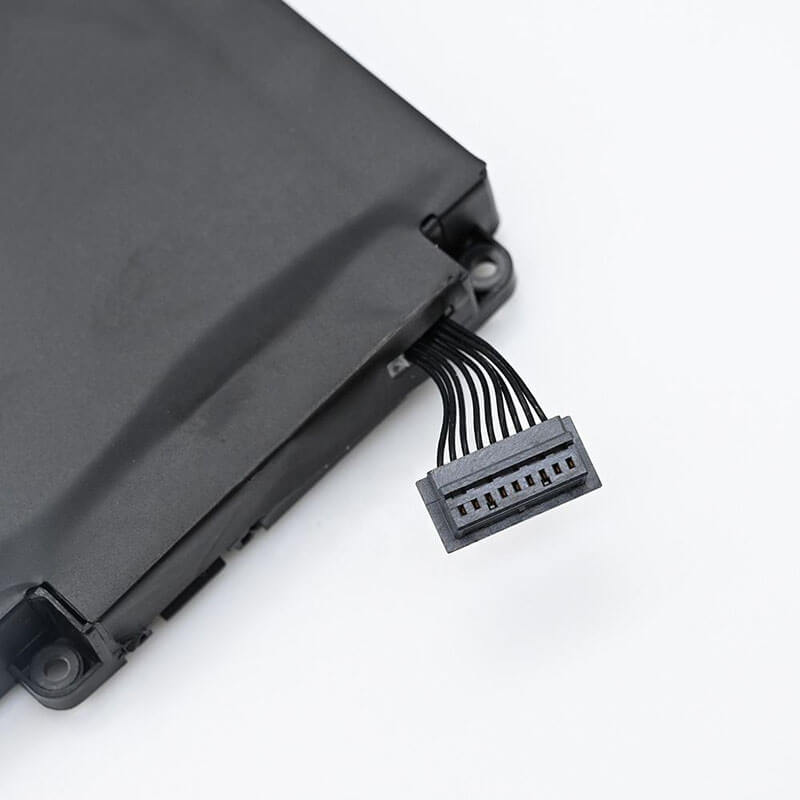
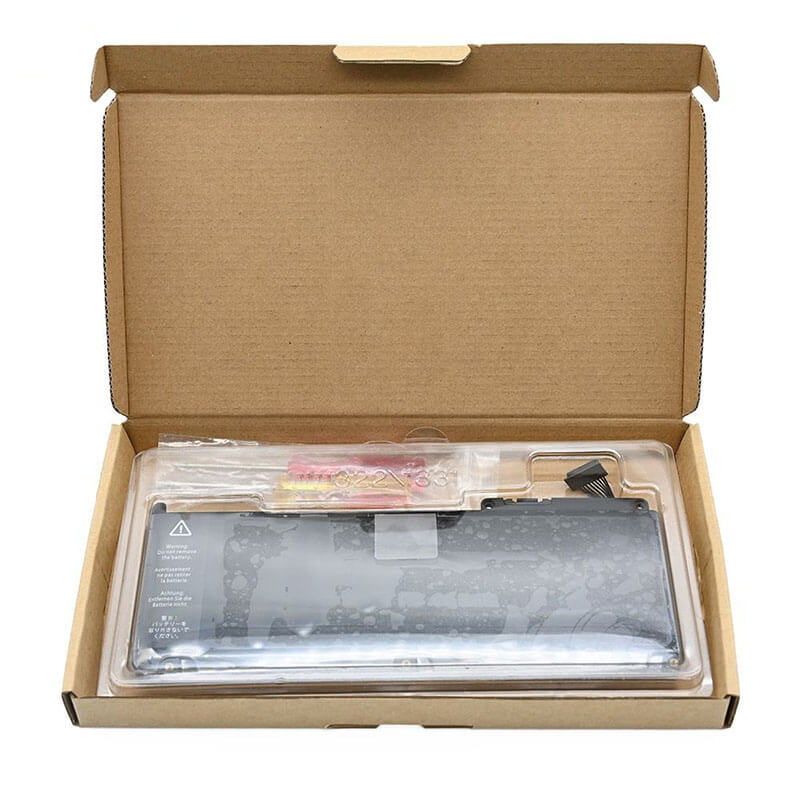
- Model Numbers: A1331 / A1342 Battery
- Battery Type: Li-polymer (Grade A+ Cells)
- Voltage: 10.95V
- Capacity: 63.5Wh / 5800mAh
- Cells: 3 Cells
- Condition: 100% Brand New from Factory
- Multiple Protection: Over Current, Over Voltage, Over Charge & Discharge, Overheat, Short Circuit, ESD, EMI
- Color: Black
- Certifications: UL2054, CE, FCC, RoHS, UN38.3, MSDS, IEC62133
- Life Cycle: Up to 1000 recharge cycles
- Condition: 100% Compatible Brand
- OEM/ODM: Yes(Accepted)
- Warranty: 18 Months After Sales, 24/7 Email Support.
- Package Includes: 1* A1331 Battery, 1* Screwdrivers
- Product Dimensions: 8.86 x 3.15 x 1.38 inches
- Item Weight: 12.6 ounces
A1331 Battery Replacement for MacBook Unibody 13″ A1342 (2009-2010) | 63.5Wh
Detailed Product Specifications and Features:
Core Technical Parameters:
| Property | Specification |
|---|---|
| Model Numbers | A1331 / A1342 Battery |
| Battery Type | Li-polymer (Grade A+ Cells) |
| Compatible | 020-6580-A, 020-6582-A, 661-5391, 661-5585 |
| Voltage | 10.95V |
| Capacity | 63.5Wh / 5800mAh |
| Cells | 3-Cell |
| Connector | Internal 9-pin/9-wire multi-pin header connector |
| Condition | 100% Brand New from Factory |
| Life Cycle | Up to 1000 recharge cycles |
| Multiple Protection | Over Current, Over Voltage, Over Charge & Discharge, Overheat, Short Circuit, ESD, EMI |
| Color | Black |
| Certifications | UL2054, CE, FCC, RoHS, UN38.3, MSDS, IEC62133 |
| OEM/ODM | Yes(Accepted) |
| Warranty | 18 Months After Sales, 24/7 Email Support. |
| Product Dimensions | 8.86 x 3.15 x 1.38 inches |
| Item Weight | 12.6 ounces |
Technical Note:
1. The A1331 battery replacement fits ONLY the MacBook 13″ A1342 (Late 2009 & Mid 2010) and the MacBook Pro 13″ Mid-2009 (A1278). It does NOT fit A1278 models from 2010, 2011, or 2012 (which require the A1322).
2. While the A1331 and A1322 batteries share similar voltage (10.95V) and capacity (63.5Wh), they are physically different. The A1331 is primarily designed for the white plastic “Unibody” MacBook (A1342), whereas the A1322 is for the aluminum MacBook Pro (A1278).
A1331 Battery Replacement Product Features:
- Battery Newest Premium Grade Cells
- Best Circuit Board
- Multiple command chip control, keep the battery stable charge and discharge;
- Over-charger protection and discharger protection, short-circuit protection, ensure fast charges and low power consumption
- Easy & Quick Installation
- Our battery is 100% compatible with the original battery and meets
- CE/FCC/ROHS/UL-certified standards. It is 100% new from the manufacturer and can support up to 1000 recharge cycles over the life of the battery
- Power Interface: Gold-plated connector points to ensure current transport excellently and serve stably.
- Enclosure: The enclosure is made of ABS + PC high-quality material, it has high temperature-resistant function to protect your laptop from overheating
- Battery Buckle: The battery buckle is closely connected to the laptop, and the metal interface is stably powered
Full Compatibility List: A1331 Battery Replacement:
| Apple Device Name | Laptop Model | Identifier | EMC | Year | Processor&Part No. (SKU) |
|---|---|---|---|---|---|
| MacBook 13" (White Unibody) | A1342 | MacBook6,1 | 2350 | Late 2009 | 2.26 GHz Core 2 Duo & MC207LL/A |
| MacBook 13" (White Unibody) | A1342 | MacBook7,1 | 2395 | Mid 2010 | 2.4 GHz Core 2 Duo & MC516LL/A |
| MacBook Pro 13" (Unibody) | A1278 | MacBookPro5,5 | 2321 | Mid 2009 | 2.26 GHz / 2.53 GHz & MB990LL/A, MB991LL/A |
Compatible Part Numbers (P/N):
A1331, A1342, 661-5391, 661-5585, 020-6580-A, 020-6582-A, 020-6809-A, 020-6810-A.
Why Choose HTJ A1331 Battery?
- True Grade A+ Cells: We utilize premium Lithium-polymer cells that maintain higher energy density and stability. Our batteries are rated for 1000+ cycles, far outlasting standard aftermarket alternatives.
- Precision Fit Housing: Engineered specifically for the A1342 Polycarbonate Unibody chassis. The dimensions and screw-hole alignments match OEM standards perfectly for a gap-free installation.
- Advanced Safety Circuitry: The integrated Texas Instruments (TI) intelligent chip ensures protection against over-voltage, short-circuits, and overheating, keeping your legacy MacBook safe during heavy use.
- Factory-Direct Reliability: As a specialized manufacturer, every A1331 battery undergoes rigorous aging tests before shipment to guarantee 100% out-of-the-box compatibility.
How to Install Your New A1331 / A1342 Battery
Replacing the battery on the MacBook 13-inch (White Unibody) or MacBook Pro 13-inch (2009) is a straightforward repair. However, it requires specific tools and careful handling of the internal connectors.
⚠️ Crucial Safety Preparation
- Discharge First: Discharge your old battery below 25% before disassembly. A charged lithium-ion battery can be dangerous if accidentally punctured.
- Power Off: Shut down your MacBook completely and disconnect the MagSafe power adapter.
- Required Tools: You will need a Phillips #00 Screwdriver (to remove the bottom case) and a Tri-wing (Y0) Screwdriver (to remove the internal battery screws).
Step-by-Step Installation Guide:
- Remove the Bottom Case:
Flip your MacBook over. Use the Phillips #00 screwdriver to remove the 8 screws securing the bottom cover.
Note for A1342: The screws on the rubberized bottom are often different lengths. Keep them organized to ensure they go back into the correct holes. - Locate and Unsecure the Battery:
Once the cover is removed, you will see the large L-shaped A1331 battery. Unlike newer models, this battery is held in place by dedicated screws rather than strong adhesive.
Use the Tri-wing (Y0) screwdriver to remove the specialized safety screws securing the battery to the chassis. - Disconnect the Battery Power (First Priority!):
Locate the battery connector attached to the logic board.
Use a plastic spudger or your fingernail to gently lift the connector straight up.
Caution: Do not use metal tools or screwdrivers to pry the connector, as this can cause a short circuit on the logic board. - Remove the Old Battery:
Once the screws are out and the cable is disconnected, lift the battery out of the laptop. This is an ideal time to use compressed air to remove dust from the fan or casing. - Install the New A1331 Battery Replacement:
Lower the new battery into the bay, aligning the screw holes with the chassis.
Connect the power cable first: Align the connector and press it down firmly. This ensures the battery is positioned correctly before you tighten the screws.
Replace and tighten the Tri-wing screws. - Reassemble and Calibrate:
Replace the bottom cover and secure the 8 Phillips screws.
Battery Calibration (Highly Recommended): After installation, charge the new battery to 100% and keep it charging for at least 2 more hours. Then, use the MacBook until it shuts down automatically due to low battery (0-5%). Finally, charge it back to 100% without interruption.
💡 Pro Tip:
While the A1331 battery is not glued in, the Tri-wing screws are unique to Apple. Attempting to remove them with a standard flathead or Phillips driver will likely strip the screw heads. Our package includes a triangular Y0 screwdriver; please use this specialized screwdriver to avoid damaging the screws on your computer. If you encounter any issues, please contact our technical support team!
FAQ:
- Q: Does this battery require special screwdrivers for installation?
A: You will typically need a Phillips #00 screwdriver to remove the bottom case and a Tri-wing (Y1) screwdriver to remove the security screws holding the battery to the chassis. - Q: Is this 10.95V battery compatible with my original 10.8V battery?
A: The 10.95V and 10.8V ratings are functionally identical for this model. The small difference is due to variations in how different manufacturers label the nominal voltage of the lithium-polymer cells. - Q: Why does my trackpad feel stiff after installing the new battery?
A: The trackpad sits directly above the battery. If the battery cells are slightly too thick or if there is trapped debris, it can press against the trackpad mechanism. Ensure the battery is seated completely flat and the screws are tightened evenly. - Q: Can I upgrade my older “Non-Unibody” White MacBook with this battery?
A: Older White MacBooks (A1181) use a completely different external battery (A1185) that locks into the bottom with a coin-turn latch. The A1331 will only fit the smooth-bottom Unibody A1342 models. - Q: How do I calibrate this battery for the best performance?
A: Once installed, charge the battery to 100% and continue charging for at least two more hours. Then, unplug and use the MacBook until it shuts down automatically due to low battery. Finally, charge it back to 100% in one session. This “cycles” the internal controller to ensure accurate percentage reporting.
A1331 Battery Replacement Laptop Maintenance Tips:
- New battery: For using a new battery, you’d better try a few cycles of discharging to 5%. then charging up to 95%. So that it can be activated completely
- Overuse: Do not always run a battery to 0%, as this would reduce its usage life.
- Charging sequence: When charging, first install the battery, then turn on the power. When fully charged, first cut off the power, then pull the power plug.
- Long-term storage: Please store the unused battery fully charged. (Charge it once a month.) Do not store at low power to prevent reducing the lifespan of a battery
- Charger: Do not replace the laptop adapter casually. If the original adapter cannot be applied due to malfunction or damage, please replace the models so as not to reduce the service life of the battery due to incompatibility.
【IMPORTANT】: Press [ Ctrl+F ] to find the laptop models.
Need a legacy/unlisted charger? Send your Apple Laptop Battery specs or CONTACT US → We will source it for you!
We are a professional manufacturer in the field of laptop batteries, laptop adapters, and laptop keyboards. We are committed to providing high-quality, competitively priced, and superior performance batteries and the best service to customers.