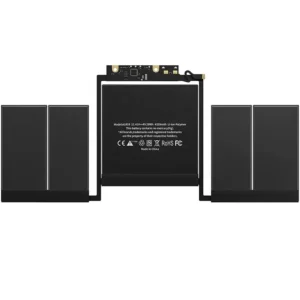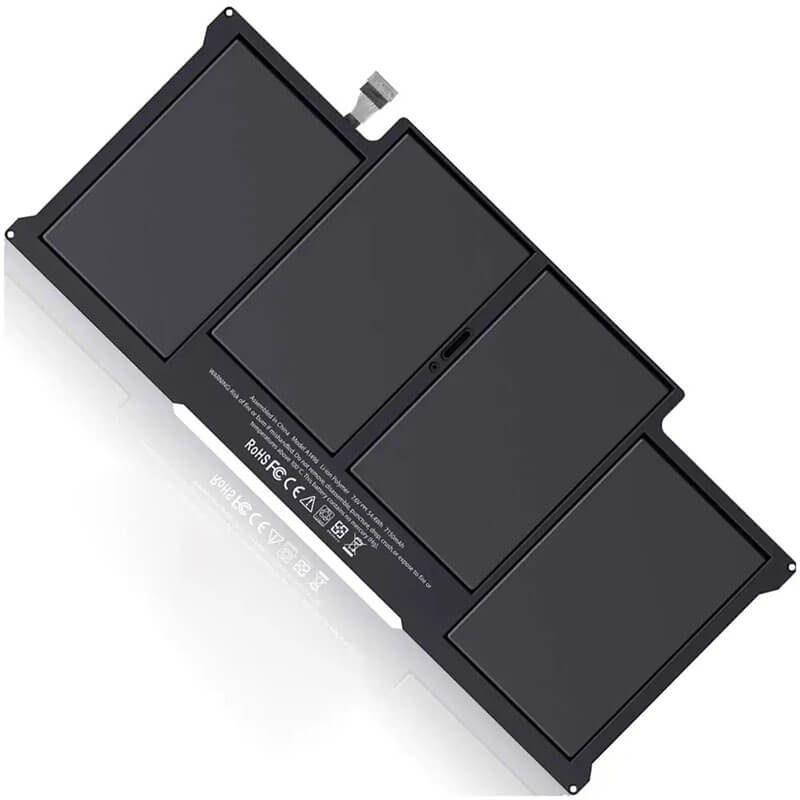
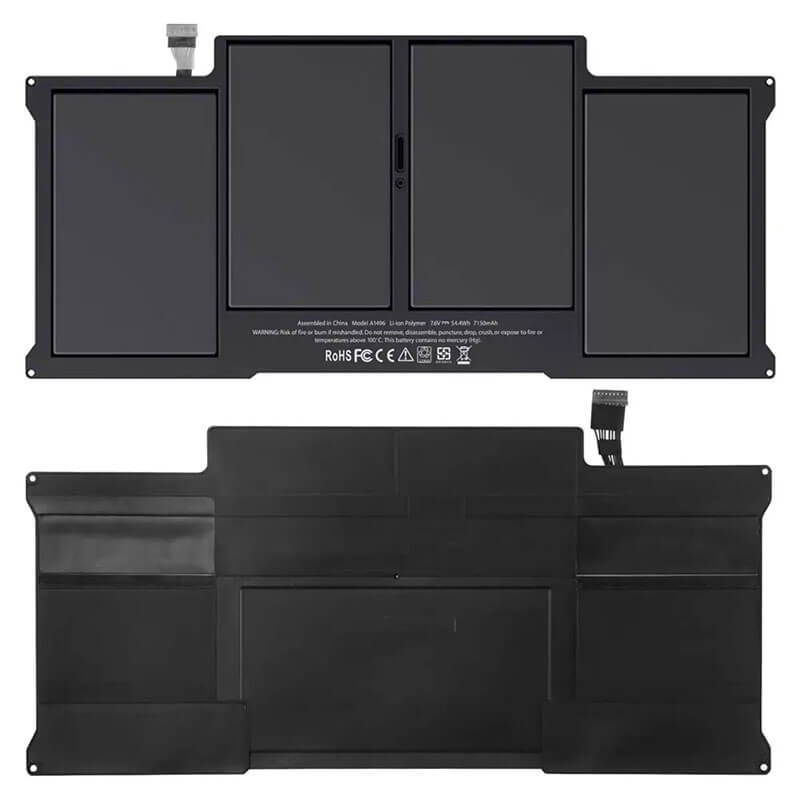
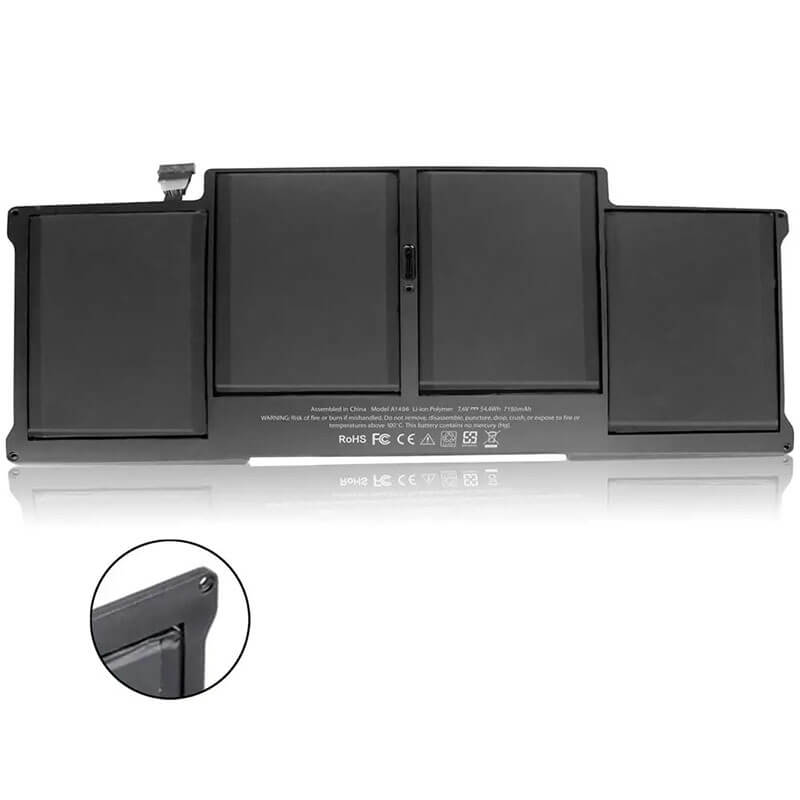
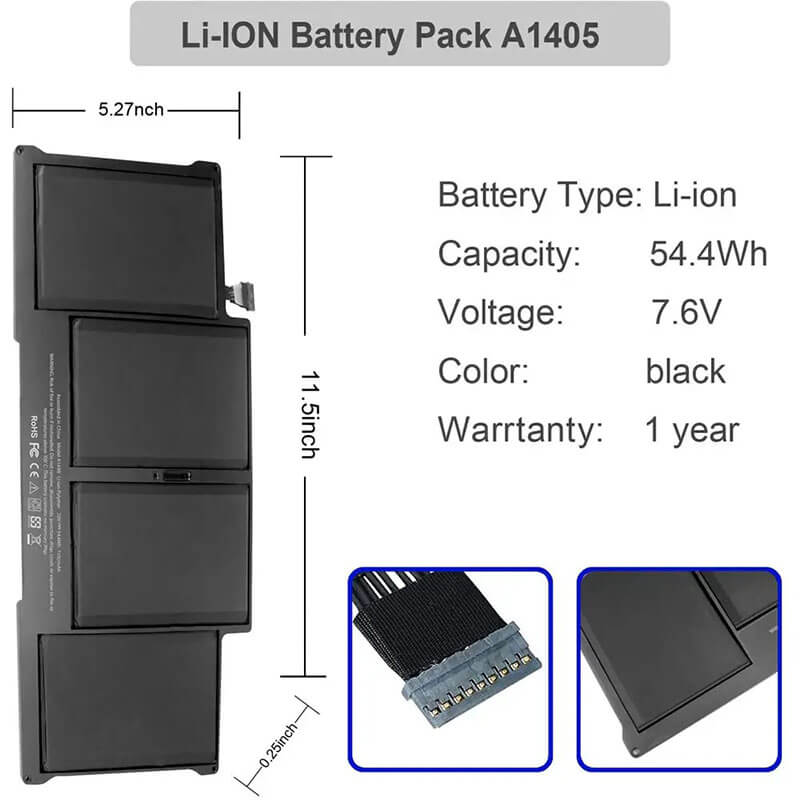
- Model Numbers: A1496 / A1405 Battery
- Compatible Laptop Model: A1466 (13-inch Air, 2012-2017), A1369 (2011)
- Battery Type: Li-polymer (Grade A+ Cells)
- Voltage: 7.6V
- Capacity: 54.4Wh / 7150mAh
- Cells: 4 Cell
- Condition: 100% Brand New from Factory
- Multiple Protection: Over Current, Over Voltage, Over Charge & Discharge, Overheat, Short Circuit, ESD, EMI
- Color: Black
- Certifications: UL2054, CE, FCC, RoHS, UN38.3, MSDS, IEC62133
- Life Cycle: Up to 1000 recharge cycles
- Condition: 100% Compatible Brand
- OEM/ODM: Yes(Accepted)
- Warranty: 18 Months After Sales, 24/7 Email Support.
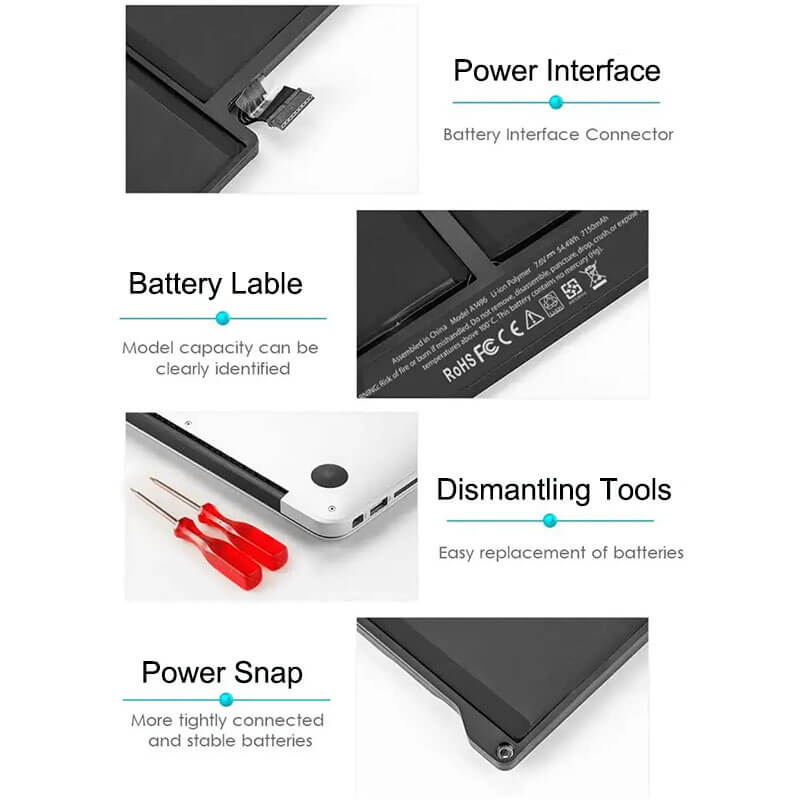
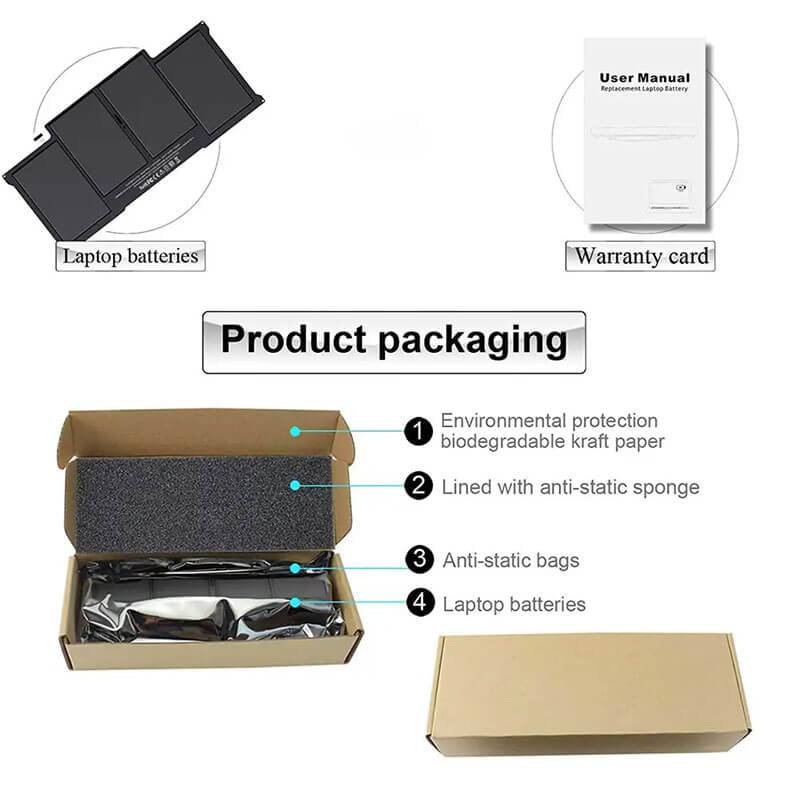
- Package Includes: 1* A1496 / A1405Battery, 2* screwdrivers
- Product Dimensions: 11.42 x 5.31 x 0.24 inches
- Item Weight: 12.7 ounces
A1496 A1405 Battery Replacement for MacBook Air 13″ A1466 A1369 (2011-2017)| 54.4Wh
Detailed Product Specifications and Features:
Core Technical Parameters:
| Property | Specification |
|---|---|
| Model Numbers | A1496 / A1405 Battery |
| Battery Type | Li-polymer (Grade A+ Cells) |
| Compatible | A1466 (13-inch Air, 2012-2017), A1369 (2011) |
| Voltage | 7.6V |
| Capacity | 54.4Wh / 7150mAh |
| Cells | 4 Cell |
| Connector | Internal 9-pin female header connector |
| Condition | 100% Brand New from Factory |
| Life Cycle | Up to 1000 recharge cycles |
| Multiple Protection | Over Current, Over Voltage, Over Charge & Discharge, Overheat, Short Circuit, ESD, EMI |
| Color | Black |
| Certifications | UL2054, CE, FCC, RoHS, UN38.3, MSDS, IEC62133 |
| OEM/ODM | Yes(Accepted) |
| Warranty | 18 Months After Sales, 24/7 Email Support. |
| Product Dimensions | 11.42 x 5.31 x 0.24 inches |
| Item Weight | 12.7 ounces |
Technical Note:
The A1496 battery is a perfect upgrade and replacement for the A1466 laptop, but it is not compatible with the 11-inch A1465 model (the 11-inch model uses the A1495 battery).
Product Features:
- Battery Newest Premium Grade Cells
- Best Circuit Board
- Multiple command chip control, keep the battery stable charge and discharge;
- Over-charger protection and discharger protection, short-circuit protection, ensure fast charges and low power consumption
- Easy & Quick Installation
- Our battery is 100% compatible with the original battery and meets
- CE/FCC/ROHS/UL-certified standards. It is 100% new from the manufacturer and can support up to 1000 recharge cycles over the life of the battery
- Power Interface: Gold-plated connector points to ensure current transport excellently and serve stably.
- Enclosure: The enclosure is made of ABS + PC high-quality material, which has a high temperature-resistant function to protect your laptop from overheating
- Battery Buckle: The battery buckle is closely connected to the laptop, and the metal interface is stably powered
A1496 A1405 Battery Full Compatibility Model & Year List:
This battery has a vast compatibility range, covering 13-inch Air models from 2011 to 2017.
| Apple Device Name | Laptop Model | EMC | Year | Order Part No. (SKU) |
|---|---|---|---|---|
| MacBook Air 13" | A1369 | 2469 | Late 2010 | MC503LL/A, MC504LL/A |
| MacBook Air 13" | A1369 | 2469 | Mid 2011 | MC965LL/A, MC966LL/A |
| MacBook Air 13" | A1466 | 2559 | Mid 2012 | MD231LL/A, MD232LL/A |
| MacBook Air 13" | A1466 | 2632 | Mid 2013 | MD760LL/A, MD761LL/A |
| MacBook Air 13" | A1466 | 2632 | Early 2014 | MD760LL/B, MD761LL/B |
| MacBook Air 13" | A1466 | 2925 | Early 2015 | MJVE2LL/A, MJVG2LL/A |
| MacBook Air 13" | A1466 | 3178 | 2017 | MQD32LL/A, MQD42LL/A, MQD52LL/A |
A1466 A1496 A1405 Battery Compatible P/N (Part Numbers) List:
- A1496 / A1405 / A1377
- 020-7379-A / 020-8143-A / 661-6055 / 661-6639 / 661-7474 / 661-5731
Why Choose HTJ A1466 A1496 A1405 Battery?
- Premium 7150mAh Real Capacity:
While many competitors label their batteries as 7150mAh but only provide 6500mAh, HTJ uses genuine high-density cells to ensure your MacBook Air maintains its legendary 12-hour battery life. - Superior Lifespan (1000+ Cycles):
Our A1496 batteries are built with Grade A+ Lithium-polymer cells. This ensures that even after 500 charge cycles, the battery still retains over 80% of its original capacity. - OEM-Grade Safety Chip:
The internal Battery Management System (BMS) is designed to fully communicate with macOS, providing accurate percentage readings, health reporting, and protection against short circuits or overheating. - Perfect Fit Guarantee:
The mold is 1:1 precision-cut based on the original Apple chassis. All 5 screw holes align perfectly with the A1466 internal frame for a stress-free installation.
How to Install Your New A1466 / A1496 A1405 Battery?
Replacing the battery in a MacBook Air 13″ is a Beginner-Friendly repair. It typically takes less than 15 minutes.
⚠️ Crucial Safety Preparation
- Discharge First: For safety, discharge your old battery below 25% before starting.
- Required Tools: You will need a P5 Pentalobe screwdriver (for the bottom case) and a T5 Torx screwdriver (for the 5 internal battery screws).
A1466 A1496 A1405 Battery Step-by-Step Installation Guide:
- Remove the Bottom Case:
Flip your MacBook Air over. Use the P5 Pentalobe screwdriver to remove the 10 screws. Note that the two screws near the hinge are longer. Lift off the back cover. - Disconnect the Battery:
Locate the battery connector. Use the clear plastic tab on the connector to pull it straight toward the front of the laptop. Do not lift it upward. - Remove the Battery Screws:
Use the T5 Torx screwdriver to remove the 5 screws securing the battery. Keep track of the middle screw, as it is shorter than the others. - Swap in the New Battery:
Lift the old battery out. Place the new A1496 battery into the bay.
Pro Tip: Align the battery connector and plug it in before you tighten the 5 internal screws to ensure perfect alignment. - Secure and Close:
Reinstall the 5 T5 screws. Replace the bottom case and secure the 10 P5 screws. - Calibration:
After installation, charge the battery to 100%. Keep it charging for 2 hours, then use the laptop until it reaches 5%. Finally, charge it to 100% uninterrupted.
💡 Pro Tip:
The A1496 battery is a perfect upgrade and replacement for the A1466 laptop, but it is not compatible with the 11-inch A1465 model (the 11-inch model uses the A1495 battery).
FAQ:
- Q: Can I use this A1496 battery in my 13-inch MacBook Pro?
A: Although the screen size is the same, the MacBook Air and MacBook Pro use entirely different internal layouts and battery shapes. This battery is strictly for the MacBook Air 13″ (A1369 and A1466). - Q: Does this battery require adhesive for installation?
A: One of the best features of the A1466/A1369 design is that the battery is held in place by five T5 Torx screws rather than glue. This makes the replacement process significantly easier and safer than on newer MacBook models. - Q: Is it normal for the new battery to have a few cycles on it?
A: It is common to see 1–3 cycles on a brand-new battery. This is a result of factory quality-control testing, in which the battery is charged and discharged to ensure the cells and the management chip are functioning correctly before shipping. - Q: Will this battery fix my MacBook if it only works when the charger is plugged in?
A: Yes, this is a classic symptom of a dead battery. If the laptop shuts down immediately when the MagSafe cable is removed, the battery cells have likely reached the end of their life or the internal fuse has tripped. - Q: Do I need to do anything special before I throw away my old battery?
A: You should never throw lithium batteries in regular trash. For safety, place a piece of clear tape over the connector pins of the old battery to prevent accidental short circuits, then take it to a local electronics recycling center.
Laptop Maintenance Tips:
- New Battery: For using a new battery, it’s best to try a few cycles of discharging to 5%. then charging up to 95%. So that it can be activated completely
- Overuse: Do not always run a battery down to 0%, as this would reduce its usage life.
- Charging sequence: When charging, first install the battery, then turn on the power. When fully charged, first cut off the power, then pull the power plug.
- Long-term storage: Please store the unused battery fully charged. (Charge it once a month.) Do not store at low power to prevent reducing the lifespan of a battery
- Charger: Do not replace the laptop adapter casually. If the original adapter cannot be applied due to malfunction or damage, please replace the models so as not to reduce the service life of the battery due to incompatibility.
【IMPORTANT】: Press [ Ctrl+F ] to find the laptop models.
Need a legacy/unlisted charger? Send your Apple Laptop Battery specs or CONTACT US → We will source it for you!
We are a professional manufacturer of laptop batteries, adapters, and keyboards. We are committed to providing high-quality, competitively priced, and superior performance batteries and the best service to customers.