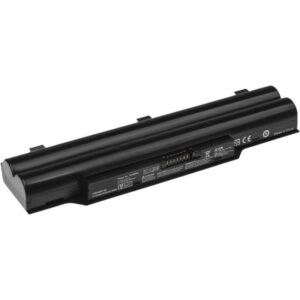
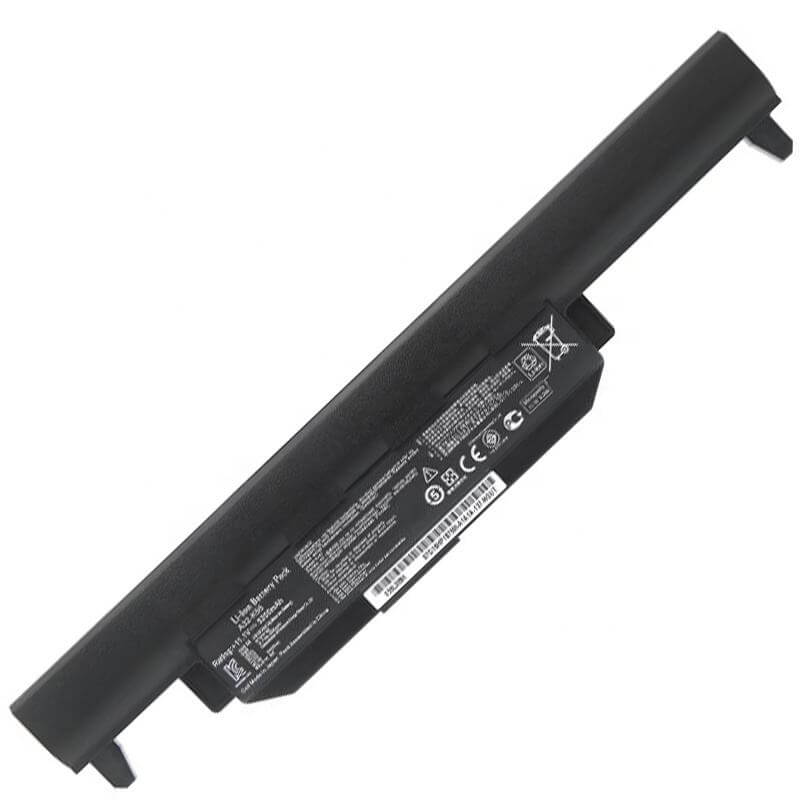
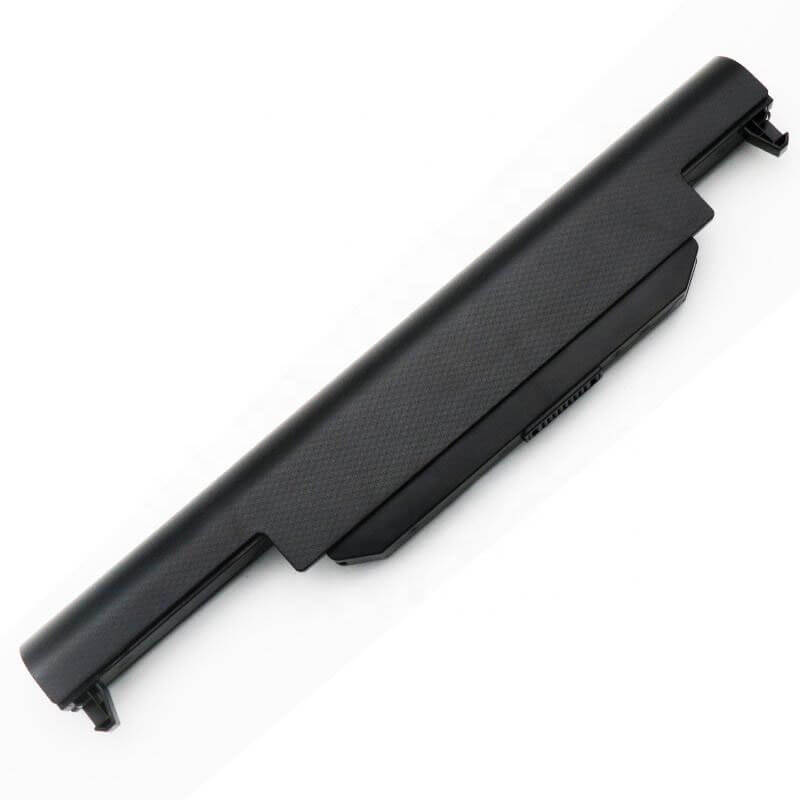
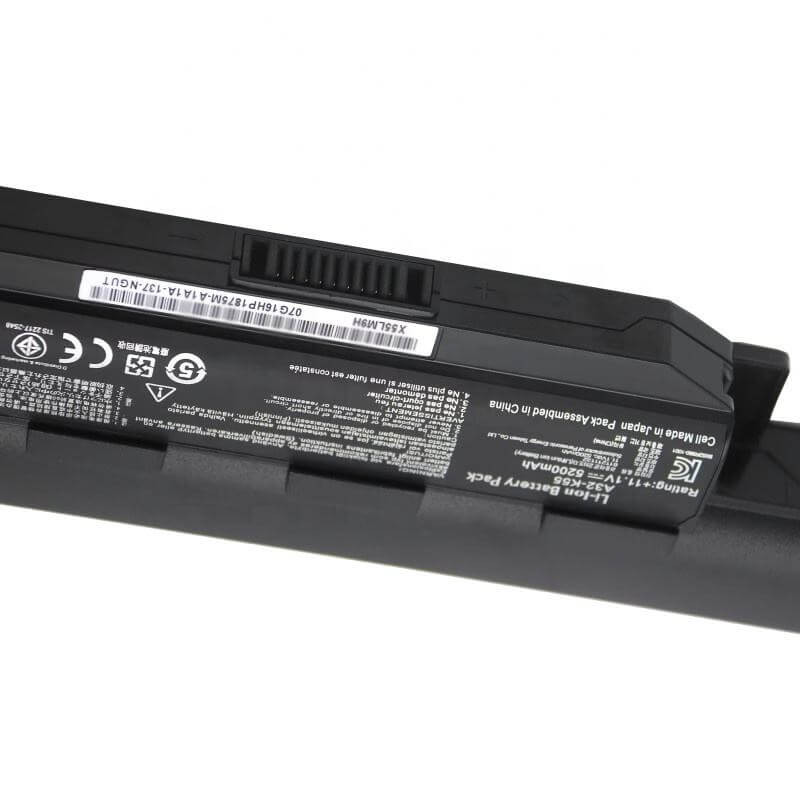
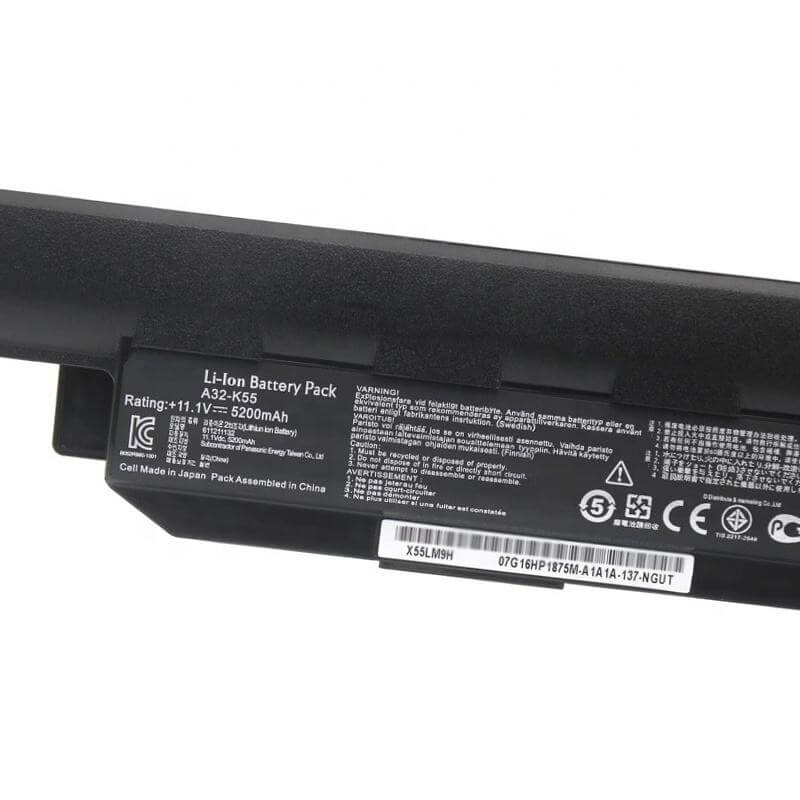
A32-K55 High Capacity Battery for ASUS K55 K55A K55VD K55VM A55 R500V | 11.1V 5200mAh 58Wh – HTJ
- Model Numbers: A32-K55 / A33-K55 / A41-K55
- Battery Type: Li-ion (Grade A+ Cells)
- Voltage: 11.1V (Fully compatible with 10.8V)
- Capacity: 5200mAh / 58Wh
- Cells: 6-Cell High Density
- Condition: 100% Brand New from Factory
- Life Cycle: 800 – 1000 recharge cycles
- Multiple Protection: Over Current, Over Voltage, Over Charge & Discharge, Overheat, Short Circuit, ESD, EMI
- Color: Black
- Certifications: UL2054, CE, FCC, RoHS, UN38.3, MSDS, IEC62133
- OEM/ODM: Yes(Accepted)
- Warranty: 18 Months After Sales, 24/7 Email Support.
- Product Dimensions: 11.17 x 2.54 x 0.93 inches
- Item Weight: 13.1 ounces
A32-K55 High Capacity Battery for ASUS K55 K55A K55VD K55VM A55 R500V | 11.1V 5200mAh 58Wh
Detailed Product Specifications and Features:
Core Technical Parameters:
| Property | Specification |
|---|---|
| Model Numbers | A32-K55 / A33-K55 / A41-K55 |
| Battery Type | Li-ion (Grade A+ Cells) |
| Voltage | 11.1V (Fully compatible with 10.8V) |
| Capacity | 5200mAh / 58Wh |
| Cells | 6-Cell High Density |
| Condition | 100% Brand New from Factory |
| Life Cycle | 800 - 1000 recharge cycles |
| Multiple Protection | Over Current, Over Voltage, Over Charge & Discharge, Overheat, Short Circuit, ESD, EMI |
| Color | Black |
| Certifications | UL2054, CE, FCC, RoHS, UN38.3, MSDS, IEC62133 |
| OEM/ODM | Yes(Accepted) |
| Warranty | 18 Months After Sales, 24/7 Email Support. |
| Product Dimensions | 11.17 x 2.54 x 0.93 inches |
| Item Weight | 13.1 ounces |
Technical Note:
This is a High-Capacity 5200mAh (58Wh) version of the A32-K55 battery. It provides approximately 15-20% longer runtime than the standard 4400mAh version. It is an External Removable battery. The A32-K55, A33-K55, and A41-K55 are universally interchangeable. Please ensure your original battery is an external type before purchasing.
Product Features:
- Battery Newest Premium Grade Cells
- Best Circuit Board
- Multiple command chip control, keep the battery stable charge and discharge;
- Over-charger protection and discharger protection, short-circuit protection, ensure fast charges and low power consumption
- Easy & Quick Installation
- Our battery is 100% compatible with the original battery and meets
- CE/FCC/ROHS/UL-certified standards. It is 100% new from the manufacturer and can support up to 1000 recharge cycles over the life of the battery
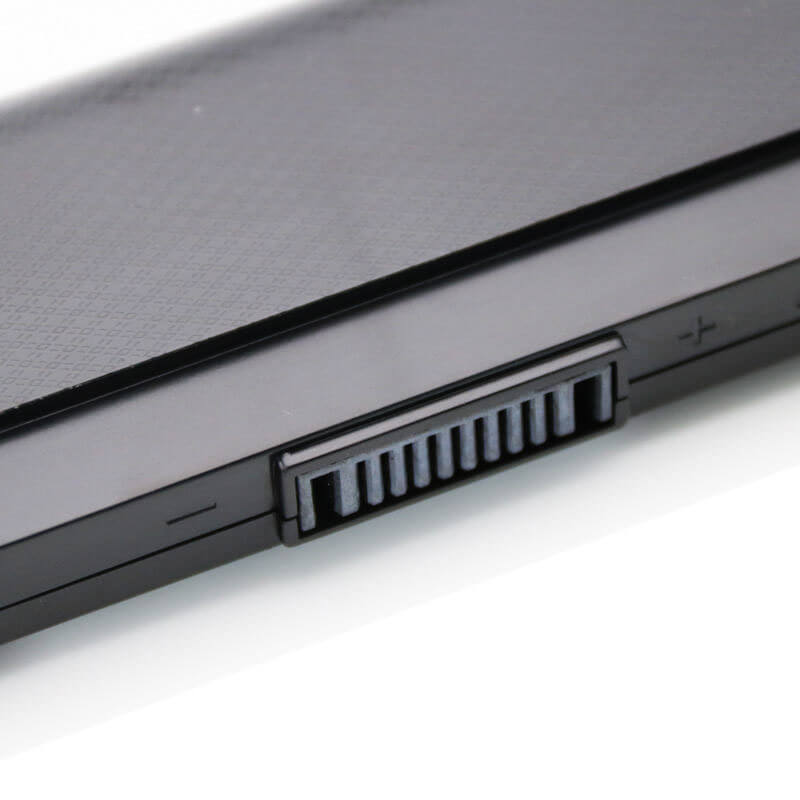
- Power Interface: Gold-plated connector points to ensure current transport excellently and serve stably.
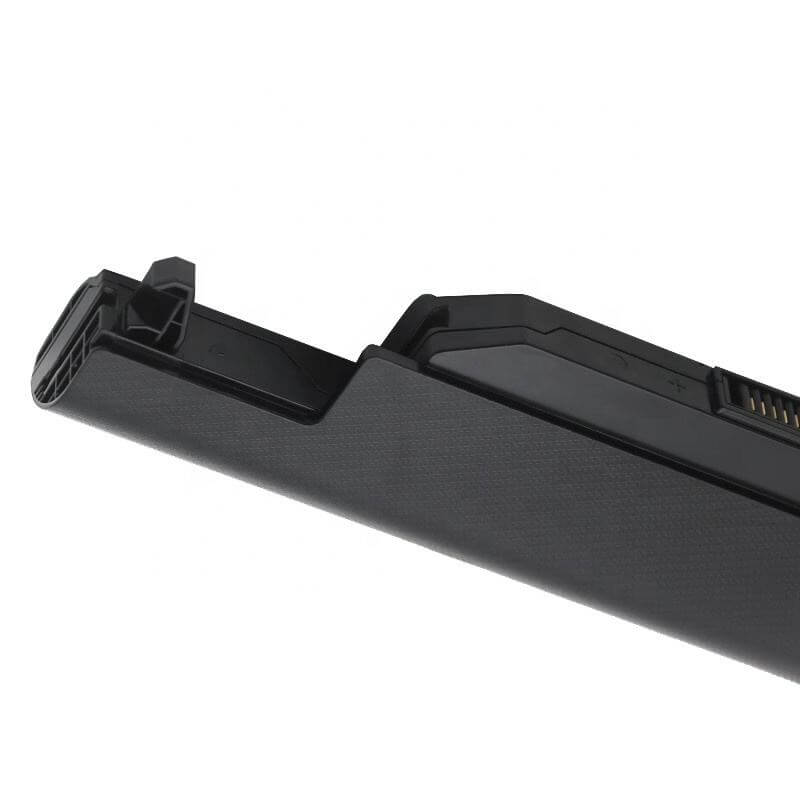
- Enclosure: The enclosure is made of ABS + PC high-quality material, which has a high-temperature-resistant function to protect your laptop from overheating
- Battery Buckle: The battery buckle is closely connected to the laptop, and the metal interface is stably powered
A32-K55 / A33-K55 / A41-K55 Battery Compatibility Laptop Model List:
| Main Series | Detailed Compatible Sub-Models |
|---|---|
| ASUS K55 Series | K55A, K55A-DS71, K55A-HI5103D, K55A-BBR1, K55A-BBR7, K55A-BBR9, K55A-BSI5N15, K55VD, K55VD-DB51, K55VM, K55VM-AS71, K55VJ, K55VS, K55N |
| ASUS A55 Series | A55A, A55A-TH52, A55A-EB71, A55V, A55VD, A55VM, A55VJ, A55VS, A55N |
| ASUS R500 Series | R500A, R500V, R500VD, R500VJ, R500VM, R500VS, R500N |
| ASUS K45/A45 Series | K45A, K45V, K45VD, K45VM, A45A, A45V, A45VD, A45VM, A45VJ |
| ASUS X45/X55/X75 Series | X45A, X45C, X45U, X55A, X55C, X55U, X55VD, X75A, X75C, X75VD |
| ASUS K75/A75 Series | K75A, K75V, K75VD, K75VJ, A75A, A75V, A75VD, A75VJ |
| Other Series | U57A, U57VD, U57VM, F55A, F55C, F55VD, F75A, F75VD |
A32-K55 / A33-K55 / A41-K55 Battery Compatible P/N (Part Numbers) List
- A32-K55 | A33-K55 | A41-K55
- 0B110-00080000 | 0B110-00080000M
- A32-K55X | A42-K55
Why Choose HTJ A32-K55 High-Capacity Battery?
- Extended 5200mAh Runtime:
Engineered for users who need more power, our 5200mAh (58Wh) version utilizes high-density Grade A+ cells. This allows you to work, study, or stream longer without reaching for your power adapter. - Classic 1:1 Precision Fit:
The HTJ A32-K55 is designed with original-spec locking mechanisms. It fits perfectly into the battery bay of your ASUS K55/A55, with no gaps, ensuring a secure connection and the original aesthetic. - Superior Cell Longevity:
We prioritize cycle life. Our premium Lithium-ion cells are rated for up to 1000 recharge cycles, ensuring your “old but gold” ASUS laptop remains reliable for years to come. - Certified Safety Standards:
Built with an advanced Battery Management System (BMS), this high-capacity battery is fully certified (CE/FCC/RoHS) to protect against over-charging, overheating, and short-circuits.
How to Install Your New A32-K55 Battery?
Replacing the external A32-K55 battery is an effortless process that requires no tools.
⚠️ Crucial Safety Preparation
- Shutdown: Ensure your laptop is fully powered off, and the charger is unplugged.
- Stable Surface: Place the laptop upside down on a soft cloth to avoid scratching the lid.
A32-K55 Battery Step-by-Step Installation Guide
- Unlock the Latches:
Locate the two sliding latches on the battery bay. Slide the “Lock” latch to the unlock position. - Release and Remove:
Hold the spring-loaded “Release” latch in its open position and gently slide the old battery out of the slot. - Insert the New Battery:
Slide the HTJ A32-K55 battery into the bay at the same angle. Push firmly until you hear a clear “click”. - Secure the Lock:
Slide the “Lock” latch back to the locked position. - Initialization:
Turn on the laptop and charge the new battery to 100%. For best results, perform a full charge/discharge cycle twice.
💡 Pro Tip:
To maintain the 5200mAh health, avoid letting the battery drop below 5% frequently. Lithium-ion batteries prefer shallow discharge cycles.
FAQ:
Q: Is 11.1V 5200mAh better than my original 10.8V 4400mAh?
A: Yes. The 11.1V 5200mAh version is a “High Capacity” upgrade. It has more energy (11.1V X 5.2Ah = 57.72Wh) compared to the standard version (10.8V X 4.4Ah = 47.52Wh), giving you more usage time per charge.
Q: Are 10.8V and 11.1V batteries interchangeable?
A: Absolutely. These two voltages are compatible. Your laptop’s internal voltage regulator handles both 10.8V and 11.1V without any issue.
Q: Why does my laptop show “Battery not detected” with the new battery?
A: This is usually due to dust on the connector pins of older laptops. Try removing the battery, cleaning the laptop’s copper pins with a dry cloth, and re-inserting it firmly.
Laptop Maintenance Tips:
- New battery: For using a new battery, you’d better try a few cycles of discharging to 5%. then charging up to 95%. So that it can be activated completely
- Overuse: Do not always run a battery to 0%, as this would shorten its usage life.
- Charging sequence: When charging, first install the battery, then turn on the power. When fully charged, first cut off the power, then pull the power plug.
- Long-term storage: Please store the unused battery fully charged. (Charge it once a month.) Do not store at low power to prevent reducing the lifespan of a battery
- Charger: Do not replace the laptop adapter casually. If the original adapter cannot be used due to malfunction or damage, please replace it with a compatible model to avoid reducing the battery’s service life.
【IMPORTANT】: Press [ Ctrl+F ] to find the laptop models.
Need a legacy/unlisted charger? Send your Asus Laptop Battery specs or CONTACT US → We will source it for you!
We are a professional manufacturer of laptop batteries, laptop adapters, and laptop keyboards. We are committed to providing high-quality, competitively priced, and superior performance batteries and the best service to customers.
Need Expert Help or Legacy Charger Sourcing? Contact Our Professional Technical Team Now!