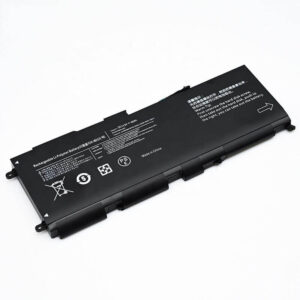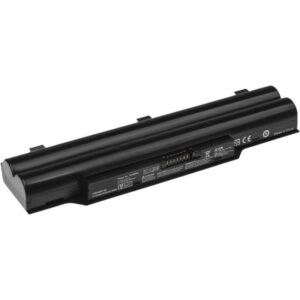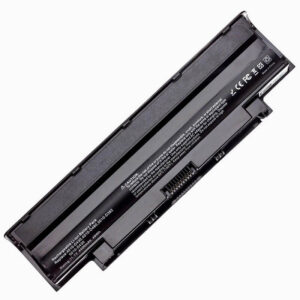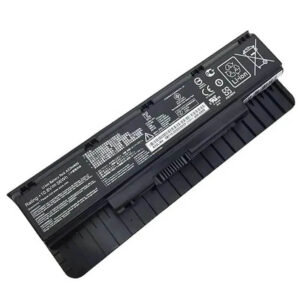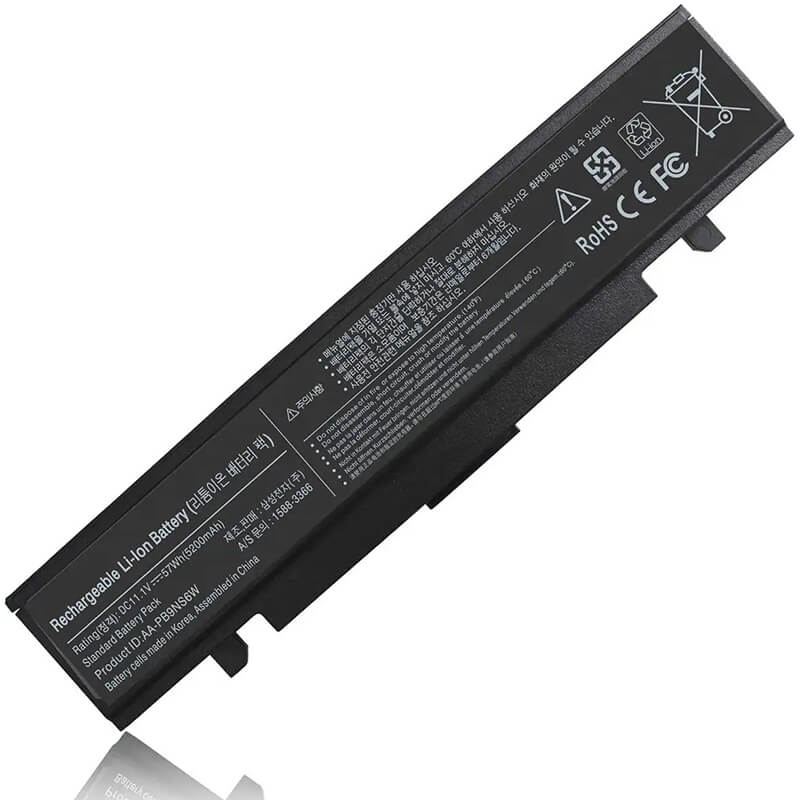
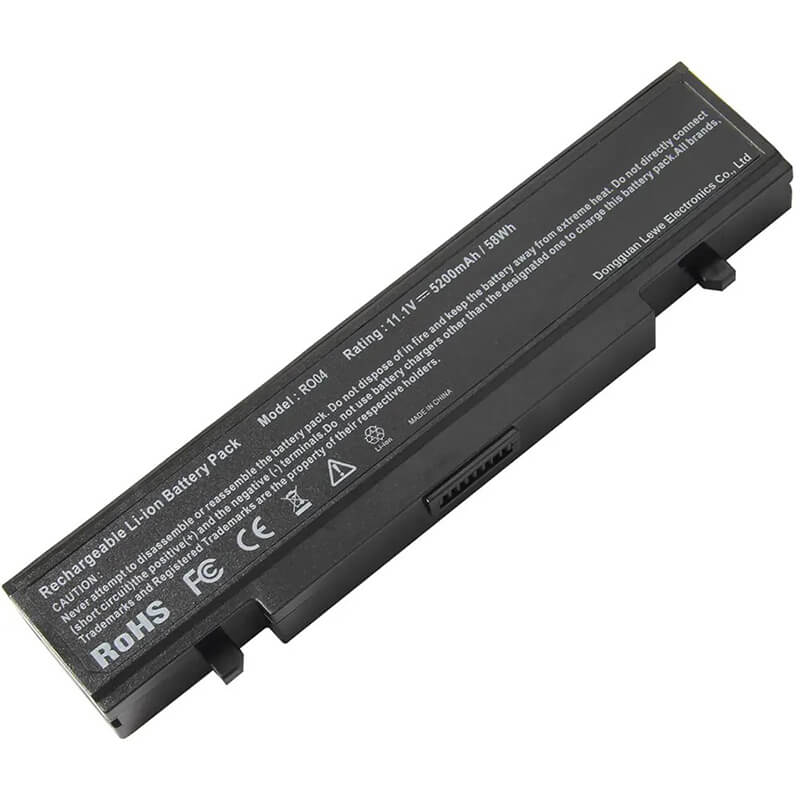
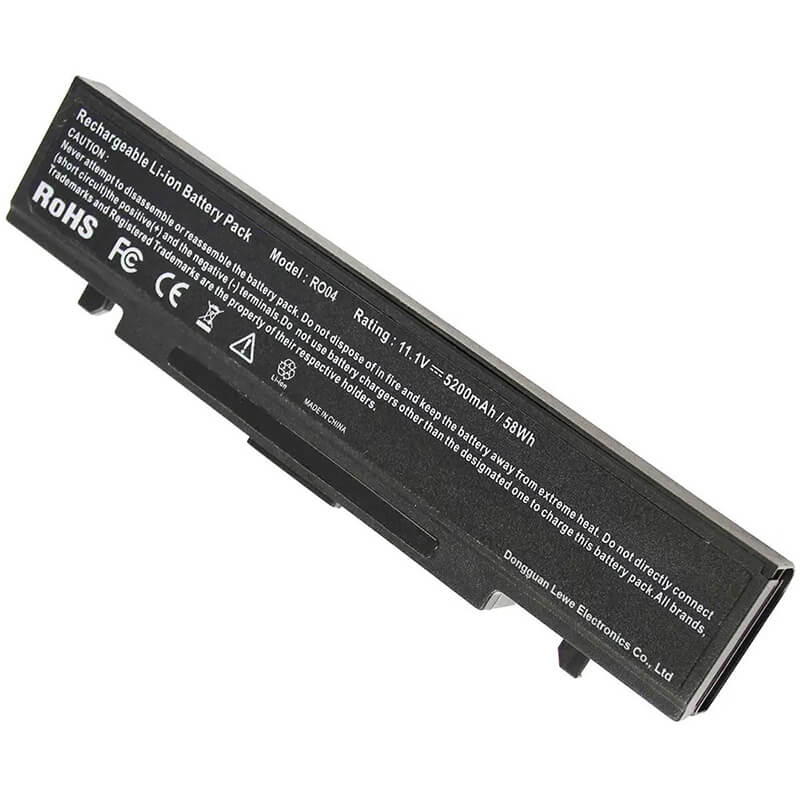
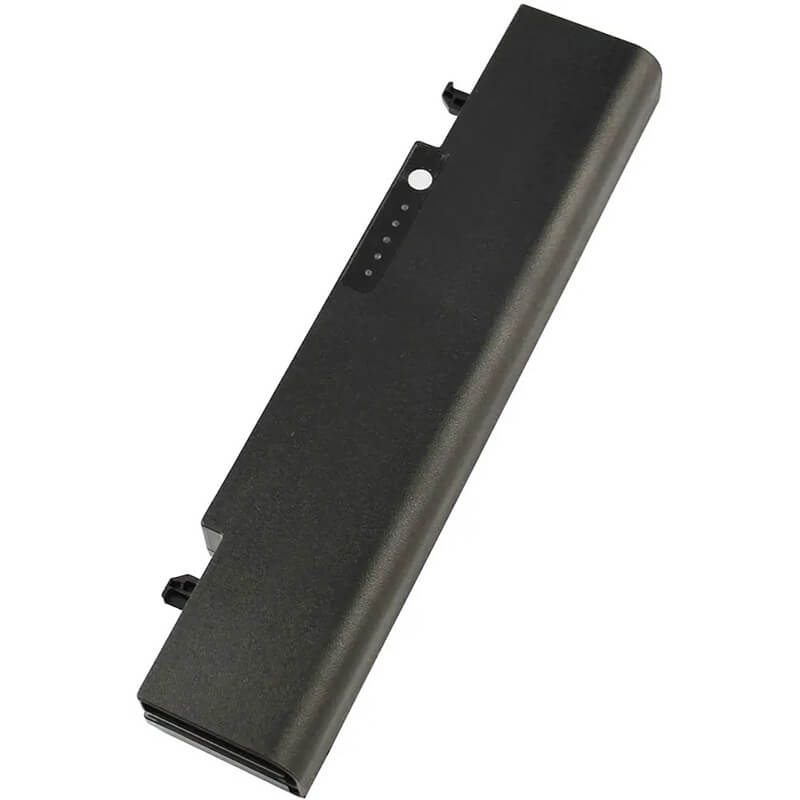
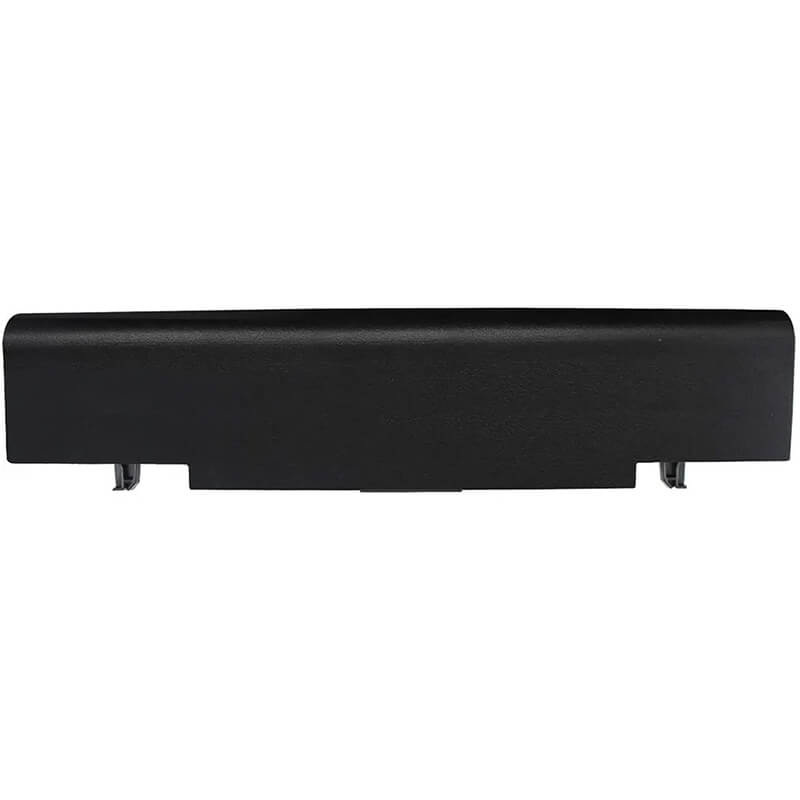
AA-PB9NC6B Battery for Samsung RV511 RV510 R540 R530 R580 RV520 | 11.1V 5200mAh 58Wh 6-Cell – HTJ
- Model Numbers: AA-PB9NC6B Battery
- Battery Type: Lithium-ion (Grade A+ Cells)
- Voltage: 11.1V (Fully compatible with 10.8V)
- Capacity: 5200mAh / 58Wh
- Cells: 6-Cell
- Connector: External Snap-in Interface
- Condition: 100% Brand New from Factory
- Life Cycle: 600 – 1000 recharge cycles
- Multiple Protection: Over Current, Over Voltage, Over Charge & Discharge, Overheat, Short Circuit, ESD, EMI
- Color: Black
- Certifications: UL2054, CE, FCC, RoHS, UN38.3, MSDS, IEC62133
- OEM/ODM: Yes(Accepted)
- Warranty: 18 Months After Sales, 24/7 Email Support.
- Product Dimensions: 8.86 x 3.27 x 1.54 inches
- Item Weight: 12.1 ounces
AA-PB9NC6B Battery for Samsung RV511 RV510 R540 R530 R580 RV520 | 11.1V 5200mAh 58Wh 6-Cell
Detailed Product Specifications and Features:
Core Technical Parameters:
| Property | Specification |
|---|---|
| Model Numbers | AA-PB9NC6B Battery |
| Battery Type | Lithium-ion (Grade A+ Cells) |
| Voltage | 11.1V (Fully compatible with 10.8V) |
| Capacity | 5200mAh / 58Wh |
| Cells | 6-Cell |
| Connector | External Snap-in Interface |
| Condition | 100% Brand New from Factory |
| Life Cycle | 600 - 1000 recharge cycles |
| Multiple Protection | Over Current, Over Voltage, Over Charge & Discharge, Overheat, Short Circuit, ESD, EMI |
| Color | Black |
| Certifications | UL2054, CE, FCC, RoHS, UN38.3, MSDS, IEC62133 |
| OEM/ODM | Yes(Accepted) |
| Warranty | 18 Months After Sales, 24/7 Email Support. |
| Product Dimensions | 8.86 x 3.27 x 1.54 inches |
| Item Weight | 12.1 ounces |
Technical Note:
Design Note: The AA-PB9NC6B is a high-performance external replacement battery.
Compatibility Note: This is a “Universal” Samsung model that replaces multiple part numbers, including AA-PB9NS6B and AA-PB9NC6W.
Physical Note: Featuring an ergonomic 6-cell curved design, it snaps perfectly into the rear battery bay of your laptop, providing a stable voltage output for older high-consumption processors.
Important: This is an external battery; no tools are required for installation.
Product Features:
- Battery Newest Premium Grade Cells
- Best Circuit Board
- Multiple command chip control, keep the battery stable charge and discharge;
- Over-charger protection and discharger protection, short-circuit protection, ensure fast charges and low power consumption
- Easy & Quick Installation
- Our battery is 100% compatible with the original battery and meets
- CE/FCC/ROHS/UL-certified standards. It is 100% new from the manufacturer and can support up to 1000 recharge cycles over the life of the battery
- Power Interface: Gold-plated connector points to ensure current transport excellently and serve stably.
- Enclosure: The enclosure is made of ABS + PC high-quality material, which has a high-temperature-resistant function to protect your laptop from overheating
- Battery Buckle: The battery buckle is closely connected to the laptop, and the metal interface is stably powered
AA-PB9NC6B Battery Battery Compatibility Laptop Model List:
1. Compatible Laptop Model List (Comprehensive)
Series Specific Laptop Models & Sub-Series
Samsung RV Series RV411, RV415, RV420
RV510, RV511, RV515, RV520
RV711, RV720
Samsung R-Series (Main) R428, R429, R430, R440, R467, R468, R470, R480
R517, R518, R519, R522, R523, R530, R540, R580, R590
R718, R719, R720, R728, R730, R780
Samsung RC / RF Series RC410, RC420, RC510, RC512, RC520, RC710, RC720
RF411, RF510, RF511, RF710, RF711, RF712
Samsung Q Series Q320, Q322, Q430, Q530 (High-Performance Portables)
Samsung E Series E251, E252, E271, E272, E372, E452
⚠️ Absolute Incompatibility NOT FOR: Samsung RV508 or R505 (Some regional variants use 4-cell packs).
NOT FOR: Samsung Series 3, 5, or 7 (These use internal polymer batteries).
Visual Check Fits models where the battery slides out from the rear and has a curved outer edge.
2.AA-PB9NC6B Battery Compatible Part Numbers (P/N List)
RV510, RV511, RV515, RV520
RV711, RV720
R517, R518, R519, R522, R523, R530, R540, R580, R590
R718, R719, R720, R728, R730, R780
RF411, RF510, RF511, RF710, RF711, RF712
NOT FOR: Samsung Series 3, 5, or 7 (These use internal polymer batteries).
-
- AA-PB9NC6B / AA-PB9NS6B / AA-PB9NC6W (Primary)
- AA-PB9NC5B / AA-PB9NC6B/E
- AA-PL9NC2B / AA-PL9NC6B / AA-PL9NC6W
- BA43-00242A / BA43-00243A
Why Choose HTJ AA-PB9NC6B 5200mAh Battery?
- High-Capacity Grade A+ Cells: Unlike standard 4400mAh aftermarket batteries, HTJ uses premium Grade A+ cells to provide a true 5200mAh (58Wh). This ensures longer runtimes for multimedia tasks and legacy software on your R or RV series laptop.
- Advanced Safety Circuitry: Older Samsung laptops can be sensitive to voltage fluctuations. Our AA-PB9NC6B features an integrated protection circuit that guards against overcurrent, short-circuits, and overheating, meeting all global safety standards.
- Perfect Fit & Finish: We use high-quality ABS+PC heat-resistant materials for the battery casing. This ensures the battery latch snaps in securely and matches the texture of your Samsung laptop for a professional, factory-original look.
- 18-Month Factory-Direct Warranty: As a direct manufacturer, we eliminate the middleman. We guarantee our capacity ratings and offer an industry-leading 18-month warranty with dedicated technical support.
How to Install Your New AA-PB9NC6B Battery?
Replacing an external battery like the AA-PB9NC6B is simple and requires no technical expertise.
Installation Steps:
- Power Down: Shut down your laptop and disconnect the power adapter.
- Release Latches: Locate the two battery latches on the bottom of the laptop. Slide them to the “Unlock” position.
- Remove Old Battery: Gently slide the old battery out of the bay.
- Insert New Battery: Align the HTJ AA-PB9NC6B with the rails in the battery bay and slide it in until you hear a click.
- Lock Latches: Ensure the latches have returned to the “Locked” position.
- Initial Charge: Connect your AC adapter and charge the battery to 100% before first use.
- Calibration: For best results, allow the battery to discharge to 5% after the first full charge to sync the system’s power meter.
💡 Pro Tip:
If you primarily use your laptop plugged into a wall outlet, we recommend removing the battery (at 50% charge) or performing a full discharge/charge cycle once a month to keep the lithium ions active.
FAQ (Frequently Asked Questions)
Q: My original battery was 10.8V, but this is 11.1V. Is it safe?
A: Yes. 10.8V and 11.1V are functionally identical. They represent the same 3-cell serial architecture (3.6V vs 3.7V per cell) and are 100% compatible with all Samsung RV/R series chargers.
Q: Will this fit my Samsung Chromebook?
A: No. Most Samsung Chromebooks use internal batteries. This is an external battery for the RV, R, and RF series. Always check your original battery’s model number before ordering.
Q: Why is my battery not charging past 80%?
A: Some Samsung laptops have a feature called “Battery Life Extender” in the BIOS or Samsung Settings. If this is enabled, it limits the charge to 80% to extend cell life. You can disable this in your system settings if you prefer a 100% charge.
Q: I see some batteries listed as 4400mAh and yours as 5200mAh. Will the 5200mAh fit?
A: Yes. The physical size is the same. The difference is the density of the internal cells. Our 5200mAh (58Wh) version provides approximately 15-20% longer runtime than the standard 4400mAh aftermarket batteries.
Q: My laptop is an RV511, but the original battery was white. Do you have white?
A: The AA-PB9NC6B (Black) and AA-PB9NC6W (White) are 100% interchangeable. While this listing is for the Black version, it will fit and function perfectly in white chassis models, though the color will be a contrast.
Q: Why does the battery feel tight when sliding it in?
A: We use high-precision ABS molds. On older laptops, dust can accumulate in the battery rails. We recommend wiping the rails with a dry cloth before sliding the new battery in to ensure the dual locking latches click into place securely.
Laptop Maintenance Tips:
- New battery: For using a new battery, you’d better try a few cycles of discharging to 5%. then charging up to 95%. So that it can be activated completely
- Overuse: Do not always run a battery to 0%, as this would reduce its usage life.
- Charging sequence: When charging, first install the battery, then turn on the power. When fully charged, first cut off the power, then pull the power plug.
- Long-term storage: Please store the unused battery fully charged. (Charge it once a month.) Do not store at low power to prevent reducing the lifespan of a battery
- Charger: Do not replace the laptop adapter casually. If the original adapter cannot be applied due to malfunction or damage, please replace the models so as not to reduce the service life of the battery due to incompatibility.
【IMPORTANT】: Press [ Ctrl+F ] to find the laptop models.
Need a legacy/unlisted charger? Send your Samsung Laptop Battery specs or CONTACT US → We will source it for you!
We are a professional manufacturer in the field of laptop batteries, laptop adapters, and laptop keyboards. We are committed to providing high-quality, competitively priced, and superior performance batteries and the best service to customers.