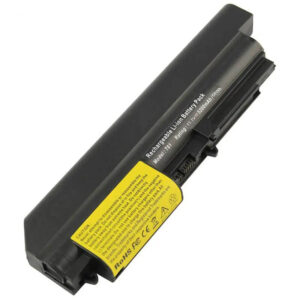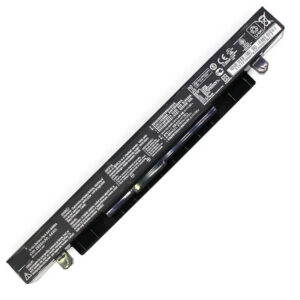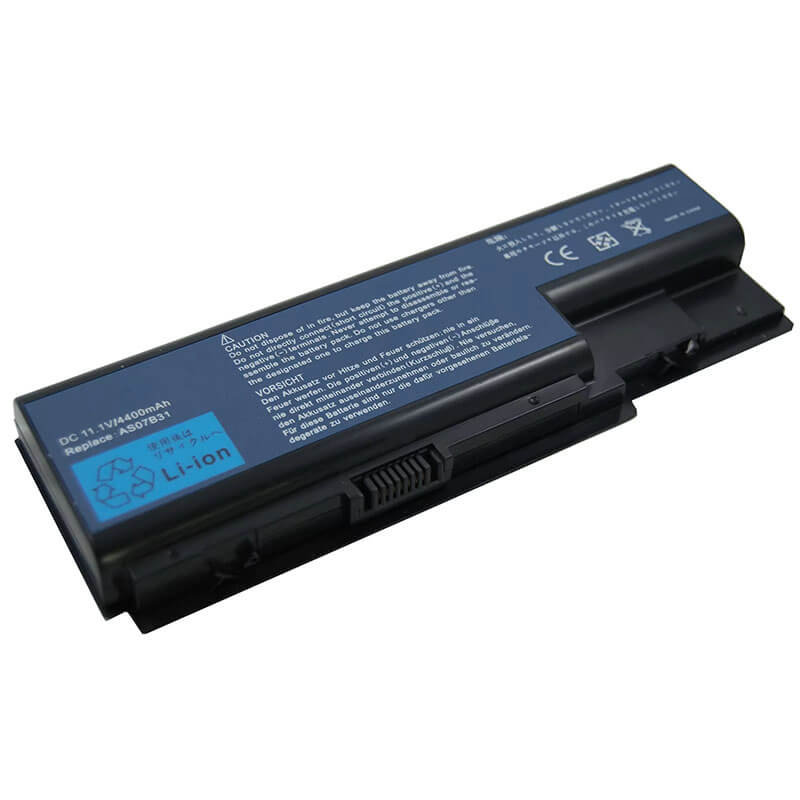
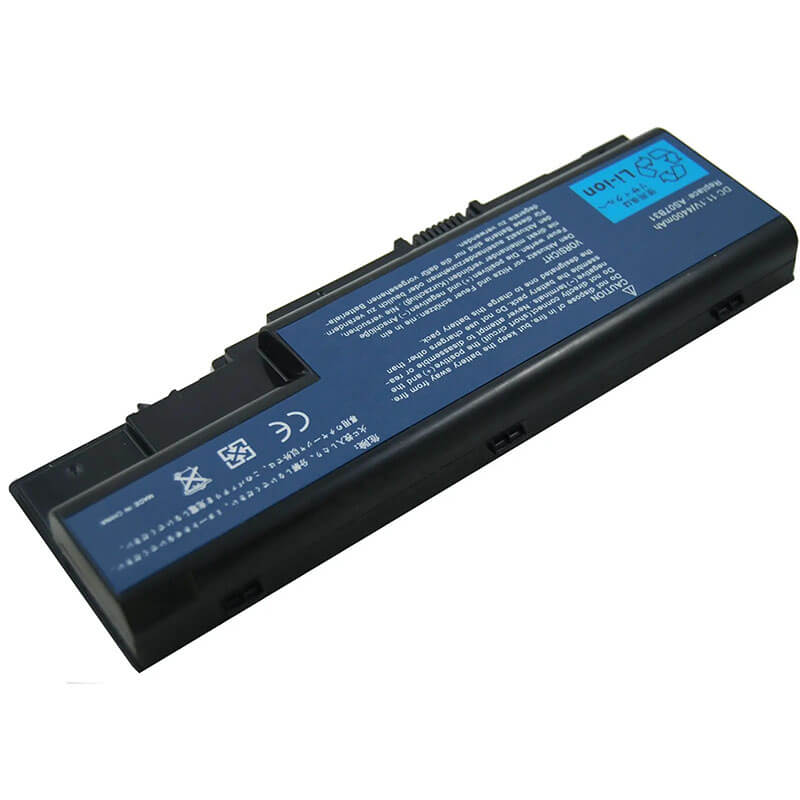
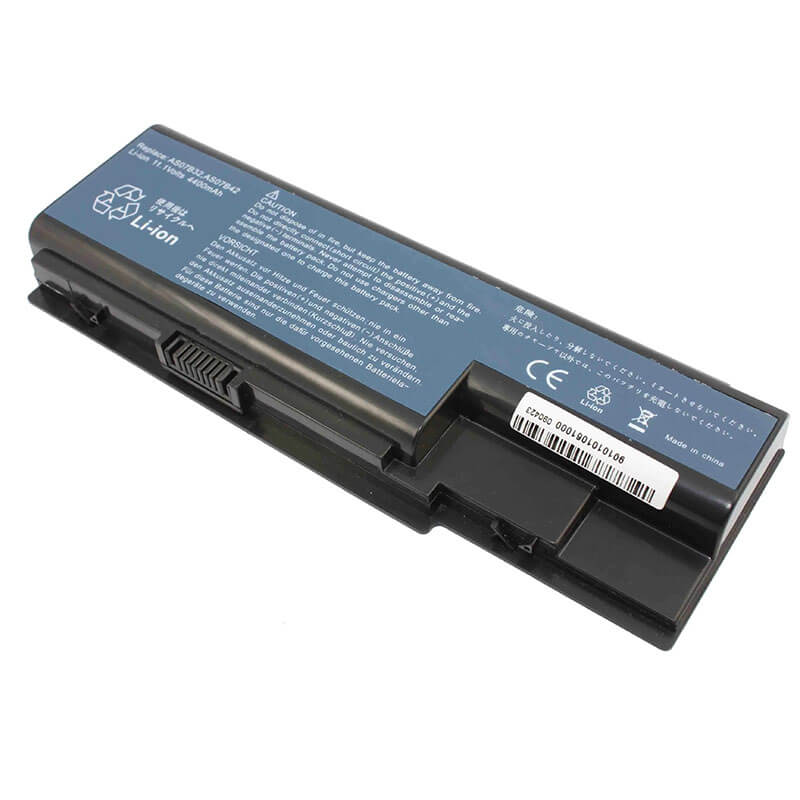
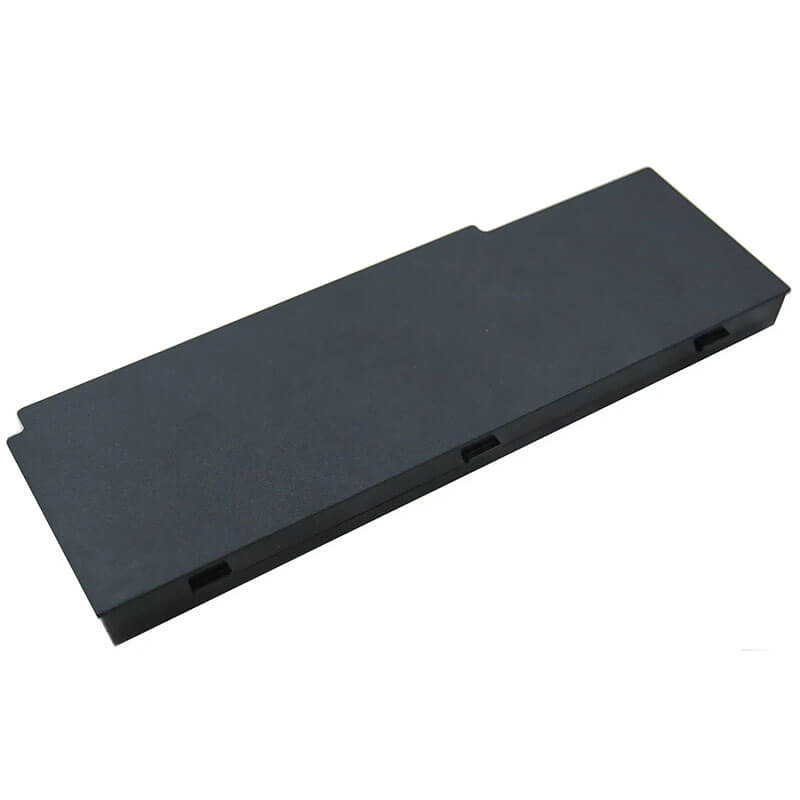
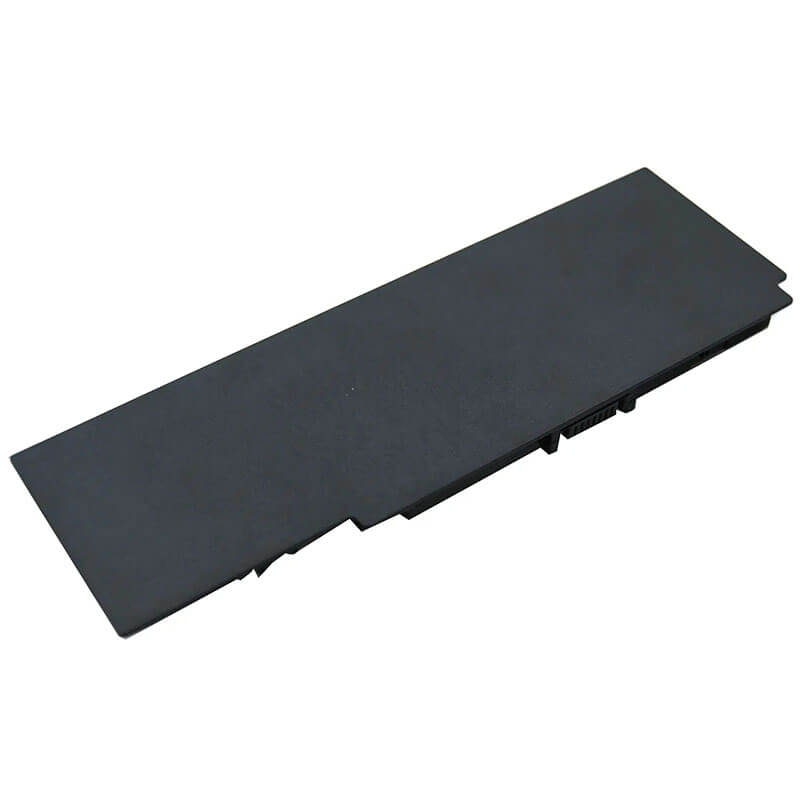
AS07B31 Battery for Gateway NV73 NV78 NV79 & Acer Aspire 5536 5738 7735 | 11.1V 4400mAh 6-Cell ...
- Model Numbers: AS07B31 Battery
- Battery Type: Lithium-ion (Grade A Cells)
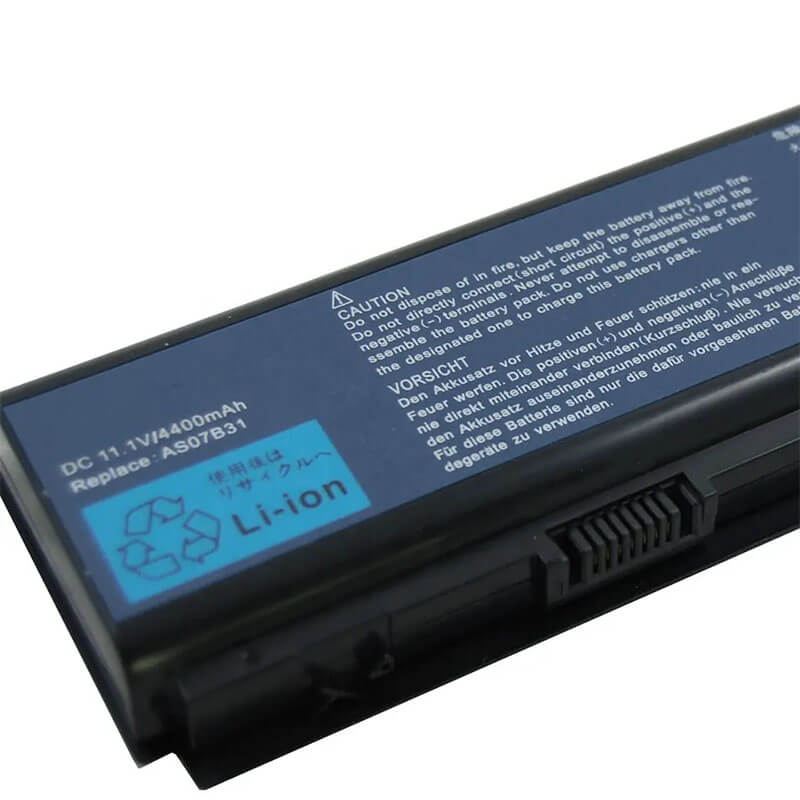
- Voltage: 11.1V (Fully compatible with 10.8V)
- Capacity: 4400mAh / 48Wh
- Cells: 6-Cell
- Connector: External Snap-in Interface
- Condition: 100% Brand New from Factory
- Life Cycle: 600 – 1000 recharge cycles
- Multiple Protection: Over Current, Over Voltage, Over Charge & Discharge, Overheat, Short Circuit, ESD, EMI
- Color: Black
- Certifications: UL2054, CE, FCC, RoHS, UN38.3, MSDS, IEC62133
- OEM/ODM: Yes(Accepted)
- Warranty: 18 Months After Sales, 24/7 Email Support.
- Product Dimensions: 94 x 3.27 x 1.54 inches
- Item Weight: 3 ounces
AS07B31 Battery for Gateway NV73 NV78 NV79 & Acer Aspire 5536 5738 7735 | 11.1V 4400mAh 6-Cell
Detailed Product Specifications and Features:
Core Technical Parameters:
| Property | Specification |
|---|---|
| Model Numbers | AS07B31 Battery |
| Battery Type | Lithium-ion (Grade A Cells) |
| Voltage | 11.1V (Fully compatible with 10.8V) |
| Capacity | 4400mAh / 48Wh |
| Cells | 6-Cell |
| Connector | External Snap-in Interface |
| Condition | 100% Brand New from Factory |
| Life Cycle | 500 - 800 recharge cycles |
| Multiple Protection | Over Current, Over Voltage, Over Charge & Discharge, Overheat, Short Circuit, ESD, EMI |
| Color | Black |
| Certifications | UL2054, CE, FCC, RoHS, UN38.3, MSDS, IEC62133 |
| OEM/ODM | Yes(Accepted) |
| Warranty | 18 Months After Sales, 24/7 Email Support. |
| Product Dimensions | 8.94 x 3.27 x 1.54 inches |
| Item Weight | 12.3 ounces |
Technical Note:
Design Note: The AS07B31 is an external 6-cell lithium-ion battery.
Compatibility Note: This model is widely used across Gateway NV73/78/79 series and Acer Aspire 5000/7000 series laptops. It is functionally interchangeable with AS07B41, AS07B51, and AS07B71.
Power Note: The 4400mAh capacity provides a stable 11.1V output, ensuring your system maintains peak performance without voltage drops.
Important: No tools required; check that your manual locking latch is fully engaged after installation.
Product Features:
- Battery Newest Premium Grade Cells
- Best Circuit Board
- Multiple command chip control, keep the battery stable charge and discharge;
- Over-charger protection and discharger protection, short-circuit protection, ensure fast charges and low power consumption
- Easy & Quick Installation
- Our battery is 100% compatible with the original battery and meets
- CE/FCC/ROHS/UL-certified standards. It is 100% new from the manufacturer and can support up to 1000 recharge cycles over the life of the battery
- Power Interface: Gold-plated connector points to ensure current transport excellently and serve stably.
- Enclosure: The enclosure is made of ABS + PC high-quality material, which has a high-temperature-resistant function to protect your laptop from overheating
- Battery Buckle: The battery buckle is closely connected to the laptop, and the metal interface is stably powered
AS07B31 Battery Battery Compatibility Laptop Model List:
1. Compatible Laptop Model List (Comprehensive)
| Brand | Specific Series & Machine Suffixes |
|---|---|
| Gateway NV Series | NV73 Series: NV73A, NV7302u, NV7316u NV78 Series: NV7802u, NV7807u NV79 Series: NV7906u, NV7915u, NV7922u |
| Acer Aspire Series | 5000 Series: 5236, 5338, 5536, 5536G, 5542, 5542G, 5738, 5738Z, 5740 7000 Series: 7535, 7535G, 7540, 7540G, 7735, 7735G, 7735Z, 7736, 7736Z, 7738, 7738G, 7740 |
| Packard Bell | EasyNote Series: LJ61, LJ63, LJ65, LJ67, LJ71, LJ73, LJ75, LJ77 (EU Region) |
| ⚠️ Absolute Incompatibility | NOT FOR: Gateway NV52, NV53, NV55 (Uses AS09A). NOT FOR: Acer Aspire 5741, 5742 (Uses AS10D). |
| Visual Check | Fits models with a long, rectangular bar battery and 15.6" or 17.3" screen. |
2. AS07B31 Battery Compatible Part Numbers (P/N List)
- AS07B31 / AS07B41 / AS07B51 / AS07B61 / AS07B71
- LC.BTP00.008 / LC.BTP00.013
- BT.00603.041 / BT.00604.018
- AK.006BT.019
Why Choose HTJ AS07B31 4400mAh Battery?
- OEM-Matched 4400mAh Capacity:
We use Grade A lithium-ion cells that match the original factory specifications. Our 4400mAh (48Wh) rating is an honest, real-world measurement, ensuring you get the runtime you expect for daily office work and media consumption. - Intelligent Safety Control:
Equipped with a high-quality PCB (Power Control Board), this battery protects your legacy Gateway or Acer laptop from overcurrent, short circuits, and voltage spikes. It is designed to communicate perfectly with both Windows Power Manager and specialized BIOS tools. - Precision-Molded Enclosure:
Using high-impact ABS+PC materials, our battery casing is built to the exact dimensions of the original AS07B31. This ensures the dual-locking latches engage securely, preventing accidental power loss during movement. - 18-Month Factory-Direct Warranty:
By manufacturing the packs ourselves, we can guarantee the quality of every cell. We provide a comprehensive 18-month warranty, far exceeding the industry standard for legacy replacement parts.
How to Install Your New AS07B31 Battery?
Replacing an external AS07B31 battery is a straightforward process that requires no technical expertise or tools.
⚠️ Crucial Safety Preparation
- Shutdown: Completely power off the laptop and disconnect the AC power adapter.
- Inspect the Bay: Ensure the battery compartment is free of dust or debris.
- Static Safety: Although this is an external battery, it is always best practice to touch a grounded metal object before handling electronic components.
AS07B31 Battery Step-by-Step Installation Guide:
- Unlock the Safety Latch: Locate the manual battery lock on the bottom of the laptop and slide it to the “Unlock” position.
- Release the Old Battery: Slide and hold the spring-loaded release latch while gently pulling the old battery away from the chassis.
- Align the New Battery: Take your new HTJ AS07B31 battery and align the 9-pin connector with the pins in the laptop’s battery bay.
- Insert and Click: Slide the battery firmly into the bay until you hear a distinct “click,” indicating the spring-loaded latch has engaged.
- Lock the Manual Latch: Slide the manual locking latch back to the “Locked” position. This is a critical step to prevent accidental power loss during movement.
- Power On and Calibrate: Connect your AC adapter, power on the laptop, and allow the battery to charge to 100%. For optimal longevity, discharge to 5% and then recharge to 100% once to sync the system’s fuel gauge.
💡 Pro Tip:
If the battery feels tight during insertion, do not force it. Ensure the manual lock is fully in the “Unlock” position and that the battery is perfectly parallel to the rails.
FAQ (Frequently Asked Questions)
Q: My original battery was 10.8V. Is this 11.1V battery safe?
A: Yes. 10.8V and 11.1V are completely interchangeable. They both represent a 3-cell serial setup with slightly different labeling standards; they are 100% compatible with your laptop’s charging system.
Q: Why is my battery not charging past 80%?
A: Check if your laptop has “Acer Power Management” or “Gateway Battery Pro” software installed. These tools often have a “Battery Protection Mode” that limits the charge to 80%. You can disable this in the software settings to reach 100%.
Q: How long will this 4400mAh battery last?
A: Depending on your screen size (15.6″ vs 17.3″) and brightness settings, you can expect between 1.5 and 3 hours of typical usage.
Q: Why does this battery look identical to the AS10D31?
A: Acer designed several batteries with a similar rectangular shape during this era. However, the AS07B31 has a different notch position and pin configuration. If your original battery starts with AS07B, this is the only one that will fit.
Q: Does this battery support “Quick Charge”?
A: Laptops from this era (2009-2011) do not support modern Quick Charge standards. However, our 4400mAh pack is designed to handle the maximum charge current allowed by the original Gateway/Acer AC adapters, safely reaching 100% in approximately 2–3 hours.
Laptop Maintenance Tips:
- New battery: For using a new battery, you’d better try a few cycles of discharging to 5%. then charging up to 95%. So that it can be activated completely
- Overuse: Do not always run a battery to 0%, as this would shorten its usage life.
- Charging sequence: When charging, first install the battery, then turn on the power. When fully charged, first cut off the power, then pull the power plug.
- Long-term storage: Please store the unused battery fully charged. (Charge it once a month.) Do not store at low power to prevent reducing the lifespan of a battery
- Charger: Do not replace the laptop adapter casually. If the original adapter cannot be applied due to malfunction or damage, please replace the models so as not to reduce the service life of the battery due to incompatibility.
【IMPORTANT】: Press [ Ctrl+F ] to find the laptop models.
Need a legacy/unlisted charger? Send your Gateway Laptop Battery specs or CONTACT US → We will source it for you!
We are a professional manufacturer in the field of laptop batteries, laptop adapters, and laptop keyboards. We are committed to providing high-quality, competitively priced, and superior performance batteries and the best service to customers.
Need Expert Help or Legacy Charger Sourcing? Contact Our Professional Technical Team Now!