DXGH8 Battery for Dell XPS 13 9370 9380 7390 Latitude 3301 Inspiron 5390 | 7.6V 52Wh 4-Cell – HTJ
- Model Numbers: DXGH8 Battery
- Battery Type: Lithium-ion Polymer (Grade A+ High-Density Cells)
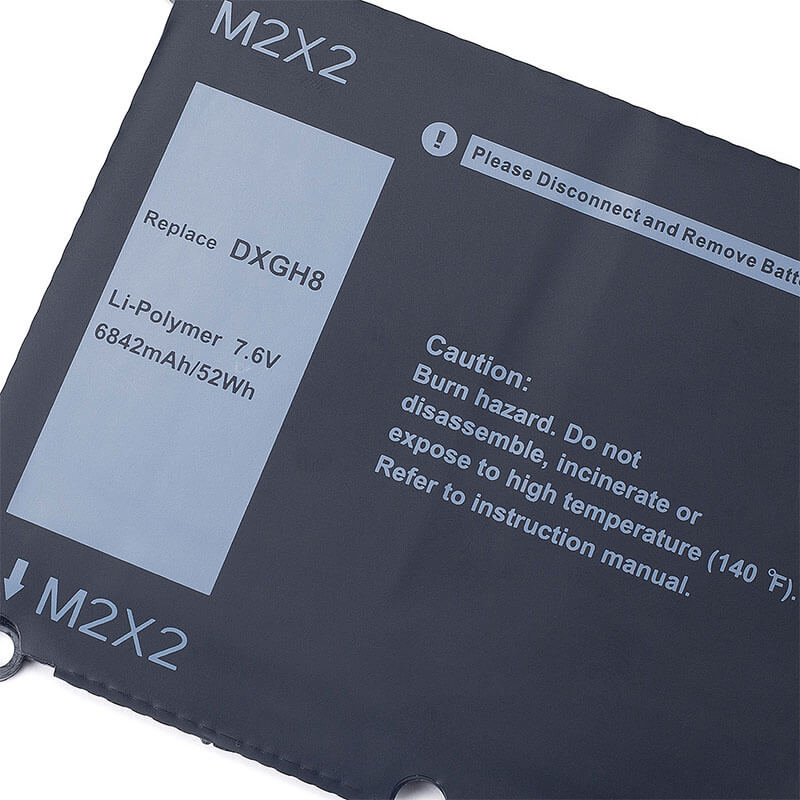
- Voltage: 7.6V
- Capacity: 6842mAh / 52Wh
- Cells: 4-Cell
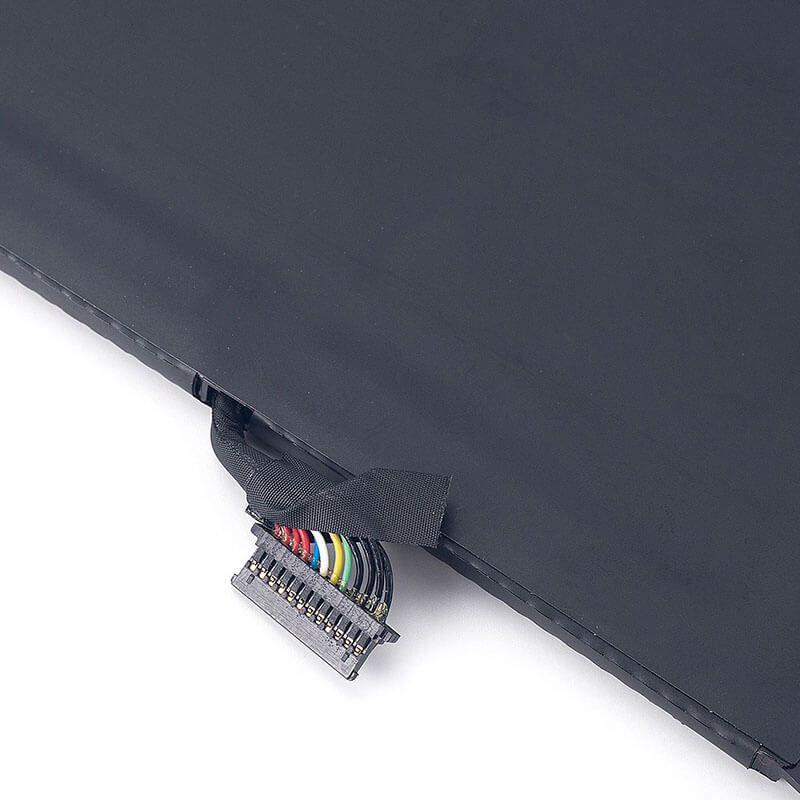
- Connector: Internal Integrated Multi-Pin Plug
- Condition: 100% Brand New from Factory
- Life Cycle: 600 – 1000 recharge cycles
- Multiple Protection: Over Current, Over Voltage, Over Charge & Discharge, Overheat, Short Circuit, ESD, EMI
- Color: Black
- Certifications: UL2054, CE, FCC, RoHS, UN38.3, MSDS, IEC62133
- OEM/ODM: Yes(Accepted)
- Warranty: 18 Months After Sales, 24/7 Email Support.
- Product Dimensions: 13.78 x 6.69 x 0.98 inches
- Item Weight: 11.7 ounces
DXGH8 Battery for Dell XPS 13 9370 9380 7390 Latitude 3301 Inspiron 5390 | 7.6V 52Wh 4-Cell
Detailed Product Specifications and Features:
Core Technical Parameters:
| Property | Specification |
|---|---|
| Model Numbers | DXGH8 Battery |
| Battery Type | Lithium-ion Polymer (Grade A+ High-Density Cells) |
| Voltage | 7.6V |
| Capacity | 6842mAh / 52Wh |
| Cells | 4-Cell |
| Connector | Internal Multi-Pin Ribbon Interface |
| Condition | 100% Brand New from Factory |
| Life Cycle | 600 - 1000 recharge cycles |
| Multiple Protection | Over Current, Over Voltage, Over Charge & Discharge, Overheat, Short Circuit, ESD, EMI |
| Color | Black |
| Certifications | UL2054, CE, FCC, RoHS, UN38.3, MSDS, IEC62133 |
| OEM/ODM | Yes(Accepted) |
| Warranty | 18 Months After Sales, 24/7 Email Support. |
| Product Dimensions | 13.78 x 6.69 x 0.98 inches |
| Item Weight | 11.7 ounces |
Technical Note:
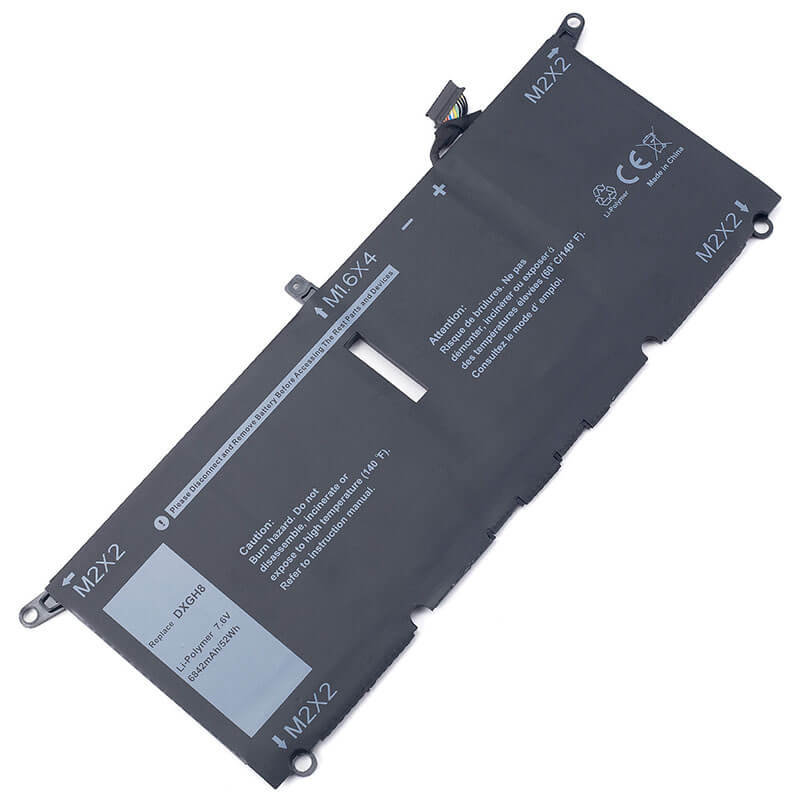
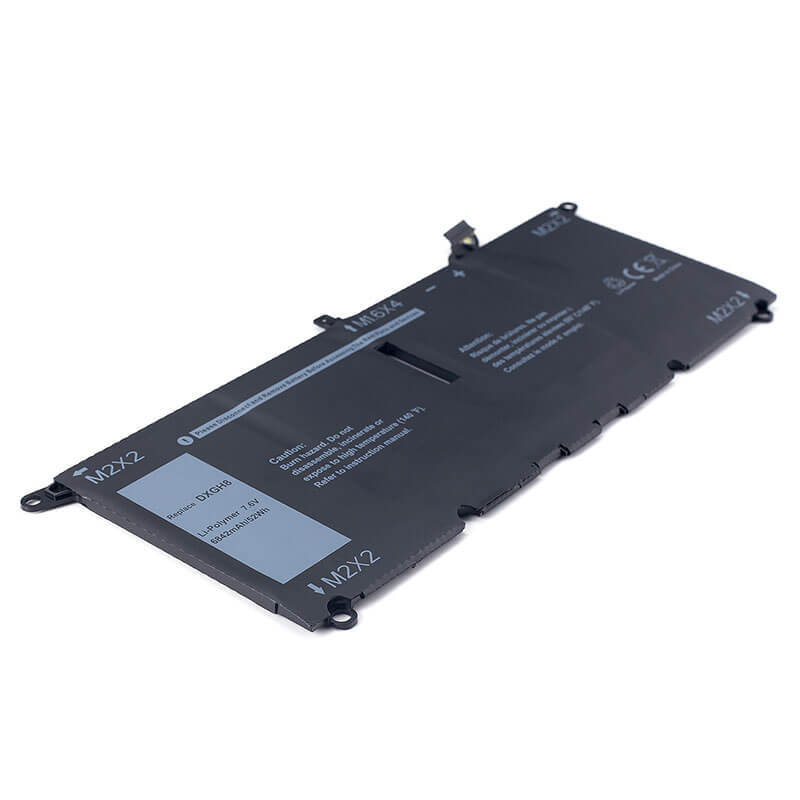
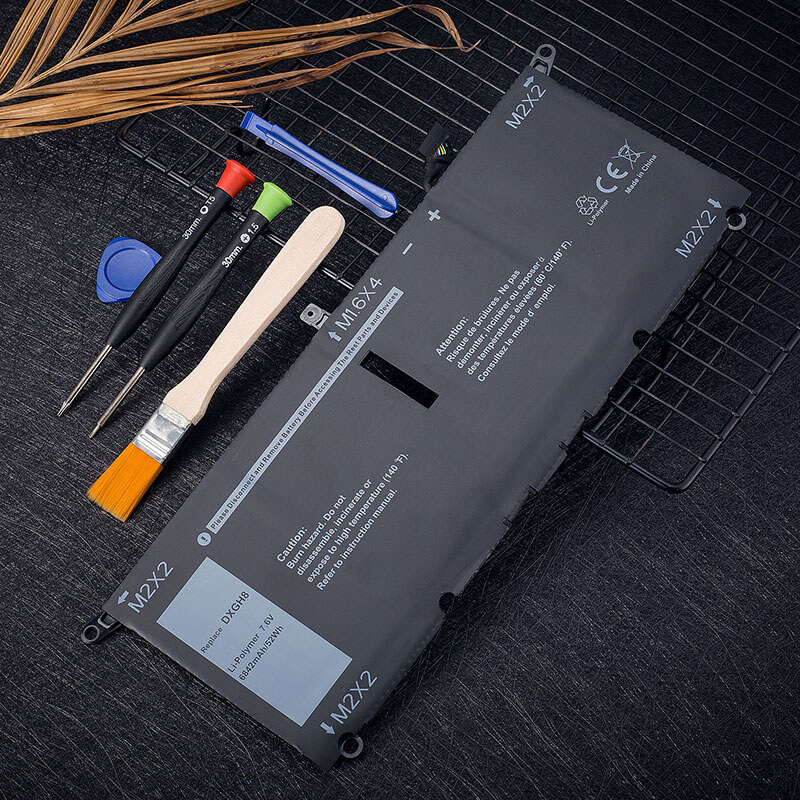
Design Note: The DXGH8 is an internal battery with a strictly flat, ultra-thin profile.
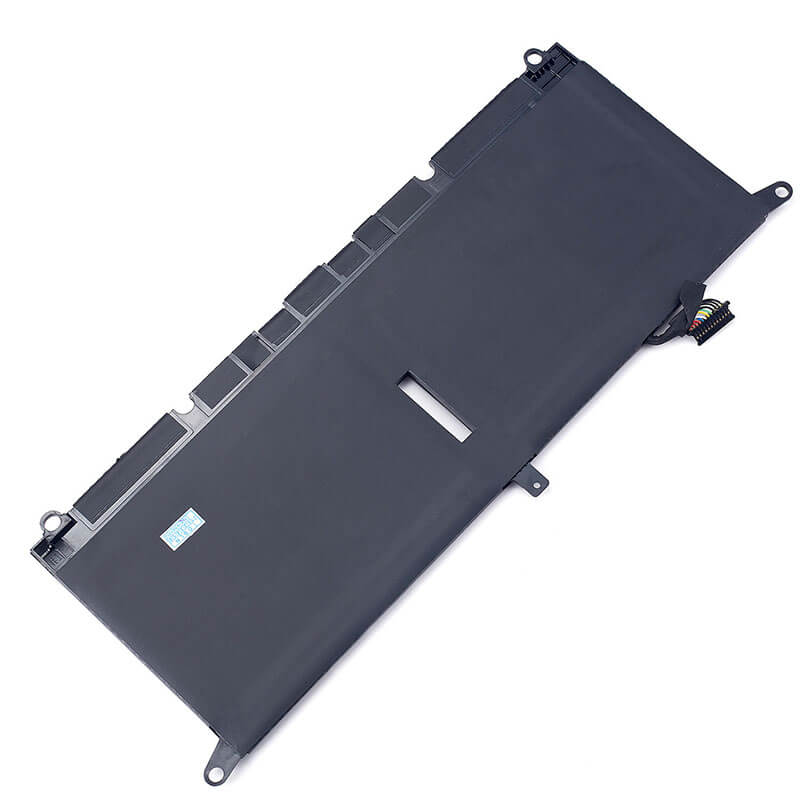
Visual Identification: It features a centralized connector and four specific screw-mount tabs.
Series Compatibility: This battery is essential for the XPS 13 models released between 2018 and 2020.
Safety Note: Features HTJ’s “Zero-Expansion” polymer technology to protect the sensitive trackpad and carbon-fiber palm rest of the XPS series.
Important: Not compatible with XPS 13 9360 (Uses PW775) or Inspiron 7390 2-in-1.
Product Features:
- Battery Newest Premium Grade Cells
- Best Circuit Board
- Multiple command chip control, keep the battery stable charge and discharge;
- Over-charger protection and discharger protection, short-circuit protection, ensure fast charges and low power consumption
- Easy & Quick Installation
- Our battery is 100% compatible with the original battery and meets
- CE/FCC/ROHS/UL-certified standards. It is 100% new from the manufacturer and can support up to 1000 recharge cycles over the life of the battery
- Power Interface: Gold-plated connector points to ensure current transport excellently and serve stably.
- Enclosure: The enclosure is made of ABS + PC high-quality material, which has a high-temperature-resistant function to protect your laptop from overheating
- Battery Buckle: The battery buckle is closely connected to the laptop, and the metal interface is stably powered
DXGH8 Battery Compatibility Laptop Model List:
1. Compatible Laptop Model List (Comprehensive)
| Dell Series | Specific Model Suffixes (Searchable Variants) |
|---|---|
| Dell XPS 13 | 9370, 9380, 7390, 9305 (Clamshell only): 9370-D1605G, 9380-D1805W, 7390-D1705TG, 9305-D1905W |
| Dell Latitude | 3301 / E3301: Latitude 3301, 3311 (Internal mount) |
| Dell Inspiron 13 | 5390, 5391, 7391 (Non-2-in-1): 5390-D1505, 5391-D1605, 7391-D1705 |
| Dell Inspiron 14 | 7400, 7490: Inspiron 14 7400, 7490-D1505S, 7490-i7-10510U |
| Dell Vostro | 5390, 5391: Vostro 13 5390, 5391-D1525S |
| ⚠️ Absolute Incompatibility | NOT FOR: XPS 13 7390 2-in-1 (360° hinge models). NOT FOR: XPS 13 9343/9350/9360. |
| Visual Check | This is a long, flat 4-cell plate with 4 screw holes. If your laptop is a 360° foldable 2-in-1, this battery will NOT fit. |
2. DXGH8 Battery Compatible Part Numbers (P/N List)
- Dell Spare Numbers: DXGH8, G8VCF, 0G8VCF, 0H754V, H754V, 0V48RM, V48RM, HK6N5, XKDWH
- Regulatory Codes: P82G, P82G001, P82G002, P113G, P113G001, P114G, P115G
- Model Designation: DXGH8 4-Cell Li-Polymer (52Wh)
Why Choose HTJ DXGH8 Battery?
- High-Precision TI Communication Chip:
Dell XPS laptops are notoriously sensitive to non-OEM batteries. HTJ utilizes an authentic Texas Instruments (TI) chipset to ensure a 100% “Handshake” with the Dell BIOS, allowing for accurate percentage reporting and full compatibility with Dell Power Manager. - High-Density 6842mAh Cells:
The XPS 13 4K display is a power-hungry component. HTJ’s DXGH8 uses high-density cobalt cells to maintain a stable 7.6V curve, ensuring the laptop doesn’t throttle performance even when the battery is below 15%. - Zero-Expansion Structural Integrity:
Internal batteries in thin laptops can swell over time, damaging the chassis. Our HTJ DXGH8 is built with a reinforced heat-shield layer and premium separators to resist swelling, preserving the structural integrity of your XPS’s carbon fiber interior. - 18-Month Factory-Direct Freshness:
Most DXGH8 batteries sold online are “New Old Stock” from 2019. HTJ manufactures in fresh monthly batches, guaranteeing 100% health and true 52Wh capacity for long-lasting productivity.
How to Install Your New DXGH8 Battery?
The Dell DXGH8 is an internal battery. Installation requires opening the laptop’s bottom cover.
⚠️ Pre-Installation Safety Check:
- Power Down: Ensure the laptop is fully off and the charger is unplugged.
- Static Discharge: Touch a metal object to ground yourself before touching internal components.
- Tools: You will need a Torx T5 and a Phillips #00 screwdriver.
DXGH8 Battery Step-by-Step Installation Guide:
- Remove Base Screws: Use the Torx T5 screwdriver to remove the 8 screws on the bottom cover of the XPS 13.
- Pry the Cover: Gently use a plastic pry tool to release the clips and lift the bottom cover off.
- Disconnect & Remove: Unscrew the Phillips screws securing the battery. Gently pull the battery ribbon connector out of the motherboard slot. Do not pull by the wires.
- Align New Battery: Place the HTJ DXGH8 into the bay, aligning the screw tabs.
- Connect: Carefully slide the ribbon connector into the motherboard port until fully seated.
- Secure & Close: Reinstall the Phillips screws and snap the bottom cover back on.
- Final Calibration: Charge to 100%. Use until the laptop reaches 5%, then recharge to 100% to synchronize the Dell BIOS.
💡 Pro Tip (Solving “Battery Not Detected”):
If the XPS white LED flashes orange/white after installation, it’s often a BIOS CMOS glitch. Remove the battery, hold the Power Button for 20 seconds to drain the remaining power, then reconnect. This forces the motherboard to re-scan for the new hardware signature.
FAQ (Frequently Asked Questions)
Q: Will this fit my Dell XPS 13 9360?
A: No. The 9360 uses the PW775 battery. The DXGH8 is for the 9370, 9380, and 7390 models.
Q: My original battery says 52Wh, but others say 45Wh. Which is correct?
A: The standard DXGH8 is 52Wh. Some low-quality replacements use fewer cells and offer only 45Wh. HTJ provides the full 52Wh to match the original OEM performance.
Q: Is it safe to replace the battery myself?
A: Yes, as long as you have the correct Torx T5 screwdriver and follow the static safety precautions. It is a straightforward “unscrew and plug” process.
Q: My laptop is an XPS 13 7390. How do I know if it’s the “2-in-1” version?
A: If your screen can flip all the way back 360 degrees to become a tablet, you have a 2-in-1, and this DXGH8 will not fit. If your laptop is a traditional clamshell that opens ~140 degrees, this battery is 100% correct.
Q: Why does HTJ use a 7.6V rating? My original says 7.4V.
A: Nominal voltage for 2-series Lithium Polymer can be labeled as 7.4V, 7.6V, or even 7.7V, depending on the specific batch chemistry. All are 100% safe and cross-compatible for these Dell models.
Q: Do I need special tools to install this?
A: Yes. Dell XPS and Latitude ultra-portables use Torx T5 screws for the outer case and Phillips #00 for the internal battery. HTJ provides these tools with your order to ensure a seamless installation.
Q: My trackpad feels “stiff” or hard to click. Will a new battery help?
A: Yes! A stiff trackpad is a classic sign of an old internal battery beginning to swell (bloat). Replacing it with a fresh HTJ DXGH8 will remove that pressure and restore your trackpad’s responsiveness.
Laptop Maintenance Tips:
- New battery: For using a new battery, you’d better try a few cycles of discharging to 5%. then charging up to 95%. So that it can be activated completely
- Overuse: Do not always run a battery to 0%, as this would shorten its usage life.
- Charging sequence: When charging, first install the battery, then turn on the power. When fully charged, first cut off the power, then pull the power plug.
- Long-term storage: Please store the unused battery fully charged. (Charge it once a month.) Do not store at low power to prevent reducing the lifespan of a battery
- Charger: Do not replace the laptop adapter casually. If the original adapter cannot be applied due to malfunction or damage, please replace the models so as not to reduce the service life of the battery due to incompatibility.
【IMPORTANT】: Press [ Ctrl+F ] to find the laptop models.
Need a legacy/unlisted charger? Send your DELL Laptop Battery specs or CONTACT US → We will source it for you!
We are a professional manufacturer of laptop batteries, laptop adapters, and laptop keyboards. We are committed to providing high-quality, competitively priced, and superior performance batteries and the best service to customers.