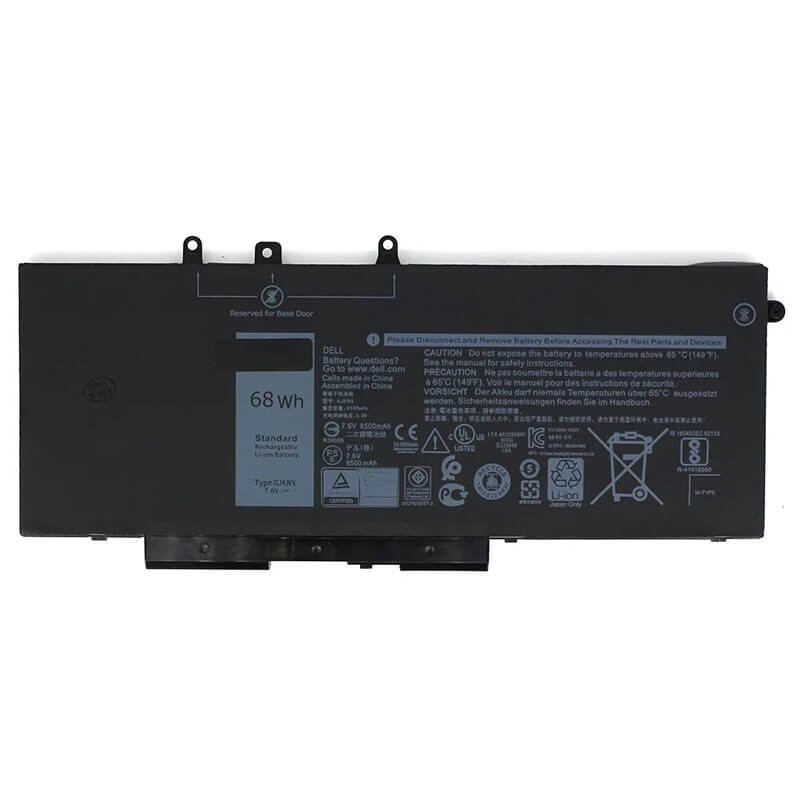
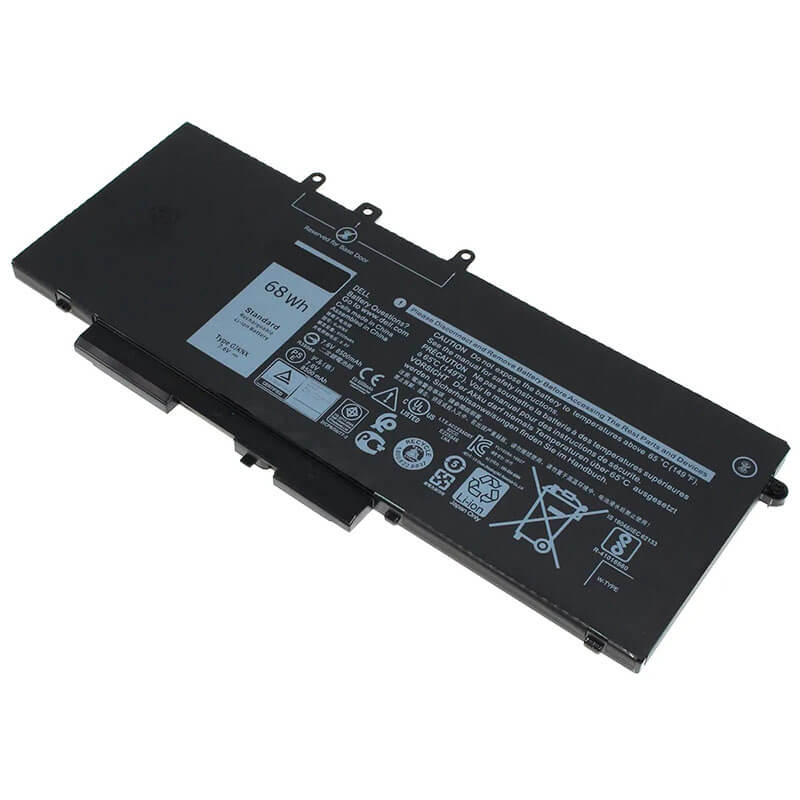
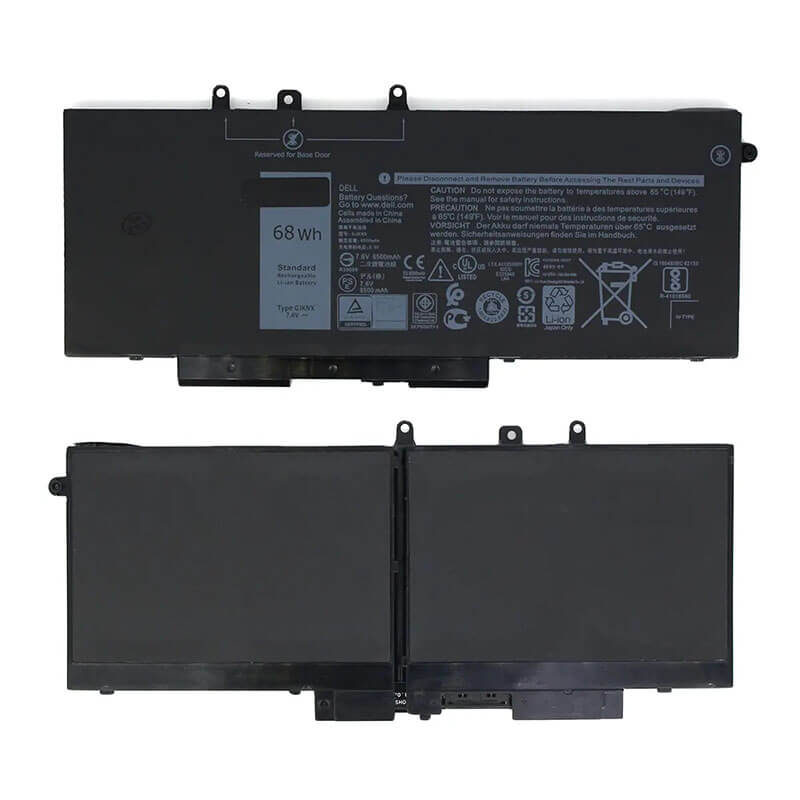
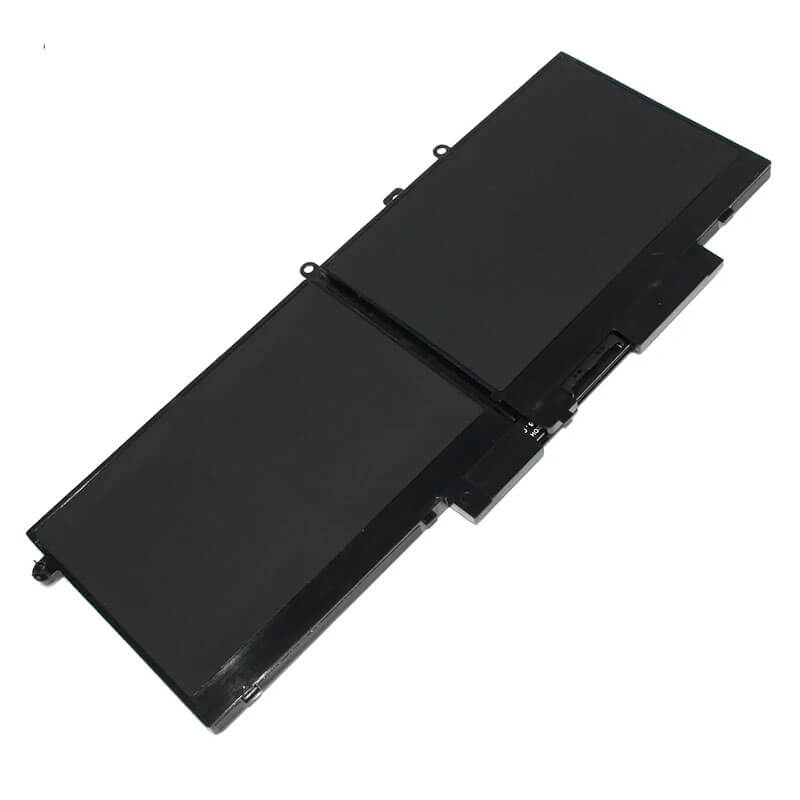
GJKNX Battery for Dell Latitude 5480 5490 5580 5590 Precision 3520 3530 | 7.6V 68Wh 4-Cell – HTJ
- Model Numbers: GJKNX / 0GJKNX / 93FTF Battery
- Battery Type: Lithium-ion Polymer (High-Density Flat Cells)
- Voltage: 11.1V (Fully compatible with 10.8V)
- Capacity: 8500mAh / 68Wh
- Cells: 4-Cell
- Connector: External Integrated Board-to-Board
- Condition: 100% Brand New from Factory
- Life Cycle: 600 – 1000 recharge cycles
- Multiple Protection: Over Current, Over Voltage, Over Charge & Discharge, Overheat, Short Circuit, ESD, EMI
- Color: Black
- Certifications: UL2054, CE, FCC, RoHS, UN38.3, MSDS, IEC62133
- OEM/ODM: Yes(Accepted)
- Warranty: 18 Months After Sales, 24/7 Email Support.
- Product Dimensions: 10.2 x 4.8 x 1.1 inches
- Item Weight: 14.4 Ounces
GJKNX Battery for Dell Latitude 5480 5490 5580 5590 Precision 3520 3530 | 7.6V 68Wh 4-Cell
Detailed Product Specifications and Features:
Core Technical Parameters:
| Property | Specification |
|---|---|
| Model Numbers | GJKNX / 0GJKNX / 93FTF Battery |
| Battery Type | Lithium-ion Polymer (High-Density Flat Cells) |
| Voltage | 7.6V (Fully compatible with 7.4V systems) |
| Capacity | 8500mAh / 68Wh |
| Cells | 4-Cell |
| Connector | External Integrated Board-to-Board |
| Condition | 100% Brand New from Factory |
| Life Cycle | 600 - 1000 recharge cycles |
| Multiple Protection | Over Current, Over Voltage, Over Charge & Discharge, Overheat, Short Circuit, ESD, EMI |
| Color | Black |
| Certifications | UL2054, CE, FCC, RoHS, UN38.3, MSDS, IEC62133 |
| OEM/ODM | Yes(Accepted) |
| Warranty | 18 Months After Sales, 24/7 Email Support. |
| Product Dimensions | 10.2 x 4.8 x 1.1 inches |
| Item Weight | 14.4 ounces |
Technical Note:
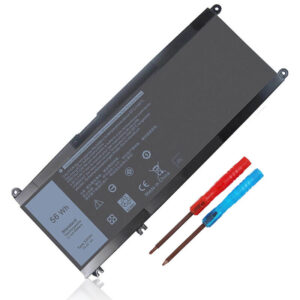
Design Note: The GJKNX is an internal Lithium-polymer battery.
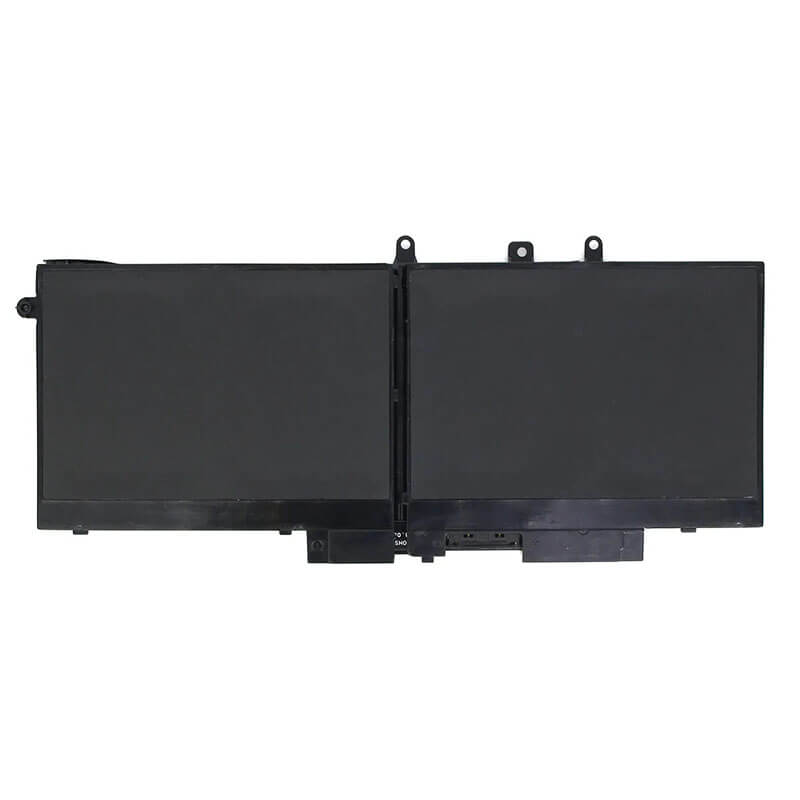
Visual Identification: It is a wide, flat rectangular plate with a central screw-mount layout.
Chassis Fitment: This is the 68Wh Extended Life version.
Important: If your Latitude 5490 has a 2.5″ SATA hard drive installed, please verify space; usually, the 68Wh battery is designed for models using M.2 SSDs. If your laptop uses a smaller 42Wh or 51Wh battery, this 68Wh GJKNX is the ultimate upgrade for longer off-grid work.
Product Features:
- Battery Newest Premium Grade Cells
- Best Circuit Board
- Multiple command chip control, keep the battery stable charge and discharge;
- Over-charger protection and discharger protection, short-circuit protection, ensure fast charges and low power consumption
- Easy & Quick Installation
- Our battery is 100% compatible with the original battery and meets
- CE/FCC/ROHS/UL-certified standards. It is 100% new from the manufacturer and can support up to 1000 recharge cycles over the life of the battery
- Power Interface: Gold-plated connector points to ensure current transport excellently and serve stably.
- Enclosure: The enclosure is made of ABS + PC high-quality material, which has a high-temperature-resistant function to protect your laptop from overheating
- Battery Buckle: The battery buckle is closely connected to the laptop, and the metal interface is stably powered
GJKNX / 0GJKNX / 93FTF Battery Compatibility Laptop Model List:
1. Compatible Laptop Model List (Comprehensive)
| Dell Series | Specific Model Suffixes (High-Volume Searchable Variants) |
|---|---|
| Latitude 14 5000 | 5480, 5488, 5490, 5491, 5495: Latitude 14-5490 Business Laptop, 5480-H6R7Y |
| Latitude 15 5000 | 5580, 5590, 5591: Latitude 15-5580, 5590-K7X9V, 5591 Workstation, 5591-i7 |
| Precision Mobile | 3520, 3530: Precision 15 3520, Precision 3530 Workstation Series |
| Latitude 12 5000 | 5280, 5288, 5290: (Verify internal space; usually fits M.2 configurations) |
| ⚠️ SPACE CONFLICT | GJKNX (68Wh) is NOT compatible with laptops using a 2.5" SATA HDD. |
| Visual Check | This is a Long Internal Plate. It measures approximately 233mm in length. |
2. GJKNX / 0GJKNX / 93FTF Battery Compatible Part Numbers (P/N List)
- Dell Spare Numbers: GJKNX, 0GJKNX, 93FTF, 093FTF, GD1JP, 0GD1JP
- Alternative Codes: DY9NT, 5YHR7, 451-BBZG, F0VGM, 2P672, K7810
- Regulatory Codes: P72G, P72G001, P60F, P60F001, P27S, P27S001
- Engineering Code: 312-1163 (Cross-ref), 0VPH5X (Compatible Logic)
Why Choose HTJ GJKNX Battery?
- 68Wh Extended Workday Capacity:
The Latitude 5490 is a professional workhorse. HTJ’s GJKNX utilizes high-density polymer cells to deliver a full 68Wh reservoir—providing up to 10+ hours of productivity on a single charge for standard office tasks. - Precise Heat-Resistant Polymer Shell:
Internal batteries are exposed to CPU/GPU heat. HTJ uses high-thermal-resistance casing materials to prevent “Battery Swelling,” a common issue in the Latitude 5480/5490 series, ensuring your trackpad and chassis stay perfectly flat. - Integrated Safety Protection Circuit:
Our 7.6V architecture includes an advanced BMS that monitors individual cell balance. This prevents overcharging and deep discharge, significantly extending the chemical life of the battery compared to generic replacements. - Zero-Gap Fitment:
Every HTJ GJKNX is tested in the original Latitude 5490/5580 chassis to ensure screw-hole alignment is 100% accurate, allowing for a stress-free installation that won’t strain the motherboard connector.
How to Install Your New GJKNX Battery?
The Dell GJKNX is an internal battery. A small Phillips screwdriver is required.
⚠️ Pre-Installation Safety Check:
- Power Down: Ensure the laptop is fully off and the charger is removed.
- ESD Warning: Touch a grounded metal object before touching the internal components.
GJKNX Battery Step-by-Step Installation Guide:
- Remove Bottom Cover: Unscrew the captive screws on the bottom of the Latitude.
- Disconnect Old Battery: Gently pull the battery cable connector away from the motherboard.
- Unscrew Battery: Remove the screws holding the old battery in place.
- Install HTJ GJKNX: Place the new battery in the bay, aligning the screw holes.
- Connect Cable: Firmly plug the battery cable into the motherboard connector.
- Secure & Close: Reinstall the screws and snap the bottom cover back into place.
- First Boot: Connect your AC adapter and allow it to charge to 100% before the first mobile use.
💡 Pro Tip (Solving “No Battery Detected” after install):
If the laptop doesn’t see the new battery:
- Re-open the cover and ensure the battery cable is pushed all the way into the motherboard.
- Perform a Flea Power Reset: Unplug the battery and charger, hold the power button for 30 seconds, then reconnect. This clears the BIOS “Ghost” profile of the old battery.
FAQ (Frequently Asked Questions)
Q: My original battery was 42Wh. Can I use this 68Wh GJKNX?
A: Yes! The 68Wh is a high-capacity upgrade. However, ensure you do not have a 2.5″ SATA Hard Drive in the way, as this larger battery occupies that space.
Q: Why does my original battery look swollen?
A: This is common in older Latitude models due to heat and aging cells. HTJ GJKNX batteries use premium heat-shielded polymer to significantly reduce the risk of swelling.
Q: Is 7.6V the same as 7.4V?
A: Yes. These are interchangeable nominal voltage ratings for these specific Dell Lithium-polymer configurations.
Q: My current battery is much shorter than the GJKNX. Will this fit?
A: No. If your current battery is “short,” you likely have a 2.5-inch SATA Hard Drive installed next to it. The GJKNX (68Wh) is a long-format battery that occupies that drive space. To use this battery, you must remove the SATA drive and use an M.2 SSD for storage.
Q: Is it difficult to install this internal battery?
A: It is a Moderate DIY task. You must remove the bottom cover of the Latitude (about 8 screws). The most important part is the Battery Cable—be very gentle when unplugging it from the motherboard to avoid bending the pins.
Q: My battery is bulging and pushing up my trackpad. Is the GJKNX the right fix?
A: Yes. Swelling is a sign of cell failure in the original Dell units. Replacing it with a fresh HTJ GJKNX will remove the pressure on your trackpad and restore the flat profile of your laptop chassis.
Q: Does this battery come with the connection cable?
A: HTJ batteries are designed to use your original existing cable. If your cable is damaged, please contact our support before ordering, as the GJKNX requires the specific 5480/5490 connector ribbon.
Laptop Maintenance Tips:
- New battery: For using a new battery, you’d better try a few cycles of discharging to 5%. then charging up to 95%. So that it can be activated completely
- Overuse: Do not always run a battery to 0%, as this would shorten its usage life.
- Charging sequence: When charging, first install the battery, then turn on the power. When fully charged, first cut off the power, then pull the power plug.
- Long-term storage: Please store the unused battery fully charged. (Charge it once a month.) Do not store at low power to prevent reducing the lifespan of a battery
- Charger: Do not replace the laptop adapter casually. If the original adapter cannot be applied due to malfunction or damage, please replace the models so as not to reduce the service life of the battery due to incompatibility.
【IMPORTANT】: Press [ Ctrl+F ] to find the laptop models.
Need a legacy/unlisted charger? Send your DELL Laptop Battery specs or CONTACT US → We will source it for you!
We are a professional manufacturer of laptop batteries, laptop adapters, and laptop keyboards. We are committed to providing high-quality, competitively priced, and superior performance batteries and the best service to customers.