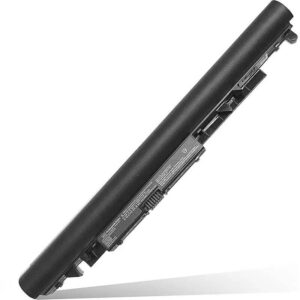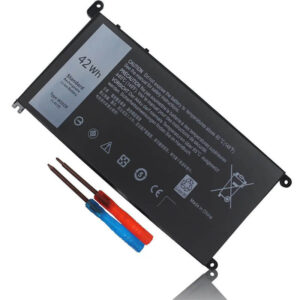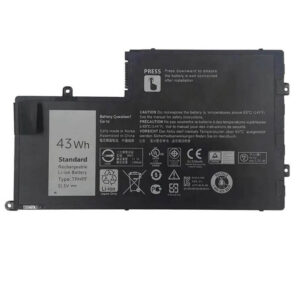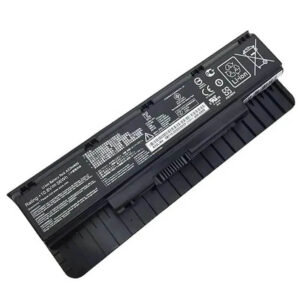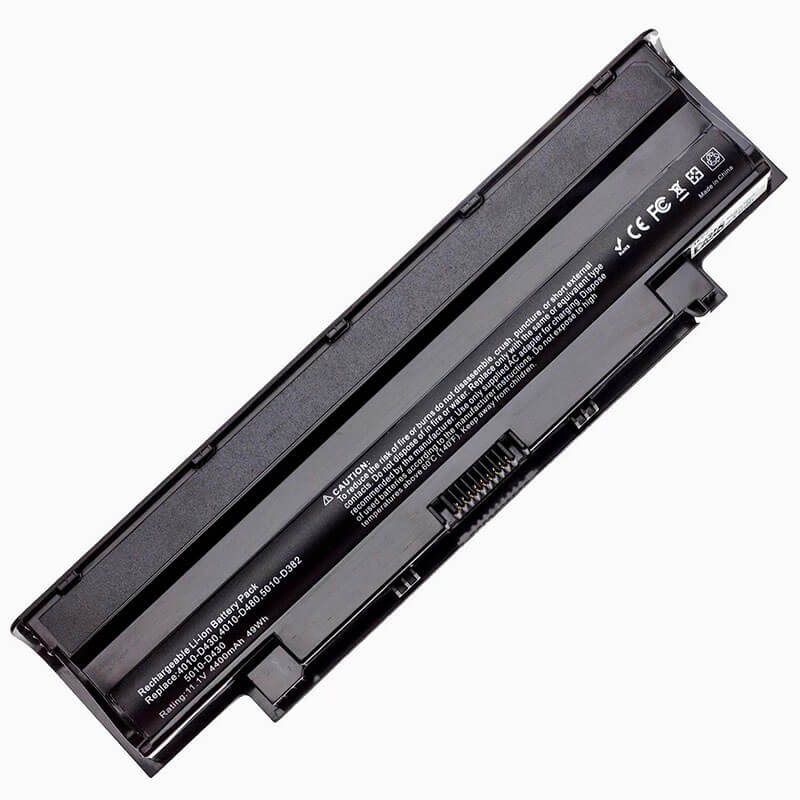
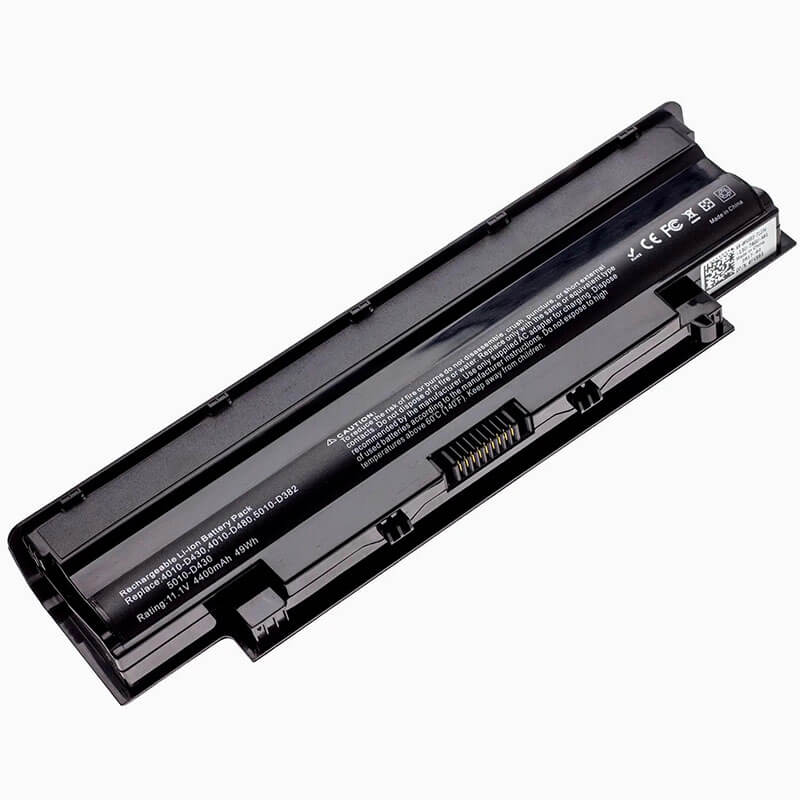
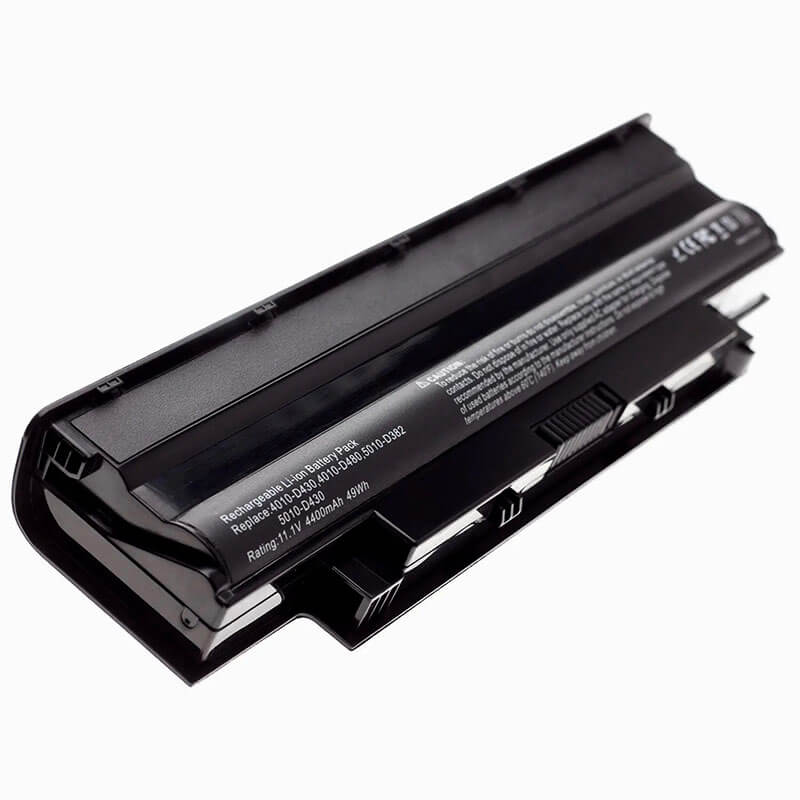
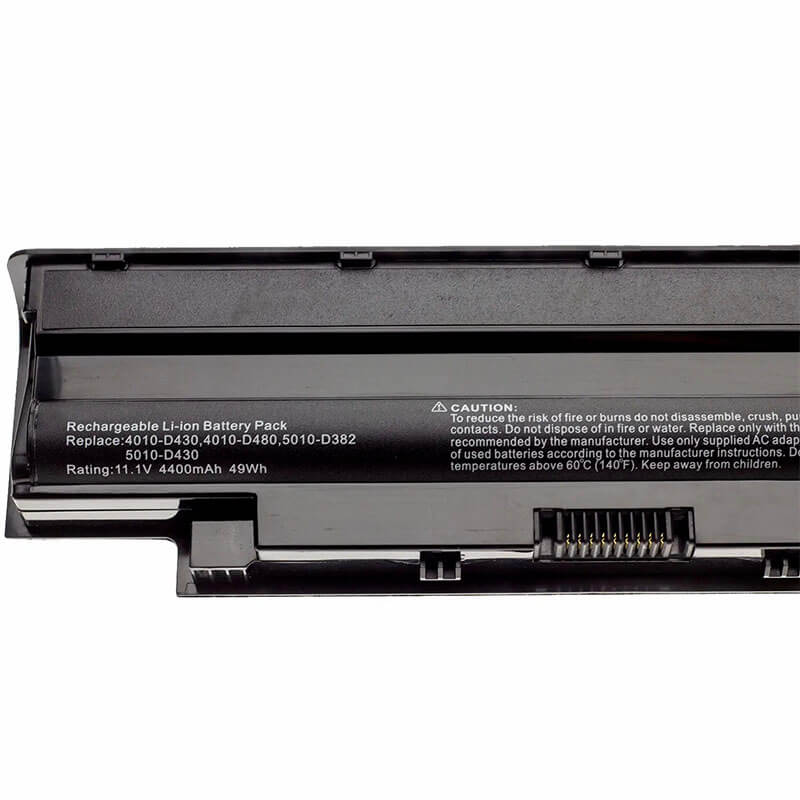
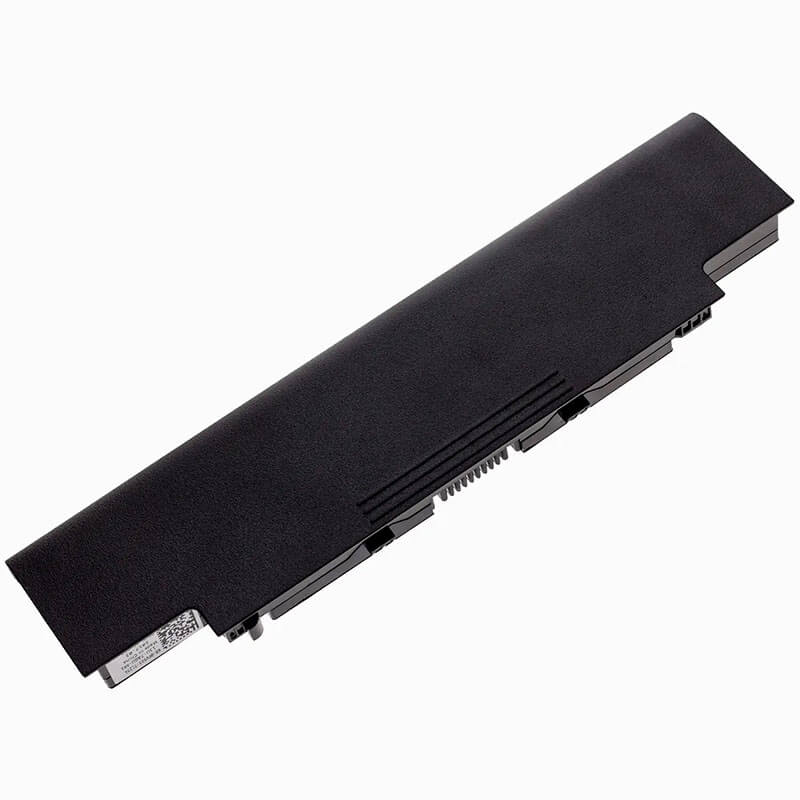
J1KND Battery for Dell Inspiron 15R N5010 15 3520 14R N4010 17R N7010 Vostro 3550 | 11.1V 48Wh 6-Cel...
- Model Numbers: J1KND / 04YRJH Battery
- Battery Type: Lithium-ion (Grade A 18650 Cylindrical Cells)
- Voltage: 11.1V (Fully compatible with 10.8V)
- Capacity: 4400mAh / 48Wh
- Cells: 6-Cell
- Connector: External Integrated Board-to-Board
- Condition: 100% Brand New from Factory
- Life Cycle: 600 – 1000 recharge cycles
- Multiple Protection: Over Current, Over Voltage, Over Charge & Discharge, Overheat, Short Circuit, ESD, EMI
- Color: Black
- Certifications: UL2054, CE, FCC, RoHS, UN38.3, MSDS, IEC62133
- OEM/ODM: Yes(Accepted)
- Warranty: 18 Months After Sales, 24/7 Email Support.
- Product Dimensions: 14.3 x 7.6 x 1 inches
- Item Weight: 12.3 Ounces
J1KND Battery for Dell Inspiron 15R N5010 15 3520 14R N4010 17R N7010 Vostro 3550 | 11.1V 48Wh 6-Cell
Detailed Product Specifications and Features:
Core Technical Parameters:
| Property | Specification |
|---|---|
| Model Numbers | J1KND / 04YRJH Battery |
| Battery Type | Lithium-ion (Grade A 18650 Cylindrical Cells) |
| Voltage | 11.1V (Fully compatible with 10.8V) |
| Capacity | 4400mAh / 48Wh |
| Cells | 6-Cell |
| Connector | External Integrated Board-to-Board |
| Condition | 100% Brand New from Factory |
| Life Cycle | 600 - 1000 recharge cycles |
| Multiple Protection | Over Current, Over Voltage, Over Charge & Discharge, Overheat, Short Circuit, ESD, EMI |
| Color | Black |
| Certifications | UL2054, CE, FCC, RoHS, UN38.3, MSDS, IEC62133 |
| OEM/ODM | Yes(Accepted) |
| Warranty | 18 Months After Sales, 24/7 Email Support. |
| Product Dimensions | 14.3 x 7.6 x 1 inches |
| Item Weight | 12.3 ounces |
Technical Note:
Design Note: The J1KND is a classic external snap-in battery.
Visual Identification: It features a thick, rectangular profile with a centralized connector and two sliding lock points.
Compatibility Note: This battery is the “Standard” 6-cell capacity. For users requiring maximum runtime, it is often interchangeable with the 9-cell extended versions (like the 9T48V), though the 9-cell version will tilt the laptop upward.
Safety Note: HTJ utilizes high-quality 18650 cells to prevent the “Sudden Shutdown” issue common in older Dell 15R units.
Product Features:
- Battery Newest Premium Grade Cells
- Best Circuit Board
- Multiple command chip control, keep the battery stable charge and discharge;
- Over-charger protection and discharger protection, short-circuit protection, ensure fast charges and low power consumption
- Easy & Quick Installation
- Our battery is 100% compatible with the original battery and meets
- CE/FCC/ROHS/UL-certified standards. It is 100% new from the manufacturer and can support up to 1000 recharge cycles over the life of the battery
- Power Interface: Gold-plated connector points to ensure current transport excellently and serve stably.
- Enclosure: The enclosure is made of ABS + PC high-quality material, which has a high-temperature-resistant function to protect your laptop from overheating
- Battery Buckle: The battery buckle is closely connected to the laptop, and the metal interface is stably powered
J1KND / 04YRJH Battery Compatibility Laptop Model List:
1. Compatible Laptop Model List (Comprehensive)
| Dell Series | Specific Model Suffixes (High-Volume Searchable Variants) |
|---|---|
| Inspiron 15 / 15R | N5010, N5010D, N5010R, N5030, N5040, N5050, N5110, 3520: i15R-2105BK, i15RN5110-7223DBK, i15-156G |
| Inspiron 14 / 14R | N4010, N4010D, N4010R, N4050, N4110, 3420: Inspiron 14-3420, 14R-4010-D330, 14R-N4110 |
| Inspiron 13R / 17R | N3010, N3010D, N3010R, N7010, N7010D, N7110: i17R-2702BK, 17R-N7110, i13R-1500BK |
| Vostro Series | 1440, 1450, 1540, 1550, 2420, 2520, 3450, 3550, 3750: Vostro 3550, Vostro 3450, Vostro 1540 |
| Inspiron M-Series | M4040, M4110, M411R, M501, M5010, M501R, M5030, M5030R, M511R: M5030-3810B3D |
| ⚠️ Absolute Incompatibility | NOT FOR: Inspiron 15 3521/3537/3542 (Uses XCMRD). NOT FOR: Inspiron 15 5558/5559 (Uses M5Y1K). |
| Visual Check | This battery is a Thick External Bar. Dimensions: ~214mm x 58mm. |
2. J1KND / 04YRJH Battery Compatible Part Numbers (P/N List)
-
- Dell Spare Numbers: J1KND, 0J1KND, 04YRJH, 4YRJH, FMHC10, TKV2V, YXVK2, J4XDH, 9TCXN, 9T48V
- Alternative Codes: 312-0233, 312-0234, 312-1201, 312-1205, 07XFJJ, 08NH55, 383CW, W7H3N, FMHC1
- Regulatory Codes: P03T, P03T001, P03T002, P10F, P10F001, P10F002, P11G, P13E, P14E, P17G, P18G, P19G, P20G
- Engineering Code: 451-11510, 451-11948, WT2P4, GK2X6, HHWT1
Why Choose HTJ J1KND Battery?
- OEM-Grade Communication Protocols:
Older Dell laptops are sensitive to battery handshakes. HTJ’s J1KND uses an updated communication chipset that ensures 100% compatibility with Dell’s BIOS and Power Manager, eliminating the “Battery Not Recognized” error messages common with lower-quality cells. - Steady 11.1V Discharge Curve:
The Inspiron N5110 and Vostro 3550 are performance-heavy machines. We use Grade A 18650 cells that maintain a stable 11.1V discharge even under heavy CPU loads, preventing the system from throttling or random restarts found in B-grade alternatives. - Reinforced Guide Rail Construction:
External batteries face significant wear at the locking points. HTJ has reinforced the plastic guide rails and latch springs to ensure a “Factory-Tight” fit that won’t wobble or disconnect when the laptop is moved. - Fresh Batch Longevity:
Many J1KND batteries online are “New Old Stock” (NOS). HTJ produces these in fresh monthly batches, ensuring the Lithium-ion chemistry is at peak health, delivering the full 48Wh capacity for years of reliable use.
How to Install Your New J1KND Battery?
The Dell J1KND is an external snap-in battery. No tools are required.
⚠️ Pre-Installation Safety Check:
- Power Down: Ensure the laptop is fully off and the AC adapter is disconnected.
- Surface: Work on a clean, flat surface to prevent any debris from entering the battery bay.
J1KND Battery Step-by-Step Installation Guide:
- Remove the Old Battery: Slide the two release latches on the bottom of the laptop outward and pull the old battery away from the rear.
- Clean the Connector: Use a dry cloth to wipe the 9-pin connector in the laptop’s bay.
- Insert the New Battery: Align the HTJ J1KND with the bay’s guide rails. Slide it in firmly until both latches “click” into the locked position.
- Verification: Flip the laptop over and ensure the battery is flush with the chassis.
- Initialization: Charge to 100% before the first use. For best longevity, perform one full discharge to 5% and a full recharge to calibrate the Windows battery meter.
💡 Pro Tip (Solving “Plugged in, Not Charging”):
If your Dell shows a flashing battery light:
- Remove the battery and AC adapter.
- Hold the Power Button for 60 seconds to drain residual flea power.
- Re-insert the battery and plug in the charger. This “Static Reset” clears the BIOS hardware cache and allows the system to recognize the fresh HTJ battery cells immediately.
FAQ (Frequently Asked Questions)
Q: Will this battery fit my Inspiron 15R N5110?
A: Yes! The J1KND is the primary battery for the N5110. The HTJ version is a precision fit and supports all N5110 power modes.
Q: Can I use this in my Vostro 3550?
A: Absolutely. The Vostro 3550 uses the J1KND architecture. This battery is ideal for business users who need a reliable, stable power source for travel.
Q: Is 11.1V the same as 10.8V?
A: Yes. These are interchangeable nominal voltage ratings for 6-cell series configurations. Your Dell laptop is designed to handle both safely.
Q: My laptop says “P10F” on the bottom. Is this the right battery?
A: Yes! P10F is the regulatory code for the Inspiron 15R (N5010/N5110) series. The HTJ J1KND is a 100% precision-engineered fit for this chassis.
Q: Can I use this battery in my Inspiron 15-3521?
A: No. While the model numbers 3520 and 3521 sound similar, they use completely different batteries. The 3520 uses this thick J1KND battery, while the 3521 uses the thinner XCMRD battery. Please check the physical shape before ordering.
Q: My laptop says the battery is “connected, not charging.” Is the battery defective?
A: Usually, this is a BIOS safety lock. To reset it, remove the battery and charger, then hold the power button for 60 seconds. This drains the “flea power” from the motherboard and forces the laptop to perform a fresh hardware handshake with the new HTJ cells.
Q: Is there a version of this battery that lasts longer?
A: Yes. The J1KND is the standard 6-cell (48Wh) version. There is a 9-cell “Extended” version (9T48V) that is much larger and will tilt the back of your laptop up. This 6-cell HTJ model is preferred by most users because it sits flush and keeps the laptop flat.
Laptop Maintenance Tips:
- New battery: For using a new battery, you’d better try a few cycles of discharging to 5%. then charging up to 95%. So that it can be activated completely
- Overuse: Do not always run a battery to 0%, as this would shorten its usage life.
- Charging sequence: When charging, first install the battery, then turn on the power. When fully charged, first cut off the power, then pull the power plug.
- Long-term storage: Please store the unused battery fully charged. (Charge it once a month.) Do not store at low power to prevent reducing the lifespan of a battery
- Charger: Do not replace the laptop adapter casually. If the original adapter cannot be applied due to malfunction or damage, please replace the models so as not to reduce the service life of the battery due to incompatibility.
【IMPORTANT】: Press [ Ctrl+F ] to find the laptop models.
Need a legacy/unlisted charger? Send your DELL Laptop Battery specs or CONTACT US → We will source it for you!
We are a professional manufacturer of laptop batteries, laptop adapters, and laptop keyboards. We are committed to providing high-quality, competitively priced, and superior performance batteries and the best service to customers.