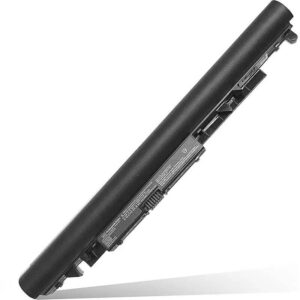
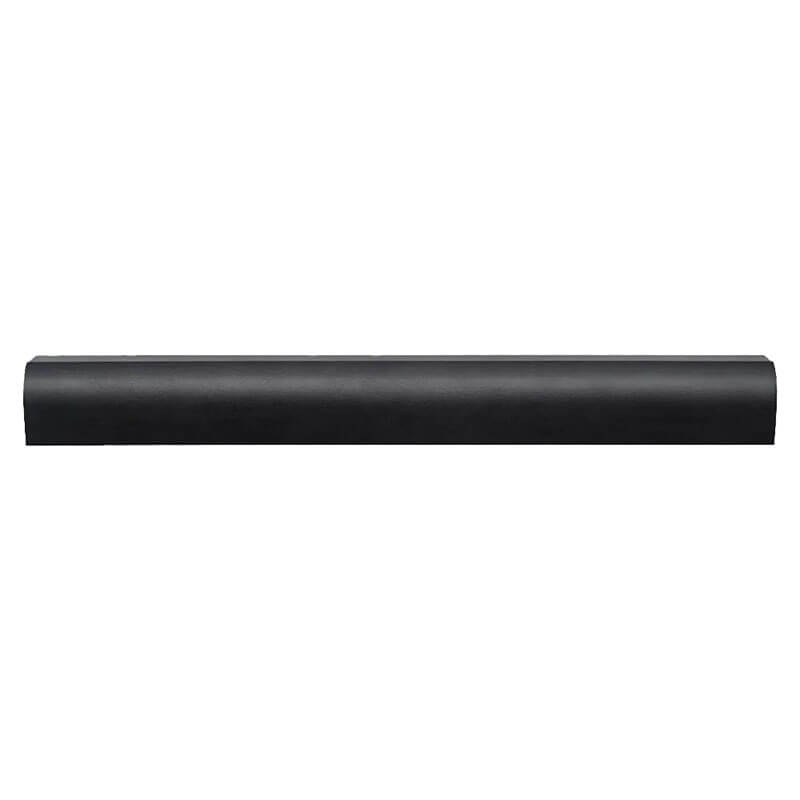
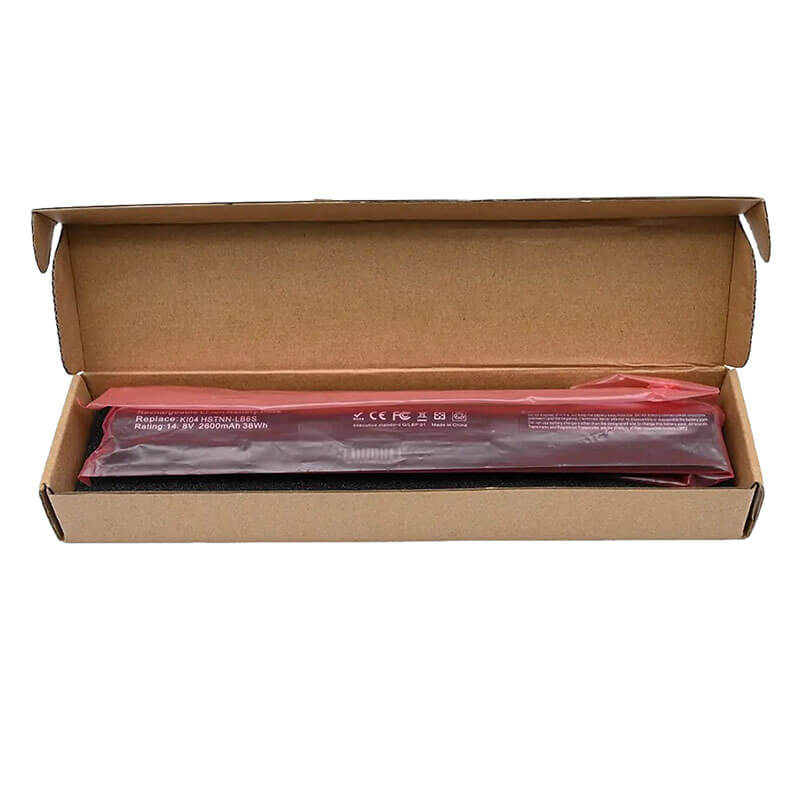
KI04 Battery for HP Pavilion 15-ab 15-ak 17-g Star Wars Edition | 14.8V 2600mAh 41Wh 4-Cell – HTJ
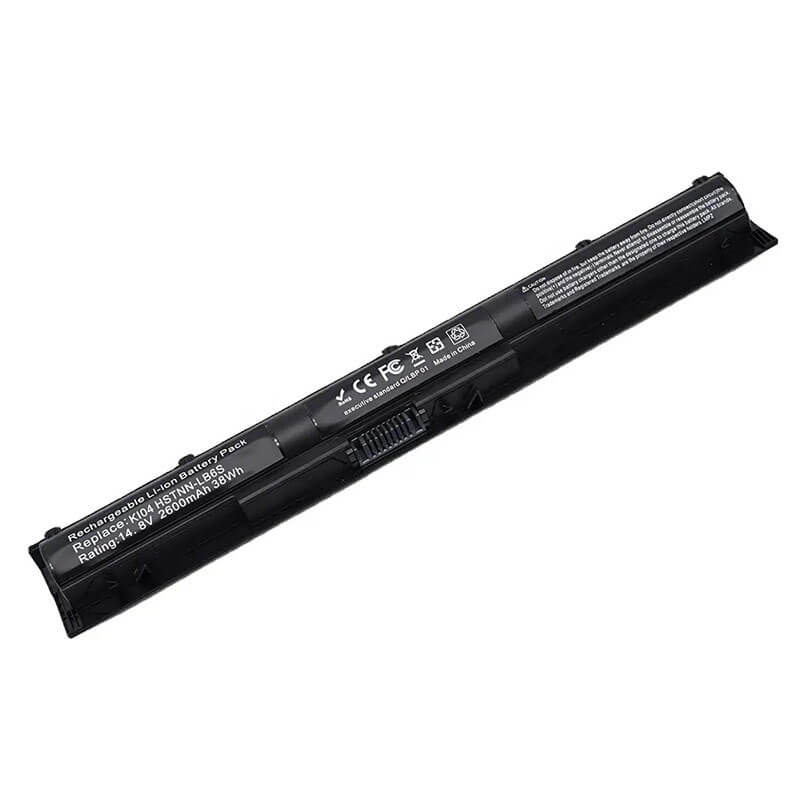
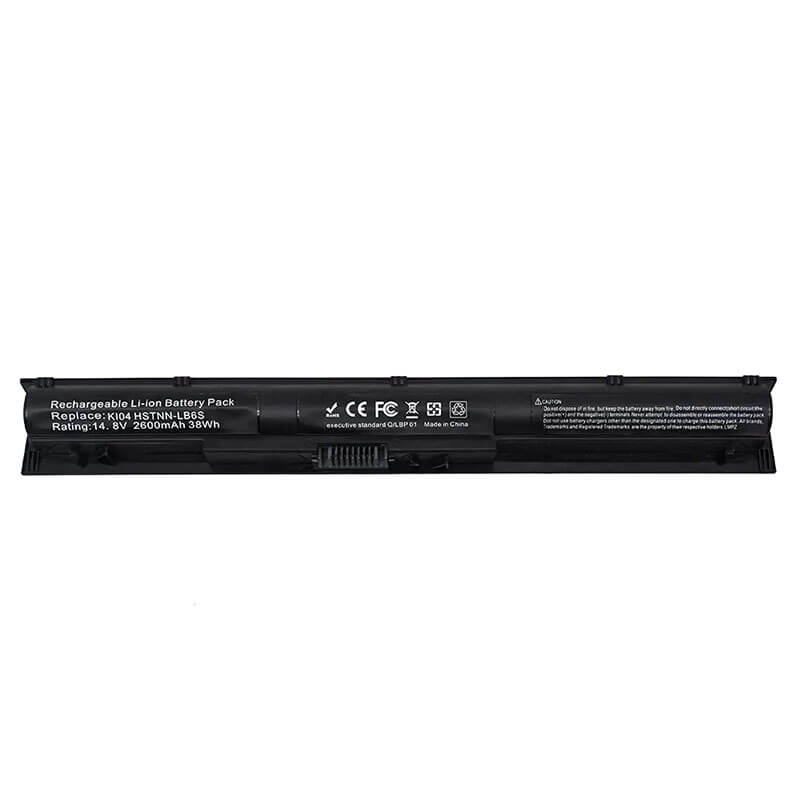
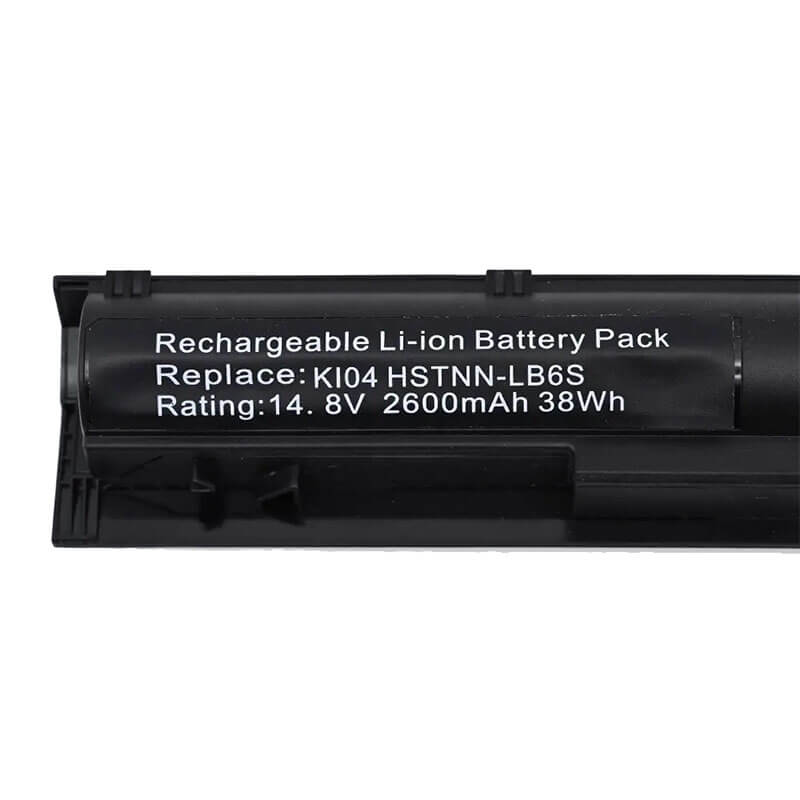
- Model Numbers: KI04 / K104 / HSTNN-LB6S Battery
- Battery Type: Lithium-ion (Grade A+ High-Density Polymer Cells)
- Voltage: 14.8V (Fully compatible with 14.4V / 14.6V)
- Capacity: 2600mAh / 41Wh
- Cells: 4-Cell
- Connector: Internal Integrated Multi-Pin Plug
- Condition: 100% Brand New from Factory
- Life Cycle: 600 – 1000 recharge cycles
- Multiple Protection: Over Current, Over Voltage, Over Charge & Discharge, Overheat, Short Circuit, ESD, EMI
- Color: Black
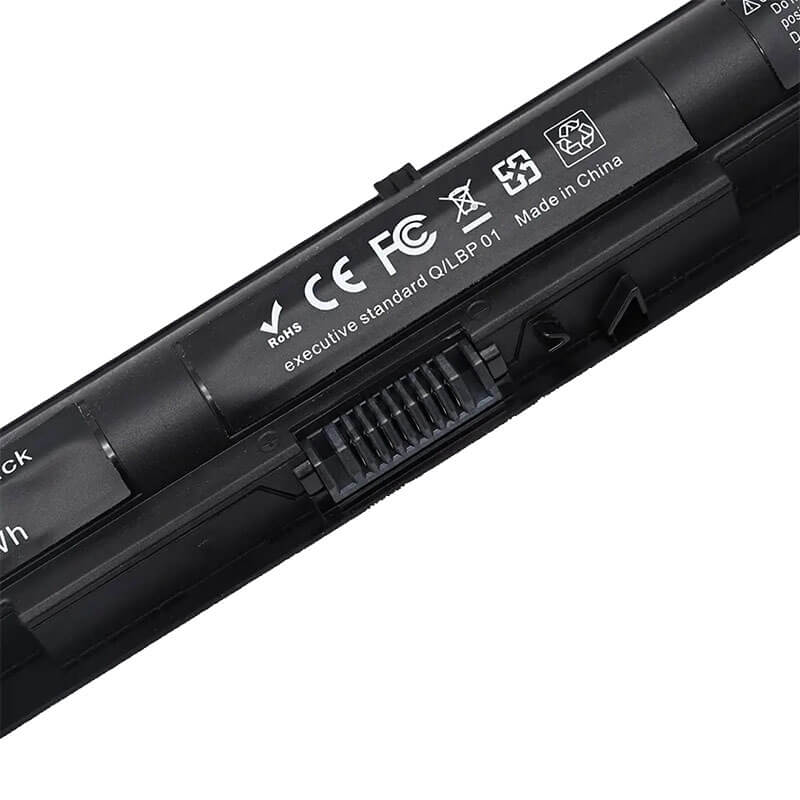
- Certifications: UL2054, CE, FCC, RoHS, UN38.3, MSDS, IEC62133
- OEM/ODM: Yes(Accepted)
- Warranty: 18 Months After Sales, 24/7 Email Support.
- Product Dimensions: 11 x 4 x 3 inches
- Item Weight: 11.4 ounces
KI04 Battery for HP Pavilion 15-ab 15-ak 17-g Star Wars Edition | 14.8V 2600mAh 41Wh 4-Cell
Detailed Product Specifications and Features:
Core Technical Parameters:
| Property | Specification |
|---|---|
| Model Numbers | KI04 / K104 / HSTNN-LB6S Battery |
| Battery Type | Lithium-ion (Grade A+ High-Density Polymer Cells) |
| Voltage | 14.8V (Fully compatible with 14.4V / 14.6V) |
| Capacity | 2600mAh / 41Wh |
| Cells | 4-Cell |
| Connector | External Snap-in Interface |
| Condition | 100% Brand New from Factory |
| Life Cycle | 600 - 900 recharge cycles |
| Multiple Protection | Over Current, Over Voltage, Over Charge & Discharge, Overheat, Short Circuit, ESD, EMI |
| Color | Black |
| Certifications | UL2054, CE, FCC, RoHS, UN38.3, MSDS, IEC62133 |
| OEM/ODM | Yes(Accepted) |
| Warranty | 18 Months After Sales, 24/7 Email Support. |
| Product Dimensions | 11 x 4 x 3 inches |
| Item Weight | 11.4 ounces |
Technical Note:
Design Note: The KI04 is an external removable battery, but it sits flush within a recessed cavity on the laptop’s underside.
Visual Check: It has a unique “L-Shape” or “Offset” design.
Series Warning: This battery powers the high-drain 15-ak Gaming series; using low-grade cells will cause thermal throttling.
Safety Note: HTJ units use a reinforced latch-point to prevent the battery from dropping out when the laptop is used at an angle.
Important: Not interchangeable with the RI04 (ProBook series).
Product Features:
- Battery Newest Premium Grade Cells
- Best Circuit Board
- Multiple command chip control, keep the battery stable charge and discharge;
- Over-charger protection and discharger protection, short-circuit protection, ensure fast charges and low power consumption
- Easy & Quick Installation
- Our battery is 100% compatible with the original battery and meets
- CE/FCC/ROHS/UL-certified standards. It is 100% new from the manufacturer and can support up to 1000 recharge cycles over the life of the battery
- Power Interface: Gold-plated connector points to ensure current transport excellently and serve stably.
- Enclosure: The enclosure is made of ABS + PC high-quality material, which has a high-temperature-resistant function to protect your laptop from overheating
- Battery Buckle: The battery buckle is closely connected to the laptop, and the metal interface is stably powered
KI04 / K104 / HSTNN-LB6S Battery Compatibility Laptop Model List:
1. Compatible Laptop Model List (Comprehensive)
Series Specific Model Suffixes (High-Volume Searchable Variants)
HP Pavilion 15-ab 15-ab000 to 15-ab599: 15-ab273nr, 15-ab157nr, 15-ab063cl, 15-ab292nr, 15-ab243cl, 15-ab544tx, 15-ab143cl
HP Pavilion 15-ak (Gaming) 15-ak000 to 15-ak199: 15-ak010nr, 15-ak030tg, 15-ak149tx, 15-ak001tx, 15-ak003tx, 15-ak026tx
HP Pavilion 17-g 17-g000 to 17-g199: 17-g121wm, 17-g119dx, 17-g113dx, 17-g103dx, 17-g133cl, 17-g161us, 17-g192nr
HP Pavilion 15-as Select Models: 15-as000 series (Verify P/N as some use internal)
Star Wars Special Ed. 15-an000 Series: 15-an050nr, 15-an051dx, 15-an097nr, 15-an058ca, 15-an005tx
HP Pavilion 14-ab 14-ab000 to 14-ab199: 14-ab010tx, 14-ab011tx, 14-ab005tu, 14-ab166us, 14-ab167us
⚠️ Absolute Incompatibility NOT FOR: HP ProBook 450 G3 (Uses RI04).
NOT FOR: Pavilion 15-p (Uses VI04).
NOT FOR: Pavilion 15-au (Internal BP02XL).
Visual Check This battery is Flat with an Offset Notch (L-Shaped). It is External and sits flush in the bottom rear.
2. KI04 / K104 / HSTNN-LB6S Battery Compatible Part Numbers (P/N List)
- HP Spare Numbers: 800049-001, 800009-241, 800010-421, 800050-001, 800009-421, N2L84AA
- Model Designation: KI04, K104, KI04041, K1O4, KIO4
- Regulatory Codes: HSTNN-LB6S, HSTNN-LB6R, HSTNN-DB6T, HSTNN-LB6T, HSTNN-IB6X
- Chassis ID: TPN-Q158, TPN-Q159, TPN-Q160, TPN-Q161, TPN-Q162, TPN-Q163
Why Choose HTJ KI04 Battery?
- Gaming-Grade Thermal Management:
The Pavilion 15-ak and Star Wars Edition generate significant heat near the battery bay. HTJ’s KI04 uses a high-thermal-resistance polymer casing and a premium BMS that won’t degrade under full-load conditions. - Precision Mechanical Snap-Fit:
The KI04 has a complex latching system. HTJ uses a 1:1 original mold to ensure the battery sits perfectly flush with the 15-ab/17-g chassis, preventing the unsightly “gap” or “creak” common in generic replacements. - High-Voltage 14.8V Discharge Curve:
Designed for laptops with 15.6″ and 17.3″ FHD displays, our KI04 maintains a steady 14.8V output. This prevents screen flickering and ensures that the cooling fans run at the correct RPM to protect your hardware. - Grade A+ 0-Cycle Cells:
We manufacture our KI04 in fresh batches to support legacy gaming machines. This ensures the full 41Wh capacity is available, restoring the 3-5 hours of runtime your Pavilion was famous for.
How to Install Your New KI04 Battery?
The HP KI04 is an external removable battery that sits flush within the laptop’s rear chassis. No tools are required, but precise alignment is key.
⚠️ Pre-Installation Safety Check:
- Total Shutdown: Ensure Windows is fully shut down (not in “Fast Startup” or Sleep mode) and the AC adapter is unplugged.
- Static Discharge: Before touching the new battery, touch a grounded metal object to discharge any static electricity from your body.
- Clean the Bay: Examine the recessed battery cavity. Since this is an open-mount design, dust often accumulates. Use a soft brush to clear any debris from the multi-pin connector.
- Surface Protection: Place the laptop upside down on a clean, non-slip surface (such as a silicone mat or microfiber towel) to prevent scuffing the Pavilion’s decorative top cover.
KI04 Battery Step-by-Step Installation Guide:
- Identify the Latch: On the bottom of the 15-ab, 15-ak, or 17-g chassis, locate the single spring-loaded Release Latch near the battery edge.
- Unlocking & Removing: Slide and hold the Release Latch in the open position. While holding the latch, use the notched “finger-lift” area on the battery to lift it upward and away from the laptop.
- Align the Offset: The KI04 has a unique “L-shape” offset. Align the connector pins on the HTJ KI04 battery with the terminal pins in the laptop’s bay.
- Insert & Snap: Insert the connector side first at a slight angle, then press the rest of the battery body down into the cavity.
- The “Flush Fit”: You should hear a clear “Click” as the latch locks. Ensure the battery surface is perfectly level with the laptop’s bottom case—if it protrudes, remove and re-align.
- First Charge Cycle: Plug in the charger. The charging LED should turn orange. Charge to 100% while the laptop is off to initialize the high-density polymer cells.
💡 Pro Tip (Solving “No Battery Detected”):
The KI04 uses a multi-pin flush connector that can sometimes accumulate static or have a “handshake” error with the BIOS. If the laptop doesn’t see the new battery:
- Remove the battery and charger.
- Hold the Power Button for 60 seconds to perform a hard reset.
- Re-insert the battery, connect the AC adapter, and boot into the HP Hardware Diagnostics (press F2 during startup) to verify the battery status. This forces the system to re-scan the hardware bus.
FAQ (Frequently Asked Questions)
Q: My laptop is the Star Wars Special Edition. Is this the right one?
A: Yes! The Star Wars Edition (15-an series) is a specialized 15-ab chassis and uses the KI04 exclusively.
Q: Does this replace the RI04? They look similar.
A: No. While they look similar, the guide rails and connector pinouts are different. The KI04 is for Pavilion; the RI04 is for ProBook.
Q: Can I use 14.8V if my original said 14.4V?
A: Yes. These are both standard nominal ratings for 4-cell packs and are 100% interchangeable in these Pavilion models.
Q: I have a Gaming Pavilion 15-ak. Does this battery handle gaming heat?
A: Yes! Our KI04 is built with High-Thermal-Stability Polymer Cells. It is specifically designed to handle the increased heat generated by the dedicated NVIDIA GPU in the 15-ak and Star Wars Edition series.
Q: How do I tell KI04 and RI04 apart? They look nearly identical.
A: Look at the guide rails. The KI04 is for the Pavilion consumer series and has a specific offset notch for its locking mechanism. The RI04 is for the ProBook 450 G3 business series. They are not interchangeable. Always check your laptop’s model name before ordering.
Q: My Pavilion 17-g says “Plugged in, not charging” after installation.
A: This is a common “handshake” error on the 17-g motherboard. Follow our Pro Tip in the installation section to perform a Static Drain. This resets the internal charging controller and allows it to recognize the new battery cells.
Q: Is 14.8V too high? My old battery says 14.4V.
A: No. 14.4V and 14.8V are both nominal voltage ratings for a 4-cell Lithium-ion pack. Your Pavilion’s internal Power Management IC (PMIC) is designed to operate perfectly across this entire range.
Laptop Maintenance Tips:
- New battery: For using a new battery, you’d better try a few cycles of discharging to 5%. then charging up to 95%. So that it can be activated completely
- Overuse: Do not always run a battery to 0%, as this would shorten its usage life.
- Charging sequence: When charging, first install the battery, then turn on the power. When fully charged, first cut off the power, then pull the power plug.
- Long-term storage: Please store the unused battery fully charged. (Charge it once a month.) Do not store at low power to prevent reducing the lifespan of a battery
- Charger: Do not replace the laptop adapter casually. If the original adapter cannot be applied due to malfunction or damage, please replace the models so as not to reduce the service life of the battery due to incompatibility.
【IMPORTANT】: Press [ Ctrl+F ] to find the laptop models.
Need a legacy/unlisted charger? Send your HP Laptop Battery specs or CONTACT US → We will source it for you!
We are a professional manufacturer of laptop batteries, laptop adapters, and laptop keyboards. We are committed to providing high-quality, competitively priced, and superior performance batteries and the best service to customers.
Need Expert Help or Legacy Charger Sourcing? Contact Our Professional Technical Team Now!