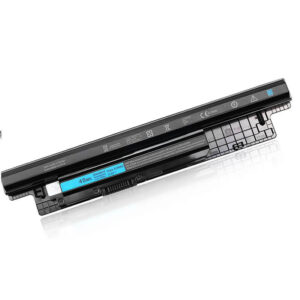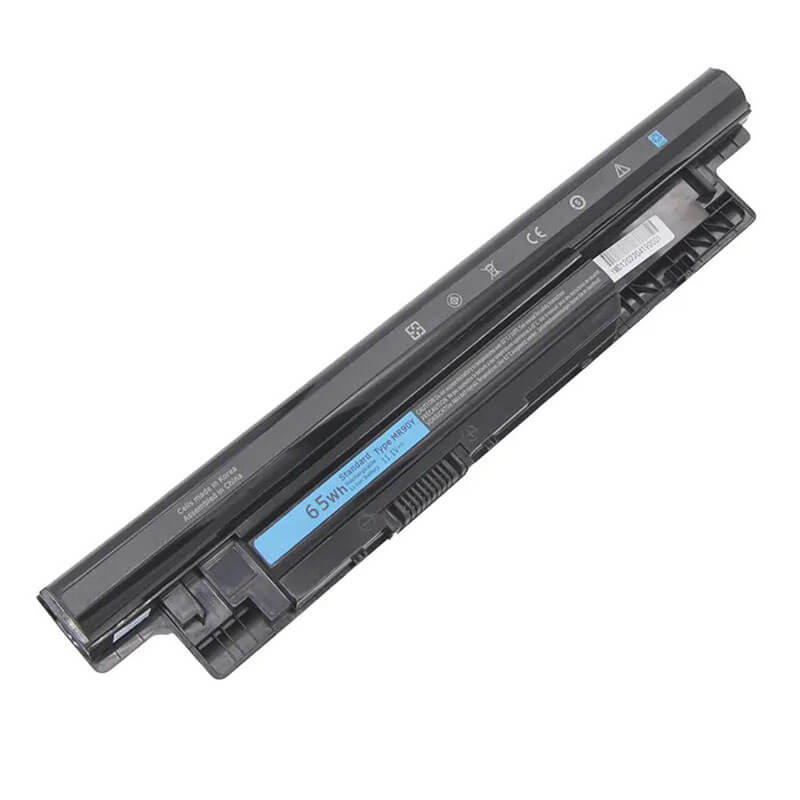
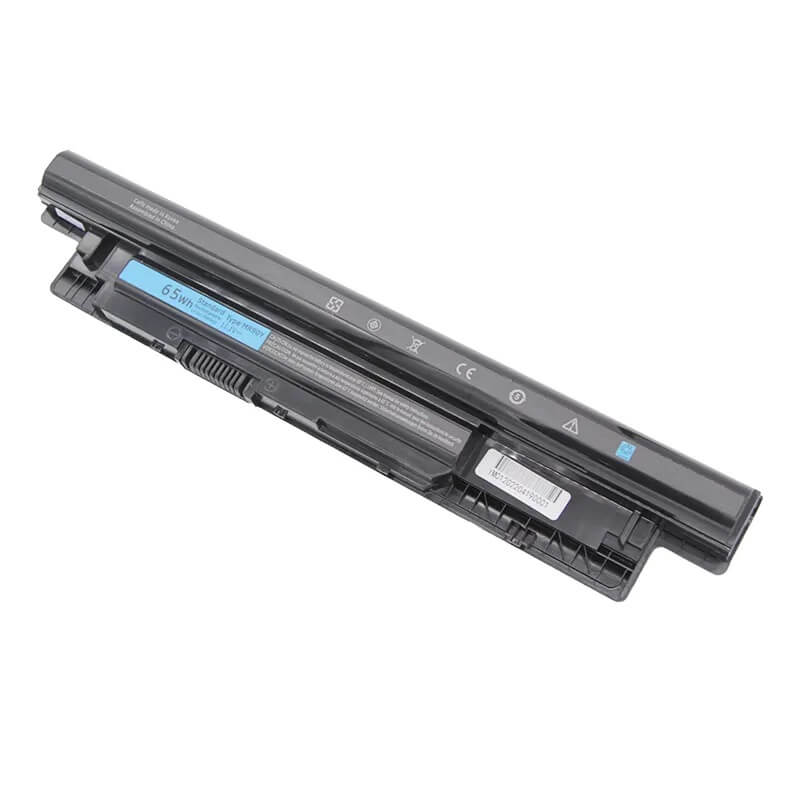
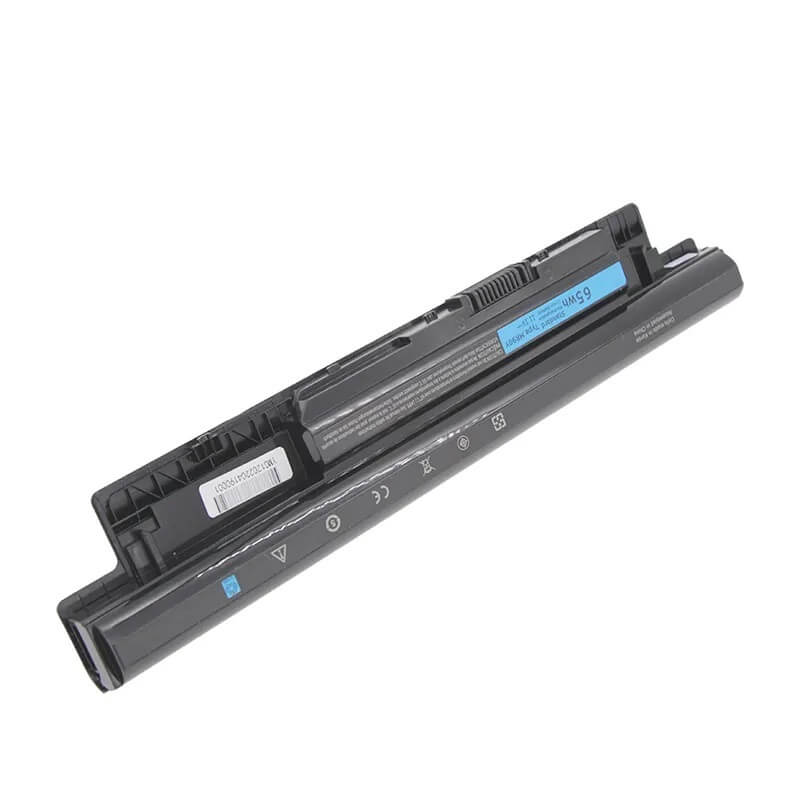
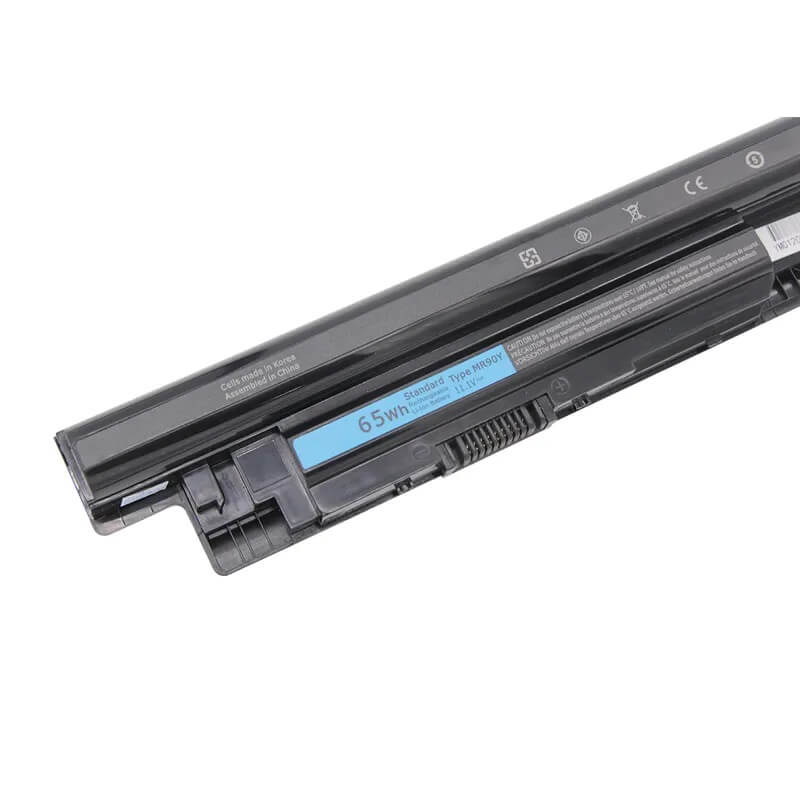
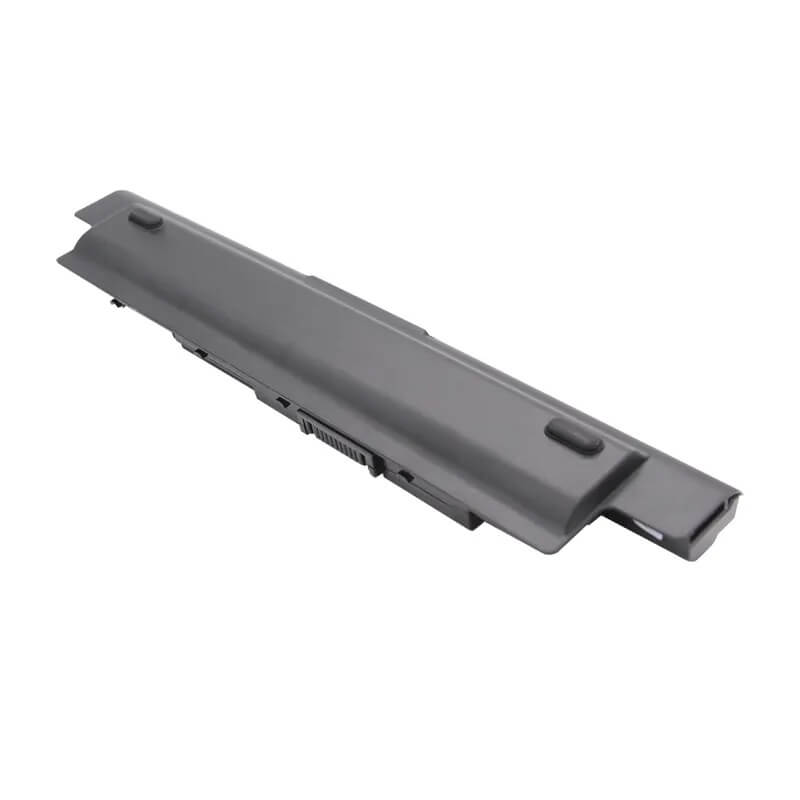
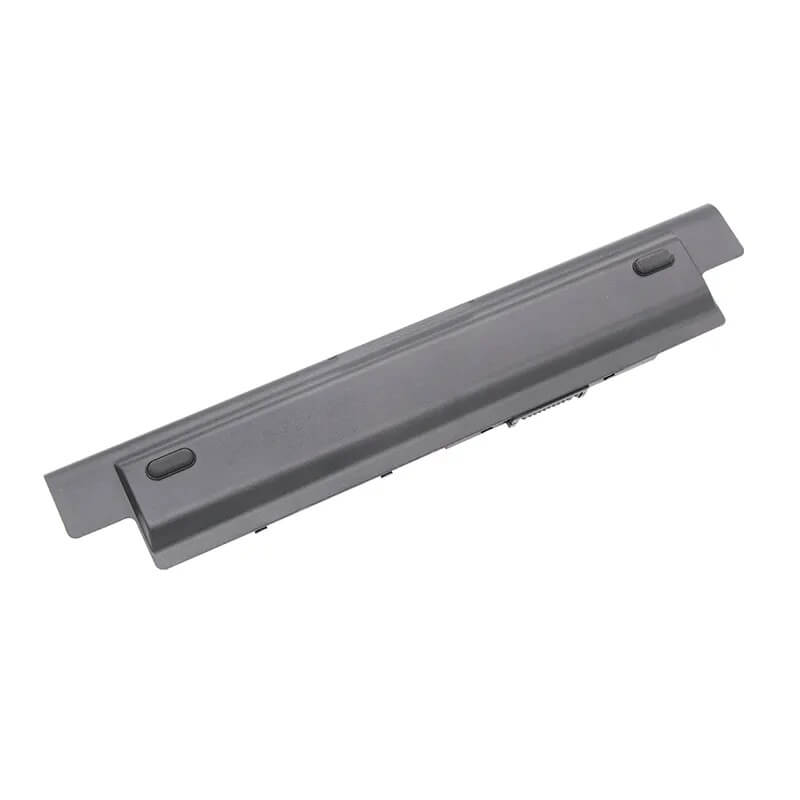
MR90Y Battery for Dell Inspiron 17 3721 3737 5721 5737 15 3521 3542 14 3421 | 11.1V 65Wh 6-Cell – ...
- Model Numbers: MR90Y / XCMRD (High-Capacity Version) Battery
- Battery Type: Lithium-ion (Grade A 18650 Cylindrical Cells)
- Voltage: 11.1V (Compatible with 10.8V / 14.8V systems)
- Capacity: 5800mAh / 65Wh
- Cells: 6-Cell
- Connector: External Integrated Board-to-Board
- Condition: 100% Brand New from Factory
- Life Cycle: 600 – 1000 recharge cycles
- Multiple Protection: Over Current, Over Voltage, Over Charge & Discharge, Overheat, Short Circuit, ESD, EMI
- Color: Black
- Certifications: UL2054, CE, FCC, RoHS, UN38.3, MSDS, IEC62133
- OEM/ODM: Yes(Accepted)
- Warranty: 18 Months After Sales, 24/7 Email Support.
- Product Dimensions: 10.7 x 2 x 0.8 inches
- Item Weight: 12 Ounces
MR90Y Battery for Dell Inspiron 17 3721 3737 5721 5737 15 3521 3542 14 3421 | 11.1V 65Wh 6-Cell
Detailed Product Specifications and Features:
Core Technical Parameters:
Property Specification
Model Numbers MR90Y / XCMRD (High-Capacity Version) Battery
Battery Type Lithium-ion (Grade A 18650 Cylindrical Cells)
Voltage 11.1V (Compatible with 10.8V / 14.8V systems)
Capacity 5800mAh / 65Wh
Cells 6-Cell
Connector External Integrated Board-to-Board
Condition 100% Brand New from Factory
Life Cycle 600 - 1000 recharge cycles
Multiple Protection Over Current, Over Voltage, Over Charge & Discharge, Overheat, Short Circuit, ESD, EMI
Color Black
Certifications UL2054, CE, FCC, RoHS, UN38.3, MSDS, IEC62133
OEM/ODM Yes(Accepted)
Warranty 18 Months After Sales, 24/7 Email Support.
Product Dimensions 10.7 x 2 x 0.8 inches
Item Weight 12 Ounces
Technical Note:
Design Note: The MR90Y is the high-capacity 6-cell version of the XCMRD.
Visual Identification: It is a long, external bar that slides into the rear. While it contains more cells, HTJ’s precision molding ensures it remains flush with the chassis for most 15″ and 17″ models.
Voltage Note: It is designed to work perfectly with both 11.1V and 14.8V Dell charging circuits used in the Inspiron 3000/5000 series.
Compatibility: Standard across Dell’s 2013-2015 consumer and budget-business lines.
Product Features:
- Battery Newest Premium Grade Cells
- Best Circuit Board
- Multiple command chip control, keep the battery stable charge and discharge;
- Over-charger protection and discharger protection, short-circuit protection, ensure fast charges and low power consumption
- Easy & Quick Installation
- Our battery is 100% compatible with the original battery and meets
- CE/FCC/ROHS/UL-certified standards. It is 100% new from the manufacturer and can support up to 1000 recharge cycles over the life of the battery
- Power Interface: Gold-plated connector points to ensure current transport excellently and serve stably.
- Enclosure: The enclosure is made of ABS + PC high-quality material, which has a high-temperature-resistant function to protect your laptop from overheating
- Battery Buckle: The battery buckle is closely connected to the laptop, and the metal interface is stably powered
MR90Y / XCMRD (High-Capacity Version) Battery Compatibility Laptop Model List:
1. Compatible Laptop Model List (Comprehensive)
| Dell Series | Specific Model Suffixes (High-Volume Searchable Variants) |
|---|---|
| Inspiron 17 / 17R | 3721, 3737, 5721, 5735, 5737, 5748, 5749: 17R-5721, 17R-5737, i3721-5040BK, i5748-5000sLV |
| Inspiron 15 / 15R | 3521, 3531, 3537, 3541, 3542, 3543, 5521, 5535, 5537: 15R-5521, 15R-5537, i3542-6003BK |
| Inspiron 14 / 14R | 3421, 3437, 3441, 3442, 3443, 5421, 5435, 5437: 14R-5421, 14R-5437, i3421-1286BK |
| Latitude 14 / 15 | 3440, 3540: Latitude 14 3000 (3440), Latitude 15 3000 (3540) Business Series |
| Vostro Series | 2421, 2521, 3445, 3446, 3449, 3546, 3549: Vostro 2521, Vostro 2421, Vostro 3549 |
| Inspiron M-Series | M431R, M531R, M731R: M531R-5535, M431R-5435, M731R-5735 |
| ⚠️ Absolute Incompatibility | NOT FOR: Inspiron 15 3551/3552/3558 (Uses M5Y1K). NOT FOR: Inspiron 17 7000 Series (Internal). |
| Visual Check | This battery is an External Snap-in with "Ledges" on the corners. Flush Mount. |
2. MR90Y / XCMRD (High-Capacity Version) Battery Compatible Part Numbers (P/N List)
- Dell Spare Numbers: MR90Y, 6HY59, 6XH00, 9K1VP, G35K4, 4DMNG, 6P6PN, 8RT5W, MK1R0
- Interchangeable Models: XCMRD (4-Cell), 49VTP, 4WY7C, FW1MN, N1WY5, XRDW2, V8VNT, YGMTN
- Regulatory Codes: P28F, P28F001, P40F, P40F001, P26E, P17E, P18E, P19E
- Engineering Code: 312-1387, 312-1390, 312-1392, 312-1433, 451-12107, 451-12108
Why Choose HTJ MR90Y Battery?
- High-Capacity 65Wh Extended Cells:
The Inspiron 17-5737 and 15-5537 often feature large screens and dedicated GPUs. HTJ’s MR90Y utilizes a 6-cell architecture to provide 65Wh of power—roughly 60% more runtime than the standard 40Wh XCMRD battery found in many retail stores. - 1V Stability for High-Wattage Units:
Large 17.3″ displays require consistent voltage. HTJ’s MR90Y provides a rock-solid 11.1V rail that ensures the screen backlight and hard drive motors receive steady power, preventing the “flicker” common with lower-quality replacements. - Precision Snap-Fit Latch System:
Older Dell plastic chassis can warp. HTJ’s MR90Y housing is engineered with reinforced guide rails and a high-tension center latch to ensure the battery remains securely locked even if the laptop is moved frequently. - Fresh Batch “Grade A” Chemistry:
Most MR90Y batteries sold today are old stock. HTJ manufactures in monthly cycles, ensuring the Lithium-ion cells are fresh, at 100% chemical health, and ready to deliver 500+ full recharge cycles.
How to Install Your New MR90Y Battery?
The Dell MR90Y is an external removable battery. No tools are required.
⚠️ Pre-Installation Safety Check:
- Shut Down: Fully power off the laptop and unplug the charger.
- Surface: Place the laptop on a clean, soft cloth to avoid scratching the lid.
MR90Y Battery Step-by-Step Installation Guide:
- Unlock: Slide the Lock Latch (the one with the lock icon) to the “Unlocked” position.
- Release: Slide and hold the Release Latch while pulling the old battery away from the rear of the chassis.
- Clean: Wipe the 8-pin gold connectors in the laptop bay with a dry microfiber cloth to ensure a perfect connection.
- Insert: Align the HTJ MR90Y with the guide rails. Slide it in firmly until it “clicks.”
- Lock: Slide the Lock Latch back to the “Locked” position.
- Calibrate: Charge to 100% while off. Use until it reaches 5%, then recharge to 100%. This synchronizes the Windows “minutes remaining” estimate.
💡 Pro Tip (Solving “Plugged in, Not Charging”):
Dell BIOS often “locks out” new batteries if there is residual static electricity.
- Remove the battery and charger.
- Hold the Power Button for 60 seconds. 3. Re-insert the battery and connect the charger. This “Cold Reset” forces the Dell power controller to re-scan for the new HTJ hardware signature.
FAQ (Frequently Asked Questions)
Q: Can I use MR90Y if my original battery says XCMRD?
A: Yes! The MR90Y is the “Extended” version of the XCMRD. They are 100% interchangeable. The MR90Y provides longer battery life per charge.
Q: My original battery says 14.8V, but this is 11.1V. Is it safe?
A: Yes. Dell designed this series of laptops (3521, 5521, 5721, etc.) to accept both 4-cell (14.8V) and 6-cell (11.1V) configurations. The laptop’s internal voltage regulator automatically adjusts for the cell count.
Q: Will this fit my Inspiron 15 3558?
A: No. The 3551, 3552, and 3558 look similar but use the M5Y1K battery. Always check the physical shape—the MR90Y has “ledges” on the ends, while the M5Y1K is smooth.
Q: My old battery says 14.8V / 40Wh. Is this 11.1V / 65Wh safe to use?
A: Yes. Dell motherboards for the 3521/5721/3542 series are designed to handle both 4-cell (14.8V) and 6-cell (11.1V) configurations. The MR90Y is the “Extended Life” version and will actually give you significantly more backup time than your original.
Q: Will the MR90Y stick out or make my laptop tilt?
A: No. Unlike some Dell 9-cell batteries, the MR90Y (6-cell) fits entirely within the battery bay for almost all 15.6″ and 17.3″ models. It remains flush with the bottom of the laptop.
Q: Does this work with the Inspiron 17 7000 series?
A: No. The Inspiron 17 7000 (7737/7773/7779) uses an internal battery. The MR90Y is an external battery that slides into the back of the laptop. Always check if you need to remove screws to see your battery—if so, this is not the right one.
Q: Why is my battery light flashing orange and white?
A: This usually indicates a Communication Error between the laptop and the battery. To fix this, perform a Flea Power Drain: remove the battery and charger, hold the power button for 60 seconds, then re-insert the battery. This allows the HTJ chipset to sync properly with the Dell BIOS.
Laptop Maintenance Tips:
- New battery: For using a new battery, you’d better try a few cycles of discharging to 5%. then charging up to 95%. So that it can be activated completely
- Overuse: Do not always run a battery to 0%, as this would shorten its usage life.
- Charging sequence: When charging, first install the battery, then turn on the power. When fully charged, first cut off the power, then pull the power plug.
- Long-term storage: Please store the unused battery fully charged. (Charge it once a month.) Do not store at low power to prevent reducing the lifespan of a battery
- Charger: Do not replace the laptop adapter casually. If the original adapter cannot be applied due to malfunction or damage, please replace the models so as not to reduce the service life of the battery due to incompatibility.
【IMPORTANT】: Press [ Ctrl+F ] to find the laptop models.
Need a legacy/unlisted charger? Send your DELL Laptop Battery specs or CONTACT US → We will source it for you!
We are a professional manufacturer of laptop batteries, laptop adapters, and laptop keyboards. We are committed to providing high-quality, competitively priced, and superior performance batteries and the best service to customers.