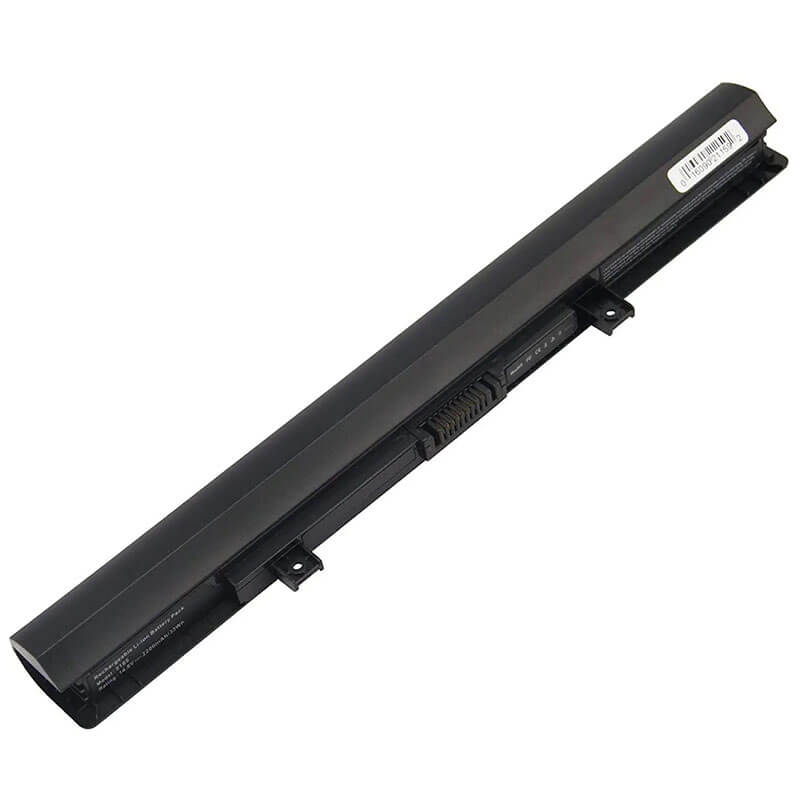
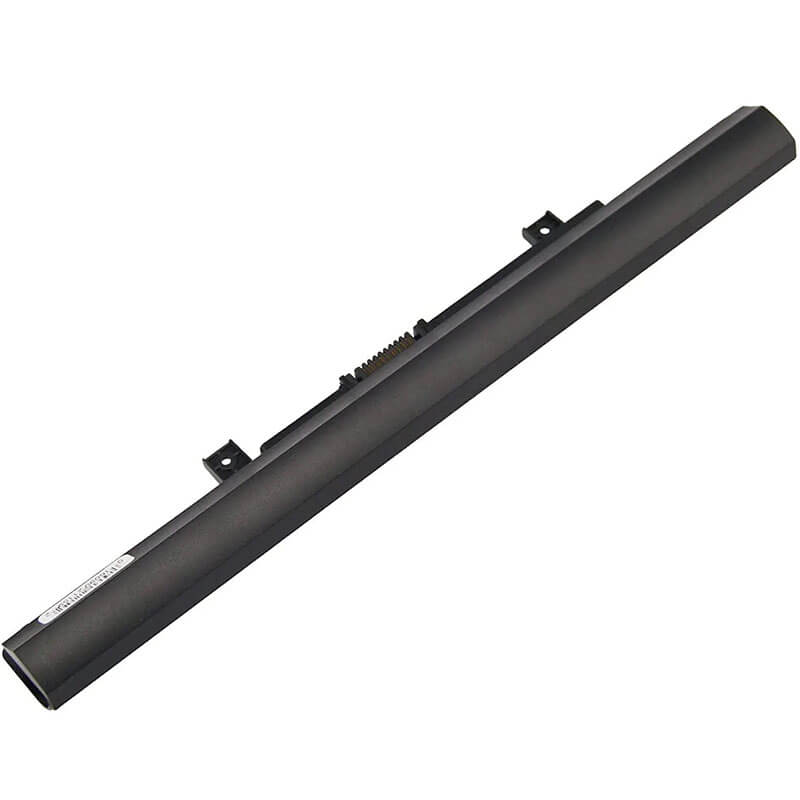
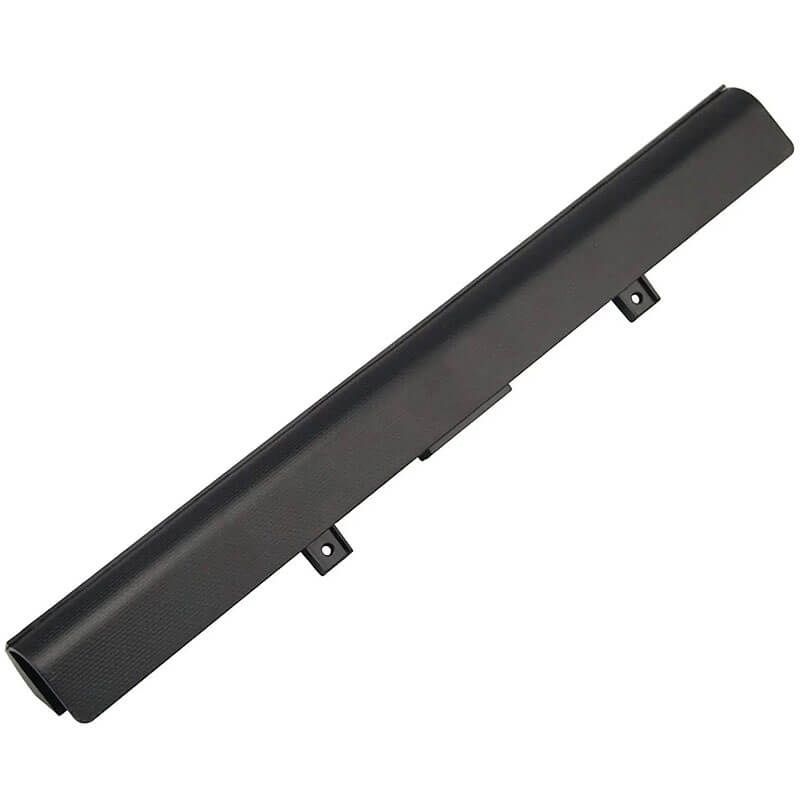
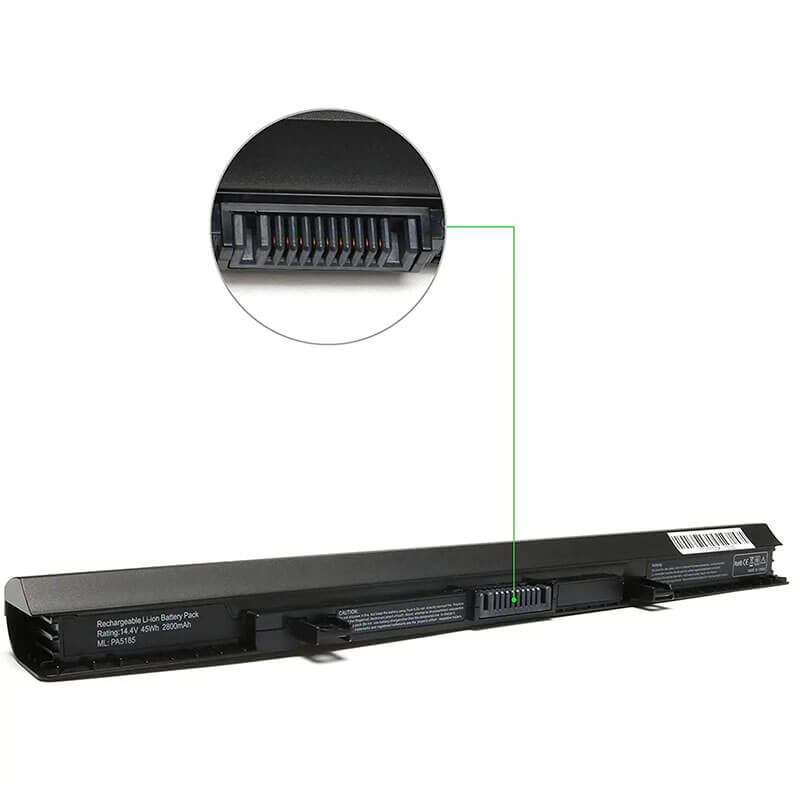
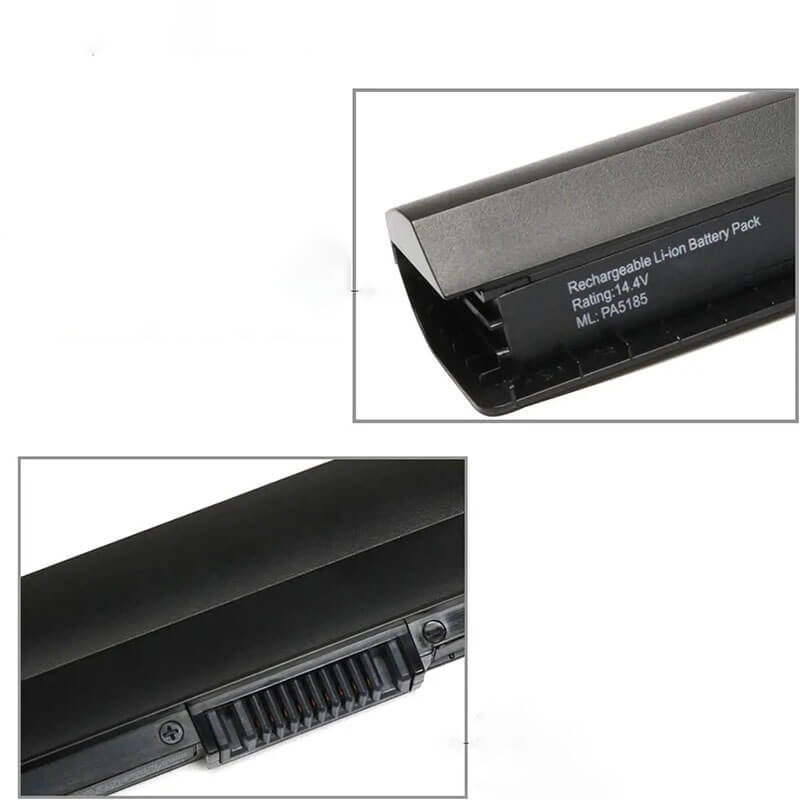
PA5185U-1BRS Battery for Toshiba Satellite C55-B L55-B S55-B Series | 14.8V 2800mAh 45Wh 4-Cell – ...
- Model Numbers: PA5185U-1BRS Battery
- Battery Type: Lithium-ion (Grade A 0-Cycle Cells)
- Voltage: 14.8V (Fully compatible with 14.4V)
- Capacity: 2800mAh / 45Wh
- Cells: 4-Cell
- Connector: External Snap-in Interface
- Condition: 100% Brand New from Factory
- Life Cycle: 600 – 1000 recharge cycles
- Multiple Protection: Over Current, Over Voltage, Over Charge & Discharge, Overheat, Short Circuit, ESD, EMI
- Color: Black
- Certifications: UL2054, CE, FCC, RoHS, UN38.3, MSDS, IEC62133
- OEM/ODM: Yes(Accepted)
- Warranty: 18 Months After Sales, 24/7 Email Support.
- Product Dimensions: 12.24 x 3.19 x 1.97 inches
- Item Weight: 9.6 ounces
PA5185U-1BRS Battery for Toshiba Satellite C55-B L55-B S55-B Series | 14.8V 2800mAh 45Wh 4-Cell
Detailed Product Specifications and Features:
Core Technical Parameters:
| Property | Specification |
|---|---|
| Model Numbers | PA5185U-1BRS Battery |
| Battery Type | Lithium-ion (Grade A 0-Cycle Cells) |
| Voltage | 14.8V (Fully compatible with 14.4V) |
| Capacity | 2800mAh / 45Wh |
| Cells | 4-Cell |
| Connector | External Snap-in Interface |
| Condition | 100% Brand New from Factory |
| Life Cycle | 600 - 1000 recharge cycles |
| Multiple Protection | Over Current, Over Voltage, Over Charge & Discharge, Overheat, Short Circuit, ESD, EMI |
| Color | Black |
| Certifications | UL2054, CE, FCC, RoHS, UN38.3, MSDS, IEC62133 |
| OEM/ODM | Yes(Accepted) |
| Warranty | 18 Months After Sales, 24/7 Email Support. |
| Product Dimensions | 12.24 x 3.19 x 1.97 inches |
| Item Weight | 9.6 ounces |
Technical Note:
Design Note: The PA5185U-1BRS is an internal battery.
Series Distinction: This battery is designed for the slimmed-down “B” and “C” generations of the Satellite series.
Voltage Note: While original labels may vary between 14.4V and 14.8V, these are functionally identical for Toshiba’s 4-cell serial architecture.
Stability Note: Every HTJ unit is pre-calibrated to ensure the “Plugged in, charging” status is accurately reported to Windows.
Important: Requires a Phillips #0 screwdriver for installation.
Product Features:
- Battery Newest Premium Grade Cells
- Best Circuit Board
- Multiple command chip control, keep the battery stable charge and discharge;
- Over-charger protection and discharger protection, short-circuit protection, ensure fast charges and low power consumption
- Easy & Quick Installation
- Our battery is 100% compatible with the original battery and meets
- CE/FCC/ROHS/UL-certified standards. It is 100% new from the manufacturer and can support up to 1000 recharge cycles over the life of the battery
- Power Interface: Gold-plated connector points to ensure current transport excellently and serve stably.
- Enclosure: The enclosure is made of ABS + PC high-quality material, which has a high temperature-resistant function to protect your laptop from overheating
- Battery Buckle: The battery buckle is closely connected to the laptop, and the metal interface is stably powered
PA5185U-1BRS Battery Battery Compatibility Laptop Model List:
1. Compatible Laptop Model List (Comprehensive)
| Series | Specific Model Variants & Chassis Prefixes |
|---|---|
| Satellite C55-B / C55-C / C55D-B | C55-B, C55D-B, C55-C, C55D-C Series: C55-B5200, C55-C5241, C55D-C5271, C55-B5270, C55-B5299, C55D-B5310 Chassis Prefixes: PSPNLU, PSPNMU, PSPSU |
| Satellite L55-B / L55-C | L55-B, L55-C, L50-B, L50-C L55D-B Series: L55-B5276, L55-C5340, L50-C1601,L55-B5294, L55-B5276, L55D-B5364 Chassis Prefixes: PSPNVU, PSPNWU, PSKLU, PSKRU |
| Satellite S55-B / S55-C | S55-B, S55-C, S50-B, S50-C Series: S55-B5280, S55-B5289, S55-C5274 Chassis Prefixes: PSPQ2U, PSPR2U |
| Satellite Fusion / Radius 15 | Fusion 15 L55W-C, Radius 15 P55W-B, P55W-C: P55W-B5224, L55W-C5259 Chassis Prefixes: PSPS2U, PSQTU |
| Satellite Pro R50 | R50-B, R50-C Series |
| ⚠️ Absolute Incompatibility | NOT FOR: Satellite C55-A or L55-A (Uses external PA5109U). NOT FOR: Radius 14 E45W (Uses PA5208U). |
| Visual Check | This is an Internal 4-Cell battery. If your laptop has a battery that slides out with a latch on the exterior, this is NOT the correct part. |
2. PA5185U-1BRS Battery Compatible Part Numbers (P/N List)
-
- Primary Codes: PA5185U-1BRS, PA5184U-1BRS
- Alternative Codes: PA5186U-1BRS, PA5195U-1BRS
- OEM Identifiers: PABAS282
- Engineering Codes: G71C000K6110, G71C000K7110
Why Choose HTJ PA5185U-1BRS Internal Battery?
- Cycle Grade A Cells:
Replacing internal batteries is difficult and time-consuming. HTJ uses only 100% new, 0-cycle cells to ensure that once you perform the installation, your Satellite L55-B provides the maximum 4–6 hour runtime expected from a new machine. - High-Voltage Safety Circuit:
The PA5185U operates at a higher 14.8V threshold. Our integrated BMS (Battery Management System) is engineered with redundant over-voltage protection to ensure the battery remains stable even if the laptop is left plugged in for extended periods. - OEM-Matched Ribbon Connector:
Poorly manufactured internal batteries often have stiff or misaligned ribbon cables. HTJ’s PA5185U features a high-flex connector that aligns perfectly with the motherboard socket, preventing pin damage during the DIY installation process. - 18-Month Factory-Direct Warranty:
Avoid the risk of “Old Stock” batteries that have self-discharged in a warehouse. We manufacture in fresh batches and back every unit with an 18-month warranty for complete peace of mind.
How to Install Your New PA5185U-1BRS Battery?
The Toshiba PA5185U-1BRS is an internal battery. You will need a small Phillips screwdriver.
⚠️ Crucial Safety Preparation
- Shutdown: Perform a full Windows shutdown and disconnect the AC adapter.
- Surface: Place the laptop upside down on a soft, clean surface.
- Caution: Handle the internal ribbon cable with care; do not pull on the wires themselves.
PA5185U-1BRS Battery Step-by-Step Installation Guide:
- Remove Bottom Screws: Use a Phillips screwdriver to remove all screws from the bottom casing. Pro Tip: Keep the screws organized, as they may be of different lengths.
- Pry the Cover: Gently use a plastic pry tool or a guitar pick to release the clips around the edge of the bottom cover.
- Unplug the Connector: Locate the battery plug on the motherboard. Gently pull the connector head out of the socket.
- Remove Old Battery: Unscrew the screws holding the old battery in place and lift it out.
- Insert New Battery: Place the HTJ PA5185U into the bay and secure it with the original screws.
- Reconnect: Align the multi-pin connector and push it firmly into the motherboard socket.
- Reassemble & Calibrate: Snap the bottom cover back on and replace the screws. Charge to 100%, then discharge to 5% once to calibrate the Windows fuel gauge.
💡 Pro Tip:
If the laptop does not recognize the battery immediately, reopen the case and check that the connector is fully seated in the socket. A loose connection is the #1 cause of “Battery Not Detected” errors.
FAQ (Frequently Asked Questions)
Q: My laptop is a Satellite C55-B5200. Is this the right battery?
A: Yes! The C55-B series is the primary model for the PA5185U-1BRS. This battery is an exact fit for your internal bay.
Q: My original battery says 14.4V, but yours is 14.8V. Is it safe?
A: Yes. 14.4V and 14.8V both represent a 4-cell serial configuration. Your Toshiba laptop and original charger are designed to handle this range safely.
Q: Why does my laptop feel slower on battery?
A: Windows often defaults to “Power Saver” mode when unplugged. You can adjust this in Settings > System > Power & Battery to “Best Performance” to restore full speed.
Q: Does this fit the older Satellite C55-A models?
A: No. The C55-A uses an external, removable battery (PA5109U). This PA5185U is only for the newer, slimmer C55-B and C55-C models.
Q: Does this work for the Satellite Radius 15?
A: Yes, specifically for the P55W-B and P55W-C models (Chassis PSQTU). Always verify your original part number is PA5185U or PA5186U before purchasing.
Q: My laptop is a Satellite C55-A5300. Will this fit?
A: No. The “A” series (e.g., C55-A) uses an external battery (PA5109U). This PA5185U battery is only for the “B” and “C” series (e.g., C55-B, C55-C), which feature a slim, sealed chassis.
Q: Why does my new battery show “0% available, plugged in, not charging”?
A: This is usually a Windows ACPI driver glitch. Go to Device Manager, uninstall the Microsoft ACPI-Compliant Control Method Battery, and restart your laptop while the new battery is connected. Windows will reinstall the driver and recognize the new battery.
Laptop Maintenance Tips:
- New battery: For using a new battery, you’d better try a few cycles of discharging to 5%. then charging up to 95%. So that it can be activated completely
- Overuse: Do not always run a battery to 0%, as this would shorten its usage life.
- Charging sequence: When charging, first install the battery, then turn on the power. When fully charged, first cut off the power, then pull the power plug.
- Long-term storage: Please store the unused battery fully charged. (Charge it once a month.) Do not store at low power to prevent reducing the lifespan of a battery
- Charger: Do not replace the laptop adapter casually. If the original adapter cannot be applied due to malfunction or damage, please replace the models so as not to reduce the service life of the battery due to incompatibility.
【IMPORTANT】: Press [ Ctrl+F ] to find the laptop models.
Need a legacy/unlisted charger? Send your Toshiba Laptop Battery specs or CONTACT US → We will source it for you!
We are a professional manufacturer of laptop batteries, laptop adapters, and laptop keyboards. We are committed to providing high-quality, competitively priced, and superior performance batteries and the best service to customers.