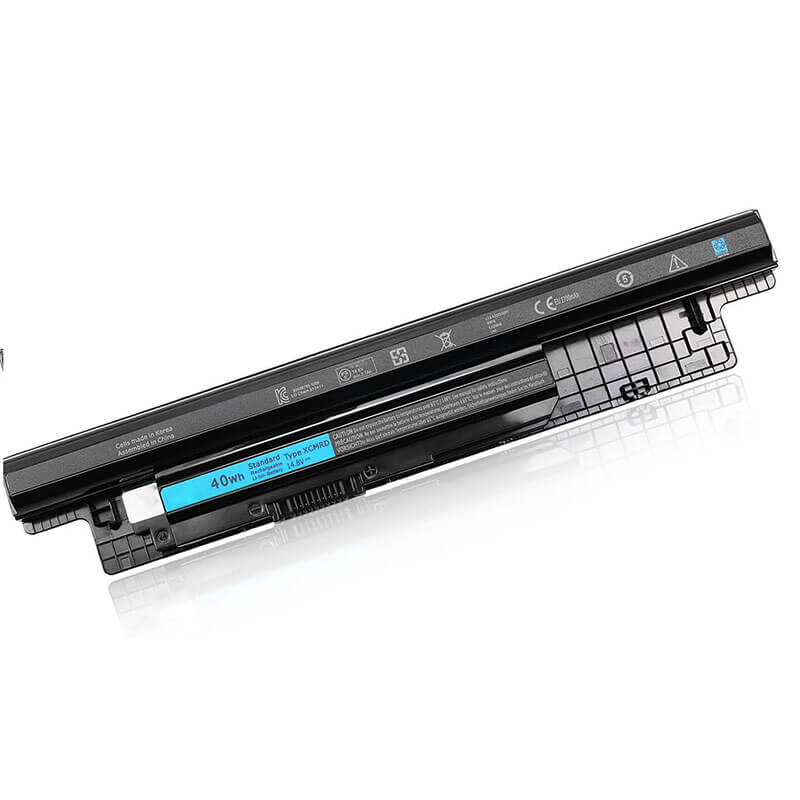
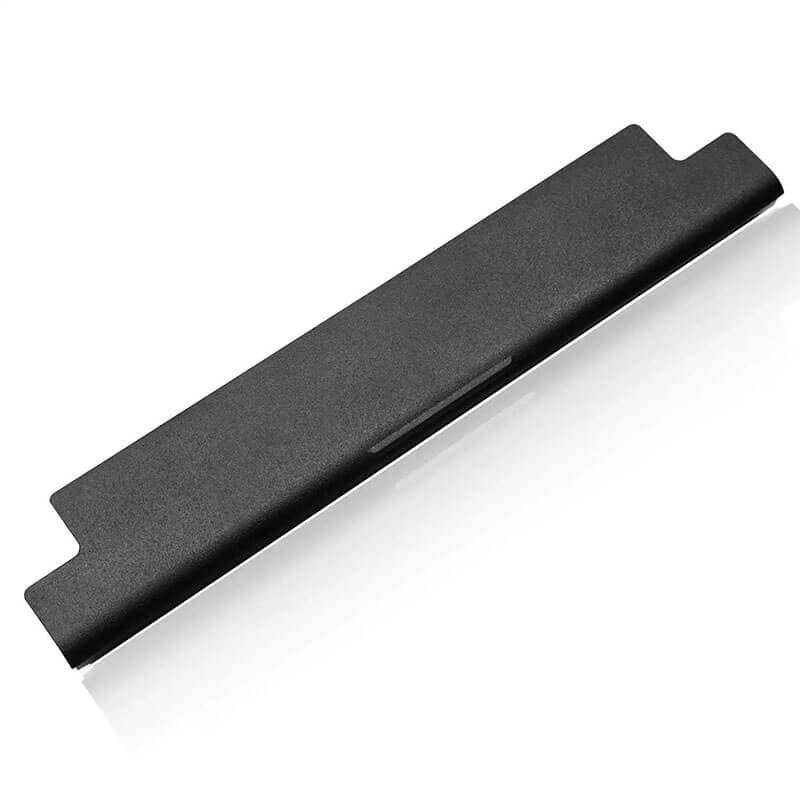
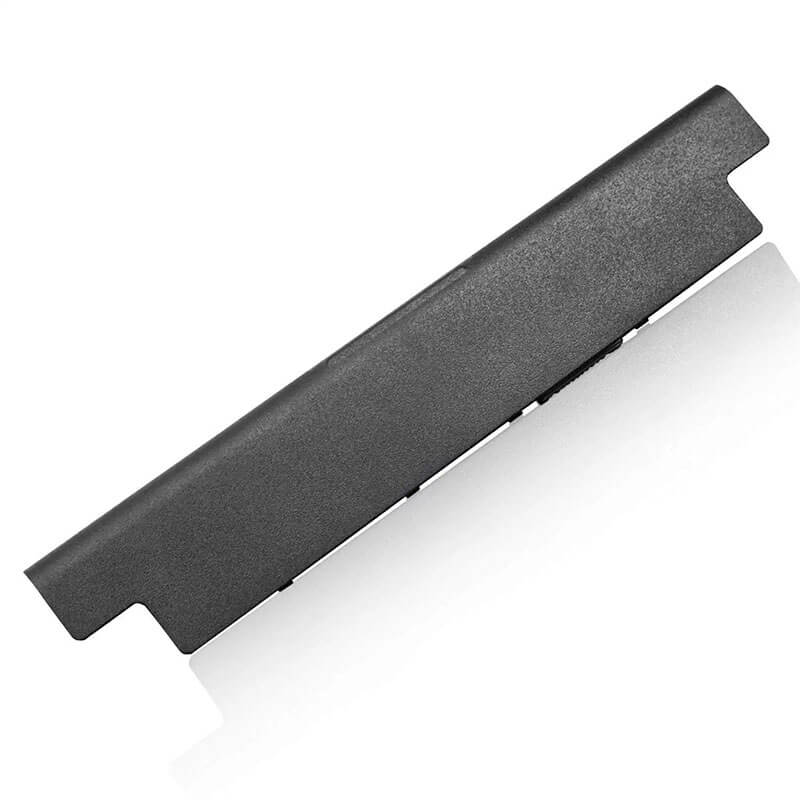
XCMRD Battery for Dell Inspiron 15 3521 3537 3542 3543 14 3421 17 3721 | 14.8V 40Wh 4-Cell – HTJ
- Model Numbers: XCMRD / MR90Y Battery (Interchangeable)
- Battery Type: Lithium-ion (Grade A 18650 Cylindrical Cells)
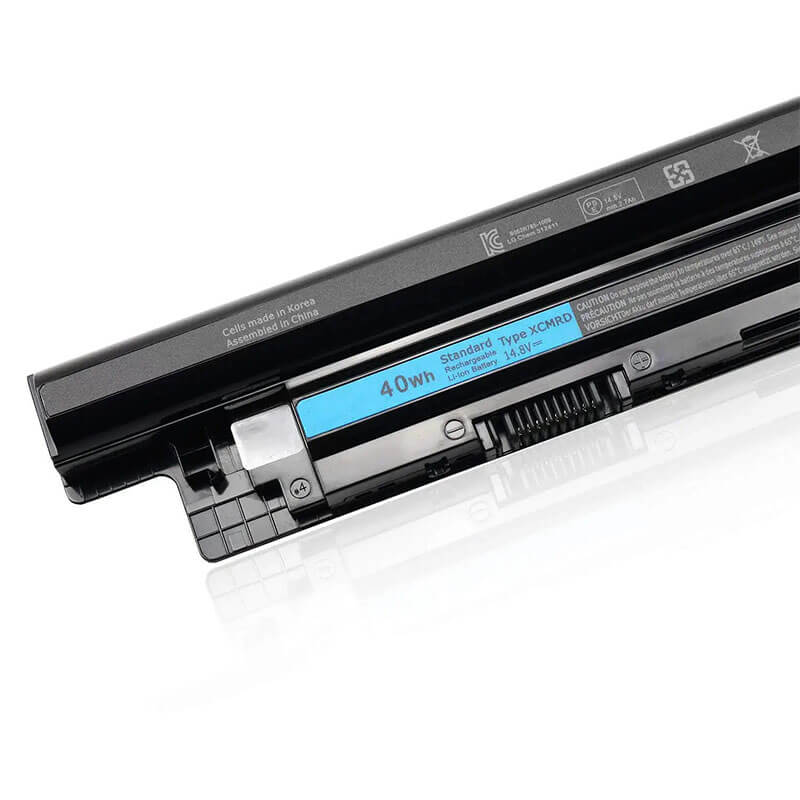
- Voltage: 14.8V (Fully compatible with 14.4V / 14.6V)
- Capacity: 2700mAh / 40Wh
- Cells: 4-Cell
- Connector: External Integrated Board-to-Board
- Condition: 100% Brand New from Factory
- Life Cycle: 600 – 1000 recharge cycles
- Multiple Protection: Over Current, Over Voltage, Over Charge & Discharge, Overheat, Short Circuit, ESD, EMI
- Color: Black
- Certifications: UL2054, CE, FCC, RoHS, UN38.3, MSDS, IEC62133
- OEM/ODM: Yes(Accepted)
- Warranty: 18 Months After Sales, 24/7 Email Support.
- Product Dimensions: 10.5 x 2 x 0.75 inches
- Item Weight: 9 Ounces
XCMRD Battery for Dell Inspiron 15 3521 3537 3542 3543 14 3421 17 3721 | 14.8V 40Wh 4-Cell
Detailed Product Specifications and Features:
Core Technical Parameters:
| Property | Specification |
|---|---|
| Model Numbers | XCMRD / MR90Y Battery (Interchangeable) |
| Battery Type | Lithium-ion (Grade A 18650 Cylindrical Cells) |
| Voltage | 14.8V (Fully compatible with 14.4V / 14.6V) |
| Capacity | 2700mAh / 40Wh |
| Cells | 4-Cell |
| Connector | External Integrated Board-to-Board |
| Condition | 100% Brand New from Factory |
| Life Cycle | 600 - 1000 recharge cycles |
| Multiple Protection | Over Current, Over Voltage, Over Charge & Discharge, Overheat, Short Circuit, ESD, EMI |
| Color | Black |
| Certifications | UL2054, CE, FCC, RoHS, UN38.3, MSDS, IEC62133 |
| OEM/ODM | Yes(Accepted) |
| Warranty | 18 Months After Sales, 24/7 Email Support. |
| Product Dimensions | 10.5 x 2 x 0.75 inches |
| Item Weight | 9 Ounces |
Technical Note:
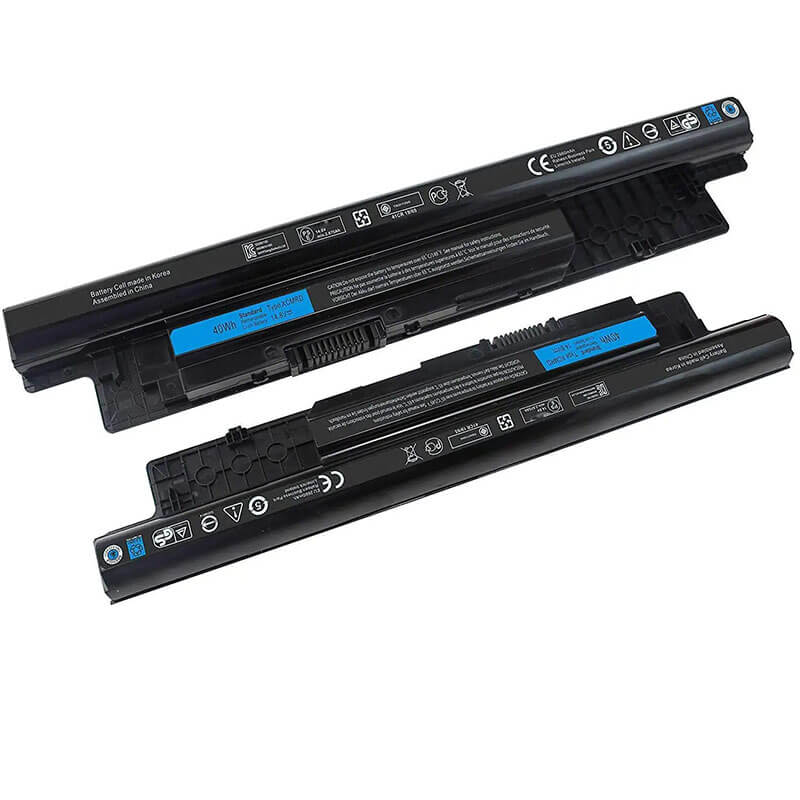
Design Note: The XCMRD is an external removable battery with a “rear-sliding” profile.
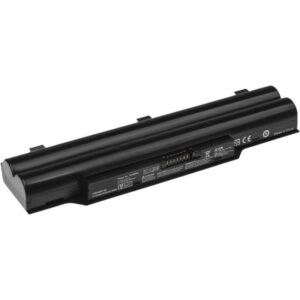
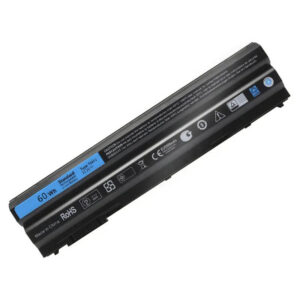
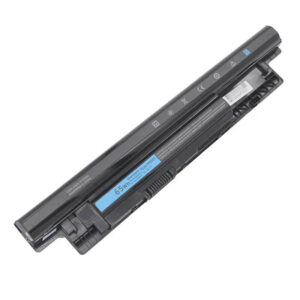
Visual Check: It has a long, slim rectangular body with a distinct dual-ledge locking mechanism.
Series Fitment: This is the primary battery for Dell “3000 & 5000 Series” laptops from the early 2010s.
Safety Note: HTJ units feature a reinforced center-latch to prevent the “battery wobble” common in aging Inspiron 3521 plastic chassis.
Important: Fully interchangeable with the high-capacity MR90Y (65Wh 6-cell).
Product Features:
- Battery Newest Premium Grade Cells
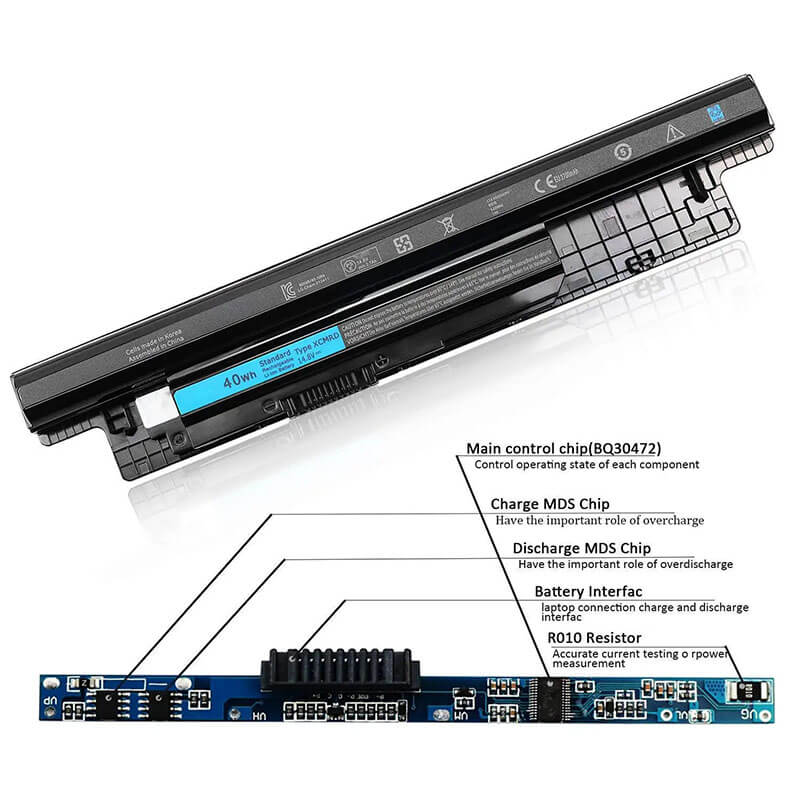
- Best Circuit Board
- Multiple command chip control, keep the battery stable charge and discharge;
- Over-charger protection and discharger protection, short-circuit protection, ensure fast charges and low power consumption
- Easy & Quick Installation
- Our battery is 100% compatible with the original battery and meets
- CE/FCC/ROHS/UL-certified standards. It is 100% new from the manufacturer and can support up to 1000 recharge cycles over the life of the battery
- Power Interface: Gold-plated connector points to ensure current transport excellently and serve stably.
- Enclosure: The enclosure is made of ABS + PC high-quality material, it has high temperature-resistant function to protect your laptop from overheating
- Battery Buckle: The battery buckle is closely connected to the laptop, and the metal interface is stably powered
XCMRD / MR90Y Battery Compatibility Laptop Model List:
1. Compatible Laptop Model List (Comprehensive)
| Dell Series | Specific Model Suffixes (Searchable Variants) |
|---|---|
| Inspiron 15 / 15R | 3521, 3531, 3537, 3541, 3542, 3543, 5521, 5535, 5537: 15R-5521, 15R-5537, i3521, i3521-5040BK, i3542-6003BK, i3543-2501BLK |
| Inspiron 14 / 14R | 3421, 3437, 3441, 3442, 3443, 5421, 5435, 5437: i3421, 14R-5421, 14R-5437, i3421-1286BK, i3437-1250BK |
| Inspiron 17 / 17R | 3721, 3737, 5721, 5735, 5737, 5748, 5749: 17R-5721, 17R-5737, i3721-5040BK, i3737-1250BK |
| Latitude 14 / 15 | 3440, 3540: Latitude 14 3000 (3440), Latitude 15 3000 (3540) Business Series |
| Vostro Series | 2421, 2521, 3445, 3446, 3449, 3546, 3549: Vostro 2521, Vostro 2421, Vostro 3549 |
| Inspiron M-Series | M431R, M531R, M731R: M531R-5535, M431R-5435, M731R-5735 |
| ⚠️ Absolute Incompatibility | NOT FOR: Inspiron 15 3551/3552/3558 (Uses M5Y1K). NOT FOR: Latitude 3450/3550. |
| Visual Check | This battery is an External Snap-in with a "Double-Ledge." It is not internal. |
2. XCMRD / MR90Y Battery Compatible Part Numbers (P/N List)
-
- Dell Spare Numbers: XCMRD, 49VTP, 4WY7C, FW1MN, G35K4, N1WY5, XRDW2, T1G4M, V8VNT, 0MF69
- Model Designation: MR90Y (6-Cell), 4DMNG, 6HY59, 6XH00, 9K1VP, VR7HM, PVJ7J, G019Y
- Regulatory Codes: P28F, P28F001, P40F, P40F001, P26E, P17E, P18E, P19E
- Engineering Code: 312-1387, 312-1390, 312-1433, 451-12107, 451-12108
Why Choose HTJ XCMRD Battery?
- High-Stability 14.8V Voltage Rail:
The Inspiron 17 and 15 series use large backlights that draw significant current. HTJ’s XCMRD uses a high-voltage 14.8V architecture to ensure steady power delivery, preventing the “screen flickering” and “blue screens” often caused by low-voltage 11.1V imitations. - Precision Mechanical Snap-Fit:
Aging Dell laptops often suffer from cracked battery latches. HTJ’s XCMRD housing is molded with reinforced guide rails and a precision-tensioned locking tooth, restoring the “Factory-Tight” fit and ensuring the battery doesn’t disconnect when you move the laptop. - Premium 18650 “Fresh-Batch” Cells:
Many XCMRD batteries found on marketplaces are “New Old Stock” that have sat for 4+ years. HTJ manufactures the XCMRD in fresh monthly cycles, guaranteeing 100% chemical health and the full 40Wh energy reservoir upon arrival. - Cycle Battery Management System (BMS):
Our BMS is programmed with authentic Dell communication protocols. This ensures your laptop accurately reports the percentage, enters “Sleep Mode” correctly when the battery is low, and supports the standard Dell charging cycles.
How to Install Your New XCMRD Battery?
The Dell XCMRD is an external snap-in battery. No tools are required.
⚠️ Pre-Installation Safety Check:
- Power Down: Ensure the laptop is fully shut down and the AC adapter is unplugged.
- Surface: Place the laptop upside down on a soft surface to avoid scratching the lid.
XCMRD Battery Step-by-Step Installation Guide:
- Unlock the Old Battery: Locate the two sliding latches on the bottom. Slide the Lock Latch (usually the one with a lock icon) to the “Unlocked” position.
- Release & Removing: Slide and hold the Release Latch. While holding it, gently pull the old battery away from the laptop chassis.
- Clean the Bay: Wipe the 8-pin gold connector inside the battery bay with a dry cloth to ensure optimal power flow.
- Insert New Battery: Align the HTJ XCMRD with the guide rails. Slide it firmly into the bay until it clicks.
- Secure Lock: Slide the Lock Latch back to the “Locked” position. This prevents the battery from falling out during transport.
- Initial Calibration: Charge to 100% while off. Unplug and use until the laptop reaches 5%, then recharge to 100%. This synchronizes the Windows fuel gauge.
💡 Pro Tip (Solving “Battery Not Detected”):
If your Dell shows a flashing orange battery light or says “No Battery Detected,” it is often due to a Residual Power Loop. Remove the battery and charger, hold the Power Button for 60 seconds, then reinstall. This “Cold Reset” clears the BIOS hardware map and forces it to recognize the new HTJ cells.
FAQ (Frequently Asked Questions)
Q: Can I use this XCMRD to replace a battery labeled MR90Y?
A: Yes! The MR90Y is the 6-cell version, and the XCMRD is the 4-cell version. They are identical in shape and voltage. The XCMRD is lighter and sits flush, while the MR90Y is thicker and provides more runtime.
Q: My laptop is an Inspiron 15 3521. Is this the right one?
A: Absolutely. The 3521 is the most common model to use the XCMRD battery.
Q: Why is 14.8V important? Some others are 11.1V.
A: Never use an 11.1V battery in an XCMRD slot. Your laptop motherboard is designed for a 14.8V series circuit. Using 11.1V will cause the laptop to underperform or fail to charge entirely.
Q: My laptop is an Inspiron 15-3521. Is this the right battery?
A: Yes! The 3521 is the “base” model for the XCMRD battery. This 14.8V HTJ battery is a 100% precision match.
Q: Can I use this battery in my Inspiron 15 3000 series (3552 or 3558)?
A: No. The 3551, 3552, and 3558 models look similar but use a different battery, the M5Y1K. Always check the physical shape—the XCMRD has “ledges,” while the M5Y1K is a smooth cylinder.
Q: What is the difference between XCMRD and MR90Y?
A: They are the same battery family. XCMRD is the 4-cell (40Wh) version that sits flush. MR90Y is the 6-cell (65Wh) version that is physically larger/thicker. They are interchangeable.
Q: Why does my laptop say “AC Adapter not recognized” after I changed the battery?
A: This is a classic Dell BIOS quirk. It is usually unrelated to the battery. Check your charging port for dust or follow our Pro Tip in the installation section to perform a Static Reset.
Laptop Maintenance Tips:
- New battery: For using a new battery, you’d better try a few cycles of discharging to 5%. then charging up to 95%. So that it can be activated completely
- Overuse: Do not always run a battery to 0%, as this would shorten its usage life.
- Charging sequence: When charging, first install the battery, then turn on the power. When fully charged, first cut off the power, then pull the power plug.
- Long-term storage: Please store the unused battery fully charged. (Charge it once a month.) Do not store at low power to prevent reducing the lifespan of a battery
- Charger: Do not replace the laptop adapter casually. If the original adapter cannot be applied due to malfunction or damage, please replace the models so as not to reduce the service life of the battery due to incompatibility.
【IMPORTANT】: Press [ Ctrl+F ] to find the laptop models.
Need a legacy/unlisted charger? Send your DELL Laptop Battery specs or CONTACT US → We will source it for you!
We are a professional manufacturer of laptop batteries, laptop adapters, and laptop keyboards. We are committed to providing high-quality, competitively priced, and superior performance batteries and the best service to customers.