
Unlocking Max Speed: The Ultimate Guide to MacBook Pro 140W Charger Replacements (USB PD 3.1 Deep Dive)
Introduction: Why 140W Matters For MacBook Pro
If you own the latest MacBook Pro 16-inch model (or certain 14-inch configurations), you know it’s a powerhouse designed for the most demanding tasks—video editing, 3D rendering, and massive code compilation. When time is money, waiting hours for your battery to replenish simply isn’t an option. This is why Apple introduced the blazing-fast 140W charging standard.
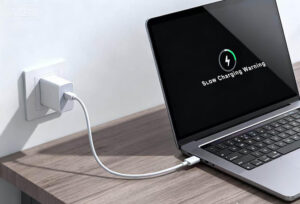
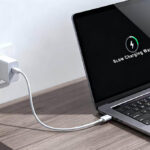
The ability to go from 0% to 50% charge in just 30 minutes is a game-changer for professionals. However, achieving this maximum speed requires the precise combination of power, cable, and connection. If you’ve tried using your old 100W USB-C charger and found the charging painfully slow, you’ve hit a technical roadblock.
This guide will dissect the exact technical requirements for the 140W MacBook Pro charger, explain the critical difference between the old and new power standards, and show you how to confidently select a reliable replacement that won’t leave you throttled.
The Technical Requirement: Understanding USB PD 3.1
The core reason why most standard high-wattage chargers fail to deliver 140W to your MacBook Pro lies in a fundamental shift in the USB Power Delivery (PD) protocol. It’s not about marketing; it’s physics.
The Critical Difference: 100W vs. 140W For MacBook Pro
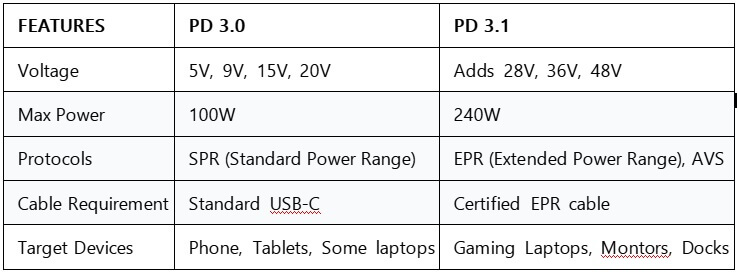
For years, the maximum standard for USB-C Power Delivery was 100W. This limit was set by the maximum voltage defined in the old specification.
-
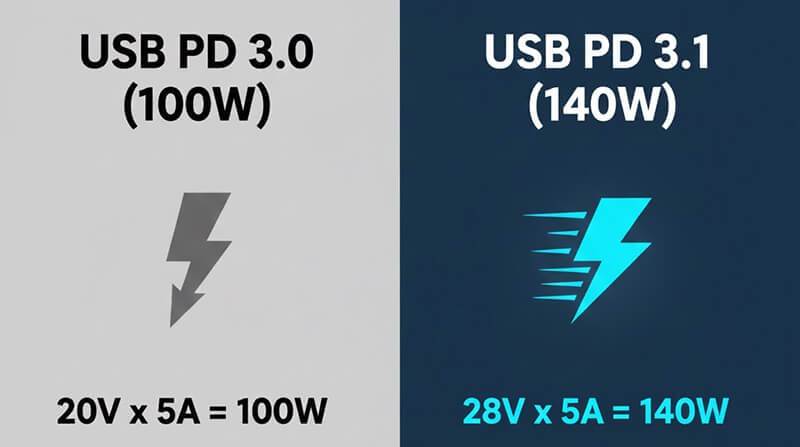
100W(USB PD 3.0 Standard):
This power level is achieved by transmitting a maximum of 5A of current at a fixed voltage of 20V. The formula is simple: 20V x 5A = 100W. This remains the ceiling for the vast majority of older USB-C devices.
-
140W(USB PD 3.1 Extended Power Range – EPR):
To break the 100W barrier, the USB-IF introduced the PD 3.1 standard. This new standard allows chargers to output significantly higher voltages. The specific requirement for 140W is:
28V x 5A = 140W
Key Takeaway:
If a third-party charger does not explicitly support the 28V output profile defined in the PD 3.1 EPR standard, your MacBook Pro 140W charger replacement simply cannot deliver the full speed, and the laptop will cap the input at 100W (or less).
The Cable is the Key: E-Marker and 5A Current
Even if your charger is a certified 140W unit, the cable connecting it to your laptop can become the final bottleneck.
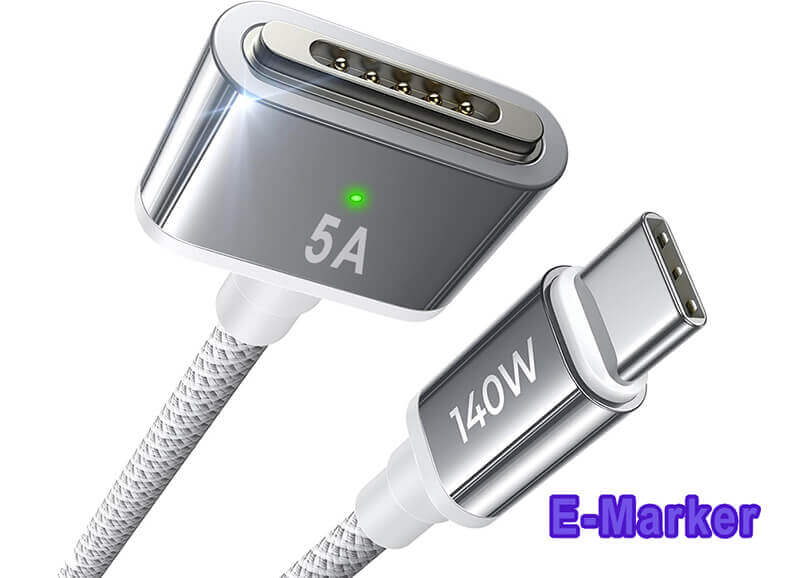
-
E-Marker Chip:
For any power delivery exceeding 60W, the cable must contain a tiny chip called an E-Marker (Electronically Marked). This chip communicates the cable’s maximum power and data capabilities to both the charger and the laptop.
-
Current Rating:
All 140W chargers rely on transmitting 5A of current. If your cable only supports 3A (common in cheaper or older USB-C cables), the charging devices will negotiate the lowest common denominator, capping power at 60W (20V x 3A).
-
140W Specific Cables For MacBook Pro:
For a true MacBook Pro 140W charger experience, the cable must explicitly be rated for 28V/5A or simply 140W. When shopping for replacements, never assume; always confirm the wattage rating printed on the cable or packaging.
MagSafe 3 vs. USB-C: The 140W Connection
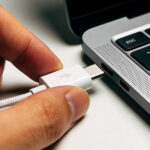
While the technical protocol (PD 3.1) is vital, the physical connection method dictates whether your MacBook Pro can actually draw the full 140W. Apple has designed this extremely fast-charging mode around one specific connector.
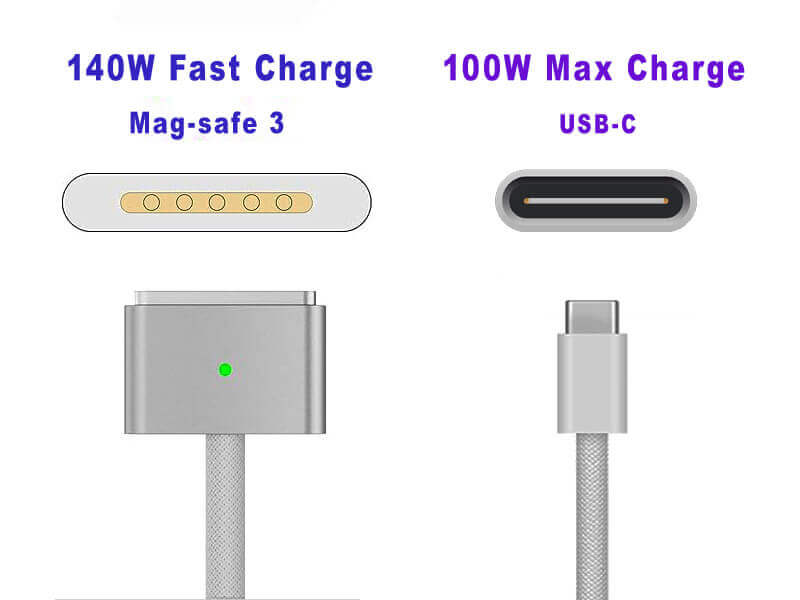
MacBook Pro Connector: The MagSafe 3 Requirement
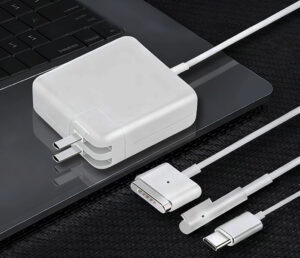
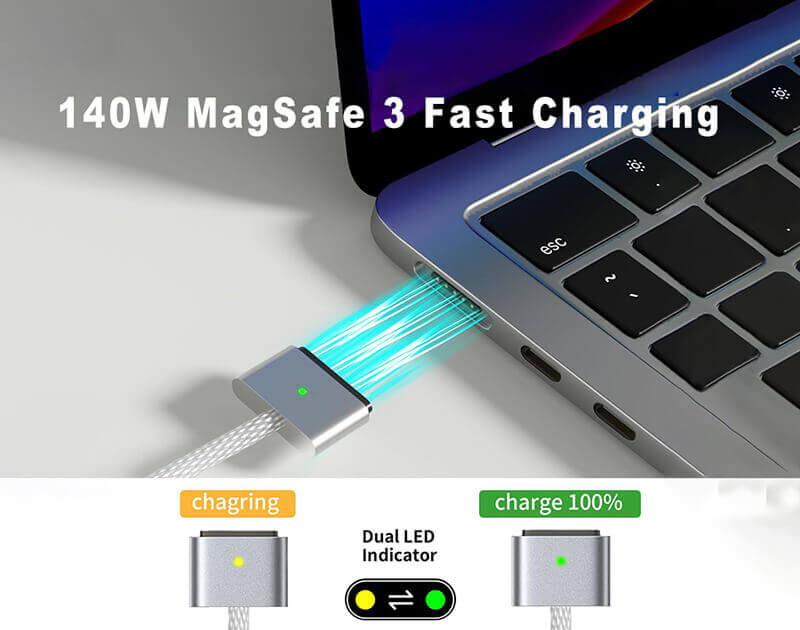
For the 16-inch MacBook Pro models that support it, the 140W power profile is exclusively tied to the MagSafe 3 connector.
-
Optimal Performance:
When charging via MagSafe 3, the firmware can safely negotiate and accept the full 140W power input necessary to achieve that 0% to 50% charge in 30 minutes.
-
The Safety Benefit:
MagSafe 3 also offers superior safety. Its magnetic breakaway design prevents damage to the laptop or cable if the cord is yanked, which is a major advantage over USB-C in high-traffic workspaces.
Can I Charge at 140W via a USB-C Port?
This is the source of much confusion. All modern MacBook Pros have multiple USB-C ports that accept power, but they are limited when it comes to the 140W level.
- The 100W Cap:
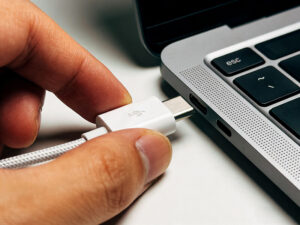
Even when using a fully compliant PD 3.1 140W charger, the MacBook Pro’s regular USB-C ports (Thunderbolt 4) will generally cap the power input at 100W. - Conclusion:
If achieving the fastest possible charge rate is your priority, you must use the MagSafe 3 connector. When purchasing a replacement MacBook Pro 140W charger, ensure you get the charger that pairs with the MagSafe 3 cable (which may be sold separately).
Top 140W MacBook Pro Charger Replacement Options
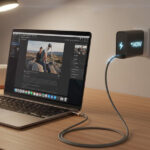
Since the official Apple adapter is bulky and expensive, many professionals seek high-quality, more portable third-party options. The crucial factor is finding a manufacturer you can trust to deliver genuine PD 3.1 EPR support.
Trustworthy Third-Party GaN Chargers (140W and Above)
Third-party manufacturers, particularly those utilizing Gallium Nitride (GaN) technology, are leading the way by offering much smaller, multi-port chargers that still meet the 140W requirement.
-
The Advantage of GaN:
GaN chargers are significantly smaller, lighter, and run cooler than silicon-based chargers, making them perfect for travel or permanent desktop setups where space is limited.
-
The Vetting Process:
When choosing a third-party option, always verify that the product listing explicitly mentions USB PD 3.1 and 28V output support on its specification sheet.
-
Source Your Power Wisely:
To ensure you receive a MacBook Pro 140W charger that is both compliant with PD 3.1 and backed by strong safety certifications, look for trusted component partners. HTJ International specializes in power delivery solutions that meet these demanding standards, offering high-quality, ISO-certified adapters and cables that reliably unlock the full 140W charging speed for your professional devices.

140W 4 Port GnA Charger

Does Your MacBook Pro Need High-Volume or Custom 140W Solutions? (HTJ International)
If you are a business, reseller, or enterprise managing a fleet of MacBook Pros and require bulk quantities or custom-branded 140W chargers, quality and consistency are paramount.
-
Direct Partnership:
HTJ International works directly with businesses to supply certified USB PD 3.1 adapters and cables. We understand the performance requirements of 140W power solutions.
-
Take the Next Step:
To discuss your specific needs, explore our catalog of high-power accessories, or request a quote for OEM/ODM services, please visit our website today or contact our sales team directly to secure reliable, professional-grade charging solutions for your entire organization.
The 140W Troubleshooting Checklist For Your MacBook Pro
If you’ve purchased a certified 140W adapter and a high-rated cable but still aren’t hitting peak charging speed, run through this quick checklist:
-
Verify the Connection Method:
Are you using MagSafe 3? If you are charging via a standard USB-C port (Thunderbolt 4), your power input will be capped at 100W—this is normal behavior for the MacBook Pro.
-
Inspect the Cable Rating:
Does the cable explicitly state 140W or 28V/5A support? Even a 100W cable will cause the system to default to the lower speed.
-
Check Operating Conditions:
Is your laptop extremely hot? If the system detects overheating, it will automatically reduce the power draw to protect the battery and internal components (thermal throttling). Try moving the laptop to a cooler, well-ventilated surface.
-
Update Your MacOS:
Ensure your system is running the latest version. Apple often releases software updates that refine the Power Delivery negotiation process, ensuring compatibility with newer adapters.
Conclusion: The Future of Fast Charging
The shift to 140W charging, driven by the USB PD 3.1 standard, is a significant technological leap that enhances the portability and professional capability of the MacBook Pro. Understanding the difference between a common 100W adapter and the 140W requirement (28V) is crucial to avoid bottlenecks.
By investing in the right certified equipment—be it the original adapter or a high-quality GaN replacement—and ensuring you have the correct 5A-rated cable, you guarantee that your MacBook Pro is never waiting long to get back to work.
If you are looking for reliable, high-volume, or custom-branded MacBook Pro 140W charger solutions that meet these stringent PD 3.1 standards, HTJ International is your trusted sourcing partner. Visit our website today or contact our dedicated sales team to secure professional-grade power solutions that keep your entire fleet operating at maximum efficiency.
Frequently Asked Questions (FAQs)
Q1: Can I use the Apple 140W charger to charge my iPhone or iPad?
A: Yes, absolutely. The USB Power Delivery (PD) protocol is universal. The 140W charger will automatically negotiate the correct, safe power level (e.g., 20W or 30W) required by your iPhone or iPad, meaning it is perfectly safe and highly versatile.
Q2: Does using a third-party 140W charger void my Apple warranty?
A: Generally, no. Using a third-party accessory does not void your warranty, provided the accessory did not cause the damage. If you use a high-quality, certified charger (like those from HTJ International) that strictly adheres to the PD 3.1 standard, there should be no risk to your device. Always avoid uncertified, non-compliant, or extremely cheap options.
Q3: If I plug a 140W charger into an older MacBook Pro (pre-2021 model), will it charge faster?
A: No. The charging speed is limited by the device itself. Older MacBook Pro models (which predate the PD 3.1 specification) are physically capped at 100W input, regardless of the charger’s capacity. The 140W charger will simply default to 100W.
Q4: Is it safe to use a 240W charger (PD 3.1 EPR) with my MacBook Pro?
A: Yes, it is safe. The key benefit of the USB PD protocol is safety negotiation. A 240W charger will communicate its full capacity, but your MacBook Pro will only draw its maximum supported power, which is currently 140W.
Q5: Why is the 140W charger only available with the 16-inch model?
A: The 140W charge is designed to offset the significantly higher power demands and larger battery capacity of the 16-inch MacBook Pro model. The 14-inch MacBook Pro can achieve very fast charging speeds using the standard 96W adapter, making the 140W unit less essential for that model’s battery capacity.