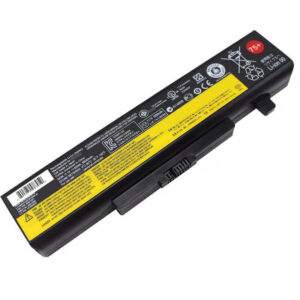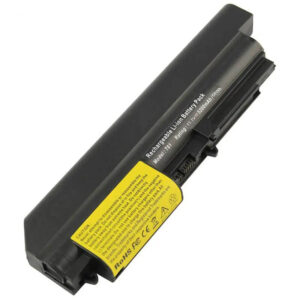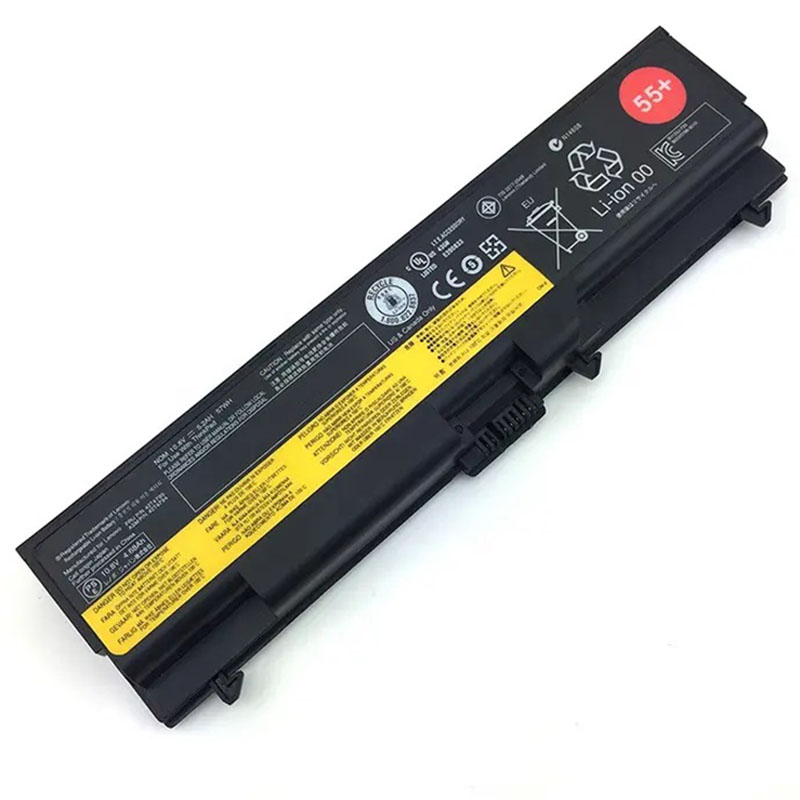
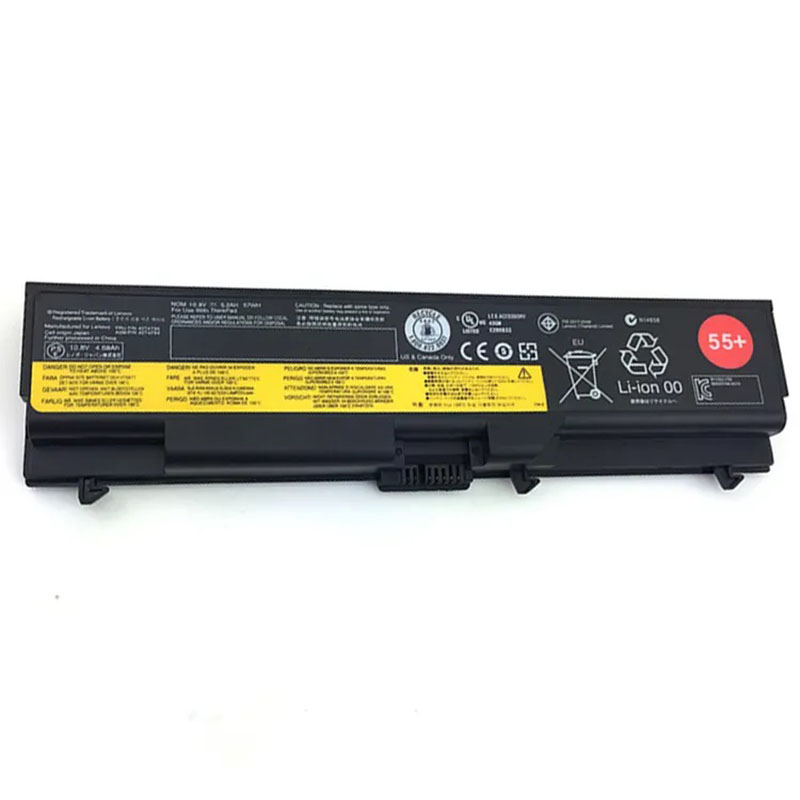
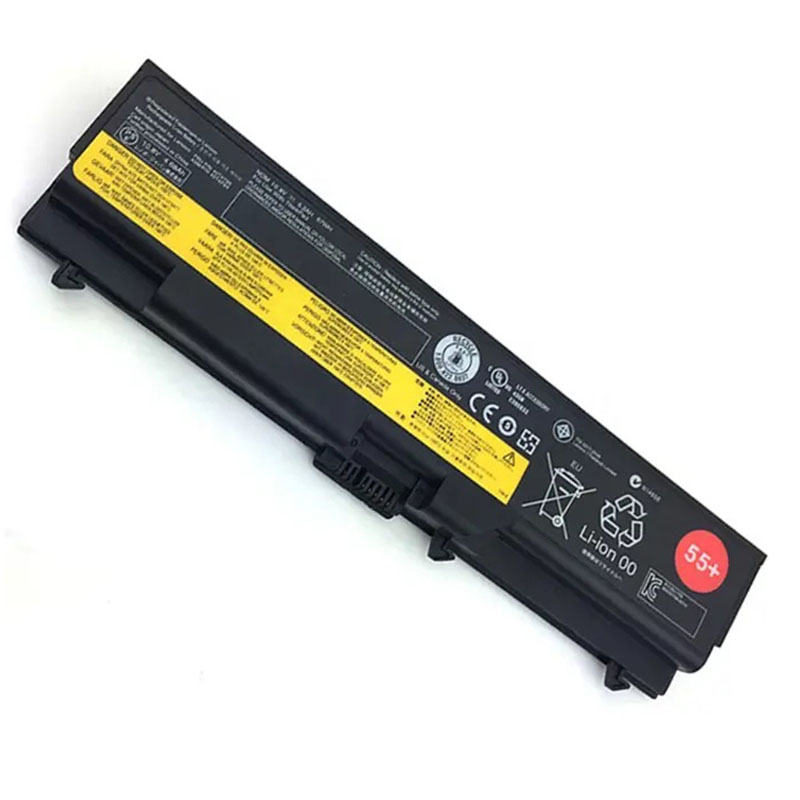
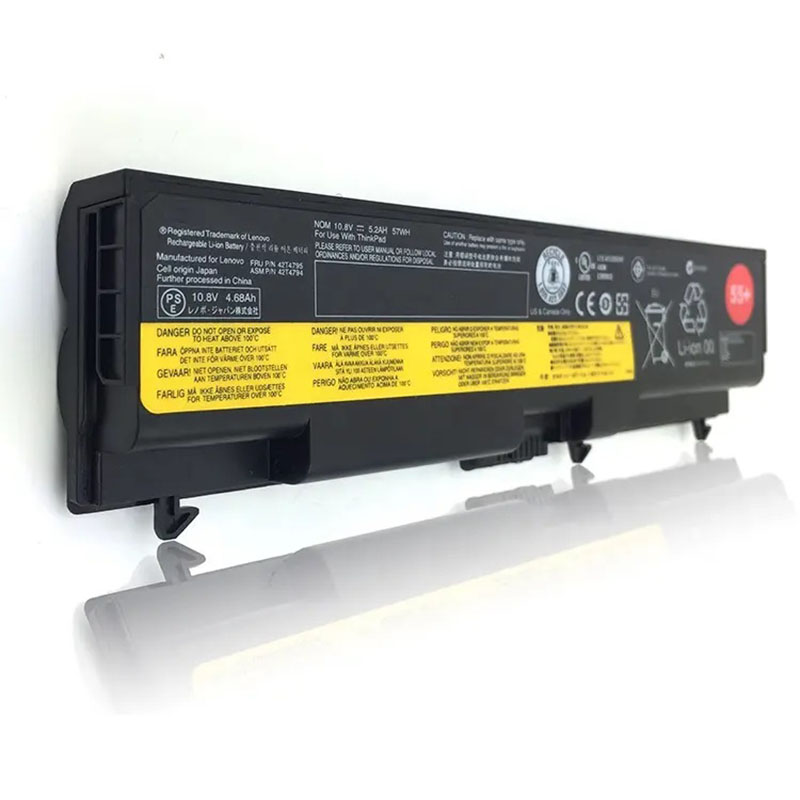
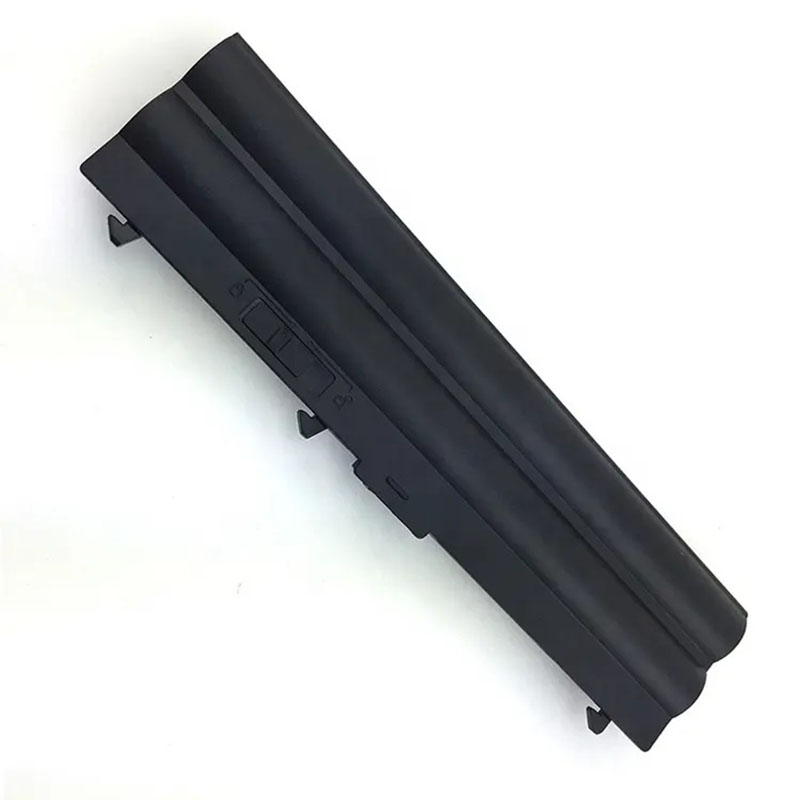
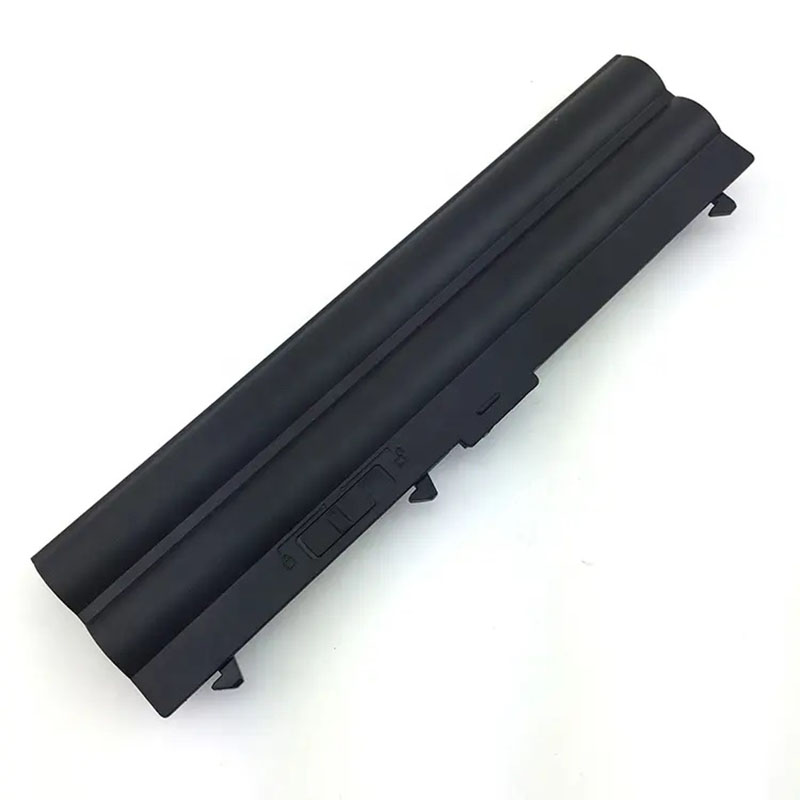
0A36303 Battery for Lenovo ThinkPad T410 T420 T510 T520 W510 W520 | 10.8V 57Wh 5200mAh 6-Cell 55+ -H...
- Model Numbers: 0A36303 (ThinkPad 55+) / 0A36302
- Battery Type: Li-ion (High-Density Grade A+ Cells)
- Voltage: 10.8V (Fully compatible with 11.1V)
- Capacity: 5200mAh / 57Wh (Standard 6-Cell)
- Cells: 6-Cell
- Condition: 100% Brand New from Factory
- Life Cycle: 600 – 1000 recharge cycles
- Multiple Protection: Over Current, Over Voltage, Over Charge & Discharge, Overheat, Short Circuit, ESD, EMI
- Color: Black
- Certifications: UL2054, CE, FCC, RoHS, UN38.3, MSDS, IEC62133
- OEM/ODM: Yes(Accepted)
- Warranty: 18 Months After Sales, 24/7 Email Support.
- Product Dimensions: 10.16 x 2.64 x 1.18 inches
- Item Weight: 10.6 ounces s
0A36303 Battery for Lenovo ThinkPad T410 T420 T510 T520 W510 W520 | 10.8V 57Wh 5200mAh 6-Cell 55+
Detailed Product Specifications and Features:
Core Technical Parameters:
| Property | Specification |
|---|---|
| Model Numbers | 0A36303 (ThinkPad 55+) / 0A36302 |
| Battery Type | Li-ion (High-Density Grade A+ Cells) |
| Voltage | 10.8V (Fully compatible with 11.1V) |
| Capacity | 5200mAh / 57Wh (Standard 6-Cell) |
| Cells | 6-Cell |
| Condition | 100% Brand New from Factory |
| Life Cycle | 600 - 1000 recharge cycles |
| Multiple Protection | Over Current, Over Voltage, Over Charge & Discharge, Overheat, Short Circuit, ESD, EMI |
| Color | Black |
| Certifications | UL2054, CE, FCC, RoHS, UN38.3, MSDS, IEC62133 |
| OEM/ODM | Yes(Accepted) |
| Warranty | 18 Months After Sales, 24/7 Email Support. |
| Product Dimensions | 10.16 x 2.64 x 1.18 inches |
| Item Weight | 10.6 ounces |
Technical Note:
Design Note: The 0A36303 (ThinkPad 55+) is the standard external rear 6-cell battery for the 10-series and 20-series ThinkPads.
Physical Note: This 57Wh version is designed to fit flush with the back of your laptop chassis, maintaining the original slim profile and lightweight feel. It is the ideal choice for users who prioritize portability without the bulk of extended 9-cell batteries.
Product Features:
- Battery Newest Premium Grade Cells
- Best Circuit Board
- Multiple command chip control, keep the battery stable charge and discharge;
- Over-charger protection and discharger protection, short-circuit protection, ensure fast charges and low power consumption
- Easy & Quick Installation
- Our battery is 100% compatible with the original battery and meets
- CE/FCC/ROHS/UL-certified standards. It is 100% new from the manufacturer and can support up to 1000 recharge cycles over the life of the battery
- Power Interface: Gold-plated connector points to ensure current transport excellently and serve stably.
- Enclosure: The enclosure is made of ABS + PC high-quality material, it has high temperature-resistant function to protect your laptop from overheating
- Battery Buckle: The battery buckle is closely connected to the laptop, and the metal interface is stably powered
0A36303 (ThinkPad 55+) / 0A36302 Battery Compatibility Laptop Model List:
| Series | Specific Laptop Models & Machine Types (MT / MTM) |
|---|---|
| ThinkPad T Series | T410 / T410i: (Type 2516, 2518, 2519, 2522, 2537, 2538, 2539) T420 / T420i: (Type 4177, 4178, 4180, 4236) T510 / T510i: (Type 4313, 4314, 4349, 4384) T520 / T520i: (Type 4239, 4240, 4242, 4243) |
| ThinkPad W Series | W510: (Type 4318, 4319, 4389, 4391, 4875, 4876) W520: (Type 4270, 4276, 4281, 4282, 4284) |
| ThinkPad L Series | L410, L412, L420, L421 L510, L512, L520 |
| ⚠️ Incompatibility | NOT FOR: T410s, T420s (Slim models), or any "Edge" series. |
| Generation Note | This is a 55+ battery, designed for 10-series and 20-series. |
0A36303 (ThinkPad 55+) / 0A36302 Battery Compatible P/N (Part Numbers) List:
FRU (Field Replaceable Unit) Numbers:
-
- 0A36303 (Main 55+ 57Wh FRU)
- 0A36302, 42T4791, 42T4793, 42T4795, 42T4797
- 42T4235, 42T4731, 42T4733, 42T4737, 42T4753, 42T4757
- 51J0499, 51J0498, 57Y4185, 57Y4186
- 45N1001 (Cross-compatible with 70+ series)
ASM (Assembly) Numbers:
-
- 42T4703, 42T4752, 42T4756, 42T4792, 42T4796
- 42T4702, 42T4732, 42T4736, 45N1000
Why Choose HTJ 0A36303 55+ Battery?
- OEM-Grade Fit and Finish:
The HTJ 57Wh 55+ pack is manufactured to the exact physical specifications of the original Lenovo battery. It ensures a rattle-free fit and seamless integration with your T410 or T420 chassis and docking stations. - Stable Power for Classic Workstations:
Legacy machines like the W510 require consistent voltage under load. We use Grade A+ cells to provide a steady 10.8V output, protecting your motherboard components and ensuring smooth performance during CPU-intensive tasks. - Optimized Cycle Life:
Our high-density cells are rated for up to 1000 recharge cycles. With low self-discharge rates, your ThinkPad will be ready to perform even after sitting idle for extended periods. - 18-Month Manufacturer Warranty:
As a direct factory supplier, HTJ provides an industry-leading 18-month warranty. Every battery undergoes strict 48-hour aging tests to ensure maximum reliability before it reaches your door.
How to Install Your New 0A36303 Battery?
Replacing the external 0A36303 (55+) battery is a tool-free process using Lenovo’s classic dual-latch mounting system.
⚠️ Crucial Safety Preparation
- Shutdown: Power off your ThinkPad and disconnect the AC power adapter.
- Surface: Flip the laptop onto a soft, clean surface to protect the display lid from scratches.
0A36303 Battery Step-by-Step Installation Guide:
- Locate the Dual Latches: Find the two sliding latches on the rear underside of the laptop.
- Unlock the Manual Latch: Slide the right-side latch to the “Unlocked” position.
- Release the Spring Latch: Slide and hold the left-side spring-loaded release latch.
- Remove the Old Battery: While holding the release latch, slide the old battery straight out towards the rear.
- Insert the HTJ Battery: Align the guide rails of the new HTJ 0A36303 and slide it in until it clicks firmly.
- Secure the Lock: Important: Slide the manual lock latch back to the “Locked” position.
- Calibration: Charge to 100%, then discharge to 5% once to calibrate the system fuel gauge.
💡 Pro Tip:
To preserve cell health, avoid letting the battery drop to 0% frequently. Recharging when the system hits 15-20% is the best way to extend the overall lifespan of your 55+ battery.
FAQ (Frequently Asked Questions)
Q: Can I use this battery on a T410s or T420s?
A: No. The “s” models use a different, much thinner internal battery. This 0A36303 55+ is for standard T410/T420 models only.
Q: Is 10.8V okay if my original was 11.1V?
A: Yes. These voltages are functionally identical and fully compatible. The difference is simply a minor variation in cell rating; your ThinkPad’s charging circuit handles both perfectly.
Q: Will this fit my T430?
A: Physically, yes. However, T430 laptops usually require the “70” series batteries with a specific authentication chip. This 55+ version is best suited for the T410 and T420 series.
Q: Will this battery fit my classic IBM-branded ThinkPad?
A: No. This battery is designed for Lenovo ThinkPad models released between 2010 and 2012 (T410/T420 generation). It is not compatible with original IBM-manufactured laptops such as the T40, T43, or T60 series.
Q: What is the difference between 55+ and 70+ batteries?
A: Physically, they are identical and fit the same laptops. However, the 55+ was the original launch series for the T410/T420. The 70+ was launched later with the T430. HTJ’s 55+ is optimized to work perfectly with the firmware of the T410 and T420 series.
Q: I have a ThinkPad T420s. Is this the right battery?
A: No. The “s” suffix indicates a slim model. Slim models like the T410s and T420s use a different, thinner internal battery. This 0A36303 55+ is an external battery for the standard-thickness T410 and T420.
Laptop Maintenance Tips:
- New battery: For using a new battery, you’d better try a few cycles of discharging to 5%. then charging up to 95%. So that it can be activated completely
- Overuse: Do not always run a battery to 0%, as this would shorten its usage life.
- Charging sequence: When charging, first install the battery, then turn on the power. When fully charged, first cut off the power, then pull the power plug.
- Long-term storage: Please store the unused battery fully charged. (Charge it once a month.) Do not store at low power to prevent reducing the lifespan of a battery
- Charger: Do not replace the laptop adapter casually. If the original adapter cannot be applied due to malfunction or damage, please replace the models so as not to reduce the service life of the battery due to incompatibility.
【IMPORTANT】: Press [ Ctrl+F ] to find the laptop models.
Need a legacy/unlisted charger? Send your Lenovo Laptop Battery specs or CONTACT US → We will source it for you!
We are a professional manufacturer in the field of laptop batteries, laptop adapters, and laptop keyboards. We are committed to providing high-quality, competitively priced, and superior performance batteries and the best service to customers.
Need Expert Help or Legacy Charger Sourcing? Contact Our Professional Technical Team Now!