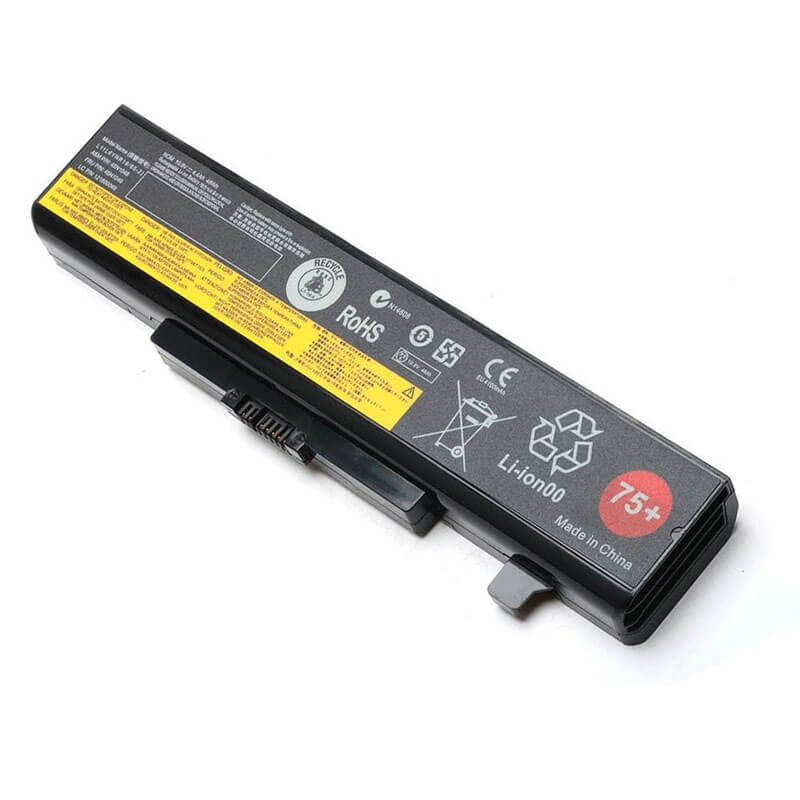
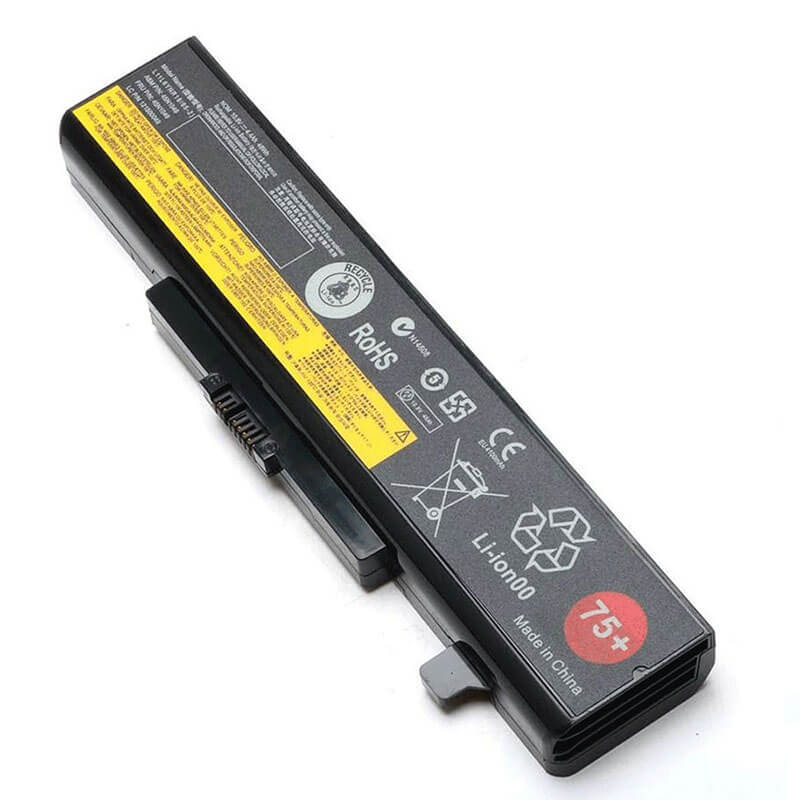
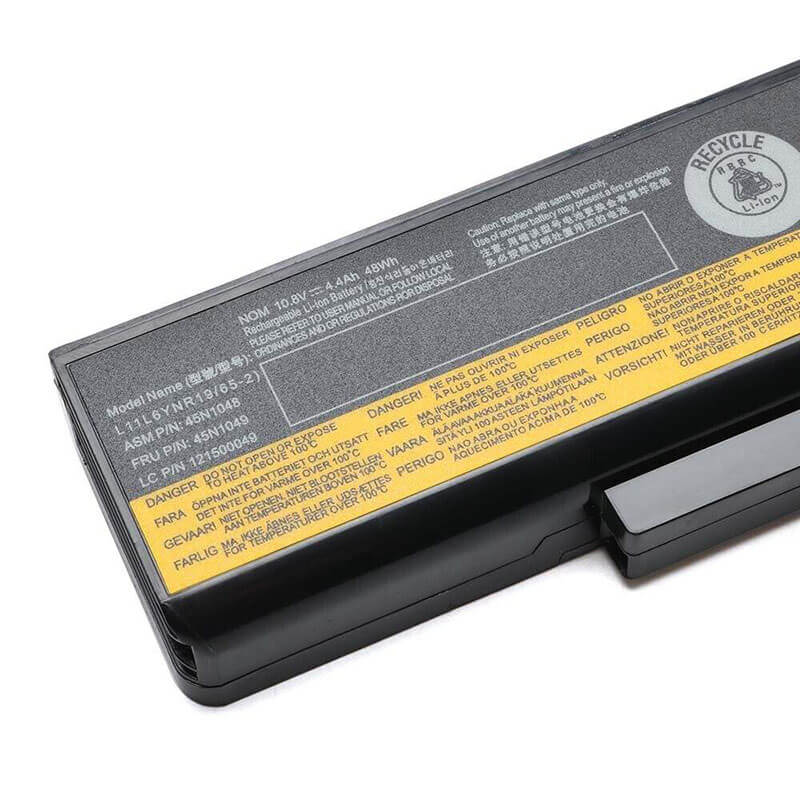
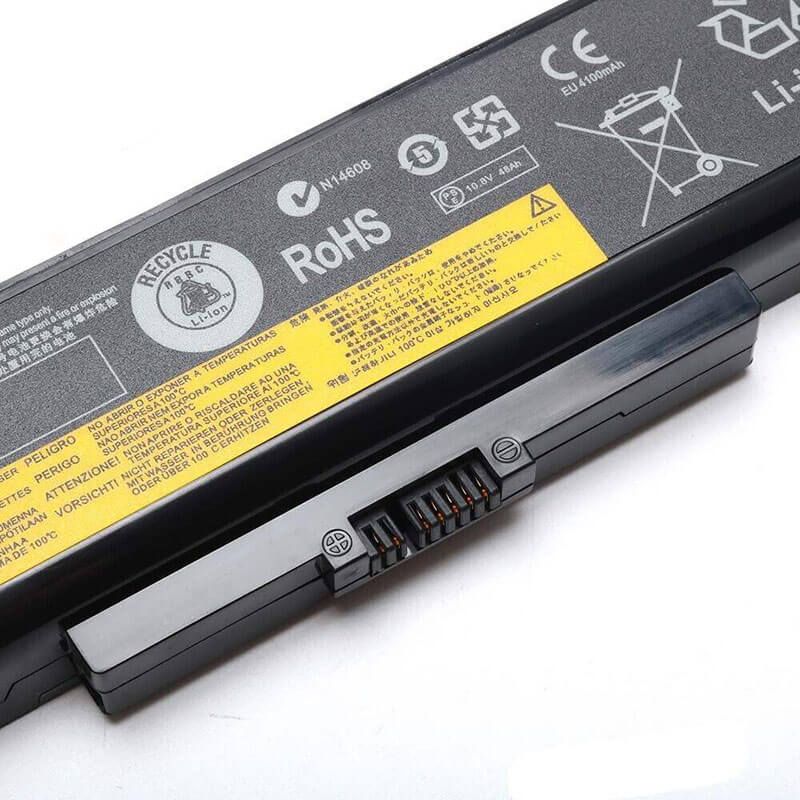
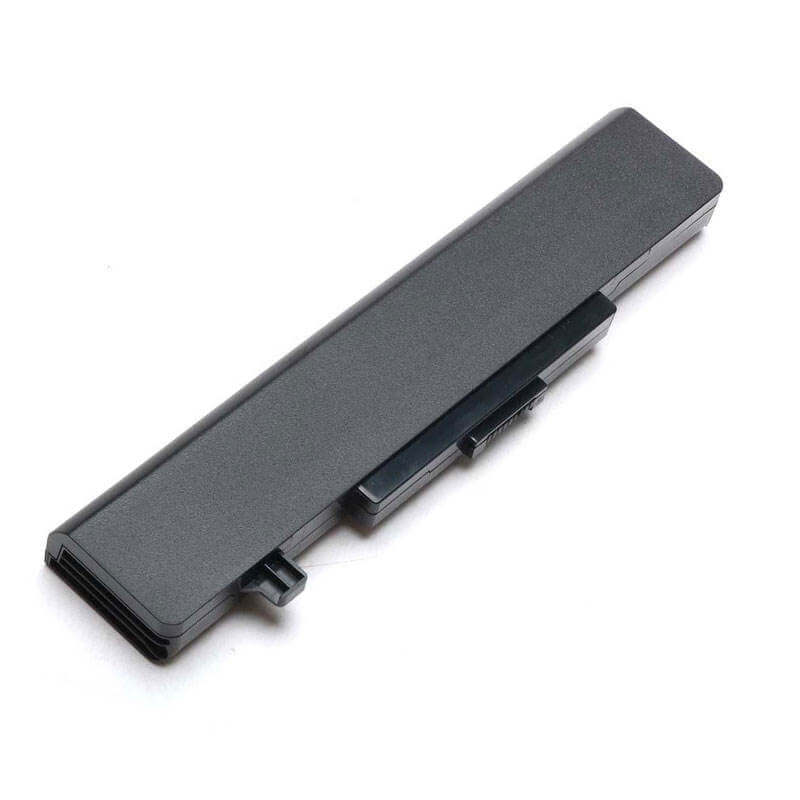
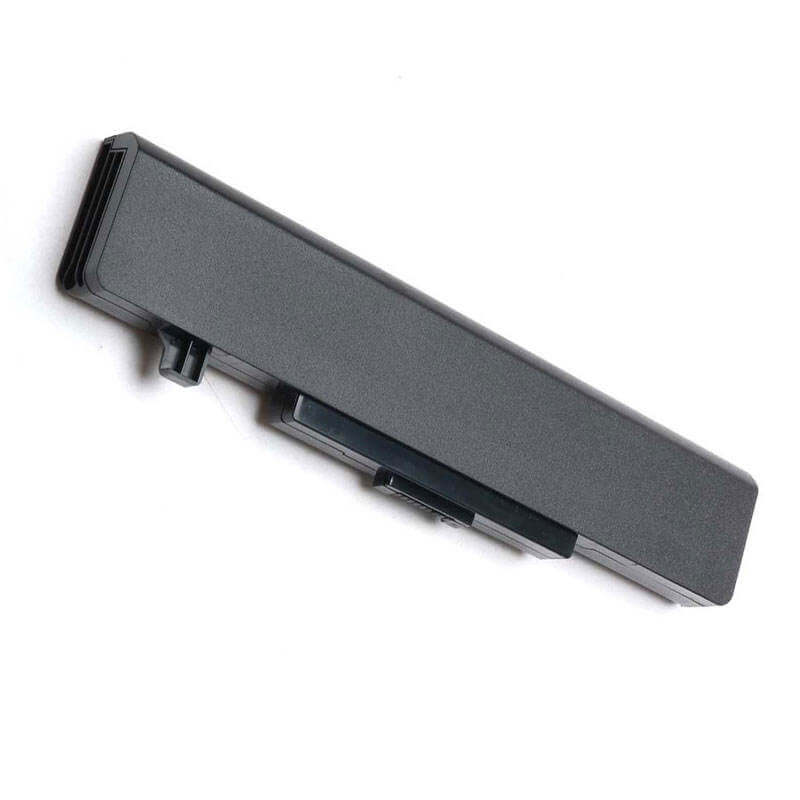
- Model Numbers: 45N1043 (ThinkPad 75+) / 45N1042
- Battery Type: Li-ion (Grade A+ High-Capacity Cells)
- Voltage: 11.1V (Fully compatible with 10.8V)
- Capacity: 5200mAh / 58Wh
- Cells: 6-Cell
- Condition: 100% Brand New from Factory
- Life Cycle: 600 – 1000 recharge cycles
- Multiple Protection: Over Current, Over Voltage, Over Charge & Discharge, Overheat, Short Circuit, ESD, EMI
- Color: Black
- Certifications: UL2054, CE, FCC, RoHS, UN38.3, MSDS, IEC62133
- OEM/ODM: Yes(Accepted)
- Warranty: 18 Months After Sales, 24/7 Email Support.
- Product Dimensions: 8.11 in x 2.09 in x 0.80 inches
- Item Weight: 12 ounces
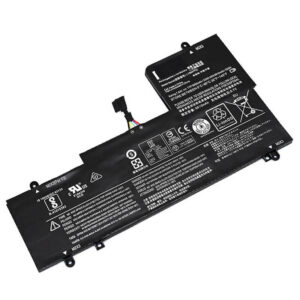
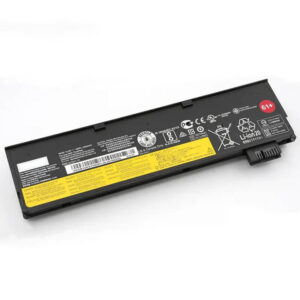
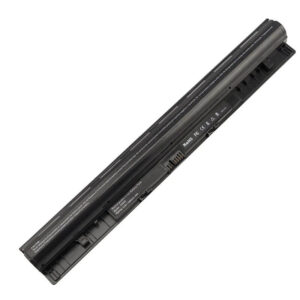
45N1043 Battery for Lenovo ThinkPad Edge E530 E430 E540 E440 | 11.1V 5200mAh 58Wh
Detailed Product Specifications and Features:
Core Technical Parameters:
| Property | Specification |
|---|---|
| Model Numbers | 45N1043 (ThinkPad 75+) / 45N1042 |
| Battery Type | Li-ion (Grade A+ High-Capacity Cells) |
| Voltage | 11.1V (Fully compatible with 10.8V) |
| Capacity | 5200mAh / 58Wh |
| Cells | 6-Cell |
| Connector | external 7-pin blade-style connector |
| Condition | 100% Brand New from Factory |
| Life Cycle | 600 - 1000 recharge cycles |
| Multiple Protection | Over Current, Over Voltage, Over Charge & Discharge, Overheat, Short Circuit, ESD, EMI |
| Color | Black |
| Certifications | UL2054, CE, FCC, RoHS, UN38.3, MSDS, IEC62133 |
| OEM/ODM | Yes(Accepted) |
| Warranty | 18 Months After Sales, 24/7 Email Support. |
| Product Dimensions | 8.11 in x 2.09 in x 0.80 inches |
| Item Weight | 12 ounces |
Technical Note:
The 45N1043 (ThinkPad 75+) is an External Removable battery. It features an advanced authentication chip to ensure 100% compatibility with Lenovo Power Manager and fast-charging protocols. This 11.1V 58Wh version offers superior energy density compared to standard 4400mAh alternatives.
Product Features:
- Battery Newest Premium Grade Cells
- Best Circuit Board
- Multiple command chip control, keep the battery stable charge and discharge;
- Over-charger protection and discharger protection, short-circuit protection, ensure fast charges and low power consumption
- Easy & Quick Installation
- Our battery is 100% compatible with the original battery and meets
- CE/FCC/ROHS/UL-certified standards. It is 100% new from the manufacturer and can support up to 1000 recharge cycles over the life of the battery
- Power Interface: Gold-plated connector points to ensure current transport excellently and serve stably.
- Enclosure: The enclosure is made of ABS + PC high-quality material, which has a high-temperature-resistant function to protect your laptop from overheating
- Battery Buckle: The battery buckle is closely connected to the laptop, and the metal interface is stably powered
45N1043 (ThinkPad 75+) / 45N1042 Battery Compatibility Laptop Model List:
| Series | Specific Laptop Models & Machine Type-Models (MTM) |
|---|---|
| ThinkPad Edge | Edge E430 / E430c / E431 / E435: (Type 3254, 6271, 6883, 20B8, 20B7, 3254-CTO, 6271-23U) Edge E440 / E445: (Type 20C5, 20BA, 20C5004YUS, 20C50050US) Edge E530 / E530c / E531 / E535: (Type 3259, 6272, 6885, 6887, 20B9, 20BA, 3259-CTO, 6272-27U) Edge E540 / E545: (Type 20C6, 20B2, 20C6008RUS, 20C6008SUS) |
| Lenovo G Series | G580 / G585 / G580A: (Type 2189, 2689, 20150, 20157, 5934, 5935, 59344050, 59344054) G480 / G485 / G480A: (Type 2184, 20149, 20156) G500 / G505 / G510: (Type 20236, 20238, 20240, 20244) G400 / G405 / G410: (Type 20235, 20237, 20239) |
| Lenovo B Series | B580 / B585 / B580A: (Type 20144, 4359, 4363, 4366, 20144-CTO) B590 / B595 / B590A: (Type 20206, 20208, 3761, 6274, 20206-5936, 20208-5937) B480 / B485 / B490 / B495: (Type 20140, 3772, 20205, 20207) |
| Lenovo V Series | V580 / V580c: (Type 20143, 20141, 20160, 4361) V480 / V480c / V480s: (Type 20142, 20159, 4358) |
| Sub-Suffixes | -ITH (i3), -IFI (i5), -ISE (i7), -ARE, -AST, -ASW, -BNI, -BEI |
L15M4PC2 / L15L4PC2 / L15C4PC2 Battery Compatible P/N (Part Numbers) List (FRU / ASM / P/N):
- ThinkPad 75+ (6-Cell) | ThinkPad 75++ (9-Cell)
- FRU P/N: 45N1043, 45N1042, 45N1048, 45N1049, 45N1051, 45N1053, 45N1055, 45N1045, 45N1047, 45N1184, 45N1185
- ASM P/N: 45N1044, 45N1050, 45N1052, 45N1054
- Marketing P/N: 0A36311 (75+), 0A36312 (75++)
- Lenovo Consumer P/N: L11L6Y01, L11M6Y01, L11N6Y01, L11P6Y01, L11S6Y01, L11L6F01, L11S6F01
- ID Code: 121500047, 121500049, 121500052, 121500053
Why Choose HTJ 45N1043 58Wh Battery?
- True 58Wh High-Capacity Performance:
Many standard replacements only offer 4400 mAh (48 Wh). The HTJ 45N1043 is engineered with high-density Grade A+ cells to deliver a full 5200 mAh (58 Wh). This 11.1V X 5200mAh configuration provides roughly 20% more runtime for your ThinkPad Edge. - Full Authentication Chip Support:
Modern Lenovo laptops are picky about batteries. HTJ batteries include an updated intelligent chip that bypasses “Non-genuine battery” warnings, ensuring full compatibility with Lenovo Vantage software and optimized charging speeds. - Precision Lock & Safety Fit:
Built using 1:1 original industrial molds, our 45N1043 snaps into the ThinkPad E530 or G580 chassis with zero wiggle. This ensures consistent electrical contact and prevents the laptop from suddenly shutting down when moved. - Industry-Leading 18-Month Warranty:
HTJ provides a factory-direct 18-month warranty. Every battery undergoes strict 48-hour aging tests and multiple cycle validations to ensure you receive a reliable power source that lasts for years, not months.
How to Install Your New 45N1043 Battery?
Replacing the external 45N1043 battery is a simple, tool-free process.
⚠️ Crucial Safety Preparation
- Shutdown: Power off your Lenovo laptop and unplug the AC adapter.
- Surface: Place the laptop upside down on a soft surface.
45N1043 Battery Step-by-Step Installation Guide:
- Locate the Latches: On the bottom of the laptop, you will see two sliding latches.
- Unlock and Release: Slide the “Lock” latch to the open position. Then, slide and hold the “Release” latch while pulling the old battery away from the laptop.
- Insert the HTJ Battery: Align the battery connectors and slide the new HTJ 45N1043 battery into the bay until it clicks into place.
- Engage the Manual Lock: Important: Slide the lock latch back to the “Closed” position to secure the battery.
- Initialization: Plug in the charger. Charge the battery to 100% without interruption. For the first two uses, let it discharge to 5% to calibrate the Windows battery gauge.
💡 Pro Tip:
If you have a ThinkPad E530 or G580 that is used primarily as a desktop replacement (plugged in 24/7), we recommend using Lenovo Vantage to set a “Battery Charge Threshold” (e.g., stopping at 80%). This significantly extends the chemical life of your new 45N1043 cells.
FAQ (Frequently Asked Questions)
- Q: Can I use this battery if my original was a 48Wh (75) version?
A: This 62Wh (75+) battery is the extended-capacity version of the standard 48Wh battery. They are physically identical in size and use the same connector, but the 75+ version provides roughly 25-30% more runtime per charge. - Q: Is this battery compatible with the newer Lenovo G50 series?
A: While the model names are similar (G580 vs. G50), the G50/G40 series uses a much thinner “flat” internal battery (L12M4E01). The 45N1043 is a thicker, cylindrical-cell battery and will not fit the G50 chassis. - Q: Why does my ThinkPad say “Non-genuine battery detected” even though it fits?
A: Lenovo laptops from this era use a battery authentication chip. Our batteries include the necessary chip to pass this check. If you see this error, ensure your BIOS and Lenovo Power Management drivers are updated, or try a “Static Reset” by holding the power button for 30 seconds with the battery removed. - Q: Does this battery support “Conservation Mode”?
A: You can use Lenovo Vantage software to set a charge threshold (e.g., stopping at 60% or 80%). This is highly recommended if you primarily use the laptop while it is plugged into a wall outlet, as it significantly extends the total lifespan of the lithium-ion cells. - Q: How do I properly “break in” this new battery?
A: For the first three cycles, charge the battery to 100% and then allow it to drain to roughly 10% before charging it back up. This helps calibrate the internal gas gauge (the chip that tells the laptop the remaining percentage) to ensure accurate battery reporting. - Q: Will this 11.1V battery work if my original was 10.8V?
A: 10.8V and 11.1V are fully interchangeable for this laptop series. They both represent the same internal cell architecture. - Q: Does this battery fit the G580 model?
A: The G580 uses the L11S6Y01 battery, which is the consumer-market equivalent of the 45N1043. They are 100% compatible.
Laptop Maintenance Tips:
- New battery: For using a new battery, you’d better try a few cycles of discharging to 5%. then charging up to 95%. So that it can be activated completely
- Overuse: Do not always run a battery down to 0%, as this would shorten its usage life.
- Charging sequence: When charging, first install the battery, then turn on the power. When fully charged, first cut off the power, then pull the power plug.
- Long-term storage: Please store the unused battery fully charged. (Charge it once a month.) Do not store at low power to prevent reducing the lifespan of a battery
- Charger: Do not replace the laptop adapter casually. If the original adapter cannot be applied due to malfunction or damage, please replace the models so as not to reduce the service life of the battery due to incompatibility.
【IMPORTANT】: Press [ Ctrl+F ] to find the laptop models.
Need a legacy/unlisted charger? Send your Lenovo Laptop Battery specs or CONTACT US → We will source it for you!
We are a professional manufacturer in the field of laptop batteries, laptop adapters, and laptop keyboards. We are committed to providing high-quality, competitively priced, and superior performance batteries and the best service to customers.