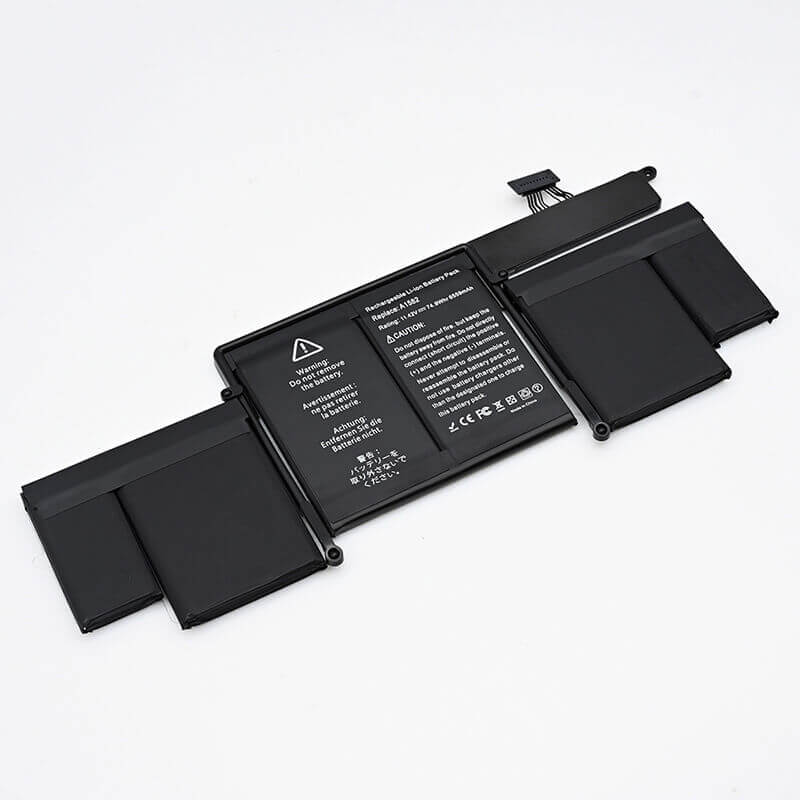
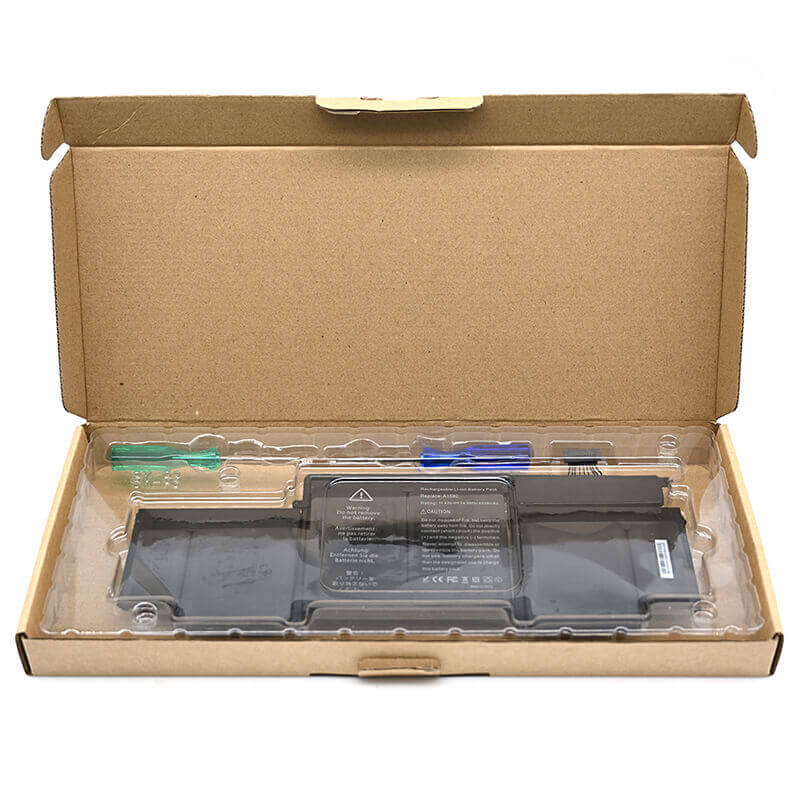
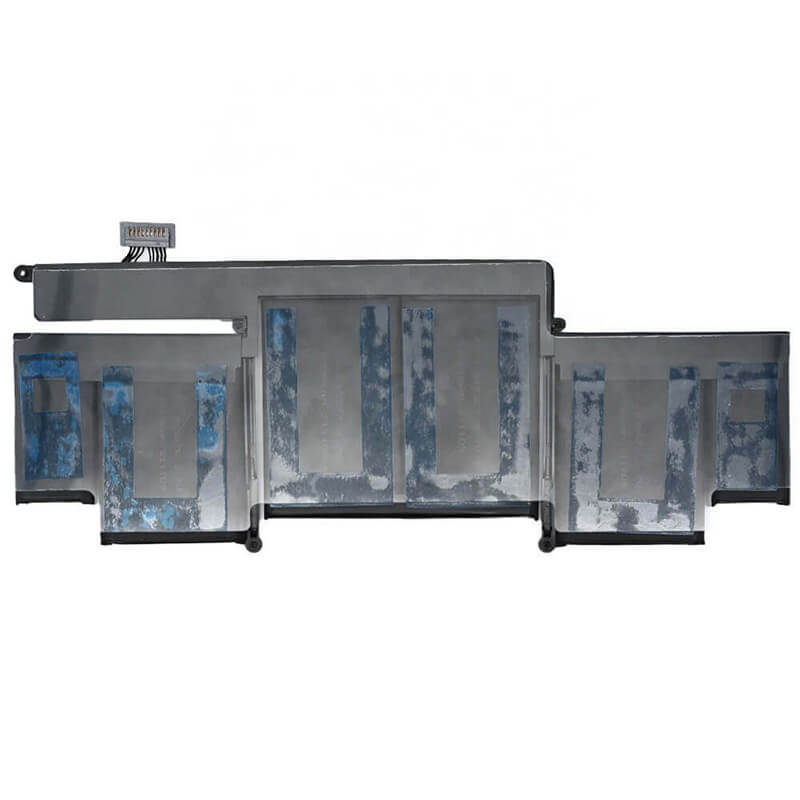
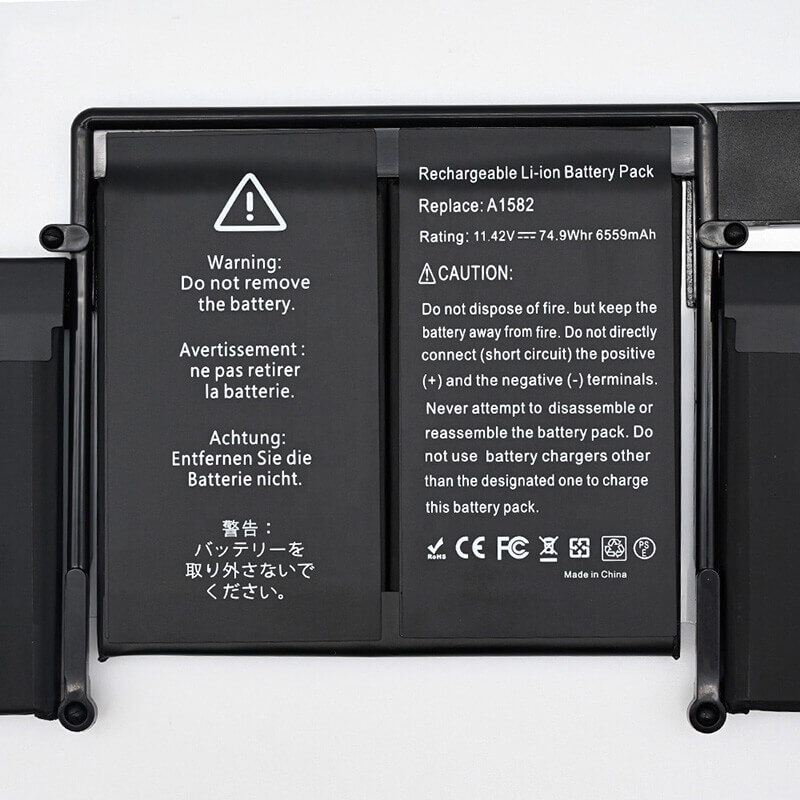
- Model Numbers: A1582 / A1493 (Compatible with A1502 laptops)
- Compatible Laptop Model: MacBook Pro 13″ Retina A1502 (Late 2013 – Early 2015)
- Battery Type: Li-polymer (Grade A+ Cells)
- Voltage: 11.42V
- Capacity: 74.9Wh / 6559mAh
- Cells: 6 Cell
- Condition: 100% Brand New from Factory
- Multiple Protection: Over Current, Over Voltage, Over Charge & Discharge, Overheat, Short Circuit, ESD, EMI
- Color: Black
- Certifications: UL2054, CE, FCC, RoHS, UN38.3, MSDS, IEC62133
- Life Cycle: Up to 1000 recharge cycles
- Condition: 100% Compatible Brand
- OEM/ODM: Yes(Accepted)
- Warranty: 18 Months After Sales, 24/7 Email Support.
- Product Dimensions: 14.06 x 6.38 x 0.75 inches
- Item Weight: 14.4 ounces
A1582 A1493 Battery Replacement for MacBook Pro 13″ Retina A1502 (Late 2013 – Early 2015) | 74.9Wh
Detailed Product Specifications and Features:
Core Technical Parameters:
| Property | Specification |
|---|---|
| Model Numbers | A1582 / A1493 Battery |
| Battery Type | Li-polymer (Grade A+ Cells) |
| Compatible | MacBook Pro 13" Retina A1502 (Late 2013 - Early 2015) |
| Voltage | 11.42V |
| Capacity | 74.9Wh / 6559mAh |
| Cells | 4 Cell, Grade A+ cells |
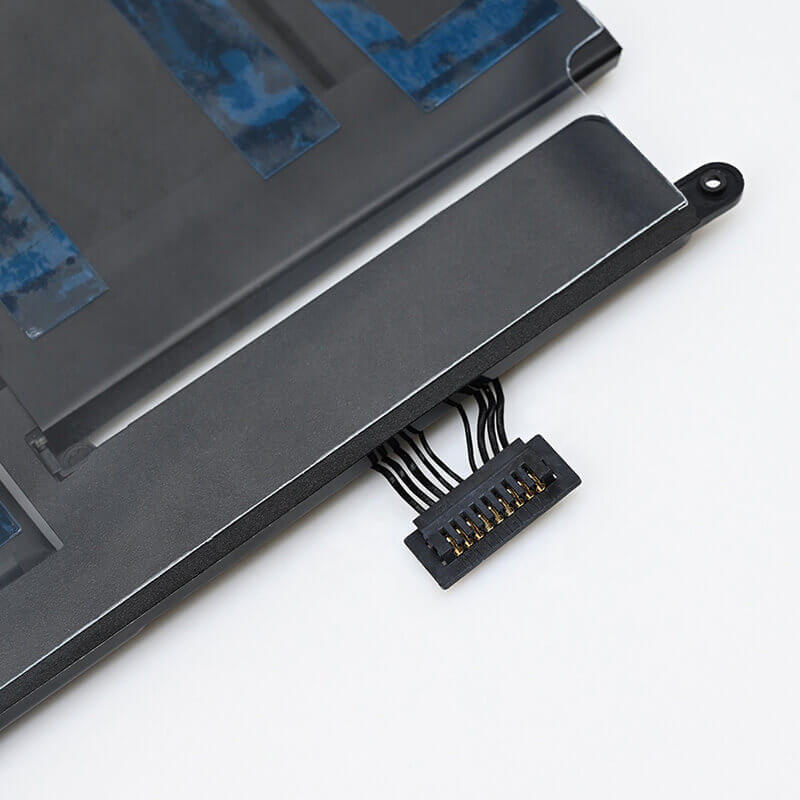
| Connector | Internal 9-pin female header connector |
| Condition | 100% Brand New from Factory |
| Life Cycle | Up to 1000 recharge cycles |
| Multiple Protection | Over Current, Over Voltage, Over Charge & Discharge, Overheat, Short Circuit, ESD, EMI |
| Color | Black |
| Certifications | UL2054, CE, FCC, RoHS, UN38.3, MSDS, IEC62133 |
| OEM/ODM | Yes(Accepted) |
| Warranty | 18 Months After Sales, 24/7 Email Support. |
| Product Dimensions | 14.06 x 6.38 x 0.75 inches |
| Item Weight | 14.4 ounces |
Technical Note:
- A1502 is a laptop model, and its corresponding battery models are mainly A1493 (Late 2013/Early 2014) and A1582 (Early 2015). These two batteries are physically interchangeable in terms of size and connectors, but the A1582 has a higher capacity.
- The A1582 battery is not compatible with the A1425 laptop from 2012 to early 2013 (even though both are 13-inch Retina models).
Product Features:
- Battery Newest Premium Grade Cells
- Best Circuit Board
- Multiple command chip control, keep the battery stable charge and discharge;
- Over-charger protection and discharger protection, short-circuit protection, ensure fast charges and low power consumption
- Easy & Quick Installation
- Our battery is 100% compatible with the original battery and meets
- CE/FCC/ROHS/UL-certified standards. It is 100% new from the manufacturer and can support up to 1000 recharge cycles over the life of the battery
- Power Interface: Gold-plated connector points to ensure current transport excellently and serve stably.
- Enclosure: The enclosure is made of ABS + PC high-quality material, which has a high temperature-resistant function to protect your laptop from overheating
- Battery Buckle: The battery buckle is closely connected to the laptop, and the metal interface is stably powered
A1582 / A1493 Battery Full Compatibility Model & Year List:
The A1502 laptop has three main production year batches.
| Apple Device Name | Laptop Model | EMC | Year | Order Part No. (SKU) |
|---|---|---|---|---|
| MacBook Pro 13" Retina | A1502 | 2678 | Late 2013 | ME864LL/A, ME865LL/A, ME866LL/A |
| MacBook Pro 13" Retina | A1502 | 2875 | Early 2014 | MGX72LL/A, MGX82LL/A, MGX92LL/A |
| MacBook Pro 13" Retina | A1502 | 2835 | Early 2015 | MF839LL/A, MF840LL/A, MF841LL/A |
Compatible P/N (Part Numbers) List:
- A1582 / A1493
- 020-8148 / 020-00009
- ME864 / ME865 / MF839 / MF840
Why Choose HTJ A1582 A1493 Battery?
- 74.9Wh High-Performance Cells:
Our A1582 batteries use high-density Cobalt-based Lithium-polymer cells, ensuring a true 74.9Wh capacity that matches the original performance for long-lasting creative work and browsing. - Intelligent Power Management:
Equipped with high-quality TI (Texas Instruments) decoding chips, the battery communicates perfectly with macOS, providing precise health data and avoiding “Service Recommended” warnings. - 1000+ Industrial Grade Cycles:
Built with premium Grade A+ cells, our batteries are designed to retain over 80% of their original capacity even after 1000 full charge cycles, offering double the lifespan of standard aftermarket batteries. - Factory-Direct Safety Assurance:
Every battery undergoes rigorous 7-layer safety testing, including over-charge, over-discharge, and thermal stability tests, and is backed by an industry-leading 18-month warranty.
How to Install Your New A1502 / A1582 Battery:
Replacing the battery in an A1502 MacBook Pro requires patience and the correct solvent to loosen the adhesive.
⚠️ Crucial Safety Preparation
- Discharge First: Discharge your battery to below 25% to reduce the risk of thermal runaway if a cell is accidentally punctured.
- Required Tools: P5 Pentalobe screwdriver (for bottom case), T5 Torx screwdriver, and Adhesive Remover (or 90%+ Isopropyl Alcohol).
Step-by-Step Installation Guide:
- Remove the Bottom Case:
Flip the MacBook over and use the P5 Pentalobe screwdriver to remove the 10 screws. Lift the case off. - Disconnect the Battery:
Locate the battery connector. Remove the plastic cover and use a spudger to lift the connector straight up. This is vital to protect the logic board. - Clear the Path:
You may need to remove the two speaker modules on the sides to gain better access to the battery’s outer cells. - Loosen the Adhesive (The Critical Step):
Apply a small amount of Adhesive Remover or alcohol under each battery cell. Let it sit for 2-3 minutes.
Gently slide a plastic card or spudger under the cells to lift them. DO NOT use metal tools as the A1502 battery cells are very soft and easily punctured. - Install the New Battery:
Clean the old glue from the chassis. Remove the adhesive backing from the new A1582 battery.
Align the battery connector with the motherboard BEFORE pressing the cells down to ensure it sits perfectly. - Reassemble and Calibrate:
Reconnect the speakers and battery cable. Reinstall the bottom case.
Calibration: Fully charge to 100%, keep it plugged in for 2 hours, then discharge to 0%. Charge it back to 100% uninterrupted.
💡 Pro Tip:
Model Differentiation: The A1582 battery is incompatible with the A1425 laptops from 2012 to early 2013 (even though both are 13-inch Retina models).
Installation Tools: Since a solvent is needed to remove the adhesive, it is strongly recommended that users prepare an “adhesive remover” or “alcohol wipes.”
FAQ:
- Q: Can I use the A1582 (11.42V) in place of my original A1493 (11.34V)?
A: The A1582 is the updated version of the A1493. While the voltage rating is slightly higher, it is within the safety tolerances of the A1502 motherboard and actually provides a slightly higher capacity (74.9Wh vs. 71.8Wh). - Q: Does this battery replacement include the specialized screwdrivers?
A: To replace this battery, you need a P5 Pentalobe screwdriver for the outer case and a T5 Torx for the internal battery screw. Our kits typically include these, but please confirm the specific “Package Includes” section on the product page. - Q: Is the adhesive used for this model difficult to remove?
A: The A1502 is notorious for having a very strong adhesive. We recommend using 90% Isopropyl Alcohol or a specialized adhesive remover. Warning: Never use metal tools or a heat gun directly on the battery cells, as puncturing or overheating them can be dangerous. - Q: My laptop is running slowly; will a new battery fix “CPU Throttling”?
A: macOS is designed to throttle the CPU speed if it detects a failing or missing battery to prevent sudden power crashes. Replacing a “Service Recommended” battery often restores the laptop to its full clock speed. - Q: How can I check the health of my new battery after installation?
A: Go to the Apple Menu > About This Mac > System Report > Power. Here you can verify the “Cycle Count” (should be near 0) and the “Full Charge Capacity.” You can also use third-party apps like coconutBattery for more granular data.
Laptop Maintenance Tips:
- New battery: For using a new battery, you’d better try a few cycles of discharging to 5%. then charging up to 95%. So that it can be activated completely
- Overuse: Do not always run out of a battery down to 0%, as this would shorten its usage life.
- Charging sequence: When charging, first install the battery, then turn on the power. When fully charged, first cut off the power, then pull the power plug.
- Long-term storage: Please store the unused battery fully charged. (Charge it once a month.) Do not store at low power to prevent reducing the lifespan of a battery
- Charger: Do not replace the laptop adapter casually. If the original adapter cannot be applied due to malfunction or damage, please replace the models so as not to reduce the service life of the battery due to incompatibility.
【IMPORTANT】: Press [ Ctrl+F ] to find the laptop models.
Need a legacy/unlisted charger? Send your Apple Laptop Battery specs or CONTACT US → We will source it for you!
We are a professional manufacturer of laptop batteries, adapters, and keyboards. We are committed to providing high-quality, competitively priced, and superior performance batteries and the best service to customers.