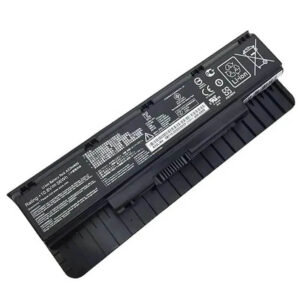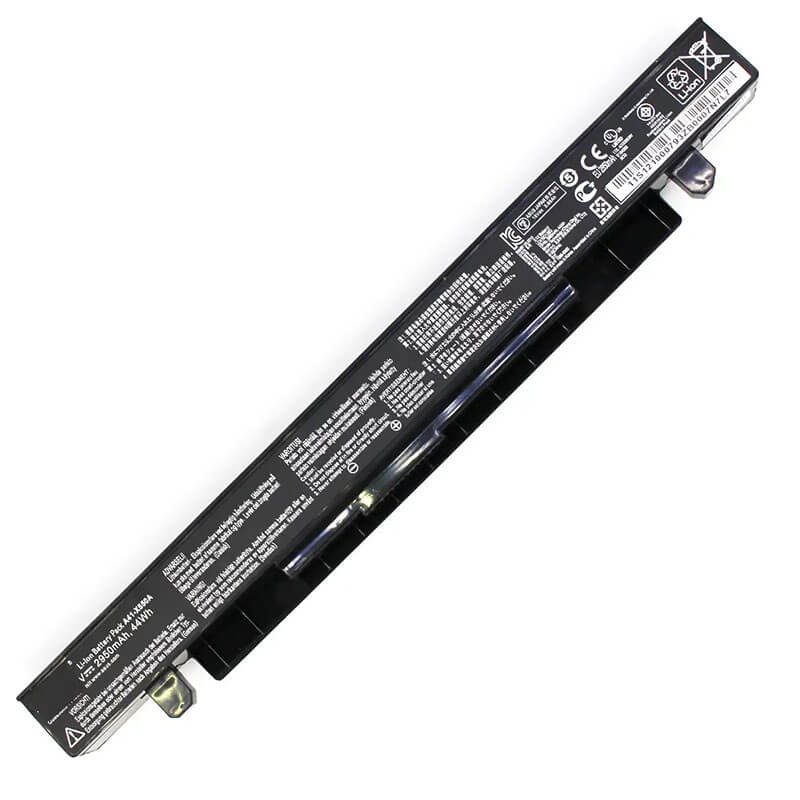
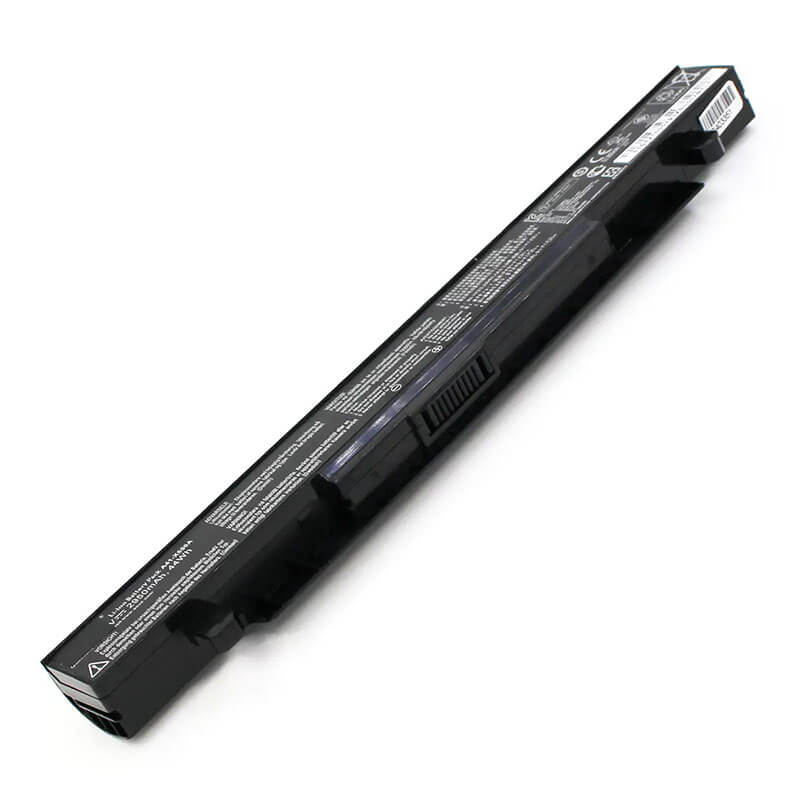
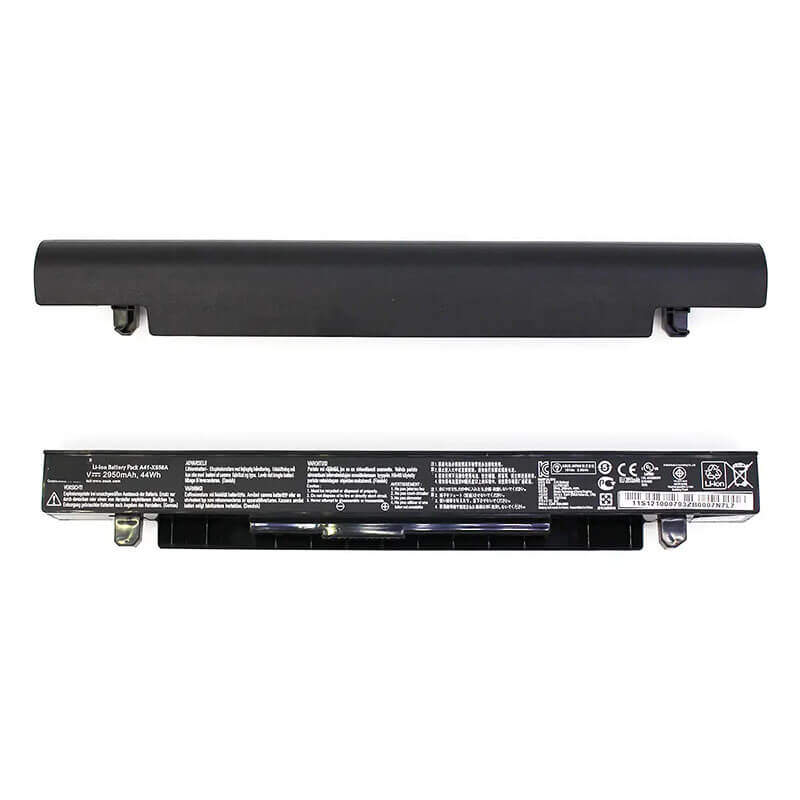
A41-X550A Battery for ASUS X550 X550C X550V F550 F550C R510 R510V | 14.4V 44Wh 2950mAh – HTJ
- Model Numbers: A41-X550A / A41-X550
- Battery Type: Li-ion (Grade A+ Cells)
- Voltage: 14.4V (Compatible with 14.8V & 15V)
- Capacity: 44Wh / 2950mAh
- Cells: 4-Cell
- Condition: 100% Brand New from Factory
- Life Cycle: 800 – 1000 recharge cycles
- Multiple Protection: Over Current, Over Voltage, Over Charge & Discharge, Overheat, Short Circuit, ESD, EMI
- Color: Black
- Certifications: UL2054, CE, FCC, RoHS, UN38.3, MSDS, IEC62133
- OEM/ODM: Yes(Accepted)
- Warranty: 18 Months After Sales, 24/7 Email Support.
- Product Dimensions: 11.81 x 2.52 x 1.61 inches
- Item Weight: 9.6 ounces
A41-X550A Battery for ASUS X550 X550C X550V F550 F550C R510 R510V | 14.4V 44Wh 2950mAh
Detailed Product Specifications and Features:
Core Technical Parameters:
| Property | Specification |
|---|---|
| Model Numbers | A41-X550A / A41-X550 |
| Battery Type | Li-ion (Grade A+ Cells) |
| Voltage | 14.4V (Compatible with 14.8V & 15V) |
| Capacity | 2950mAh / 44Wh |
| Cells | 4-Cell |
| Condition | 100% Brand New from Factory |
| Life Cycle | 800 - 1000 recharge cycles |
| Multiple Protection | Over Current, Over Voltage, Over Charge & Discharge, Overheat, Short Circuit, ESD, EMI |
| Color | Black |
| Certifications | UL2054, CE, FCC, RoHS, UN38.3, MSDS, IEC62133 |
| OEM/ODM | Yes(Accepted) |
| Warranty | 18 Months After Sales, 24/7 Email Support. |
| Product Dimensions | 11.81 x 2.52 x 1.61 inches |
| Item Weight | 9.6 ounces |
Technical Note:
The A41-X550A is an external removable battery. While it looks similar to the A41-X550E, they are NOT compatible due to different physical shapes and connectors. This battery is designed exclusively for ASUS X550, F550, and R510 series laptops. Please verify your original battery model is A41-X550A or A41-X550 before ordering.
Product Features:
- Battery Newest Premium Grade Cells
- Best Circuit Board
- Multiple command chip control, keep the battery stable charge and discharge;
- Over-charger protection and discharger protection, short-circuit protection, ensure fast charges and low power consumption
- Easy & Quick Installation
- Our battery is 100% compatible with the original battery and meets
- CE/FCC/ROHS/UL-certified standards. It is 100% new from the manufacturer and can support up to 1000 recharge cycles over the life of the battery
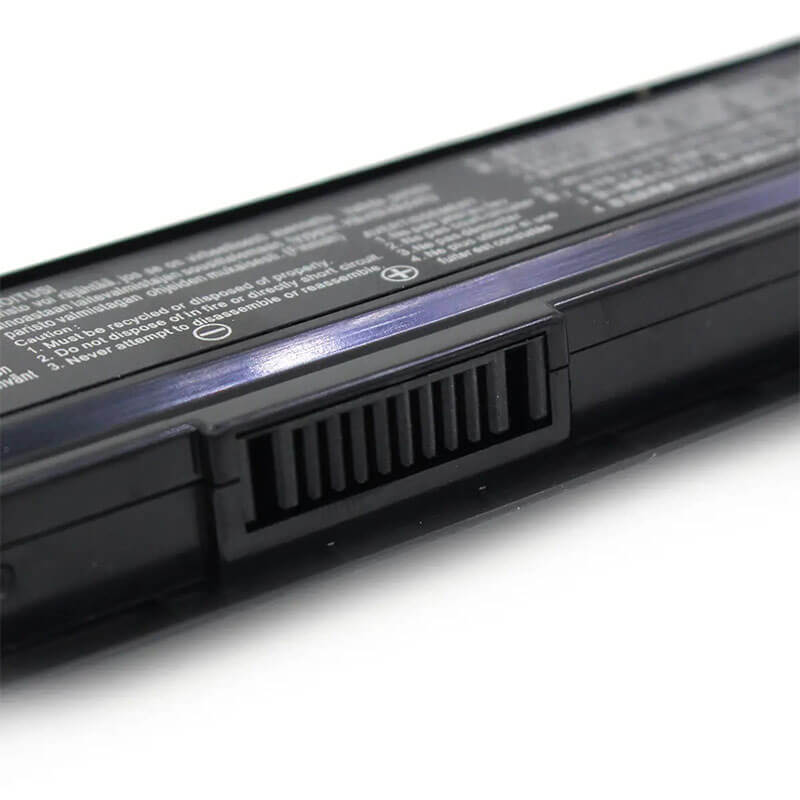
- Power Interface: Gold-plated connector points to ensure current transport excellently and serve stably.
- Enclosure: The enclosure is made of ABS + PC high-quality material, which has a high-temperature-resistant function to protect your laptop from overheating
- Battery Buckle: The battery buckle is closely connected to the laptop, and the metal interface is stably powered
A41-X550A / A41-X550 Battery Compatibility Laptop Model List:
| Main Series | Detailed Compatible Sub-Models |
|---|---|
| ASUS X550 Series | X550, X550A, X550B, X550C, X550CA, X550CC, X550CL, X550V, X550VC, X550VB, X550VL, X550L, X550LA, X550LB, X550LC, X550LD, X550LN, X550JK, X550JD, X550WE |
| ASUS F550 Series | F550, F550C, F550CA, F550CC, F550CL, F550V, F550VC, F550VB, F550L, F550LA, F550LB, F550LC, F550LD, F550LN, F550JK, F550JD, F550Dp, F550E, F550EA, F550WA |
| ASUS R510 Series | R510, R510C, R510CA, R510CC, R510L, R510LA, R510LB, R510LC, R510LD, R510LN, R510V, R510VC, R510VB, R510VX, R510JD, R510JK, R510WA |
| ASUS A550 Series | A550, A550C, A550CA, A550CC, A550L, A550LA, A550LB, A550LC, A550LD, A550LN, A550V, A550VB, A550VC, A550JK |
| ASUS K550 Series | K550, K550C, K550CA, K550CC, K550V, K550VB, K550VC, K550L, K550LA, K550LB, K550LC, K550LD, K550LN, K550JK, K550JD |
| ASUS X450 Series | X450, X450C, X450CA, X450CC, X450CP, X450L, X450LA, X450LB, X450LC, X450V, X450VB, X450VC, X450VE, X452, X452C, X452CP, X452EA |
| ASUS P550/P450 Series | P550, P550C, P550CA, P550CC, P550L, P550LA, P550LC, P450, P450C, P450CA, P450CC, P450L, P450LA, P450LB, P450LC, P450V, P450VB, P450VC |
| Other Series | F552, F552C, F552CL, F552E, F552EA, F552EP, F552V, F552VL, F552WE, Y481, Y481C, Y481CA, Y481CC, Y481V, Y481VC, Y581, Y581C, Y581CA, Y581CC, Y581L, Y581LA, Y581LB, Y581LC |
A41-X550A / A41-X550 Battery Compatible P/N (Part Numbers) List
- A41-X550A | A41-X550
- A32-X450 | X550A
- 0B110-00230000 | 0B110-00230100
- A41-X450 | A41-X550B
Why Choose HTJ A41-X550A Battery?
- Precision Mold & Seamless Fit:
Built with a high-accuracy 1:1 original mold, the HTJ A41-X550A ensures the dual-latch mechanism snaps perfectly into place. It fits flush with the chassis of your X550 or F550, maintaining the original sleek design without any gaps. - Premium Grade A+ Cells:
We use only top-tier Li-ion cells that deliver a stable 14.4V output. This prevents common power issues like sudden shutdowns and screen flickering, providing the high-energy density required for both work and media tasks. - Advanced Safety BMS System:
Equipped with an intelligent Battery Management System (BMS), our battery offers multi-level protection against over-charging, over-discharging, and overheating, exceeding international safety standards (CE/FCC/RoHS). - Extended 18-Month Warranty:
At HTJ, we stand by our quality. Each A41-X550A battery comes with an industry-leading 18-month warranty and professional factory-direct technical support, ensuring a zero-risk purchase.
How to Install Your New A41-X550A Battery?
Replacing the external A41-X550A battery is a fast DIY task that requires no tools.
⚠️ Crucial Safety Preparation
- Shutdown: Fully power off the laptop and disconnect the power adapter.
- Stable Surface: Place the laptop upside down on a soft surface to avoid scratches.
A41-X550A Battery Step-by-Step Installation Guide
- Unlock the Latches: Locate the two sliding latches on the battery bay on the bottom of the laptop.
- Release the Old Battery: Slide the “Lock” latch to the unlock position. Then, slide and hold the “Release” latch while pulling the old battery out away from the laptop.
- Insert the New HTJ Battery: Align the gold pins of the new HTJ A41-X550A battery with the laptop connector. Slide it in until it clicks firmly into place.
- Secure the Lock: Slide the “Lock” latch back to the locked position to prevent the battery from accidentally falling out.
- Reassemble and Calibrate: Plug in the charger and allow the battery to charge to 100%. Keep charging for 2 hours, then discharge to 5% to sync the battery meter.
💡 Pro Tip:
Since the X550 series is a classic model, check the laptop’s battery pins for dust before inserting the new battery. A quick puff of compressed air can ensure a perfect, stable electrical connection.
FAQ:
Q: How do I know if I need A41-X550A or A41-X550E?
A: Check the shape. The A41-X550A is a long, narrow external battery. The A41-X550E is a wider internal battery for different sub-models. They are not interchangeable. Always check your original battery model number.
Q: Is this 14.4V battery compatible with 14.8V or 15V?
A: Yes. These voltages refer to the same 4-cell Lithium-ion configuration. Your laptop’s internal voltage regulator is designed to handle this range safely.
Q: My laptop says “Plugged in, not charging” after installation. What should I do?
A: This is often a software sync issue. Shut down the laptop, remove the battery, hold the power button for 30 seconds to drain static, re-insert the battery, and restart.
Laptop Maintenance Tips:
- New battery: For using a new battery, you’d better try a few cycles of discharging to 5%. then charging up to 95%. So that it can be activated completely
- Overuse: Do not always run a battery down to 0%, as this would shorten its usage life.
- Charging sequence: When charging, first install the battery, then turn on the power. When fully charged, first cut off the power, then pull the power plug.
- Long-term storage: Please store the unused battery fully charged. (Charge it once a month.) Do not store at low power to prevent reducing the lifespan of a battery
- Charger: Do not replace the laptop adapter casually. If the original adapter cannot be used due to malfunction or damage, please replace it with a compatible model to avoid reducing the battery’s service life.
【IMPORTANT】: Press [ Ctrl+F ] to find the laptop models.
Need a legacy/unlisted charger? Send your Asus Laptop Battery specs or CONTACT US → We will source it for you!
We are a professional manufacturer of laptop batteries, laptop adapters, and laptop keyboards. We are committed to providing high-quality, competitively priced, and superior performance batteries and the best service to customers.
Need Expert Help or Legacy Charger Sourcing? Contact Our Professional Technical Team Now!