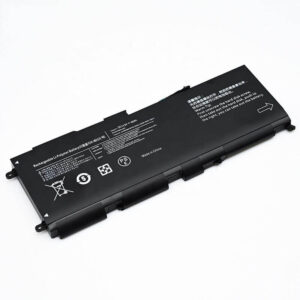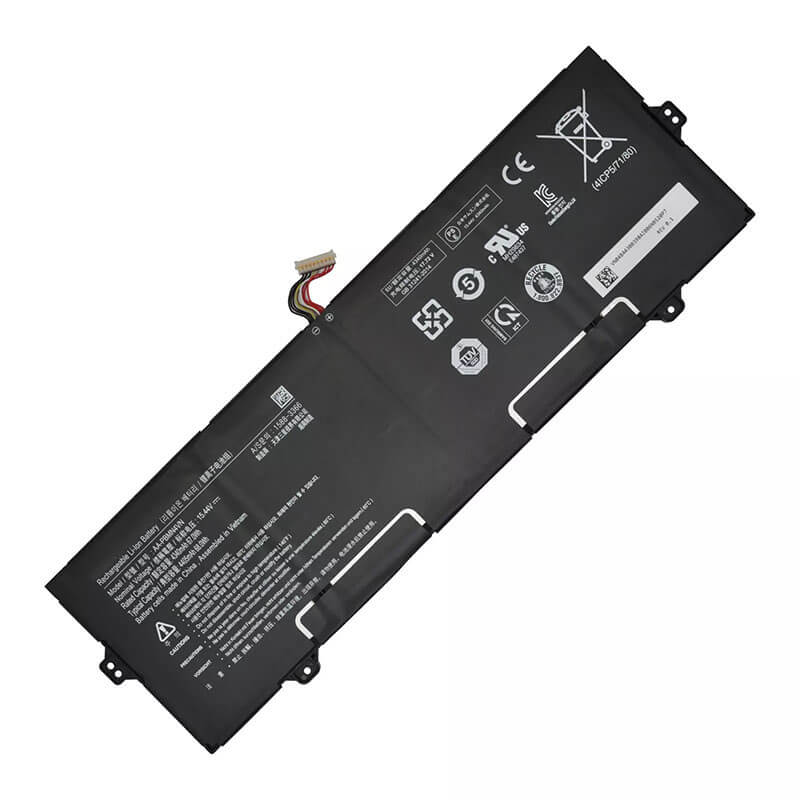
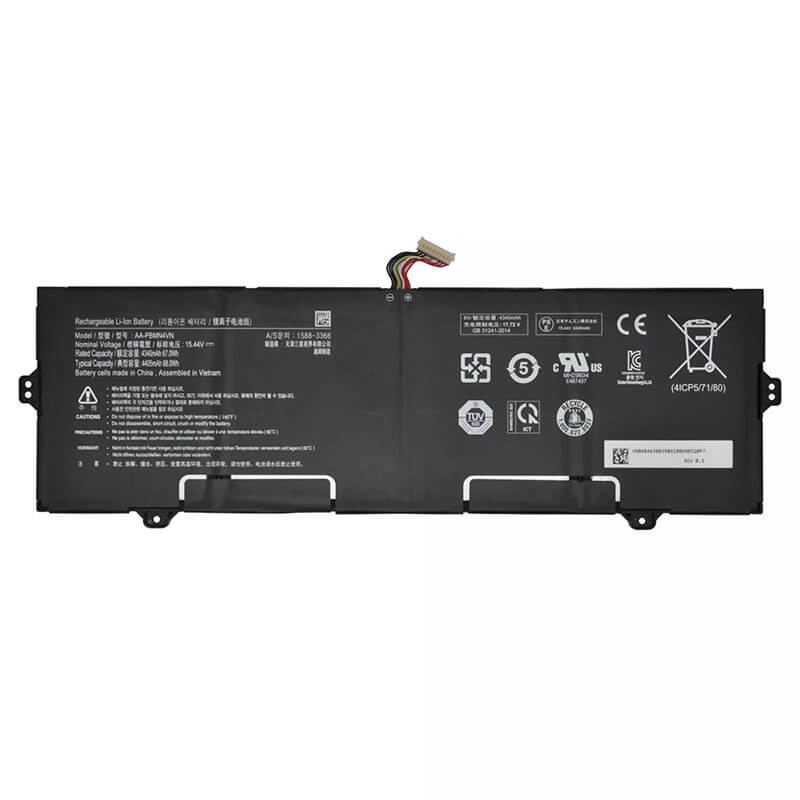

AA-PBMN4VN Battery for Samsung Galaxy Book Pro 15.6″ NP950XDB NP950QDB | 15.4V 68Wh 9-Pin Conn...
- Model Numbers: AA-PBMN4VN Battery
- Battery Type: Li-ion Polymer (High-Density Grade A+ Cells)
- Voltage: 15.4V (Fully compatible with 15.44V)
- Capacity: 4405mAh / 68Wh
- Cells: 4-Cell
- Connector: 9-Pin Precision Interface (Plug-and-Play)
- Condition: 100% Brand New from Factory
- Life Cycle: 600 – 1000 recharge cycles
- Multiple Protection: Over Current, Over Voltage, Over Charge & Discharge, Overheat, Short Circuit, ESD, EMI
- Color: Black
- Certifications: UL2054, CE, FCC, RoHS, UN38.3, MSDS, IEC62133
- OEM/ODM: Yes(Accepted)
- Warranty: 18 Months After Sales, 24/7 Email Support.
- Product Dimensions: 13.74 x 4.45 x 1.1 inches
- Item Weight: 12.3 ounces
AA-PBMN4VN Battery for Samsung Galaxy Book Pro 15.6″ NP950XDB NP950QDB | 15.4V 68Wh 9-Pin Connector
Detailed Product Specifications and Features:
Core Technical Parameters:
| Property | Specification |
|---|---|
| Model Numbers | AA-PBMN4VN Battery |
| Battery Type | Li-ion Polymer (High-Density Grade A+ Cells) |
| Voltage | 15.4V (Fully compatible with 15.44V) |
| Capacity | 4405mAh / 68Wh |
| Cells | 4-Cell |
| Connector | 9-Pin Precision Digital Interface |
| Condition | 100% Brand New from Factory |
| Life Cycle | 600 - 1000 recharge cycles |
| Multiple Protection | Over Current, Over Voltage, Over Charge & Discharge, Overheat, Short Circuit, ESD, EMI |
| Color | Black |
| Certifications | UL2054, CE, FCC, RoHS, UN38.3, MSDS, IEC62133 |
| OEM/ODM | Yes(Accepted) |
| Warranty | 18 Months After Sales, 24/7 Email Support. |
| Product Dimensions | 13.74 x 4.45 x 1.1 inches |
| Item Weight | 12.3 ounces |
Technical Note:
Design Note: The AA-PBMN4VN is a high-voltage, high-capacity internal battery designed for Samsung’s flagship ultra-light 15.6-inch laptops.
Connector Note: This model features the specialized 9-pin precision connector, essential for full synchronization with the Galaxy Book Pro’s smart-charging system.
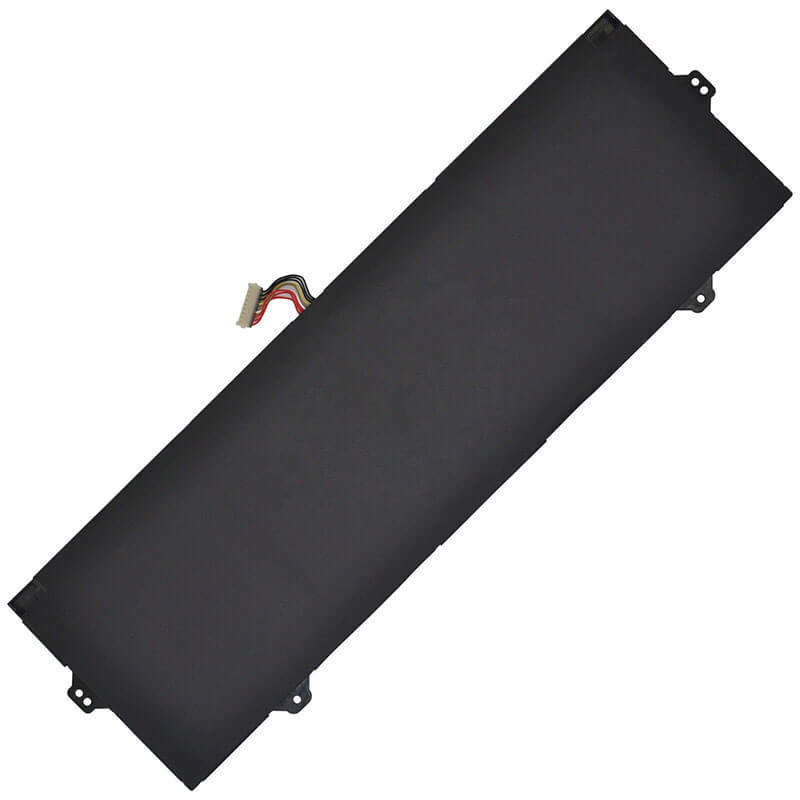
Physical Note: The wide, flat 4-cell architecture is designed to distribute heat evenly across the slim magnesium chassis.
Important: Internal installation is required; please use non-conductive tools to avoid short-circuiting internal components
Product Features:
- Battery Newest Premium Grade Cells
- Best Circuit Board
- Multiple command chip control, keep the battery stable charge and discharge;
- Over-charger protection and discharger protection, short-circuit protection, ensure fast charges and low power consumption
- Easy & Quick Installation
- Our battery is 100% compatible with the original battery and meets
- CE/FCC/ROHS/UL-certified standards. It is 100% new from the manufacturer and can support up to 1000 recharge cycles over the life of the battery
- Power Interface: Gold-plated connector points to ensure current transport excellently and serve stably.
- Enclosure: The enclosure is made of ABS + PC high-quality material, which has a high temperature-resistant function to protect your laptop from overheating
- Battery Buckle: The battery buckle is closely connected to the laptop, and the metal interface is stably powered
AA-PBMN4VN Battery Battery Compatibility Laptop Model List:
1. Compatible Laptop Model List (Comprehensive)
| Galaxy Book Pro 15.6" | NP950XDB Series: NP950XDB-KA1US, NP950XDB-KB1US, NP950XDB-KC1US, NP950XDB-KD1US, NP950XDB-KA2US |
|---|---|
| Galaxy Book Pro 360 15.6" | NP950QDB Series: NP950QDB-KA1US, NP950QDB-KB1US, NP950QDB-KC1US, NP950QDB-KE1US |
| Galaxy Book2 Pro 15.6" | NP950XEE Series: NP950XEE-KA1US, NP950XEE-X01US (Verify 9-pin connector) |
| Galaxy Book2 Pro 360 15.6" | NP950QED Series: NP950QED-KA1US, NP950QED-KB1US |
| Regional Variations | Supports all Global Suffixes: -US (USA), -UK (UK), -HK (Hong Kong), -KR (Korea), -DE (Germany), -BR (Brazil) |
2. Critical Incompatibility Warnings
- ❌ NOT FOR 13.3-inch Versions: All NP930 models (NP930XDB, NP930QDB) use the smaller AA-PBMN2VN battery.
- ❌ NOT FOR Standard Galaxy Book: Base models (e.g., NP750XDA) have different internal layouts and connectors.
- ❌ NOT FOR Odyssey/Galaxy Book Odyssey: Despite similar voltages, the physical footprint is incompatible.
3. Compatible Part Numbers (P/N List)
- AA-PBMN4VN (Core Model Number)
- BA43-00397A (Samsung Internal Assembly Code)
- AA-PBMN4VN-01
Why Choose HTJ AA-PBMN4VN 68Wh Battery?
- High-Performance 9-Pin Smart Interface:
The Galaxy Book Pro series relies on complex communication for battery health and performance optimization. Our AA-PBMN4VN features a precision-engineered 9-pin connector to ensure seamless communication with the Samsung BIOS and Windows Power Manager. - Flagship-Grade 68Wh Runtime:
HTJ uses ultra-high-density polymer cells that match the original 68Wh factory specification. This ensures your 15.6-inch flagship maintains its “all-day” battery reputation, even under heavy professional workloads. - Ultra-Slim, Anti-Swelling Architecture:
In ultra-thin devices, there is zero room for error. Our cells are vacuum-sealed using high-grade laminate to prevent gas buildup and swelling, protecting your expensive OLED display and precision trackpad from internal pressure. - 18-Month Factory-Direct Warranty:
As a direct manufacturer, HTJ stands by every cell. Every 15.4V unit undergoes rigorous high-voltage discharge testing and a 48-hour aging process to ensure long-term reliability.
How to Install Your New AA-PBMN4VN Battery?
Replacing the internal AA-PBMN4VN (9-pin) battery requires patience and a steady hand due to the ultra-thin nature of the NP950XDB chassis.
⚠️ Crucial Safety Preparation
- Shutdown: Power off your laptop and disconnect the charger.
- ESD Warning: Use an anti-static wrist strap or touch a grounded surface before opening.
- Tools: Precision Phillips screwdriver and a thin plastic prying tool.
AA-PBMN4VN Battery Step-by-Step Installation Guide:
- Remove Hidden Screws: Gently peel back the rubber feet on the bottom of the laptop to access the screws beneath.
- Open the Chassis: Remove all Phillips screws and carefully use a plastic prying tool to release the clips around the seams.
- Disconnect the Battery: Locate the 9-pin connector. Carefully lift it straight up from the motherboard. Do not pull the wires.
- Unscrew the Battery: Remove the screws securing the wide, flat 4-cell battery to the internal frame.
- Replace the Unit: Lift out the old battery and seat the new HTJ AA-PBMN4VN in its place.
- Secure and Reconnect: Reinstall the screws and firmly press the 9-pin connector back into the motherboard socket.
- Reassemble: Snap the bottom cover back on, reinstall the screws, and reapply the rubber feet.
- Initial Calibration: Charge the battery to 100% and then allow it to discharge to 5% once to sync the new cells with the system software.
💡 Pro Tip:
Check your original connector before ordering! Most high-end NP950XDB models utilize this 9-pin version, but some localized regional variants may differ.
FAQ (Frequently Asked Questions)
Q: Does this battery fit the 13.3-inch version of the Galaxy Book Pro? A: No. The 13.3-inch model (NP930) uses a smaller, lower-capacity battery. This 68Wh 9-pin model is exclusive to the 15.6-inch NP950 series.
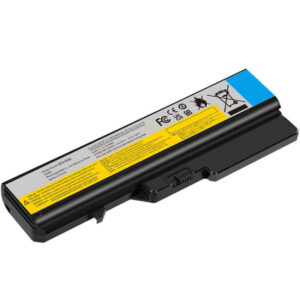
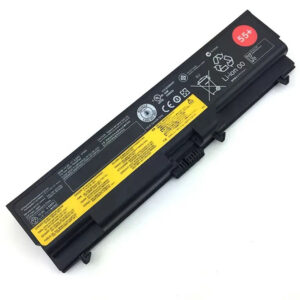
Q: Is it safe to use this on an IBM or Lenovo computer? A: No. This is a proprietary Samsung 15.4V battery with a specialized 9-pin connector. It is physically and electrically incompatible with IBM or Lenovo ThinkPad systems.
Q: My laptop has an 11.4V battery. Can I use this 15.4V model? A: No. You must match the voltage of your original battery. The AA-PBMN4VN is a 15.4V high-voltage system. Always check your original battery label before purchasing.
Q: My original battery is labeled 15.44V, but yours is 15.4V. Is it compatible? A: Yes. This is a minor nominal voltage variation (15.4V vs. 15.44V) based on different cell manufacturer testing standards. For the Samsung Galaxy Book Pro 15.6″ motherboard, these are 100% electrically compatible and safe to use.
Q: How can I visually confirm this is the correct battery for my device? A: First, verify your screen size is 15.6 inches. Second, check the connector: the AA-PBMN4VN uses a 9-pin precision digital interface. If your original connector is 6-pin or narrower, this model will not fit.
Q: Do I need to remove the SSD to install this battery? A: In the NP950XDB/QDB chassis, the battery is located in the center-bottom area. You do not need to remove the SSD or the cooling system. However, the 9-pin cable is held in a tight channel; we recommend using a plastic spudger to gently lift the connector vertically before removing the battery.
Q: Is this battery compatible with IBM laptops? A: No. Samsung Galaxy Book batteries use proprietary 15.4V high-voltage architecture and 9-pin digital connectors. They are physically and electrically incompatible with IBM or Lenovo ThinkPad systems.
Laptop Maintenance Tips:
- New battery: For using a new battery, you’d better try a few cycles of discharging to 5%. then charging up to 95%. So that it can be activated completely
- Overuse: Do not always run a battery to 0%, as this would shorten its usage life.
- Charging sequence: When charging, first install the battery, then turn on the power. When fully charged, first cut off the power, then pull the power plug.
- Long-term storage: Please store the unused battery fully charged. (Charge it once a month.) Do not store at low power to prevent reducing the lifespan of a battery
- Charger: Do not replace the laptop adapter casually. If the original adapter cannot be applied due to malfunction or damage, please replace the models so as not to reduce the service life of the battery due to incompatibility.
【IMPORTANT】: Press [ Ctrl+F ] to find the laptop models.
Need a legacy/unlisted charger? Send your Lenovo Laptop Battery specs or CONTACT US → We will source it for you!
We are a professional manufacturer in the field of laptop batteries, laptop adapters, and laptop keyboards. We are committed to providing high-quality, competitively priced, and superior performance batteries and the best service to customers.
Need Expert Help or Legacy Charger Sourcing? Contact Our Professional Technical Team Now!