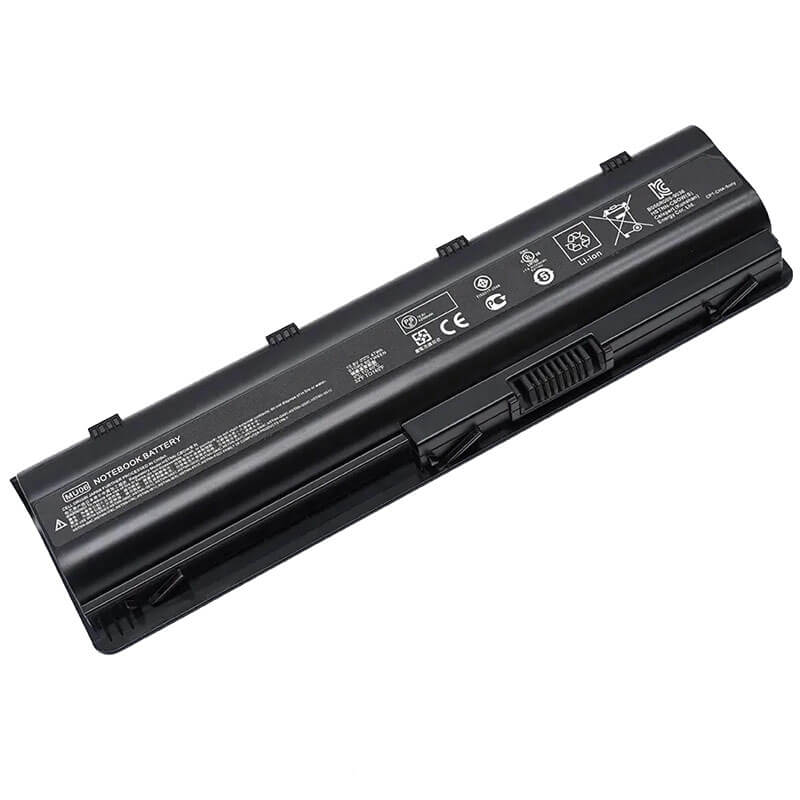
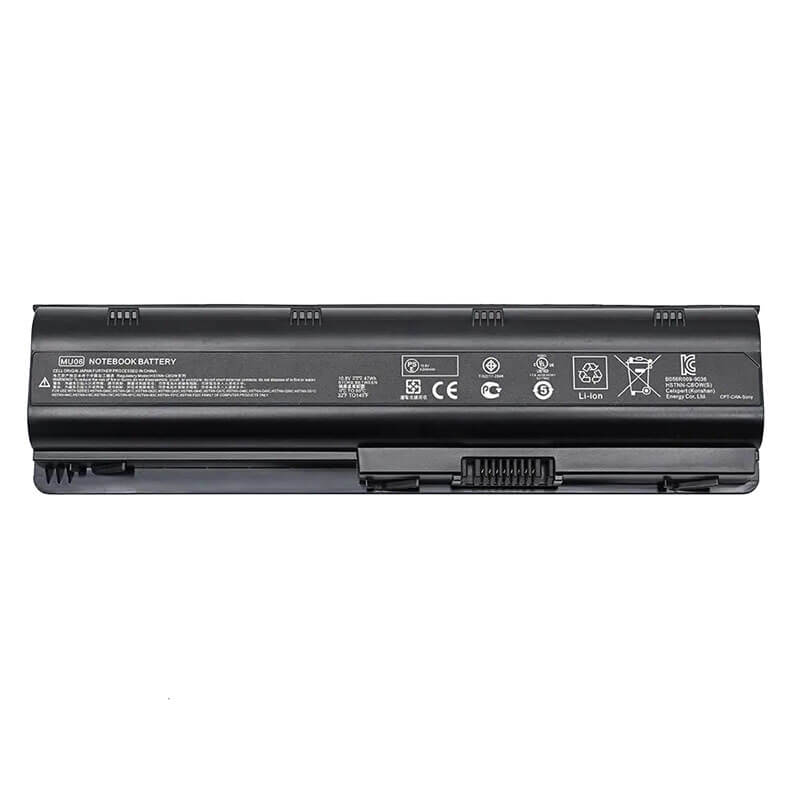
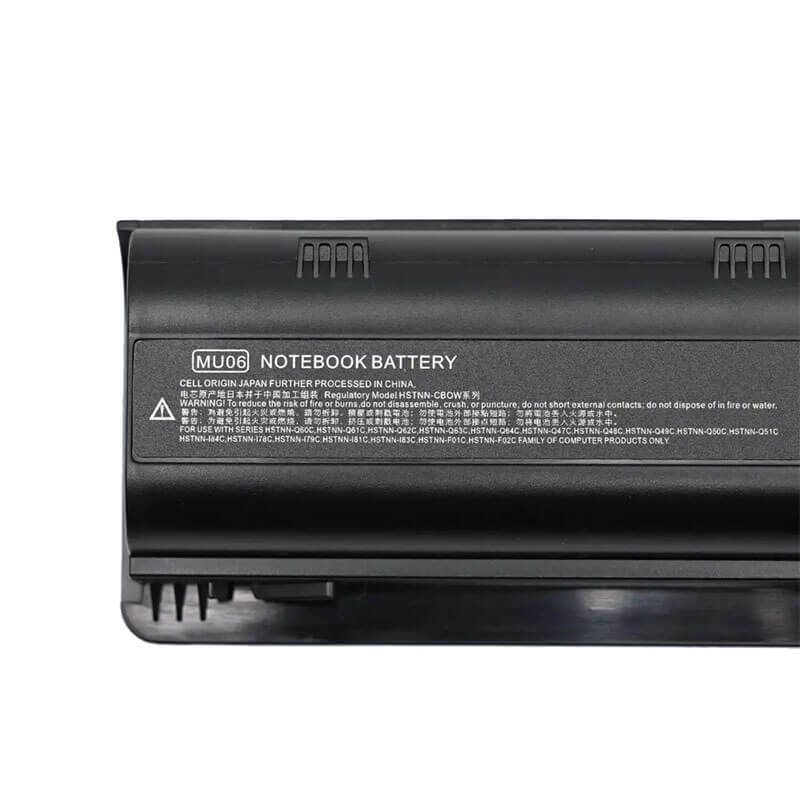
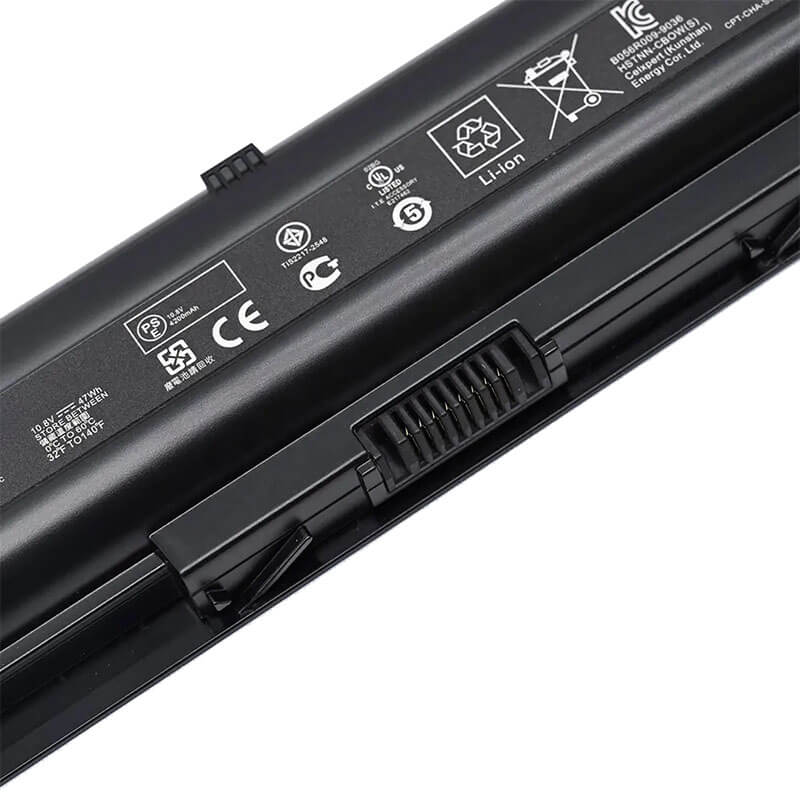
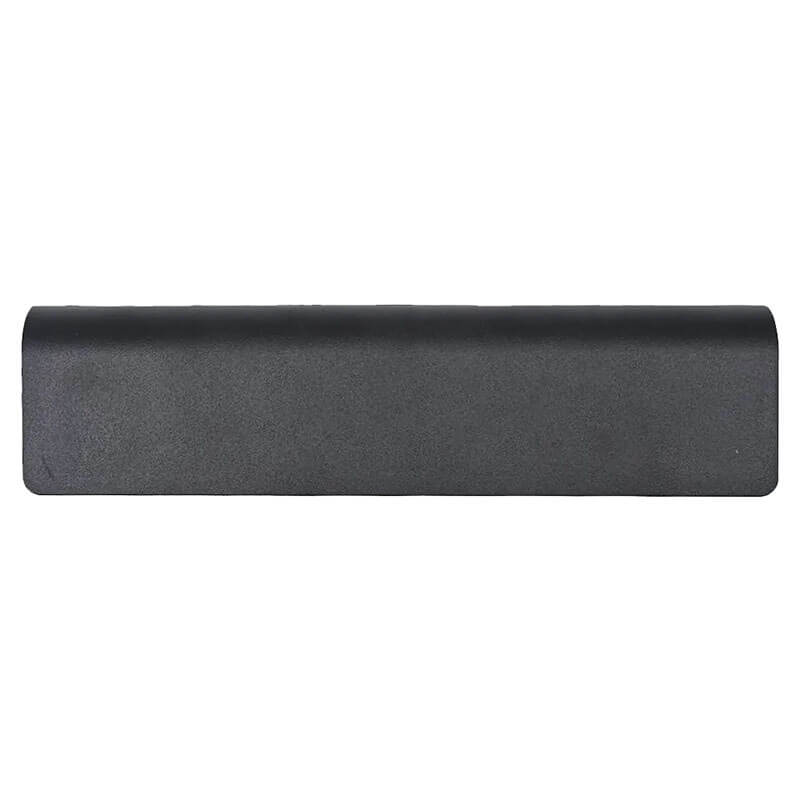
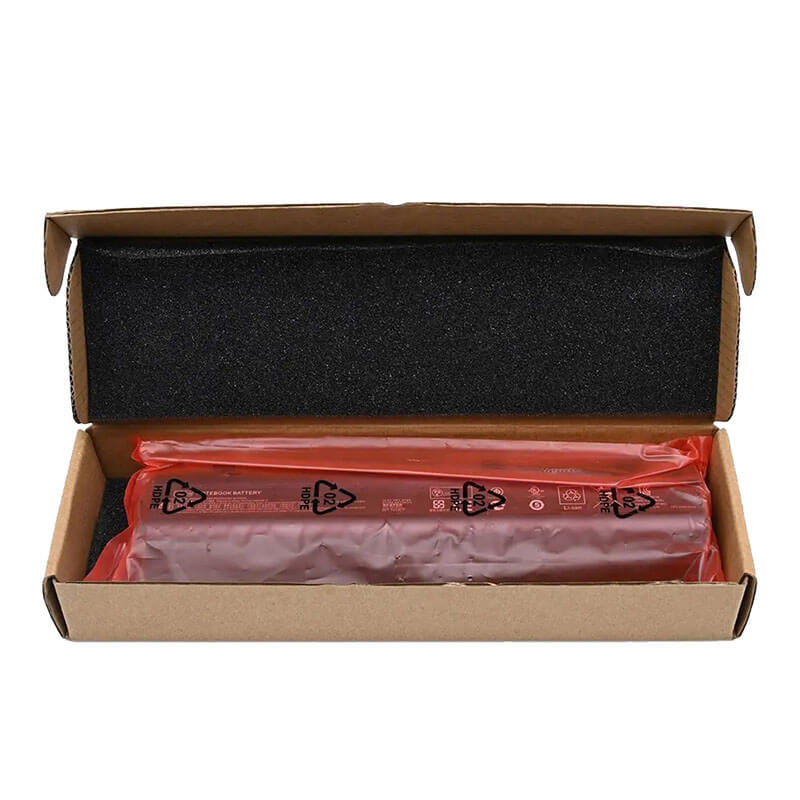
MU06 Battery for HP Pavilion g6 g7 dv6 dv7 CQ42 CQ62 | 10.8V 4400mAh 47Wh 6-Cell – HTJ
- Model Numbers: MU06 (Standard Edition) Battery
- Battery Type: Lithium-ion (Grade A 18650 Cells)
- Voltage: 10.8V (Fully compatible with 11.1V)
- Capacity: 4400mAh / 47Wh (OEM Standard Capacity)
- Cells: 6-Cell
- Connector: Internal Integrated Multi-Pin Plug
- Condition: 100% Brand New from Factory
- Life Cycle: 600 – 1000 recharge cycles
- Multiple Protection: Over Current, Over Voltage, Over Charge & Discharge, Overheat, Short Circuit, ESD, EMI
- Color: Black
- Certifications: UL2054, CE, FCC, RoHS, UN38.3, MSDS, IEC62133
- OEM/ODM: Yes(Accepted)
- Warranty: 18 Months After Sales, 24/7 Email Support.
- Product Dimensions: 13 x 3.31 x 2.28 inches
- Item Weight: 12.9ounces
MU06 Battery for HP Pavilion g6 g7 dv6 dv7 CQ42 CQ62 | 10.8V 4400mAh 47Wh 6-Cell
Detailed Product Specifications and Features:
Core Technical Parameters:
| Property | Specification |
|---|---|
| Model Numbers | MU06 (Standard Edition) Battery |
| Battery Type | Lithium-ion (Grade A 18650 Cells) |
| Voltage | 10.8V (Fully compatible with 11.1V) |
| Capacity | 4400mAh / 47Wh (OEM Standard Capacity) |
| Cells | 6-Cell |
| Connector | External Snap-in Interface |
| Condition | 100% Brand New from Factory |
| Life Cycle | 600 - 1000 recharge cycles |
| Multiple Protection | Over Current, Over Voltage, Over Charge & Discharge, Overheat, Short Circuit, ESD, EMI |
| Color | Black |
| Certifications | UL2054, CE, FCC, RoHS, UN38.3, MSDS, IEC62133 |
| OEM/ODM | Yes(Accepted) |
| Warranty | 18 Months After Sales, 24/7 Email Support. |
| Product Dimensions | 13 x 3.31 x 2.28 inches |
| Item Weight | 12.9 ounces |
Technical Note:
Design Note: The MU06 47Wh is the “Exact-Match” replacement for the original battery found in HP laptops from 2010–2013.
Safety Standard: By adhering to the 4400mAh specification, this battery maintains lower operating temperatures during charging compared to overclocked high-capacity versions.
Fitment: Fits perfectly flush with the bottom of the laptop chassis.
Important: Safely interchangeable with part numbers 593553-001 and 593554-001.
Product Features:
- Battery Newest Premium Grade Cells
- Best Circuit Board
- Multiple command chip control, keep the battery stable charge and discharge;
- Over-charger protection and discharger protection, short-circuit protection, ensure fast charges and low power consumption
- Easy & Quick Installation
- Our battery is 100% compatible with the original battery and meets
- CE/FCC/ROHS/UL-certified standards. It is 100% new from the manufacturer and can support up to 1000 recharge cycles over the life of the battery
- Power Interface: Gold-plated connector points to ensure current transport excellently and serve stably.
- Enclosure: The enclosure is made of ABS + PC high-quality material, which has a high-temperature-resistant function to protect your laptop from overheating
- Battery Buckle: The battery buckle is closely connected to the laptop, and the metal interface is stably powered
MU06 Battery Compatibility Laptop Model List:
1. Compatible Laptop Model List (Comprehensive)
| Series | Specific Model Suffixes (Searchable Variants) |
|---|---|
| HP Pavilion g6 / g6t | g6-1000 to g6-2399: g6-1a01, g6-1d60us, g6-1c57dx, g6-2235dx, g6-2237us, g6-2218nr, g6-2330dx, g6-1301tx, g6-1200 |
| HP Pavilion dv6 / dv6t | dv6-3000 to dv6-6c99: dv6-3122sa, dv6-6000, dv6-6100, dv6-6b00, dv6-6002ev, dv6-4000 (Select Models) |
| HP Pavilion g7 / g4 | g7-1000 to g7-2200: g7-1000, g7-2000 & g4-1000, g4-2000: g7-1260ca, g7-2010nr, g7-2240us, g4-1015dx, g4-1104dx |
| HP 2000 Notebook PC | 2000-100 to 2000-400: 2000-101XX, 2000-210US, 2000-2d19wm, 2000-2b19wm, 2000-2c29wm |
| Compaq Presario CQ42/CQ62 | CQ42-100 to CQ42-400 & CQ62-100 to CQ62-400: CQ42-106TU, CQ42-200, CQ42-300, CQ42-450TU, CQ62-210US, CQ62-400, CQ62-a10 |
| HP G42 / G56 / G62 / G72 | G42-100, G56-100, G62-100, G62-400, G72-100, G72-a00, G72-b00 |
| HP Envy 17 (Legacy) | Envy 17-1000, 17-1100, 17-2000, 17-2100 Series |
| Compaq 430 / 630 | Business Models: Compaq 430, 431, 435, 436, 630, 631, 635, 636, 650, 655 |
| Compaq Presario | CQ32, CQ43, CQ56, CQ57, CQ72 Series |
| ⚠️ Absolute Incompatibility | NOT FOR: Pavilion dv6-1000/2000. NOT FOR: Pavilion g6-2400+. NOT FOR: Envy 17-j000/m7 (Uses PI06). |
2. MU06 Battery Compatible Part Numbers (P/N List)
- HP Spare Numbers: 593553-001, 593554-001, 593550-001, 593555-002, 593556-001, 593562-001, 636631-001
- Model Designation: MU06, MU09 (Extended), WD548AA, WD549AA, HSTNN-LB0W, HSTNN-CB0W
- Regulatory Codes: HSTNN-CBOX, HSTNN-Q60C, HSTNN-Q61C, HSTNN-Q62C, HSTNN-Q63C, HSTNN-Q64C, HSTNN-I84C, HSTNN-IB0W, HSTNN-UB0W, HSTNN-YB0W
- Chassis ID: TPN-F101, TPN-F102, TPN-F103, TPN-Q101
Why Choose HTJ MU06 47Wh Battery?
- OEM-Spec 4400mAh Stability:
The HTJ Standard Edition matches the original factory capacity of 4400mAh (47Wh). This ensures that your laptop’s cooling fan and power management system operate exactly as the manufacturer intended, preventing the excessive heat buildup often found in low-quality “high-capacity” knockoffs. - Premium 18650 Cell Selection:
We use Grade A 18650 cylindrical cells that have undergone 100% capacity grading. This ensures that every cell in the 6-cell array is perfectly balanced, providing a smooth discharge curve and preventing the laptop from shutting down unexpectedly at 10-15%. - Reinforced Latching System:
The CQ42 and g6 chassis are famous for having loose battery bays after years of use. HTJ’s MU06 housing is molded from high-impact, heat-resistant ABS+PC plastic with reinforced locking clips to ensure a “Factory-Tight” fit. - Cycle Freshness for Legacy Workhorses:
Legacy laptops are still incredibly useful for office work and student use. We manufacture our MU06 batteries in fresh monthly batches, guaranteeing 100% chemical health and the full 47Wh energy reservoir upon arrival.
How to Install Your New MU06 Battery?
The HP MU06 is a user-replaceable external battery. No tools are required, and the process takes less than 60 seconds.
⚠️ Pre-Installation Safety Check:
- Power Down: Ensure your laptop is completely shut down (not in Sleep or Hibernate mode) and the AC power adapter is unplugged.
- Surface: Place the laptop upside down on a soft, non-abrasive surface (like a clean towel) to prevent scratching the top casing.
MU06 Battery Step-by-Step Installation Guide:
- Locate the Dual Latches: On the bottom of your Pavilion or Compaq laptop, you will see two sliding switches near the battery bay: the Lock Latch (with a lock icon) and the Release Latch (often spring-loaded).
- Unlocking & Removing: Slide the Lock Latch to the “Open” position: Slide and hold the Release Latch toward the side. While holding the latch, use your other hand to lift the old MU06 battery out of the recessed bay from the finger-grip edge.
- Clean the Contacts: Inspect the 6-pin gold connector inside the laptop’s battery bay. If you see dust or oxidation, gently wipe it with a dry microfiber cloth or a blast of compressed air to ensure a perfect electrical connection.
- Align the New Battery: Align the connector pins on your new HTJ MU06 battery with the pins inside the bay.
- The “Secure Click”: Insert the connector side first, then press the other side of the battery down firmly. You should hear a clear “Click” as the spring-loaded release latch snaps back into place.
- Double-Lock for Safety: Slide the Lock Latch back to the “Closed” position. This is crucial: If the lock is not engaged, the battery may wobble during movement, causing sudden power loss or data corruption.
- First Boot & Calibration: * Plug in your AC adapter and charge the battery to 100% without turning on the laptop (wait for the charging light to turn white/green). Once full, use the laptop on battery power until it reaches 5-10%, then charge it back to 100%. This “cycles” the 18650 cells for maximum longevity.
💡 Pro Tip (The “Battery Not Detected” Fix):
If your laptop shows an “X” over the battery icon after installation, the most common cause in legacy HP models is static build-up. Simply remove the battery and charger, hold the Power Button for 60 seconds, then reinstall the battery and try again. This resets the internal charging controller.
FAQ (Frequently Asked Questions)
Q: Will this fit my Compaq Presario CQ42-106TU?
A: Yes! The CQ42-106TU uses the MU06 battery as its standard power source.
Q: My original battery was 11.1V. Is 10.8V okay?
A: Yes. 10.8V and 11.1V are functionally the same for this 3-series cell configuration. It is perfectly safe and compatible.
Q: Why choose the 47Wh version over the 57Wh version?
A: The 47Wh version is the original standard. If you prioritize maximum safety and the original factory feel of the laptop, the 47Wh version is the most stable choice.
Q: My laptop is an HP 2000-2b19wm. Is this battery correct?
A: Yes! The HP 2000 series is one of the primary users of the MU06 battery. This 47Wh HTJ battery is a 100% match.
Q: Can I use this to replace a 9-cell battery that sticks out of the bottom?
A: Yes. The 9-cell version (often called MU09) is the “extended” version of this battery. Our MU06 is the 6-cell version that sits flush with the laptop, making it lighter and easier to carry.
Q: How do I find my “System Model” if the sticker is gone?
A: Press Windows + R, type “msinfo32”, and press Enter. Look for “System Model” in the list. If it says Pavilion g6, dv6-3000/6000, or CQ42, this is the right battery.
Q: Why does the battery feel tight when installing?
A: HTJ uses a Precision-Mold Latching system to prevent the battery wobble common in older HP laptops. Ensure the lock latch is fully open, press down firmly until it clicks, and then engage the lock.
Laptop Maintenance Tips:
- New battery: For using a new battery, you’d better try a few cycles of discharging to 5%. then charging up to 95%. So that it can be activated completely
- Overuse: Do not always run a battery down to 0%, as this would shorten its lifespan.
- Charging sequence: When charging, first install the battery, then turn on the power. When fully charged, first cut off the power, then pull the power plug.
- Long-term storage: Please store the unused battery fully charged. (Charge it once a month.) Do not store at low power to prevent reducing the lifespan of a battery
- Charger: Do not replace the laptop adapter casually. If the original adapter cannot be used due to malfunction or damage, please replace it with a compatible model to avoid reducing the battery’s service life.
【IMPORTANT】: Press [ Ctrl+F ] to find the laptop models.
Need a legacy/unlisted charger? Send your HP Laptop Battery specs or CONTACT US → We will source it for you!
We are a professional manufacturer of laptop batteries, laptop adapters, and laptop keyboards. We are committed to providing high-quality, competitively priced, and superior performance batteries and the best service to customers.