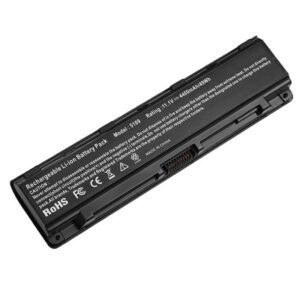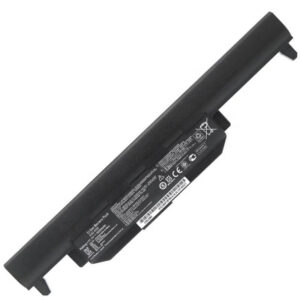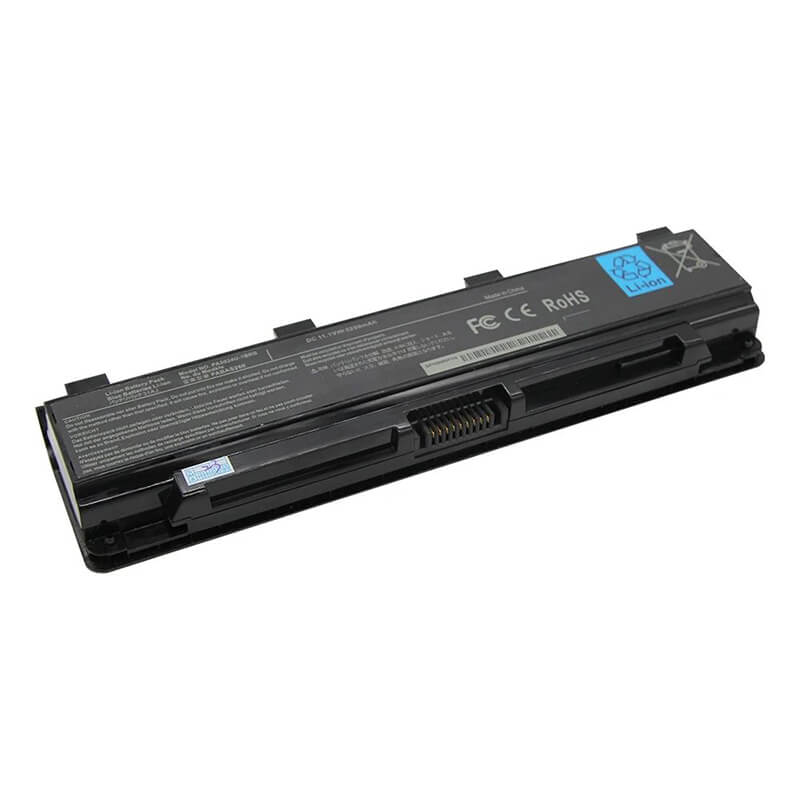
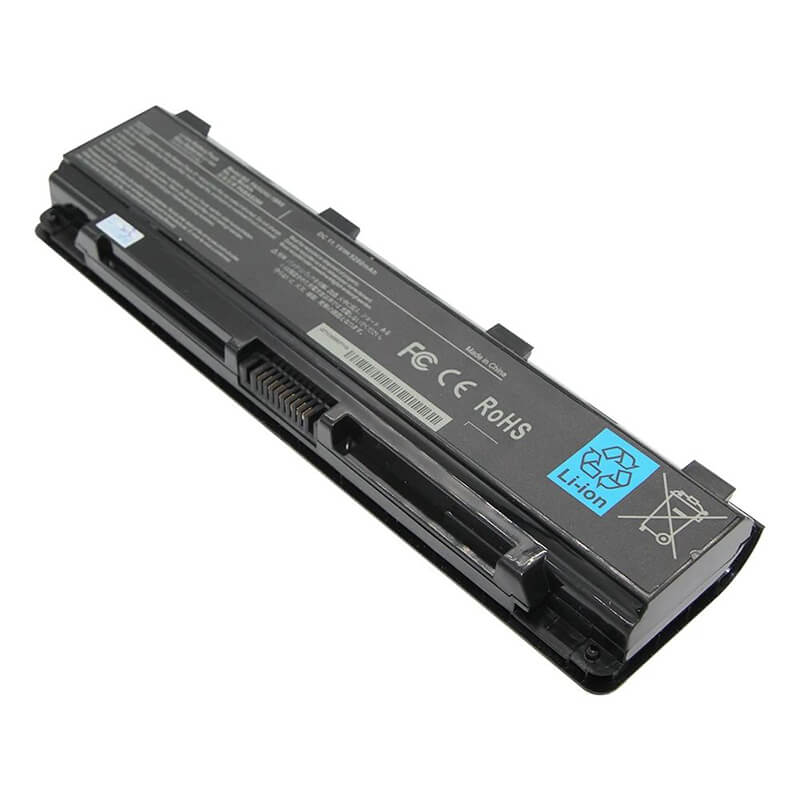
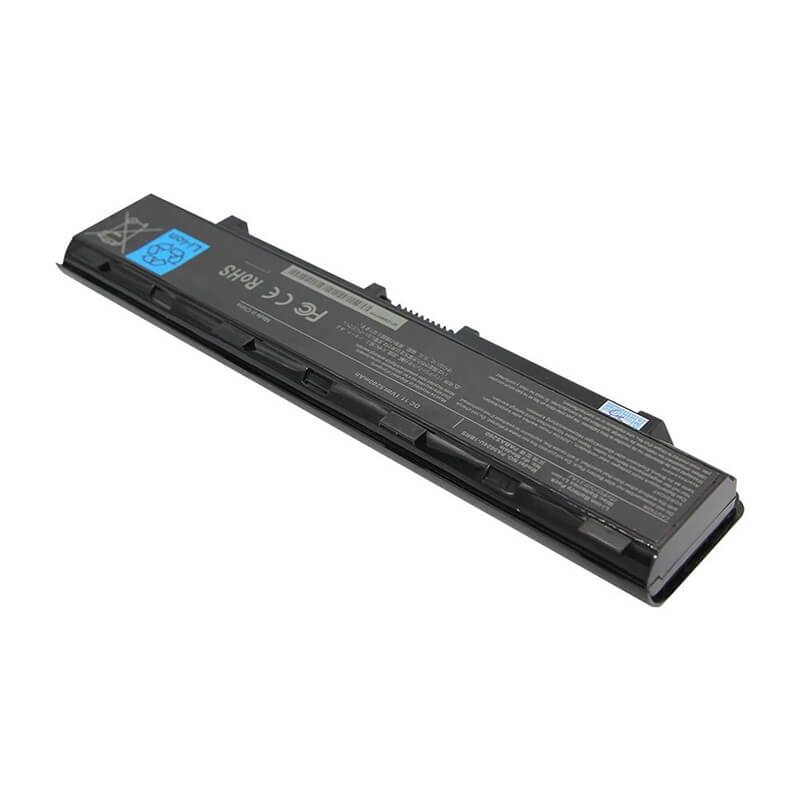
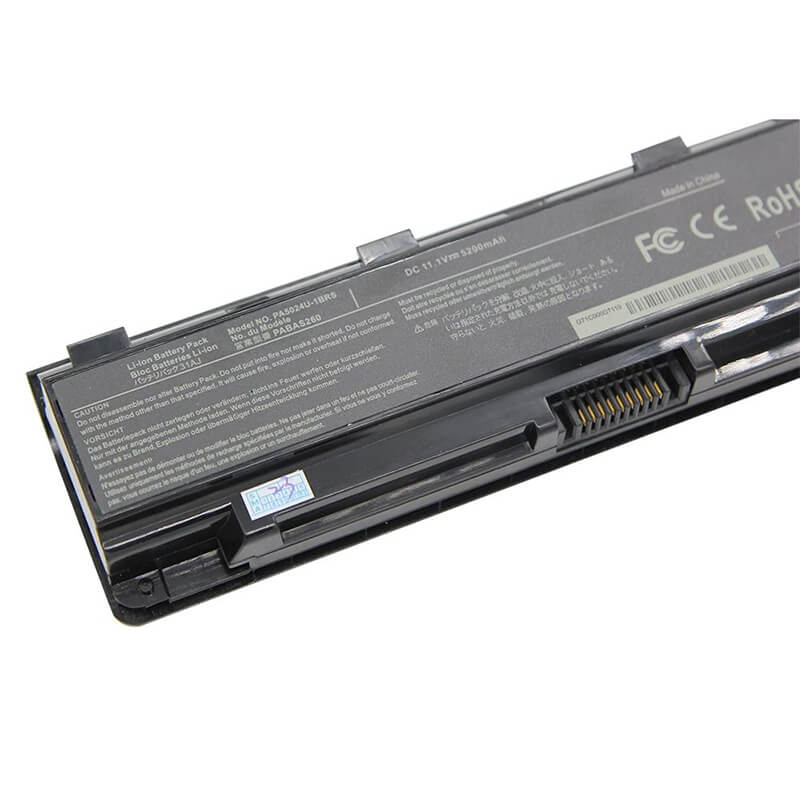
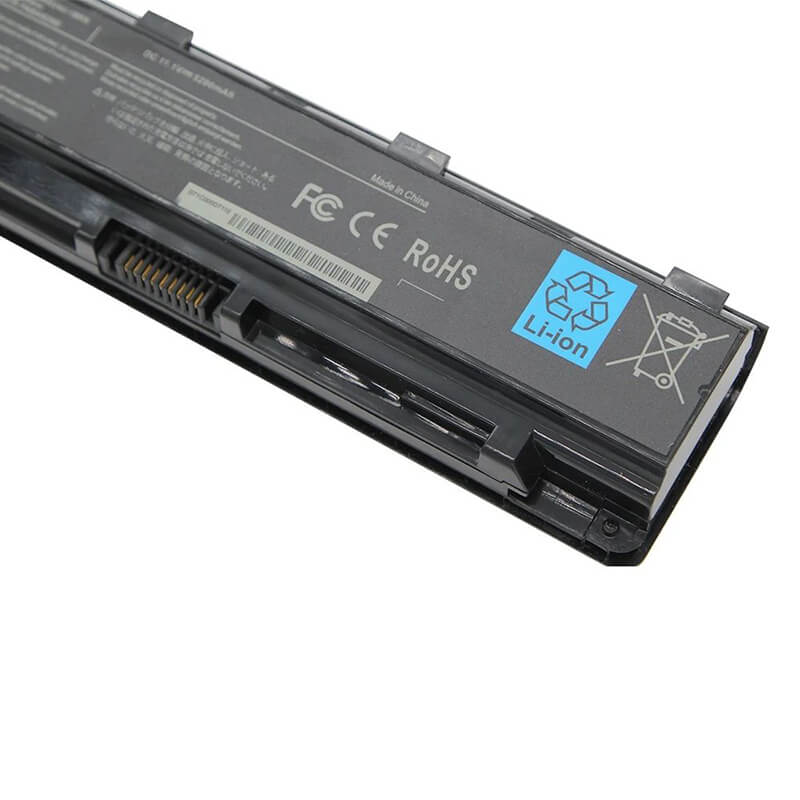
PA3534U-1BRS Battery for Toshiba Satellite A200 A300 L200 L300 L500 | 11.1V 5200mAh 58Wh 6-Cell – ...
- Model Numbers: PA3534U-1BRS Battery
- Battery Type: Lithium-ion (Grade A+ High-Density Cells)
- Voltage: 11.1V (Fully compatible with 10.8V)
- Capacity: 5200mAh / 58Wh
- Cells: 6-Cell
- Connector: External Snap-in Interface
- Condition: 100% Brand New from Factory
- Life Cycle: 600 – 1000 recharge cycles
- Multiple Protection: Over Current, Over Voltage, Over Charge & Discharge, Overheat, Short Circuit, ESD, EMI
- Color: Black
- Certifications: UL2054, CE, FCC, RoHS, UN38.3, MSDS, IEC62133
- OEM/ODM: Yes(Accepted)
- Warranty: 18 Months After Sales, 24/7 Email Support.
- Product Dimensions: 10 x 3 x 0.5 inches
- Item Weight: 10.6 ounces
PA3534U-1BRS Battery for Toshiba Satellite A200 A300 L200 L300 L500 | 11.1V 5200mAh 58Wh 6-Cell
Detailed Product Specifications and Features:
Core Technical Parameters:
| Property | Specification |
|---|---|
| Model Numbers | PA3534U-1BRS Battery |
| Battery Type | Lithium-ion (Grade A+ High-Density Cells) |
| Voltage | 11.1V (Fully compatible with 10.8V) |
| Capacity | 5200mAh / 58Wh |
| Cells | 6-Cell |
| Connector | External Snap-in Interface |
| Condition | 100% Brand New from Factory |
| Life Cycle | 600 - 1000 recharge cycles |
| Multiple Protection | Over Current, Over Voltage, Over Charge & Discharge, Overheat, Short Circuit, ESD, EMI |
| Color | Black |
| Certifications | UL2054, CE, FCC, RoHS, UN38.3, MSDS, IEC62133 |
| OEM/ODM | Yes(Accepted) |
| Warranty | 18 Months After Sales, 24/7 Email Support. |
| Product Dimensions | 10 x 3 x 0.5 inches |
| Item Weight | 10.6 ounces |
Technical Note:
Design Note: The PA3534U-1BRS is a universal external 6-cell battery.
Upgrade Note: This 5200mAh/58Wh version utilizes high-density cells to provide approximately 18-20% more runtime than standard 4400mAh originals.
Compatibility Note: It is functionally interchangeable with PA3533U, PA3535U, and PABAS098.
Safety Note: Features a multi-stage protection board to prevent overcharging on older Toshiba BIOS systems.
Important: No tools required; fits into the rear center of the laptop with a dual-latch locking mechanism.
Product Features:
- Battery Newest Premium Grade Cells
- Best Circuit Board
- Multiple command chip control, keep the battery stable charge and discharge;
- Over-charger protection and discharger protection, short-circuit protection, ensure fast charges and low power consumption
- Easy & Quick Installation
- Our battery is 100% compatible with the original battery and meets
- CE/FCC/ROHS/UL-certified standards. It is 100% new from the manufacturer and can support up to 1000 recharge cycles over the life of the battery
- Power Interface: Gold-plated connector points to ensure current transport excellently and serve stably.
- Enclosure: The enclosure is made of ABS + PC high-quality material, which has a high-temperature-resistant function to protect your laptop from overheating
- Battery Buckle: The battery buckle is closely connected to the laptop, and the metal interface is stably powered
PA3534U-1BRS Battery Battery Compatibility Laptop Model List:
1. Compatible Laptop Model List (Comprehensive)
| Toshiba Series | Specific Model Variants & Chassis Prefixes |
|---|---|
| Satellite A Series | A200, A205, A210, A215, A300, A305, A350, A355, A500, A505 Chassis Prefixes: PSAF3U, PSAF6U, PSAGCU, PSAG8U, PSAR3U |
| Satellite L Series | L200, L300, L300D, L305, L310, L350, L450, L455, L500, L505, L550, L555 Chassis Prefixes: PSLB0U, PSLB8U, PSLC8U, PSLS0U, PSLW8U |
| Satellite M/U Series | M200, M205, M209, M300, M305, U300, U305, U400, U405 Chassis Prefixes: PSM30U, PSM60U, PSU30U, PSU40U |
| Dynabook (Japan) | Dynabook AX, EX, TX Series: AX/52E, AX/53C, EX/33J, TX/65D, TX/66C |
| Tecra / Portégé | Tecra A9, A10, M9, M10; Portégé M800, M900 |
| ⚠️ Absolute Incompatibility | NOT FOR: Satellite L600, L650, L750 series (Uses PA3817U). NOT FOR: Satellite P200, P300 series (Uses corner-mount PA3536U). |
| Visual Check | Fits models with a Central Bar Battery. It should be approximately 20.5cm long. If your battery is notched on the side, it is likely the PA3817U. |
2. PA3534U-1BRS Battery Compatible Part Numbers (P/N List)
-
- Primary Codes: PA3534U-1BRS, PA3534U-1BAS
- Alternative Codes: PA3533U-1BRS, PA3535U-1BRS, PA3727U-1BRS, PA3682U-1BRS
- OEM Identifiers: PABAS097, PABAS098, PABAS099, PABAS174, PABAS213
- V-Codes: V000100760, V000131200
Why Choose HTJ PA3534U-1BRS 5200mAh Battery?
- High-Density 58Wh Performance:
Toshiba A300 and L300 series laptops were famous for their bright screens and Harman Kardon speakers, which consume significant power. Our 5200mAh upgrade provides the surplus energy needed to restore these vintage powerhouses to multi-hour mobile use. - Anti-Degradation BMS:
Older Toshiba laptops often “cook” batteries due to less efficient charging profiles. Our HTJ Battery Management System (BMS) includes advanced thermal sensors that communicate with the laptop to prevent heat buildup, significantly extending the life of the cells. - Reinforced Structural Casing:
The PA3534U is a long battery that can be prone to “flexing” in larger laptops like the L350. We use a high-impact ABS+PC plastic shell that maintains structural integrity, ensuring the locking tabs never snap and the pins stay perfectly aligned. - 18-Month Factory-Direct Warranty:
Because these models are older, many sellers offer “New Old Stock” that has already degraded on the shelf. HTJ batteries are freshly manufactured in small batches to ensure the Lithium chemistry is at 100% health upon arrival.
How to Install Your New PA3534U-1BRS Battery?
The Toshiba PA3534U-1BRS is an external snap-in battery. No tools are required.
⚠️ Crucial Safety Preparation
- Shutdown: Perform a full Windows shutdown and disconnect the AC adapter.
- Surface: Place the laptop upside down on a soft, clean surface.
- Latch Identification: Locate the two sliders—one is a manual “LOCK” and the other is a spring-loaded “RELEASE.”
PA3534U-1BRS Battery Step-by-Step Installation Guide:
- Unlock: Slide the manual lock switch to the “Unlocked” (Open) position.
- Release: Slide and hold the spring-loaded release lever.
- Remove: While holding the release lever, slide the old battery out of the slot horizontally.
- Align: Line up the HTJ PA3534U with the guide rails in the center-rear of the laptop.
- Insert: Slide it in firmly until you hear a clear “click.”
- Secure: Move the manual lock switch back to the “Locked” position. (Important: Failure to lock may cause intermittent power loss).
- Final Calibration: Charge to 100% without interruption. Use the laptop until it reaches 5%, then recharge to 100% to sync the Windows battery gauge.
💡 Pro Tip:
If your laptop shuts down immediately when unplugged, the battery pins may have oxidized. Gently wipe the gold pins on the laptop side with a cotton swab and a drop of isopropyl alcohol before installing the new battery.
FAQ (Frequently Asked Questions)
Q: My laptop says “Part No: PSAG8U.” Is this the right battery?
A: Yes! PSAG8U is the chassis code for the Satellite A300. This PA3534U battery is the perfect match for your system.
Q: Can I use this 5200mAh version if my original was 4400mAh?
A: Absolutely. It is the same physical size but uses higher-grade cells to store more energy. You will get roughly 15-20% more runtime.
Q: My original battery was 10.8V. Is this 11.1V version safe?
A: Yes. These voltages are functionally identical for Toshiba’s 3-cell serial architecture. It is 100% safe for your laptop and the original Toshiba charger.
Q: Does this fit the Satellite L650 or C650?
A: No. Those models use the PA3817U battery. While it looks similar, the locking tabs and connector pins are shifted to a different position.
Q: My battery looks like this, but my laptop is a Satellite L655. Will it fit?
A: No. While they look similar, the L655 uses the PA3817U battery. The locking tabs on the PA3534U are spaced differently and will not snap into an L600/L700 series chassis.
Q: I have a Dynabook AX/53C from Japan. Is this the right battery?
A: Yes! The Dynabook AX/53C uses the PABAS098, which is the internal engineering code for our PA3534U. It is 100% compatible.
Q: Is there any risk in using 11.1V if my old battery says 10.8V?
A: None at all. These ratings refer to the same 3-cell serial chemistry. Your Toshiba laptop is designed to accept any voltage within the 10.8V to 11.4V range safely.
Q: Why does my laptop stay at 0% and say “Consider replacing your battery”?
A: This is a hardware failure in the old battery’s cells or circuit. Our new HTJ battery features a fresh 0-cycle BMS that will clear this warning and restore normal charging behavior.
Laptop Maintenance Tips:
- New battery: For using a new battery, you’d better try a few cycles of discharging to 5%. then charging up to 95%. So that it can be activated completely
- Overuse: Do not always run a battery to 0%, as this would shorten its usage life.
- Charging sequence: When charging, first install the battery, then turn on the power. When fully charged, first cut off the power, then pull the power plug.
- Long-term storage: Please store the unused battery fully charged. (Charge it once a month.) Do not store at low power to prevent reducing the lifespan of a battery
- Charger: Do not replace the laptop adapter casually. If the original adapter cannot be applied due to malfunction or damage, please replace the models so as not to reduce the service life of the battery due to incompatibility.
【IMPORTANT】: Press [ Ctrl+F ] to find the laptop models.
Need a legacy/unlisted charger? Send your Toshiba Laptop Battery specs or CONTACT US → We will source it for you!
We are a professional manufacturer of laptop batteries, laptop adapters, and laptop keyboards. We are committed to providing high-quality, competitively priced, and superior performance batteries and the best service to customers.