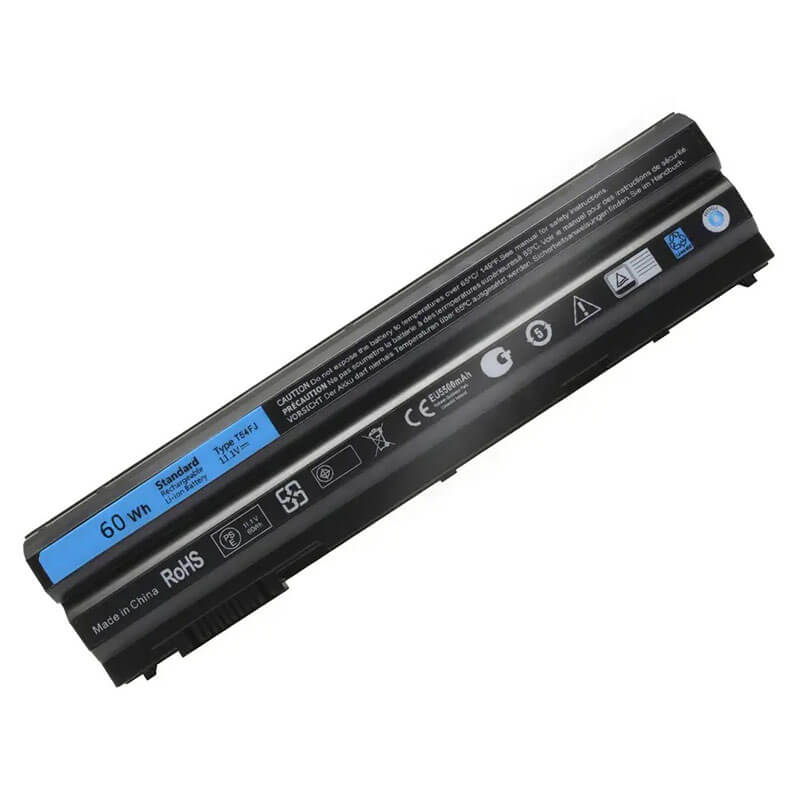
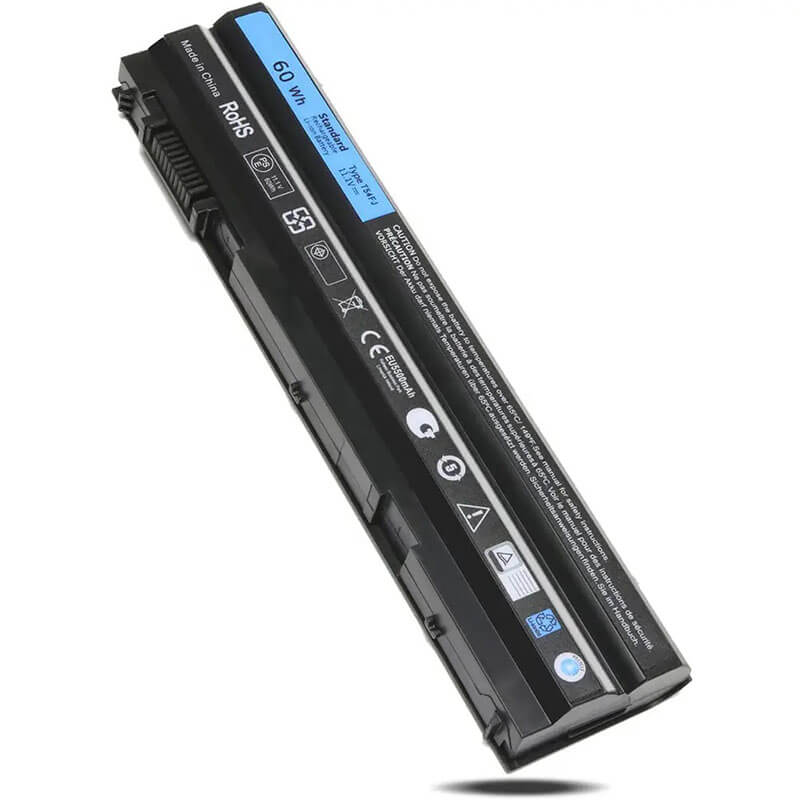
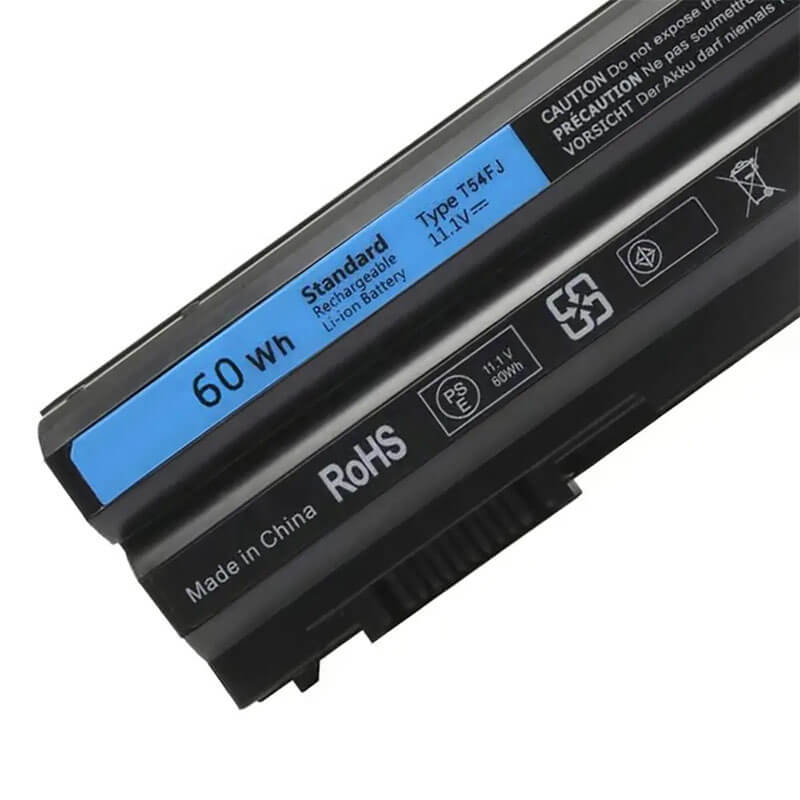
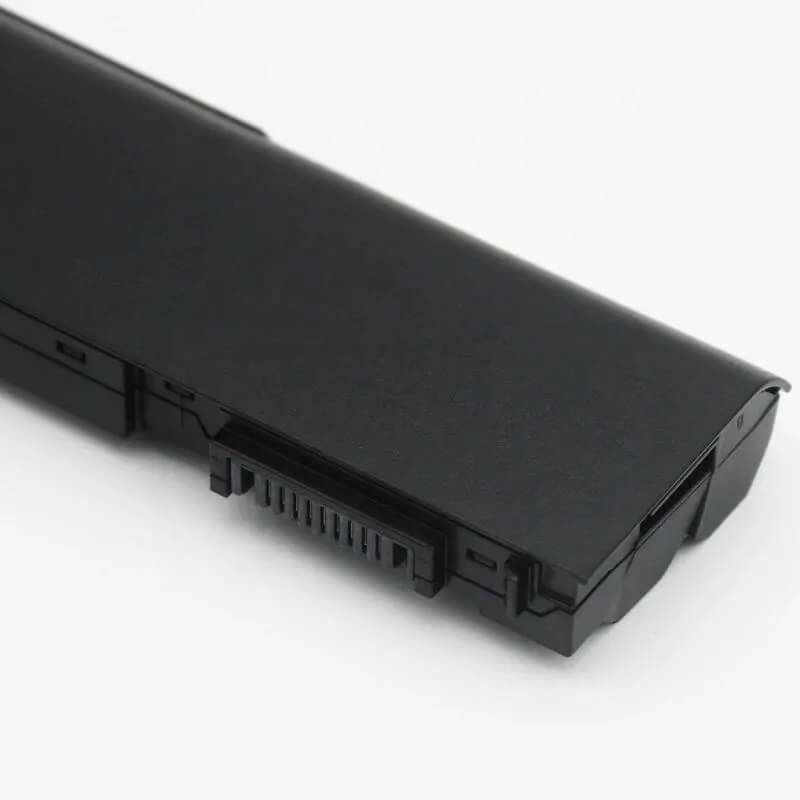
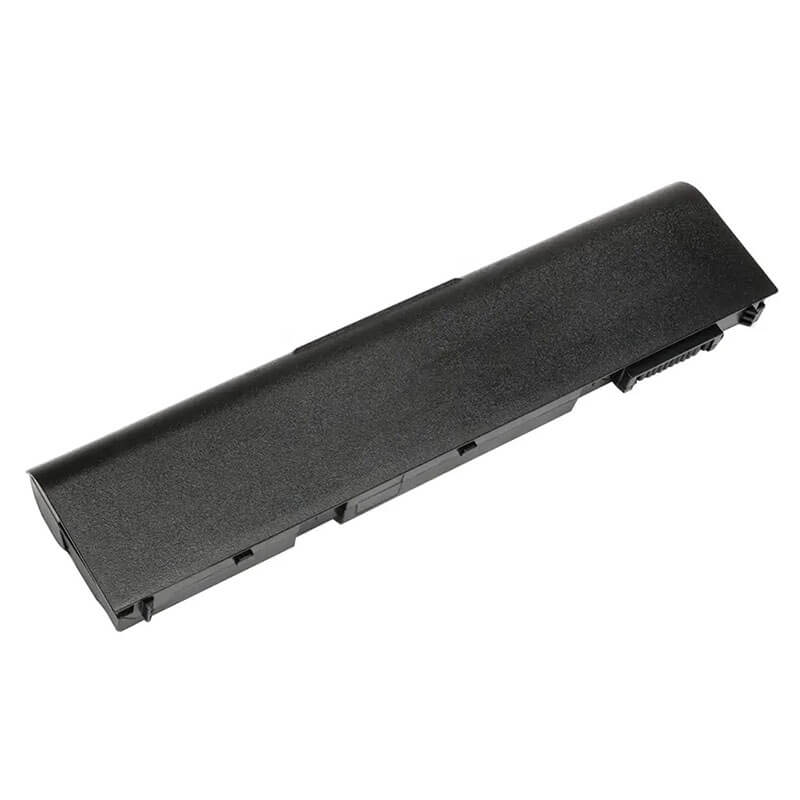
T54FJ Battery for Dell Latitude E6420 E6520 E5430 E5530 Inspiron 15R 5520 7520 | 11.1V 60Wh 6-Cell
- Model Numbers: T54FJ / M5Y0X / 8858X Battery
- Battery Type: Lithium-ion (Grade A 18650 Cylindrical Cells)
- Voltage: 11.1V (Compatible with 10.8V)
- Capacity: 5200mAh / 60Wh
- Cells: 6-Cell
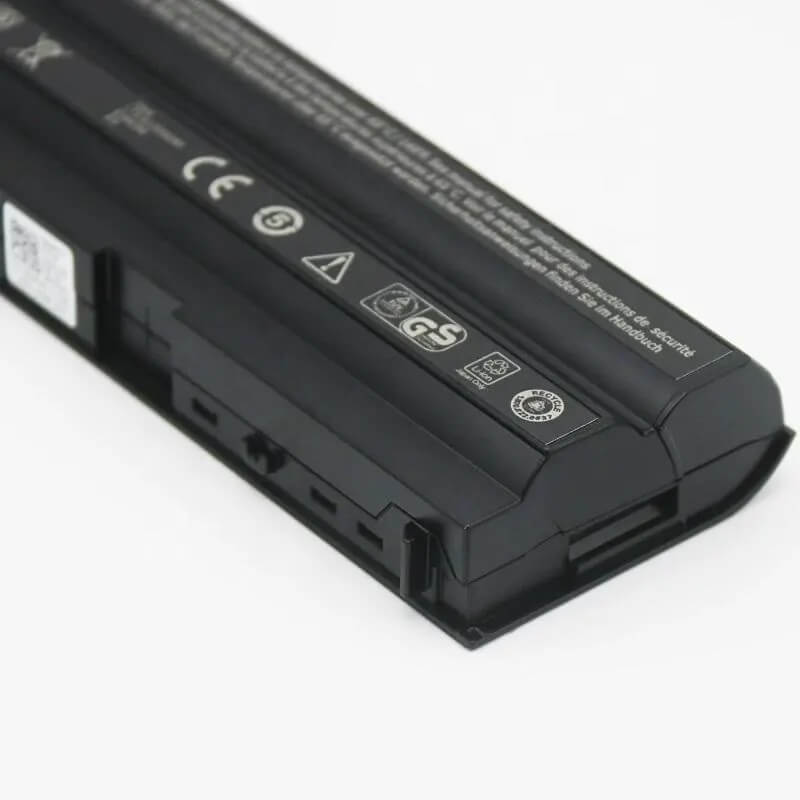
- Connector: External Integrated Board-to-Board
- Condition: 100% Brand New from Factory
- Life Cycle: 600 – 1000 recharge cycles
- Multiple Protection: Over Current, Over Voltage, Over Charge & Discharge, Overheat, Short Circuit, ESD, EMI
- Color: Black
- Certifications: UL2054, CE, FCC, RoHS, UN38.3, MSDS, IEC62133
- OEM/ODM: Yes(Accepted)
- Warranty: 18 Months After Sales, 24/7 Email Support.
- Product Dimensions: 8.86 x 3.15 x 1.38 inches
- Item Weight: 10.6 Ounces
T54FJ Battery for Dell Latitude E6420 E6520 E5430 E5530 Inspiron 15R 5520 7520 | 11.1V 60Wh 6-Cell
Detailed Product Specifications and Features:
Core Technical Parameters:
| Property | Specification |
|---|---|
| Model Numbers | T54FJ / M5Y0X / 8858X Battery |
| Battery Type | Lithium-ion (Grade A 18650 Cylindrical Cells) |
| Voltage | 11.1V (Fully compatible with 10.8V) |
| Capacity | 5200mAh / 60Wh |
| Cells | 6-Cell |
| Connector | External Integrated Board-to-Board |
| Condition | 100% Brand New from Factory |
| Life Cycle | 600 - 1000 recharge cycles |
| Multiple Protection | Over Current, Over Voltage, Over Charge & Discharge, Overheat, Short Circuit, ESD, EMI |
| Color | Black |
| Certifications | UL2054, CE, FCC, RoHS, UN38.3, MSDS, IEC62133 |
| OEM/ODM | Yes(Accepted) |
| Warranty | 18 Months After Sales, 24/7 Email Support. |
| Product Dimensions | 8.86 x 3.15 x 1.38 inches |
| Item Weight | 10.86 Ounces |
Technical Note:
Design Note: The T54FJ is an external removable battery that slides into the rear of the laptop.
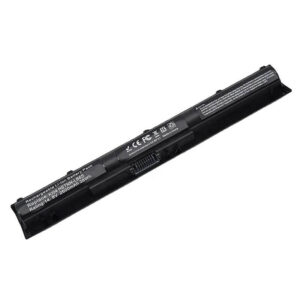
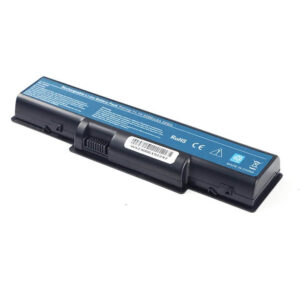
Visual Identification: It has a long, thick rectangular profile with two locking sliders.
Precision Warning: If you have a Precision 7520 (Workstation), please check your battery type. The 7520 usually uses an internal MFKVP battery. This T54FJ fits the Inspiron 15R-7520 and the Precision M4600/M4700/M4800 series.
Important: Not compatible with the Latitude E6400 or E6440 series.
Product Features:
- Battery Newest Premium Grade Cells
- Best Circuit Board
- Multiple command chip control, keep the battery stable charge and discharge;
- Over-charger protection and discharger protection, short-circuit protection, ensure fast charges and low power consumption
- Easy & Quick Installation
- Our battery is 100% compatible with the original battery and meets
- CE/FCC/ROHS/UL-certified standards. It is 100% new from the manufacturer and can support up to 1000 recharge cycles over the life of the battery
- Power Interface: Gold-plated connector points to ensure current transport excellently and serve stably.
- Enclosure: The enclosure is made of ABS + PC high-quality material, which has a high-temperature-resistant function to protect your laptop from overheating
- Battery Buckle: The battery buckle is closely connected to the laptop, and the metal interface is stably powered
T54FJ / M5Y0X / 8858X Battery Compatibility Laptop Model List:
1. Compatible Laptop Model List (Comprehensive)
| Dell Series | Specific Model Suffixes (High-Volume Searchable Variants) |
|---|---|
| Latitude E-Series | E6420, E6430, E6520, E6530, E5420, E5430, E5520, E5530: E6420 ATG, E6430 ATG, E6420 XFR |
| Precision (Legacy) | M4600, M4700, M4800, M6600, M6700, M6800: (External Slot-in Only) |
| Inspiron 14R / 15R | 14R (5420/5425), 15R (5520/7520), 17R (5720/7720): Inspiron 15R SE 7520, 17R SE 7720 |
| Vostro Series | 3460, 3560 Series: Vostro 3460, Vostro 3560 Business Laptops |
| Inspiron M/N Series | M421R, M521R, N4420, N4520, N4720, N5420, N5520, N5720, N7420, N7520, N7720 |
| ⚠️ CRITICAL WARNING | NOT FOR: Precision 7510 / 7520 (Uses Internal MFKVP). NOT FOR: Latitude E6440 / E6540. |
| Visual Check | This is a Rear-Mount External Battery. If your battery is inside the laptop, this is NOT the correct part. |
2. T54FJ / M5Y0X / 8858X Battery Compatible Part Numbers (P/N List)
- Dell Spare Numbers: T54FJ, M5Y0X, 8858X, HCJWT, KJ321, 04NW9, 2P2MJ, 312-1163, 312-1311, 4YRJH
- Alternative Codes: 8P3YX, 911MD, DHT0W, M2P6F, P8TC7, P9TJ0, PRV1Y, T54F3, YKF0M, X57F1
- Regulatory Codes: P15F, P15F001, P15F002, P15G, P16G, P16G001, P16G002, P25G
- Engineering Code: 312-1242, 312-1310, 312-1324, 312-1325, 451-11694, 451-11947
Why Choose HTJ T54FJ Battery?
- Precision 18650 Cylindrical Cells:
The Latitude E6420 and Precision M4800 are powerful machines. HTJ utilizes premium Grade A cells that provide stable amperage for high-wattage components, preventing the random shutdowns common in low-grade replacements. - Reinforced Dual-Lock Housing:
External batteries are prone to “wobble” over time. HTJ’s T54FJ is built with a reinforced chassis and precision-tensioned springs in the locking mechanism to ensure a secure, vibration-free fit in your laptop’s battery bay. - Safety-First BMS Architecture:
Our Battery Management System (BMS) includes over-voltage, short-circuit, and thermal protection. This is vital for older Dell motherboards, ensuring the charging circuit remains protected even during 24/7 plugged-in operation. - Fresh Batch Availability:
While many T54FJ batteries online are “New Old Stock” from 2018, HTJ manufactures these in monthly cycles. This ensures the chemical capacity is at 100% (60Wh) for maximum portable runtime.
How to Install Your New T54FJ Battery?
The Dell T54FJ is an external snap-in battery. No tools are required.
⚠️ Pre-Installation Safety Check:
- Shut Down: Ensure the laptop is fully off and the AC adapter is removed.
- Lock Check: Inspect the laptop’s battery bay for any broken plastic tabs before inserting the new unit.
T54FJ Battery Step-by-Step Installation Guide:
- Remove the Old Battery: Slide the two release latches on the bottom of the laptop outward and pull the old battery away from the rear.
- Clear the Port: Use a dry cloth or compressed air to clean the 9-pin connector in the laptop’s bay.
- Insert New Battery: Align the HTJ T54FJ with the bay. Slide it in firmly until you hear a “Click” from both latches.
- Confirm Lock: Slide the lock latch to the “Closed” position (if your model has manual locks).
- First Charge: Plug in your Dell 65W, 90W, or 130W adapter. Charge to 100% before the first use to calibrate the cells.
💡 Pro Tip (Solving “Not Charging” at 0%):
If your laptop says “Plugged in, Not Charging,” it is often because the older BIOS doesn’t recognize the new battery handshake.
- Shut down and remove the battery.
- Hold the Power Button for 60 seconds. 3. Re-insert the battery and plug in the charger. This “Static Discharge” forces the BIOS to re-initialize the power communication bus.
FAQ (Frequently Asked Questions)
Q: My laptop is a Precision 7520. Will this fit?
A: Warning: If you have the modern Precision 7520 Workstation, this battery will not fit. You likely need the internal MFKVP battery. This T54FJ fits the Inspiron 15R-7520 (Special Edition) and the Precision M4600/M4800 models. Please check your original battery shape.
Q: What is the difference between T54FJ and M5Y0X?
A: They are the same battery family. T54FJ is often the 60Wh version, while M5Y0X is the 97Wh (9-cell) extended version that protrudes from the back. This HTJ model is the standard 6-cell 60Wh that sits flush.
Q: Can I use this in my Latitude E6440?
A: No. The E6440/E6540 uses the VV0NF battery. They look similar but have different pin configurations.
Q: My laptop says “Precision 7520” on the screen, but the link says this battery fits. Is it correct?
A: Please check your battery location. If your battery slides out from the back of the laptop without opening any screws, this T54FJ is correct (likely an Inspiron 7520). If your battery is hidden under a bottom panel and held by screws, you need the MFKVP internal battery instead.
Q: Can I use this 11.1V battery if my original says 10.8V?
A: Yes. These are interchangeable nominal voltage ratings for 6-cell Lithium-ion packs. HTJ’s 11.1V architecture is fully optimized for all compatible Dell Latitude and Inspiron charging circuits.
Q: Will this make my laptop stick out from the back?
A: No. The T54FJ is the 6-cell standard capacity battery that sits flush with the laptop chassis. If you want the one that sticks out for longer, you should look for the 9-cell M5Y0X model.
Q: Why does my laptop run more slowly when the battery is low?
A: Dell motherboards often throttle the CPU when they detect a failing or low-voltage battery. Replacing your old unit with a fresh HTJ T54FJ restores the 11.1V rail stability, allowing your CPU to run at its full clock speed.
Laptop Maintenance Tips:
- New battery: For using a new battery, you’d better try a few cycles of discharging to 5%. then charging up to 95%. So that it can be activated completely
- Overuse: Do not always run a battery to 0%, as this would shorten its usage life.
- Charging sequence: When charging, first install the battery, then turn on the power. When fully charged, first cut off the power, then pull the power plug.
- Long-term storage: Please store the unused battery fully charged. (Charge it once a month.) Do not store at low power to prevent reducing the lifespan of a battery
- Charger: Do not replace the laptop adapter casually. If the original adapter cannot be applied due to malfunction or damage, please replace the models so as not to reduce the service life of the battery due to incompatibility.
【IMPORTANT】: Press [ Ctrl+F ] to find the laptop models.
Need a legacy/unlisted charger? Send your DELL Laptop Battery specs or CONTACT US → We will source it for you!
We are a professional manufacturer of laptop batteries, laptop adapters, and laptop keyboards. We are committed to providing high-quality, competitively priced, and superior performance batteries and the best service to customers.