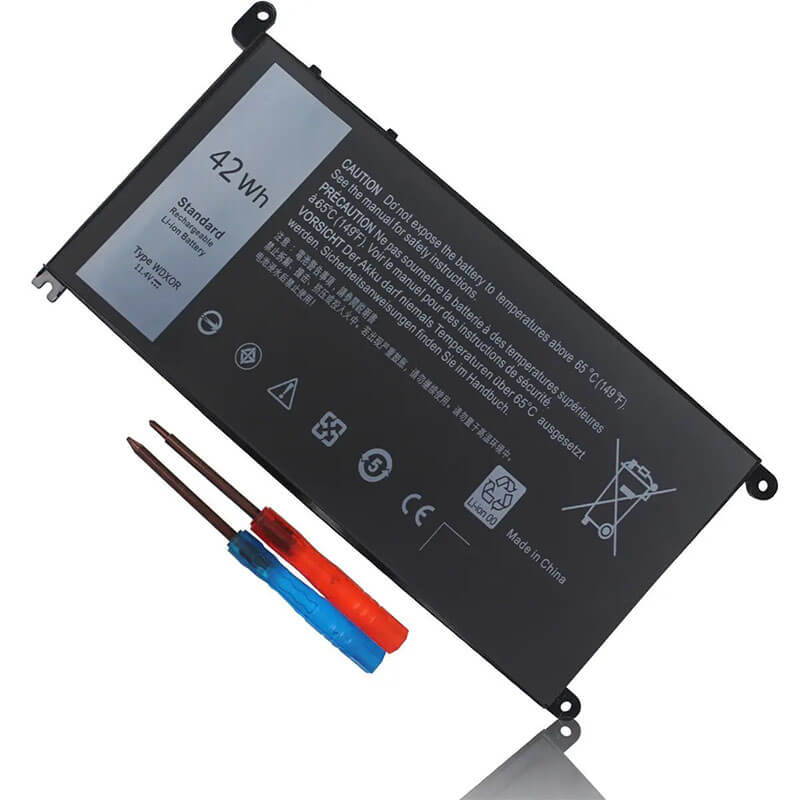
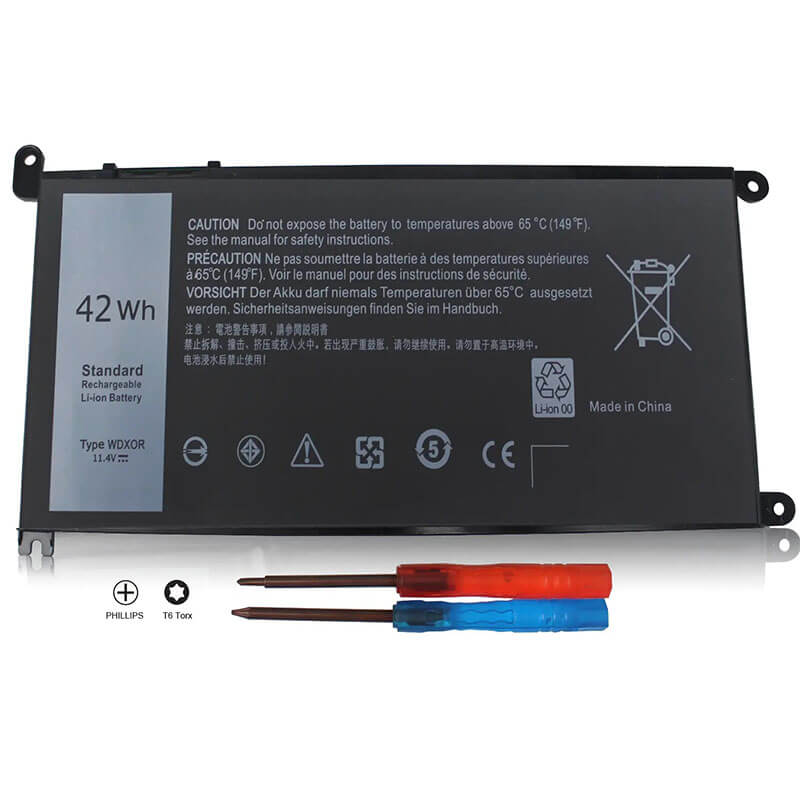
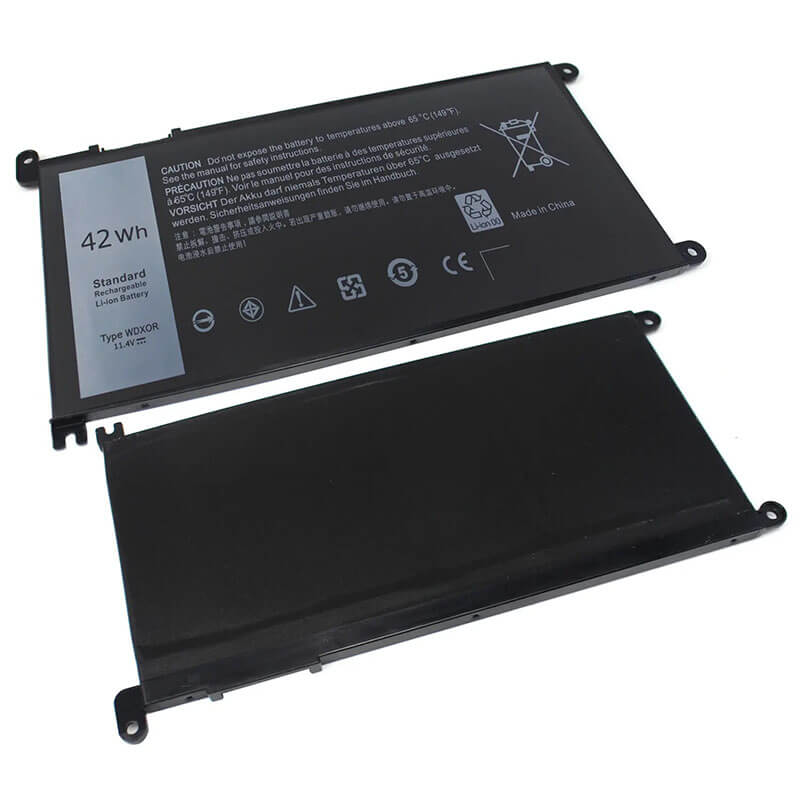
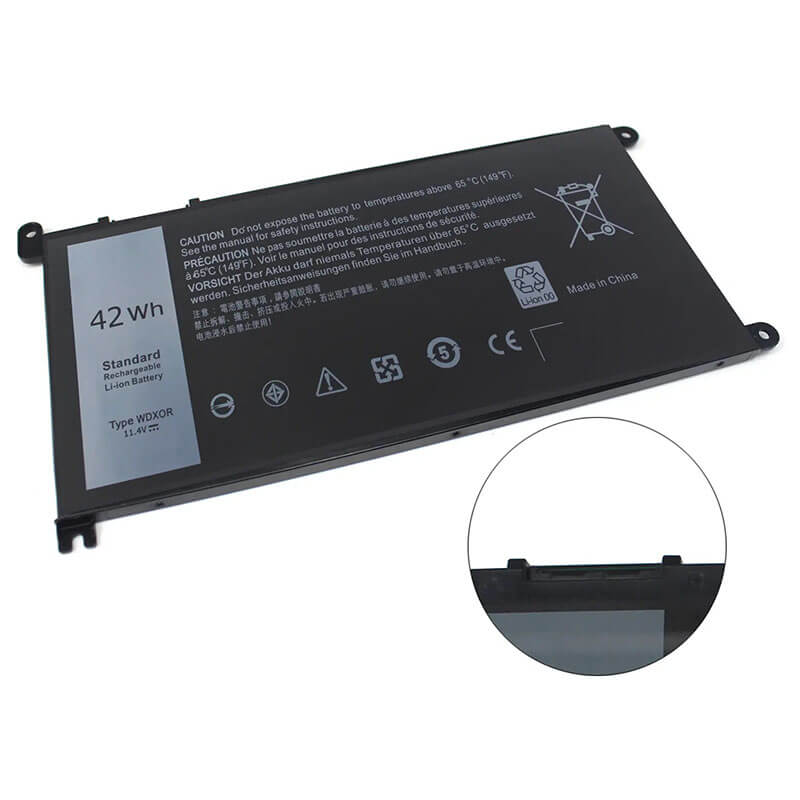
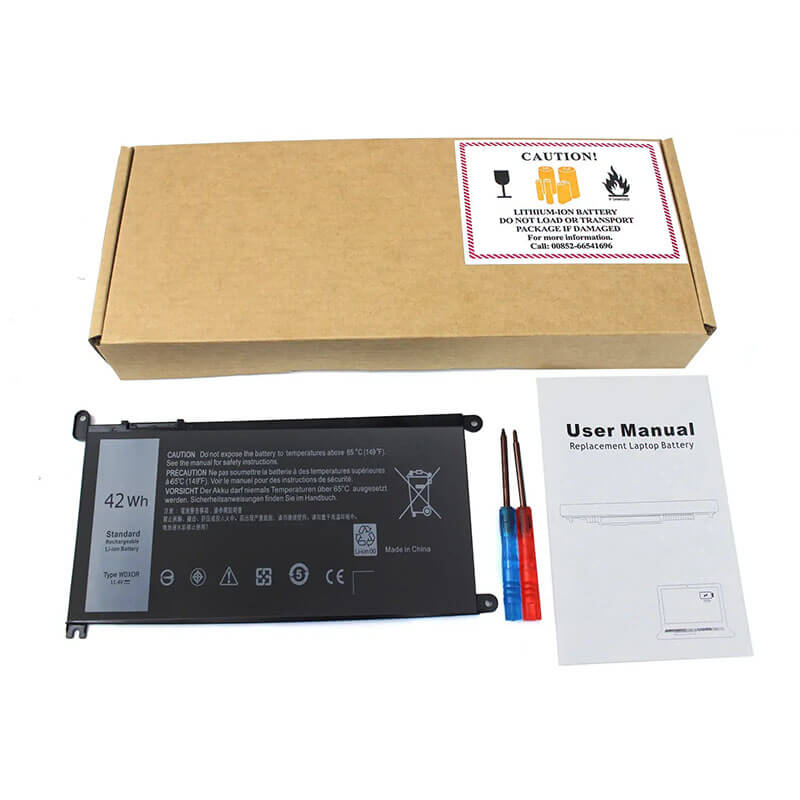
WDX0R Battery for Dell Inspiron 15 5567 5568 5570 13 5368 5378 7368 | 11.4V 42Wh 3-Cell – HTJ
- Model Numbers: WDX0R / WDXOR
- Battery Type: Lithium-ion Polymer (Grade A+ High-Density Cells)
- Voltage: 11.4V (Fully compatible with 11.1V)
- Capacity: 3500mAh / 42Wh
- Cells: 3-Cell
- Connector: External Integrated Board-to-Board
- Condition: 100% Brand New from Factory
- Life Cycle: 600 – 1000 recharge cycles
- Multiple Protection: Over Current, Over Voltage, Over Charge & Discharge, Overheat, Short Circuit, ESD, EMI
- Color: Black
- Certifications: UL2054, CE, FCC, RoHS, UN38.3, MSDS, IEC62133
- OEM/ODM: Yes(Accepted)
- Warranty: 18 Months After Sales, 24/7 Email Support.
- Product Dimensions: 7.3 x 4.2 x 0.2 inches
- Item Weight: 7 Ounces
WDX0R Battery for Dell Inspiron 15 5567 5568 5570 13 5368 5378 7368 | 11.4V 42Wh 3-Cell
Detailed Product Specifications and Features:
Core Technical Parameters:
| Property | Specification |
|---|---|
| Model Numbers | WDX0R / WDXOR |
| Battery Type | Lithium-ion Polymer (Grade A+ High-Density Cells) |
| Voltage | 11.4V (Fully compatible with 11.1V) |
| Capacity | 3500mAh / 42Wh |
| Cells | 3-Cell |
| Connector | External Integrated Board-to-Board |
| Condition | 100% Brand New from Factory |
| Life Cycle | 600 - 1000 recharge cycles |
| Multiple Protection | Over Current, Over Voltage, Over Charge & Discharge, Overheat, Short Circuit, ESD, EMI |
| Color | Black |
| Certifications | UL2054, CE, FCC, RoHS, UN38.3, MSDS, IEC62133 |
| OEM/ODM | Yes(Accepted) |
| Warranty | 18 Months After Sales, 24/7 Email Support. |
| Product Dimensions | 7.3 x 4.2 x 0.2 inches |
| Item Weight | 7 Ounces |
Technical Note:
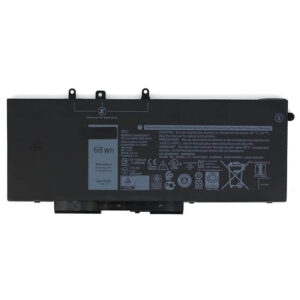
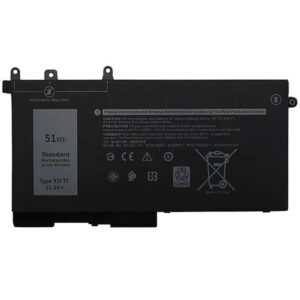
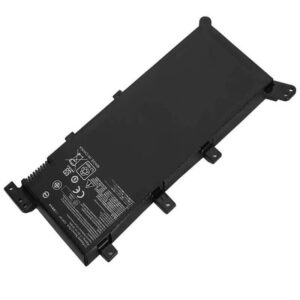
Design Note: The WDX0R is an internal battery with a flat, integrated profile.
Visual Identification: It features a centralized connector and three specific screw-mount tabs.
Series Versatility: This battery is the standard power source for Dell’s “Mid-to-Premium” 2-in-1 and clamshell laptops from 2016–2020.
Safety Note: Features HTJ’s “Heat Shield” polymer casing to prevent thermal degradation near the CPU/GPU.
Important: Not for older Inspiron models with external “slide-out” batteries.
Product Features:
- Battery Newest Premium Grade Cells
- Best Circuit Board
- Multiple command chip control, keep the battery stable charge and discharge;
- Over-charger protection and discharger protection, short-circuit protection, ensure fast charges and low power consumption
- Easy & Quick Installation
- Our battery is 100% compatible with the original battery and meets
- CE/FCC/ROHS/UL-certified standards. It is 100% new from the manufacturer and can support up to 1000 recharge cycles over the life of the battery
- Power Interface: Gold-plated connector points to ensure current transport excellently and serve stably.
- Enclosure: The enclosure is made of ABS + PC high-quality material, which has a high-temperature-resistant function to protect your laptop from overheating
- Battery Buckle: The battery buckle is closely connected to the laptop, and the metal interface is stably powered
WDX0R / WDXOR Battery Compatibility Laptop Model List:
1. Compatible Laptop Model List (Comprehensive)
| Dell Series | Specific Model Suffixes (Searchable Variants) |
|---|---|
| Inspiron 13 (5000/7000) | 5368, 5378, 5379, 7368, 7375, 7378: 13MF-D1208TA, 13MF-2505T, i5368-4093GRY, i5378-2885GRY |
| Inspiron 15 (5000/7000) | 5538, 5565, 5567, 5568, 5570, 5575, 5578, 5580, 5593, 7560, 7569, 7570, 7573, 7579, 7580, 7586: i5567-1836GRY, i5570-5364SLV-PUS |
| Inspiron 15 (3000) | 3580, 3581, 3582, 3583, 3584, 3585, 3590, 3593, 3595: (Note: These budget models use WDX0R internally) |
| Inspiron 14 (3000/5000/7000) | 3482, 5480, 5468, 5481, 5482, 5485, 5493, 7460, 7472: i5481-3595GRY, Ins 14-7460-D1525G |
| Inspiron 17 (3000/5000) | 3780, 3781, 3793, 5765, 5767, 5770: i5767-3649GRY, i5770-7449SLV-PUS |
| Latitude / Chromebook | 3180, 3189, 3190, 3379, 3390, 3400, 3480, 3490, 3500, 3580, 3590: Chromebook 11 3189, Latitude 13 3390 2-in-1 |
| Vostro Series | 14 5468, 14 5468D, 15 5568, 15 5568D, 3481, 3583: Vostro 5468, Vostro 5568 |
| ⚠️ Absolute Incompatibility | NOT FOR: Latitude 3390 Standard (Verify if using 4-cell F3YGT). NOT FOR: Inspiron 15 5558/5559 (Uses M5Y1K). |
| Visual Check | This is a Flat Internal 3-Cell Plate. It must have the connector in the center-top edge. |
2. WDX0R / WDXOR Battery Compatible Part Numbers (P/N List)
- Dell Spare Numbers: WDX0R, WDXOR, 3CRH3, T2JX4, FC92N, CYMGM, FW8KR, C4HCW, 8YPRW, Y3F7Y, 0WDX0R, 03CRH3
- Sub-Part Numbers: 2R9W6, 4P6H5, 6MNJ4, HJPTM, V6F6K, 0WDX0R, 03CRH3, 0T2JX4, 0FC92N
- Regulatory Codes: P58F, P58F001, P62F, P66F, P69G, P69G001, P70F, P74G, P75F, P32E001
- Model Designation: WDX0R 3-Cell Li-Polymer (42Wh)
Why Choose HTJ WDX0R Battery?
- Precision TI Communication Chipset:
Dell’s internal power management is highly sensitive. HTJ uses an authentic Texas Instruments (TI) chipset to ensure a 100% “Digital Handshake” with the Dell BIOS, preventing the “Battery Not Detected” errors common with generic chips. - High-Density 3500mAh Polymer Cells:
Our WDX0R is engineered with high-density cobalt polymer cells. This maintains a stable 11.4V discharge curve, providing the consistent current required for Dell’s 4K and FHD touch-enabled displays without performance throttling. - Structural Anti-Swelling Protection:
Swollen batteries can crack the fragile trackpads on Inspiron 13 and 15 laptops. HTJ’s WDX0R is built with reinforced outer layers and advanced gas-recombination technology to resist expansion and protect your laptop’s chassis. - Grade A+ 0-Cycle Freshness:
We avoid “New Old Stock.” Every HTJ WDX0R is manufactured in fresh monthly batches, ensuring your battery arrives with 100% health and a full 42Wh capacity for maximum mobile runtime.
How to Install Your New WDX0R Battery?
The Dell WDX0R is an internal battery. You will need a small Phillips #00 screwdriver to access it.
⚠️ Pre-Installation Safety Check:
- Power Off: Ensure the laptop is completely shut down, and the AC adapter is removed.
- Static Drain: Touch a grounded metal object before opening the case to avoid damaging the motherboard.
- Surface: Work on a soft, non-conductive surface to prevent scratching the laptop lid.
WDX0R Battery Step-by-Step Installation Guide:
- Remove Base Screws: Remove the 9–12 Phillips screws from the bottom cover (note that some screws may be longer than others).
- Pry the Cover: Carefully use a plastic pry tool (spudger) to release the clips around the edge and lift the cover off.
- Disconnect the Cable: Locate the battery ribbon cable. Gently pull the connector straight out of its slot on the motherboard. Do not pull by the wires.
- Unscrew the Battery: Remove the 3 screws holding the battery plate in place.
- Insert New Battery: Align the HTJ WDX0R with the screw holes and seat it firmly in the bay.
- Reconnect & Close: Plug the ribbon connector back in, secure the 3 screws, and snap the base cover back on.
- Final Sync: Charge to 100% while the laptop is off. Use until it hits 5%, then recharge to 100% to calibrate the Windows fuel gauge.
💡 Pro Tip (Solving “Plugged in, Not Charging”):
If your Dell shows a “Battery Not Recognized” message after installation:
- Remove the base cover and disconnect the battery cable.
- Hold the Power Button for 30 seconds to drain residual electricity (Flea Power).
- Reconnect the battery and plug in the AC adapter before putting the cover back on to verify the charging LED turns orange. This forces the BIOS to refresh its hardware map.
FAQ (Frequently Asked Questions)
Q: My laptop is an Inspiron 15 5000 Series. Is this the right one?
A: The “5000 Series” includes many years of laptops. If your model number is 5567, 5568, 5570, or 5575, then yes, this is your battery. If it is 5558 or 5559, you likely need the M5Y1K.
Q: Is 42Wh enough for a 17-inch Inspiron 5770?
A: Yes. Dell designed the 5770 to use the 42Wh WDX0R. While 42Wh is standard, HTJ’s high-density cells ensure you get the absolute maximum efficiency possible for that large screen.
Q: Why does my original battery look slightly different?
A: Dell uses multiple vendors (BYD, Simplo, LG). As long as your part number is WDX0R or 3CRH3, the HTJ version is a 100% precision fit regardless of minor label differences.
Q: My laptop is an Inspiron 13 5000 Series 2-in-1. Is this the right one?
A: Yes! The WDX0R was designed specifically to fit the thin profile of the Inspiron 13 (5368, 5378, 5379) 2-in-1 folding laptops.
Q: Can I replace my 42Wh battery with a higher capacity one in the same slot?
A: Generally, no. Internal batteries like the WDX0R are limited by physical space. However, HTJ’s High-Density cells ensure you are getting the absolute maximum runtime possible (full 42Wh) compared to “budget” versions that may only offer 38Wh or 40Wh.
Q: Why does my Dell say “Alert! Is the battery not recommended for this system”?
A: This is usually a BIOS “flea power” issue. Follow our Pro Tip in the installation section to perform a Hard Reset (drain power for 30 seconds). This clears the motherboard’s memory and allows it to properly “handshake” with the new HTJ chipset.
Q: Are WDX0R and WDXOR the same?
A: Yes. Users often type “WDXOR” (with the letter O) instead of “WDX0R” (with a zero). Both refer to the same 42Wh internal battery.
Laptop Maintenance Tips:
- New battery: For using a new battery, you’d better try a few cycles of discharging to 5%. then charging up to 95%. So that it can be activated completely
- Overuse: Do not always run a battery to 0%, as this would shorten its usage life.
- Charging sequence: When charging, first install the battery, then turn on the power. When fully charged, first cut off the power, then pull the power plug.
- Long-term storage: Please store the unused battery fully charged. (Charge it once a month.) Do not store at low power to prevent reducing the lifespan of a battery
- Charger: Do not replace the laptop adapter casually. If the original adapter cannot be applied due to malfunction or damage, please replace the models so as not to reduce the service life of the battery due to incompatibility.
【IMPORTANT】: Press [ Ctrl+F ] to find the laptop models.
Need a legacy/unlisted charger? Send your DELL Laptop Battery specs or CONTACT US → We will source it for you!
We are a professional manufacturer of laptop batteries, laptop adapters, and laptop keyboards. We are committed to providing high-quality, competitively priced, and superior performance batteries and the best service to customers.