VGP-BPS9 Battery for Sony Vaio VGN-NR FZ SZ BX Series | 11.1V 5200mAh 58Wh 6-Cell – HTJ
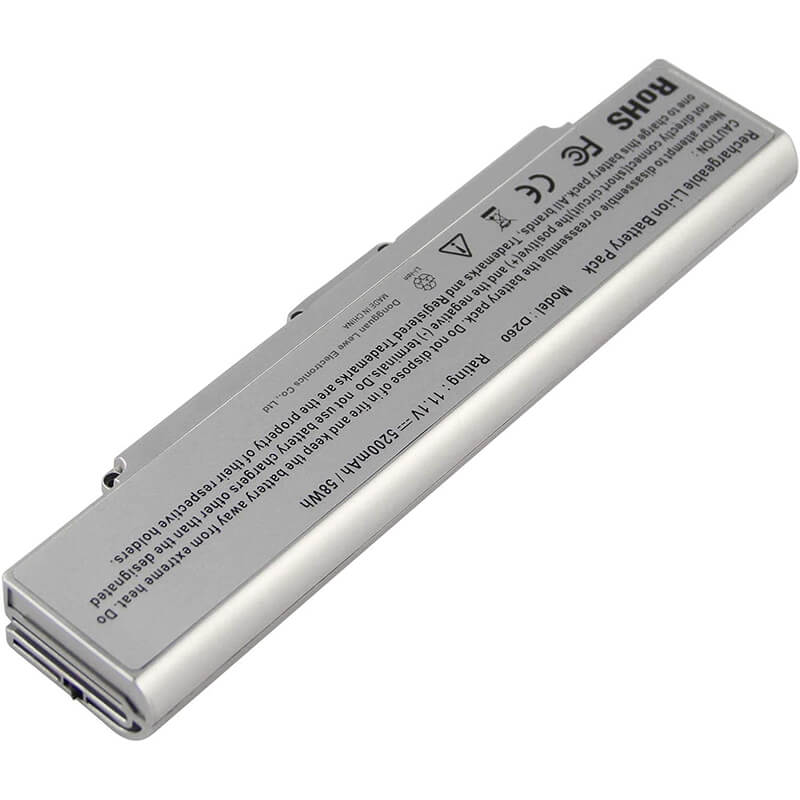
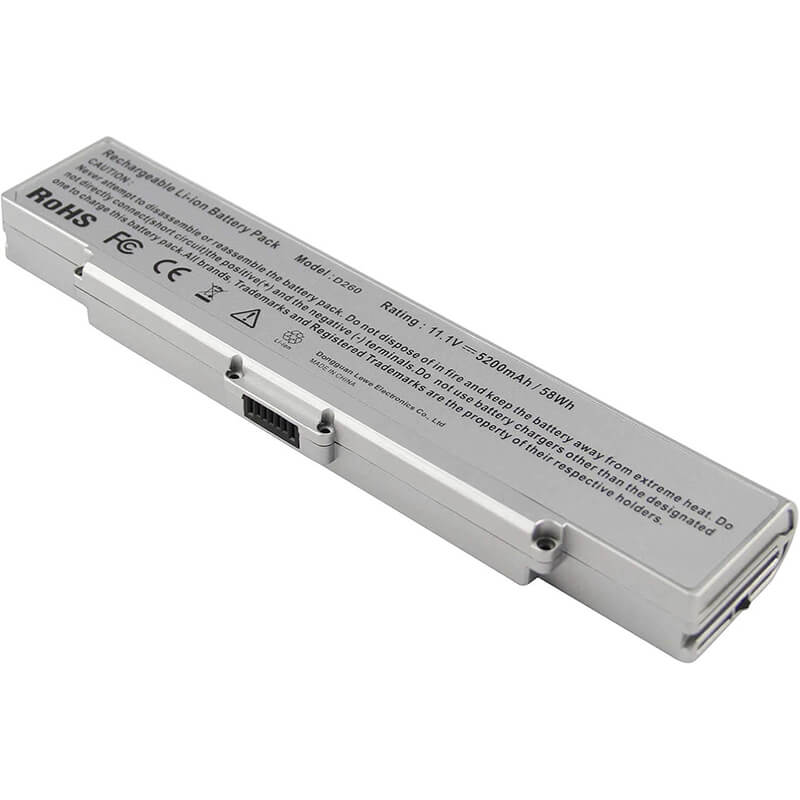
- Model Numbers: VGP-BPS9 / VGP-BPS9/S Battery
- Battery Type: Lithium-ion (Grade A+ High-Density Cells)
- Voltage: 11.1V (Fully compatible with 10.8V)
- Capacity: 5200mAh / 58Wh
- Cells: 6-Cell
- Connector: External Snap-in Interface
- Condition: 100% Brand New from Factory
- Life Cycle: 600 – 1000 recharge cycles
- Multiple Protection: Over Current, Over Voltage, Over Charge & Discharge, Overheat, Short Circuit, ESD, EMI
- Color: Silver
- Certifications: UL2054, CE, FCC, RoHS, UN38.3, MSDS, IEC62133
- OEM/ODM: Yes(Accepted)
- Warranty: 18 Months After Sales, 24/7 Email Support.
- Product Dimensions: 8.5 x 2.28 x 0.98 inches
- Item Weight: 10.4 ounces
VGP-BPS9 Battery for Sony Vaio VGN-NR FZ SZ BX Series | 11.1V 5200mAh 58Wh 6-Cell
Detailed Product Specifications and Features:
Core Technical Parameters:
| Property | Specification |
|---|---|
| Model Numbers | VGP-BPS9 / VGP-BPS9/S Battery |
| Battery Type | Lithium-ion (Grade A+ High-Density Cells) |
| Voltage | 11.1V (Fully compatible with 10.8V) |
| Capacity | 5200mAh / 58Wh |
| Cells | 6-Cell |
| Connector | External Snap-in Interface |
| Condition | 100% Brand New from Factory |
| Life Cycle | 600 - 1000 recharge cycles |
| Multiple Protection | Over Current, Over Voltage, Over Charge & Discharge, Overheat, Short Circuit, ESD, EMI |
| Color | Black |
| Certifications | UL2054, CE, FCC, RoHS, UN38.3, MSDS, IEC62133 |
| OEM/ODM | Yes(Accepted) |
| Warranty | 18 Months After Sales, 24/7 Email Support. |
| Product Dimensions | 8.5 x 2.28 x 0.98 inches |
| Item Weight | 10.4 ounces |
Technical Note:
Design Note: The VGP-BPS9 is a classic external 6-cell battery.
Upgrade Note: This 5200mAh version provides approximately 18% more runtime than the standard 4400mAh battery while maintaining the same physical dimensions.
Voltage Alert: This model was produced in both 11.1V and 14.8V versions. This listing is for the 11.1V version.
Firmware Note: Fully decoded to bypass Sony’s “ISBM” battery protection software.
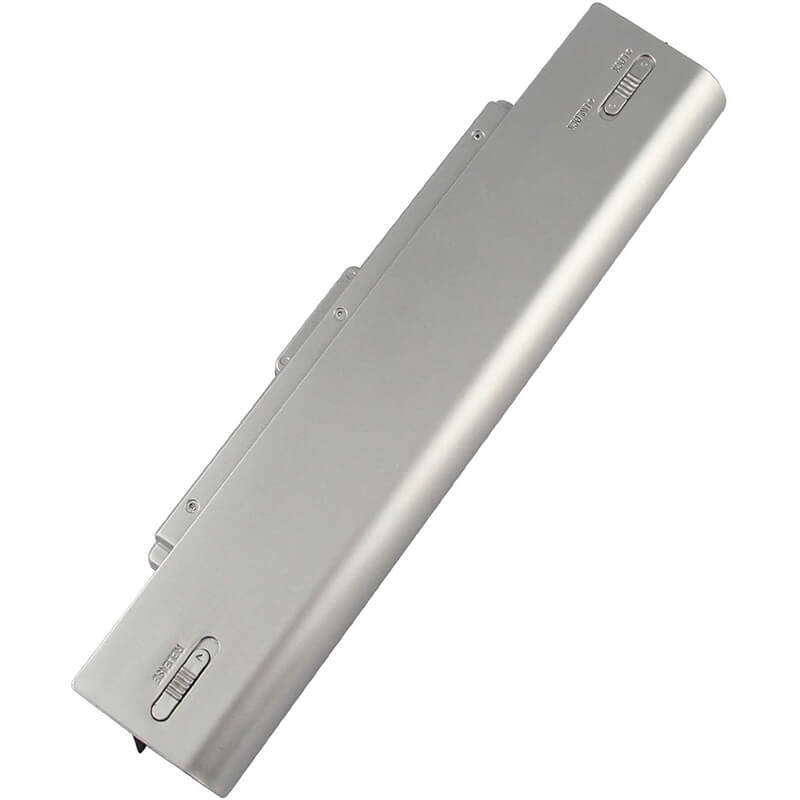
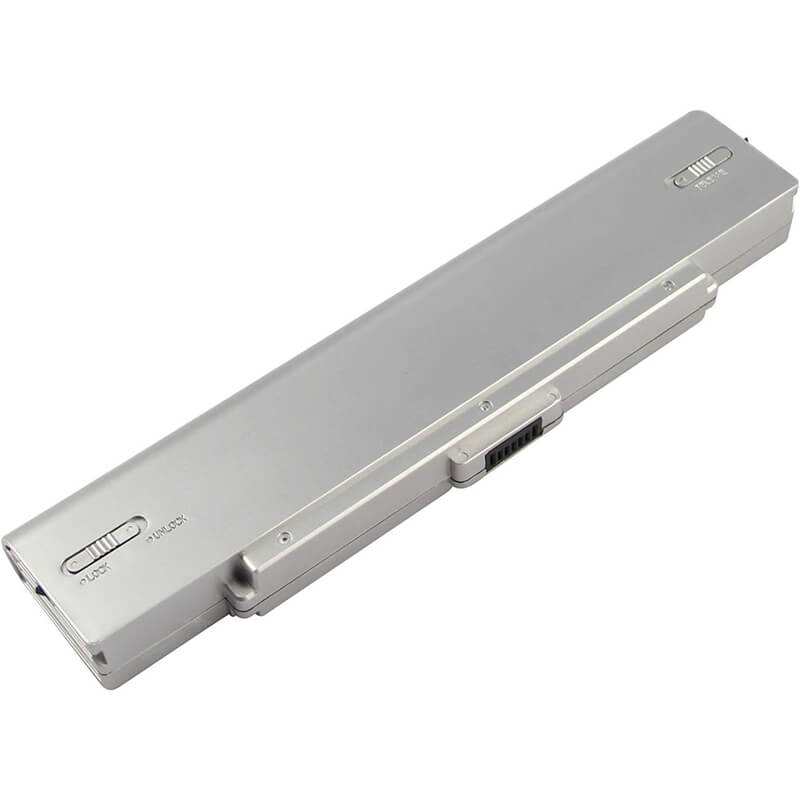
Important: No tools required; features a dual-locking sliding mechanism.
Product Features:
- Battery Newest Premium Grade Cells
- Best Circuit Board
- Multiple command chip control, keep the battery stable charge and discharge;
- Over-charger protection and discharger protection, short-circuit protection, ensure fast charges and low power consumption
- Easy & Quick Installation
- Our battery is 100% compatible with the original battery and meets
- CE/FCC/ROHS/UL-certified standards. It is 100% new from the manufacturer and can support up to 1000 recharge cycles over the life of the battery
- Power Interface: Gold-plated connector points to ensure excellent current transport and stable operation.
- Enclosure: The enclosure is made of ABS + PC high-quality material, which has a high-temperature-resistant function to protect your laptop from overheating
- Battery Buckle: The battery buckle is closely connected to the laptop, and the metal interface is stably powered
VGP-BPS9 / VGP-BPS9/S Battery Battery Compatibility Laptop Model List:
1. Compatible Laptop Model List (Comprehensive)
| Sony Series | Specific Model Variants & PCG Chassis Codes |
|---|---|
| Vaio VGN-NR Series | NR Series: VGN-NR110, VGN-NR120, VGN-NR240, VGN-NR330, VGN-NR498, VGN-NR11S, VGN-NR21S, VGN-NR31S, Chassis Codes: PCG-7111L, PCG-7112L, PCG-7113L |
| Vaio VGN-FZ Series | FZ Series: VGN-FZ11M, VGN-FZ140, VGN-FZ190, VGN-FZ21M, VGN-FZ240, VGN-FZ4000,VGN-FZ18, VGN-FZ31M, VGN-FZ38 Chassis Codes: PCG-381L, PCG-391L, PCG-3A1L |
| Vaio VGN-SZ Series | SZ Series: VGN-SZ110, VGN-SZ210, VGN-SZ430, VGN-SZ650, VGN-SZ750, VGN-SZ330 Chassis Codes: PCG-6P1L, PCG-6S1L, PCG-6W1L |
| Vaio VGN-BX Series | BX Series: VGN-BX195, VGN-BX295, VGN-BX541, VGN-BX675 Chassis Codes: PCG-9W1L, PCG-9Z1L |
| ⚠️ Absolute Incompatibility | NOT FOR: Vaio VGN-NW, VGN-FW, or VGN-SR (These use VGP-BPS13). NOT FOR: Vaio VGN-CS (Uses VGP-BPS13). |
| Visual Check | Fits models where the battery is L-Shaped with the connector located at the corner "bend." |
2. VGP-BPS9 / VGP-BPS9/S Battery Compatible Part Numbers (P/N List)
- VGP-BPS9 / VGP-BPS9/S / VGP-BPS9/B
- VGP-BPS9A/B / VGP-BPS9A/S
- VGP-BPL9 (Extended Life Version)
- VGP-BPS10 (Common variant for certain regional SZ/BX models)
Why Choose HTJ VGP-BPS9 5200mAh Battery?
- Extended 58Wh Energy Reservoir:
We use premium Grade A+ high-density cells to achieve a true 5200mAh. This allows your legacy Vaio to handle modern web browsing and video streaming significantly longer than standard 4400mAh replacements. - Sony BIOS “Handshake” Protection:
Many aftermarket Sony batteries result in a “Battery is not compatible or properly installed” error. HTJ units are equipped with a proprietary IC that performs a perfect digital handshake with the Sony BIOS, ensuring full charging speeds and accurate percentage reporting. - Precision-Cast Heat-Resistant Housing:
Legacy Sony laptops are known for high internal temperatures. Our BPS9 housing is constructed from a thermally stable ABS+PC polymer that resists warping and maintains a secure latch connection even after years of daily use. - 18-Month Factory-Direct Warranty:
Avoid “dead-on-arrival” issues from old stock. Our batteries are manufactured and tested in small batches to ensure cell chemistry remains fresh. We stand behind every unit with an 18-month replacement guarantee.
How to Install Your New VGP-BPS9 Battery?
Replacing an external Sony VGP-BPS9 battery is a simple process that requires no tools.
⚠️ Crucial Safety Preparation
- Shutdown: Power off the Vaio and unplug the AC power cord.
- Surface: Place the laptop upside down on a soft surface.
- Lock Check: Identify the “Lock” and “Release” sliders on the bottom chassis.
VGP-BPS9 Battery Step-by-Step Installation Guide:
- Unlock: Slide the manual battery lock switch to the “Unlocked” position.
- Release: Slide and hold the spring-loaded release lever.
- Remove: While holding the release lever, pull the old battery away from the laptop hinge.
- Insert: Align the HTJ VGP-BPS9 connector with the pins in the laptop bay. Slide it in until it clicks firmly.
- Secure: Move the manual lock switch back to the “Locked” position.
- Calibrate: Charge to 100%. Use the laptop until it reaches 5%, then recharge to 100% to sync the Vaio Power Management software.
💡 Pro Tip:
To maximize the life of this 5200mAh pack, avoid leaving the laptop plugged in 24/7. Use the “Sony Battery Care Function” to limit the maximum charge to 80% if you primarily use the laptop on your desk.
FAQ (Frequently Asked Questions)
Q: My original battery was 4400mAh. Can I use this 5200mAh version?
A: Yes! 5200mAh is simply a higher capacity version of the same battery. It is the same physical size but holds more energy, giving you longer runtime.
Q: My original battery says 14.8V. Is this 11.1V version safe?
A: No. You must match the voltage. If your original battery is 14.8V, the 11.1V version will not function correctly. Please verify the voltage on your original battery before ordering.
Q: My laptop says “PCG-7111L” on the bottom. Is this the right battery?
A: Yes! PCG-7111L is the chassis code for several VGN-NR series laptops. This VGP-BPS9 battery is the exact replacement for that chassis.
Q: Why does my Sony laptop say “The battery is not compatible” after I installed it?
A: This is usually caused by the “Sony ISBM Service” software. Our battery includes a decoded chip to bypass this, but occasionally you need to perform a “Static Reset”: 1. Remove battery and AC adapter. 2. Hold the Power button for 30 seconds. 3. Reinstall the battery and restart.
Q: Can I use this 5200mAh battery if my original was 4400mAh?
A: Absolutely. The 5200mAh rating means the battery has a higher energy density. It will provide a longer runtime (approx. 15-20% more) but has the same dimensions and voltage as your original.
Laptop Maintenance Tips:
- New battery: For using a new battery, you’d better try a few cycles of discharging to 5%. then charging up to 95%. So that it can be activated completely
- Overuse: Do not always run a battery to 0%, as this would shorten its usage life.
- Charging sequence: When charging, first install the battery, then turn on the power. When fully charged, first cut off the power, then pull the power plug.
- Long-term storage: Please store the unused battery fully charged. (Charge it once a month.) Do not store at low power to prevent reducing the lifespan of a battery
- Charger: Do not replace the laptop adapter casually. If the original adapter cannot be applied due to malfunction or damage, please replace the models so as not to reduce the service life of the battery due to incompatibility.
【IMPORTANT】: Press [ Ctrl+F ] to find the laptop models.
Need a legacy/unlisted charger? Send your Sony Laptop Battery specs or CONTACT US → We will source it for you!
We are a professional manufacturer in the field of laptop batteries, laptop adapters, and laptop keyboards. We are committed to providing high-quality, competitively priced, and superior performance batteries and the best service to customers.
Need Expert Help or Legacy Charger Sourcing? Contact Our Professional Technical Team Now!