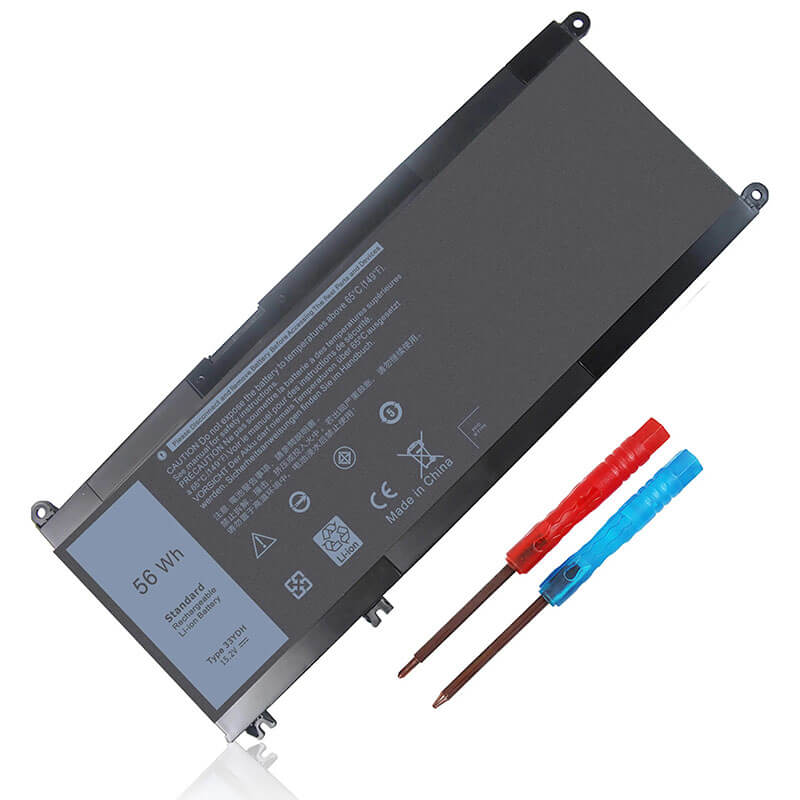
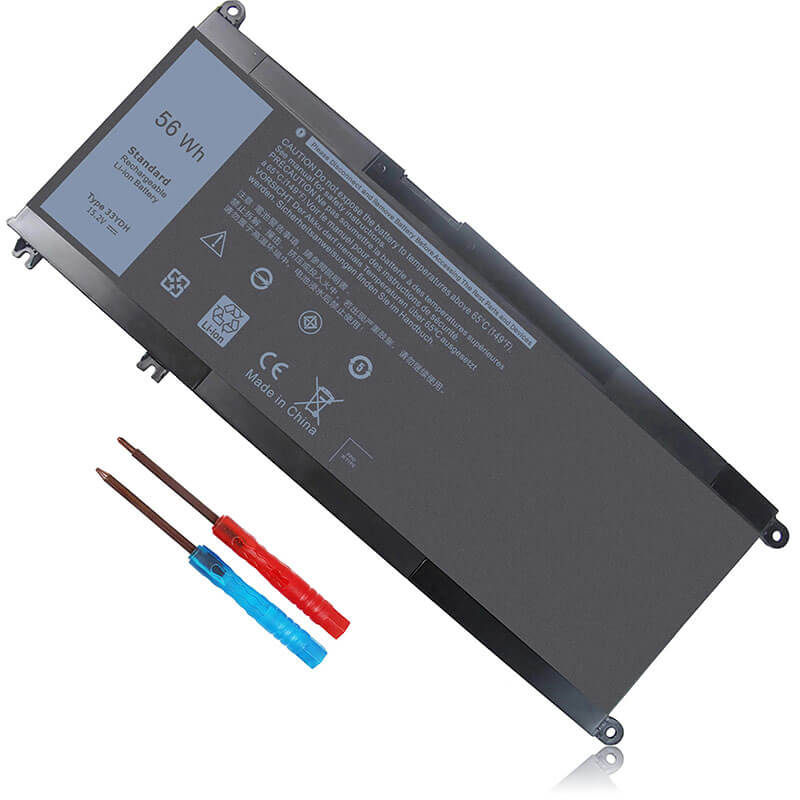
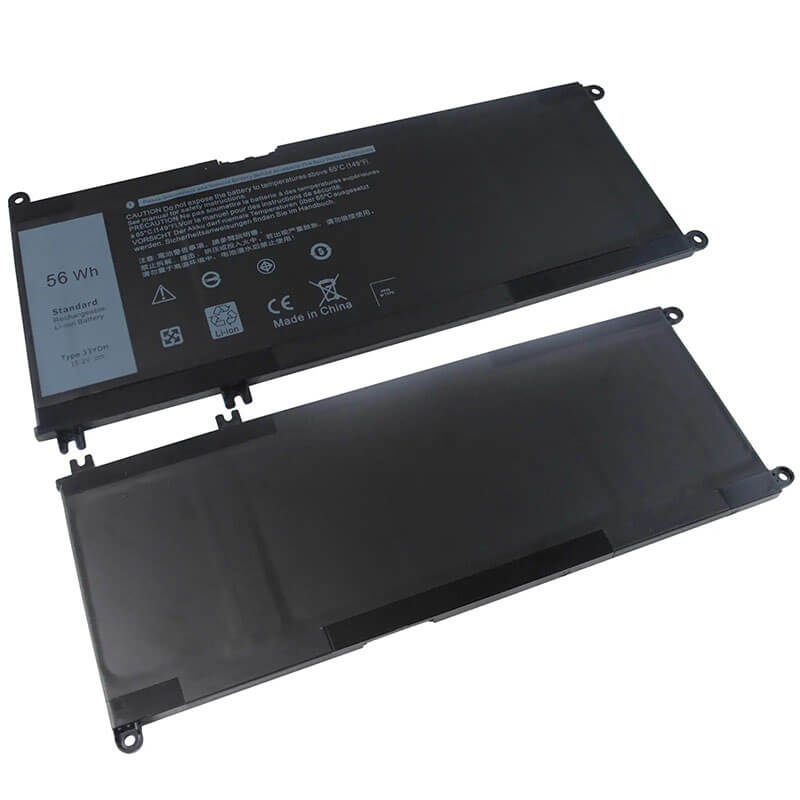
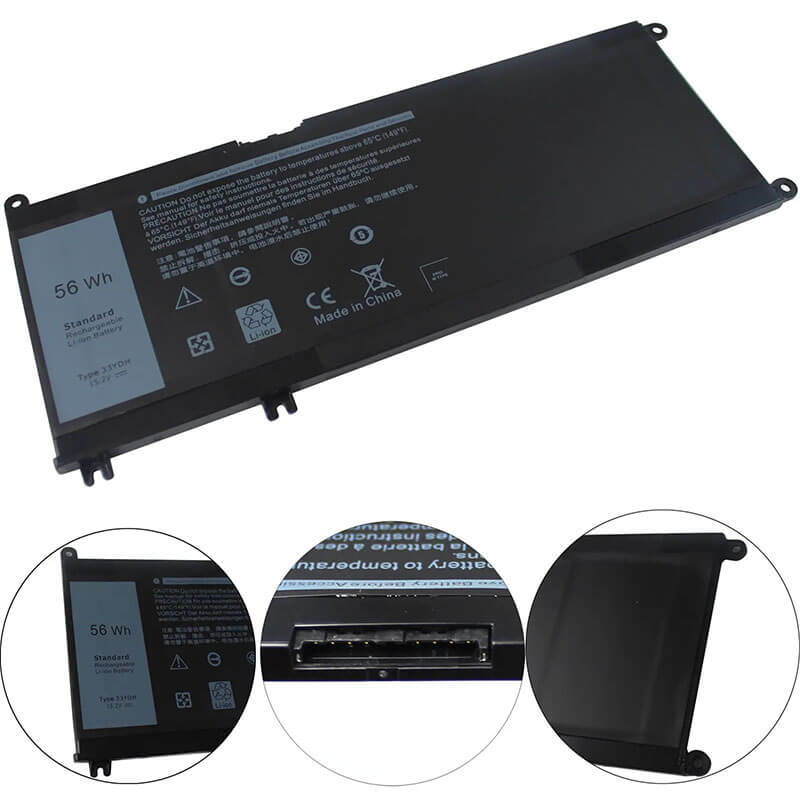
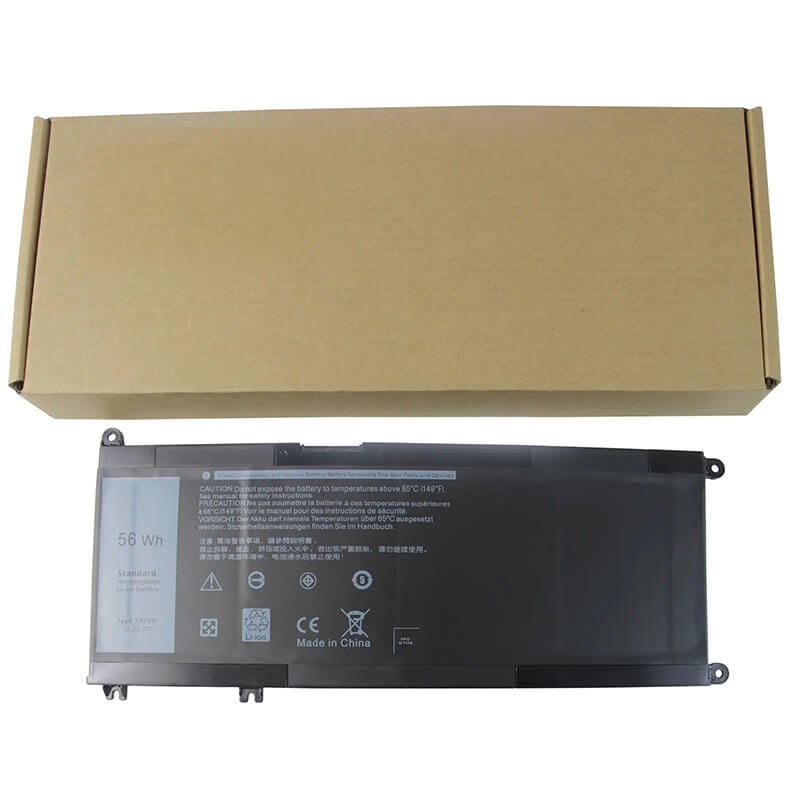
33YDH Battery for Dell Inspiron 17 7773 7778 7779 7786 Latitude 3490 3590 Vostro 7570 7580 | 15.2V 5...
- Model Numbers: 33YDH / 99NF2 / PVHT1 Battery
- Battery Type: Lithium-ion Polymer (High-Density 4-Cell)
- Voltage: 15.2V (Fully compatible with 11.4V/15V systems)
- Capacity: 3500mAh / 56Wh
- Cells: 4-Cell
- Connector: External Integrated Board-to-Board
- Condition: 100% Brand New from Factory
- Life Cycle: 600 – 1000 recharge cycles
- Multiple Protection: Over Current, Over Voltage, Over Charge & Discharge, Overheat, Short Circuit, ESD, EMI
- Color: Black
- Certifications: UL2054, CE, FCC, RoHS, UN38.3, MSDS, IEC62133
- OEM/ODM: Yes(Accepted)
- Warranty: 18 Months After Sales, 24/7 Email Support.
- Product Dimensions: 12×4.5×1.2 inches
- Item Weight: 11.2 Ounces
33YDH Battery for Dell Inspiron 17 7773 7778 7779 7786 Latitude 3490 3590 Vostro 7570 7580 | 15.2V 56Wh 4-Cell
Detailed Product Specifications and Features:
Core Technical Parameters:
| Property | Specification |
|---|---|
| Model Numbers | 33YDH / 99NF2 / PVHT1 Battery |
| Battery Type | Lithium-ion Polymer (High-Density 4-Cell) |
| Voltage | 15.2V (Fully compatible with 11.4V/15V systems) |
| Capacity | 3500mAh / 56Wh |
| Cells | 4-Cell |
| Connector | Internal 10-Pin Desktop-Style Ribbon |
| Condition | 100% Brand New from Factory |
| Life Cycle | 600 - 1000 recharge cycles |
| Multiple Protection | Over Current, Over Voltage, Over Charge & Discharge, Overheat, Short Circuit, ESD, EMI |
| Color | Black |
| Certifications | UL2054, CE, FCC, RoHS, UN38.3, MSDS, IEC62133 |
| OEM/ODM | Yes(Accepted) |
| Warranty | 18 Months After Sales, 24/7 Email Support. |
| Product Dimensions | 12×4.5×1.2 inches |
| Item Weight | 11.2 ounces |
Technical Note:
Design Note: The 33YDH is a large-format internal battery.
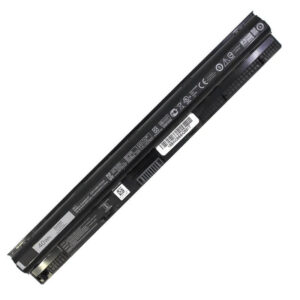
Visual Identification: It is a wide rectangular plate.
Workstation Compatibility: This battery is specifically engineered to handle the thermal loads of the Inspiron 17 7000 and Vostro 7570 series, which often feature discrete NVIDIA GeForce GTX GPUs.
Important: Not interchangeable with the WDX0R (42Wh) found in smaller 13/15-inch Inspiron models.
Product Features:
- Battery Newest Premium Grade Cells
- Best Circuit Board
- Multiple command chip control, keep the battery stable charge and discharge;
- Over-charger protection and discharger protection, short-circuit protection, ensure fast charges and low power consumption
- Easy & Quick Installation
- Our battery is 100% compatible with the original battery and meets
- CE/FCC/ROHS/UL-certified standards. It is 100% new from the manufacturer and can support up to 1000 recharge cycles over the life of the battery
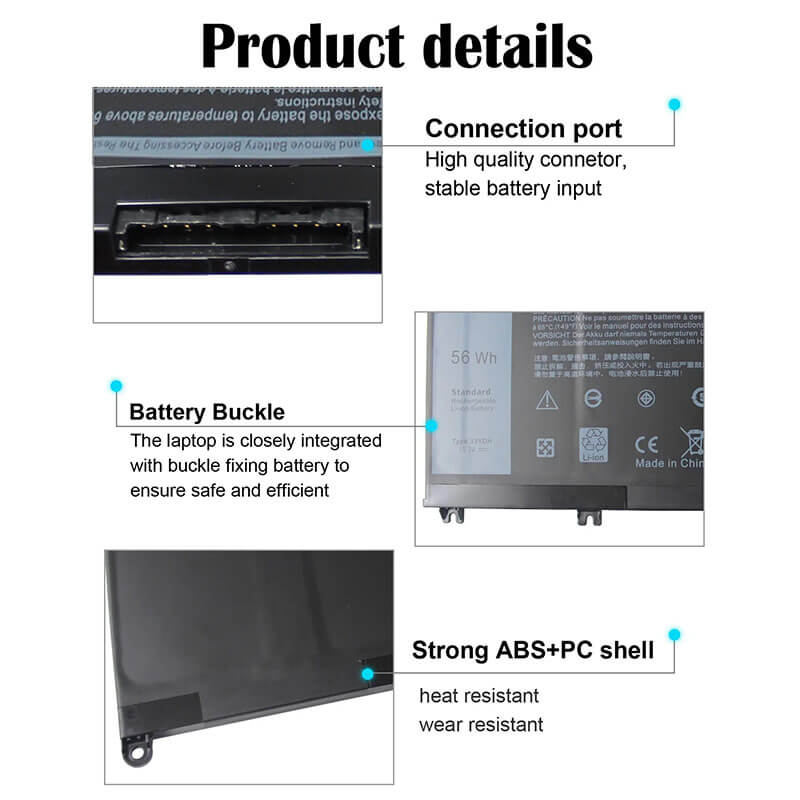
- Power Interface: Gold-plated connector points to ensure current transport excellently and serve stably.
- Enclosure: The enclosure is made of ABS + PC high-quality material, which has a high-temperature-resistant function to protect your laptop from overheating
- Battery Buckle: The battery buckle is closely connected to the laptop, and the metal interface is stably powered
33YDH / 99NF2 / PVHT1 Battery Compatibility Laptop Model List:
1. Compatible Laptop Model List (Comprehensive)
| Dell Series | Specific Model Suffixes (High-Volume Searchable Variants) |
|---|---|
| Inspiron 17 7000 | 7773, 7778, 7779, 7786 2-in-1: i7773-7854GRY, 17-7779-P30E, 7786-P30E |
| Vostro 15 7000 | 7570, 7580: Vostro 15-7570 (GTX 1050), Vostro 7580-D1545S Workstation |
| Latitude 14/15 3000 | 3490, 3580, 3590: Latitude 14-3490, Latitude 15-3590, 3580-P35E |
| Latitude 13 3000 | 3380: Latitude 3380 Education Series, 3380-P80G |
| ⚠️ FITMENT WARNING | 33YDH is NOT for Inspiron 13/15 5000/7000. (Those use the smaller WDX0R). |
| Visual Check | This is a Long L-Shaped Plate. Dimensions: Approx. 233mm x 103mm. |
2. 33YDH / 99NF2 / PVHT1 Battery Compatible Part Numbers (P/N List)
- Dell Spare Numbers: 33YDH, 033YDH, 99NF2, 099NF2, PVHT1, 0PVHT1, 81PF3, 081PF3
- Alternative Codes: DNCWSCB6106B, 451-BBXF, 451-BBZG, P30E001, 7FHHV
- Regulatory Codes: P30E, P30E001, P30E002, P35E, P71G, P80G, P80G001
- Engineering Code: YU10200-17002, 312-1163 (Internal logic), YU10300-16001
Why Choose HTJ 33YDH Battery?
- Precision Voltage for Discrete Graphics:
High-end Inspiron 7000 and Vostro 7580 laptops feature power-intensive GPUs. HTJ’s 33YDH provides a steady 15.2V rail, ensuring the system doesn’t experience “Voltage Sag” or GPU clock-throttling during intensive video editing or 1080p gaming tasks. - Industrial-Grade Polymer Pouch Technology:
Internal batteries in a 17-inch chassis face significant physical expansion stress. We use reinforced polymer pouches that resist swelling, protecting the large aluminum trackpad and internal hinges of the premium Inspiron 7779 series. - Enhanced Thermal Dissipation:
Because the 33YDH is located near the dual-fan cooling system in Vostro 7000 units, HTJ uses high-thermal-resistance separators to ensure the battery remains stable even when the laptop is under maximum CPU/GPU load. - Zero-Gap Chassis Fit:
Every HTJ 33YDH is factory-tested for screw-hole precision. This ensures that the five mounting points align perfectly with the Dell internal frame, preventing any localized pressure on the motherboard or SSD slots.
How to Install Your New 33YDH Battery?
The Dell 33YDH is an internal battery. A Phillips #0 screwdriver and a plastic pry tool are required.
⚠️ Pre-Installation Safety Check:
- Shut Down: Ensure the laptop is powered off and all peripherals are disconnected.
- Grounding: Touch a metal object to ground yourself before touching internal circuits.
33YDH Battery Step-by-Step Installation Guide:
- Bottom Cover: Remove the screws on the bottom of the Inspiron/Vostro chassis. Gently pry along the edges to release the clips.
- Disconnect: Pull the battery cable connector away from the motherboard. Note: On some 33YDH models, the cable is separate; reuse your original cable if necessary.
- Unscrew: Remove the 5 screws holding the battery in place.
- Exchange: Lift out the old unit. Place the HTJ 33YDH in the bay.
- Secure: Reinstall the screws and firmly press the 10-pin cable connector into the motherboard.
- Initialization: Reattach the cover. Connect the AC adapter and charge to 100% before the first mobile use to calibrate the new cells.
💡 Pro Tip (Solving “No Battery Detected”):
If your laptop doesn’t see the new 33YDH after installation:
- Open the cover and ensure the battery cable is pushed all the way into the socket. These 10-pin connectors can be tight.
- Perform a Power Drain: Unplug the battery and charger, hold the power button for 60 seconds, then reconnect. This resets the Dell charging logic (EC) and forces it to re-scan for the new HTJ cells.
FAQ (Frequently Asked Questions)
Q: Can I use 33YDH in place of WDX0R?
A: No. While the connectors are similar, the 33YDH is physically much larger and is designed for 17-inch laptops. It will not fit in 13 or 15-inch Inspiron models that require the WDX0R.
Q: Why does my original battery say 11.4V, but this is 15.2V?
A: Dell produced different motherboard revisions for the 7000 series. The HTJ 33YDH uses a high-density 15.2V configuration, which is backward compatible with the power management systems in these specific Latitude and Vostro models.
Q: My trackpad is hard to click. Is the battery the problem?
A: Yes. In the Inspiron 7778/7779, a swelling battery pushes directly against the underside of the trackpad. Replacing it with a fresh HTJ 33YDH will resolve this physical issue immediately.
Q: My laptop is an Inspiron 15, but it says “7000 Series.” Will this fit?
A: No. This is the #1 mistake. The Inspiron 15-7000 (like the 7567 or 7570) uses a different battery. The 33YDH only fits the Inspiron 17-7000 (17-inch screen). Please measure your battery; if it is about 23cm long, it is a 33YDH.
Q: Can I upgrade from the 42Wh battery to this 56Wh 33YDH?
A: Only if your laptop is a Latitude 3490 or 3590. These specific models were sold with two battery options. If you have the small one, you can upgrade to this HTJ 56Wh version for roughly 30% more runtime.
Q: My original battery was 11.4V, but this HTJ is 15.2V. Why?
A: 15.2V is the “High-Density” architecture for 4-cell polymer packs. It is the updated standard for the 33YDH. The Dell charging circuit is “intelligent” and will automatically adjust the charging rate to match this 15.2V profile safely.
Q: Why is my trackpad “stiff” or hard to click?
A: On the Inspiron 17-7773/7779, the battery sits directly under the trackpad. If your battery is old and swollen, it pushes the trackpad up. Replacing it with a fresh HTJ 33YDH will immediately fix your trackpad clicks.
Laptop Maintenance Tips:
- New battery: For using a new battery, you’d better try a few cycles of discharging to 5%. then charging up to 95%. So that it can be activated completely
- Overuse: Do not always run a battery to 0%, as this would shorten its usage life.
- Charging sequence: When charging, first install the battery, then turn on the power. When fully charged, first cut off the power, then pull the power plug.
- Long-term storage: Please store the unused battery fully charged. (Charge it once a month.) Do not store at low power to prevent reducing the lifespan of a battery
- Charger: Do not replace the laptop adapter casually. If the original adapter cannot be applied due to malfunction or damage, please replace the models so as not to reduce the service life of the battery due to incompatibility.
【IMPORTANT】: Press [ Ctrl+F ] to find the laptop models.
Need a legacy/unlisted charger? Send your DELL Laptop Battery specs or CONTACT US → We will source it for you!
We are a professional manufacturer of laptop batteries, laptop adapters, and laptop keyboards. We are committed to providing high-quality, competitively priced, and superior performance batteries and the best service to customers.